Post your recent film shots!
p.755 #1Post your recent film shots!
Gary Clennan wrote:
Provia 100F, Toyo 45AII, 4x5
You have made a mundane scene look exquisite. Nicely done!
Provia 100F, Toyo 45AII, 4x5
You have made a mundane scene look exquisite. Nicely done!
Feb 10, 2019 at 10:01 PM

p.755 #2Post your recent film shots!
Jon Buffington wrote:
You have made a mundane scene look exquisite. Nicely done!
Thanks Jon!
Gary Clennan wrote
Provia 100F, Toyo 45AII, 4x5Thanks Jon!
Feb 11, 2019 at 09:17 AM
p.755 #3Post your recent film shots!
Cat street, Tokyo.
 Leica M7 Fujichrome Provia 100F by edward karaa, on Flickr
 Leica M7 Fujichrome Provia 100F by edward karaa, on Flickr
 Leica M7 Fujichrome Provia 100F by edward karaa, on Flickr
Leica M7 Fujichrome Provia 100F by edward karaa, on FlickrLeica M7 Fujichrome Provia 100F by edward karaa, on FlickrLeica M7 Fujichrome Provia 100F by edward karaa, on FlickrFeb 11, 2019 at 12:51 PM
p.755 #4Post your recent film shots!
edwardkaraa wrote:
Cat street, Tokyo.
https://farm8.staticflickr.com/7803/46340022004_f485aca747_o.jpgLeica M7 Fujichrome Provia 100F by edward karaa, on Flickr
https://farm8.staticflickr.com/7825/46340022374_4f0a5a4773_o.jpgLeica M7 Fujichrome Provia 100F by edward karaa, on Flickr
https://farm8.staticflickr.com/7877/46340022144_6e8a07149f_o.jpgLeica M7 Fujichrome Provia 100F by edward karaa, on Flickr
I really like the last shot Edward! Well done.
Cat street, Tokyo.
https://farm8.staticflickr.com/7803/46340022004_f485aca747_o.jpgLeica M7 Fujichrome Provia 100F by edward karaa, on Flickr
https://farm8.staticflickr.com/7825/46340022374_4f0a5a4773_o.jpgLeica M7 Fujichrome Provia 100F by edward karaa, on Flickr
https://farm8.staticflickr.com/7877/46340022144_6e8a07149f_o.jpgLeica M7 Fujichrome Provia 100F by edward karaa, on Flickr
I really like the last shot Edward! Well done.
Feb 11, 2019 at 08:43 PM
p.755 #5Post your recent film shots!
Gary Clennan wrote:
edwardkaraa wrote
Cat street, Tokyo.https://farm8.staticflickr.com/7803/46340022004_f485aca747_o.jpgLeica M7 Fujichrome Provia 100F by edward karaa, on Flickr
https://farm8.staticflickr.com/7825/46340022374_4f0a5a4773_o.jpgLeica M7 Fujichrome Provia 100F by edward karaa, on Flickr
https://farm8.staticflickr.com/7877/46340022144_6e8a07149f_o.jpgLeica M7 Fujichrome Provia 100F by edward karaa, on Flickr
Thanks Gary! Much appreciated!
Feb 12, 2019 at 04:22 AM
p.755 #6Post your recent film shots!
 Leica M7 Kodak Gold 200 by edward karaa, on Flickr
 Leica M7 Kodak Gold 200 by edward karaa, on Flickr
Feb 12, 2019 at 11:22 AM
p.755 #7Post your recent film shots!
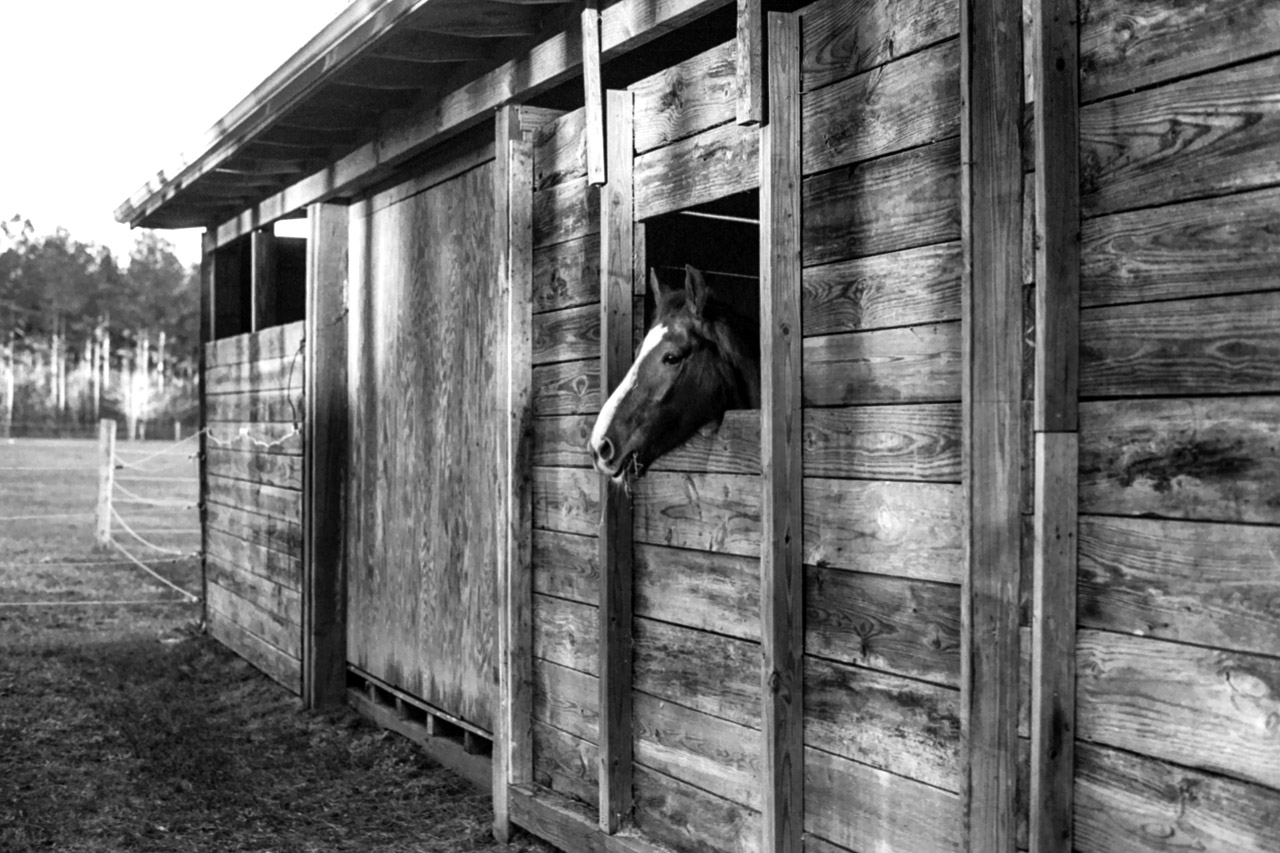
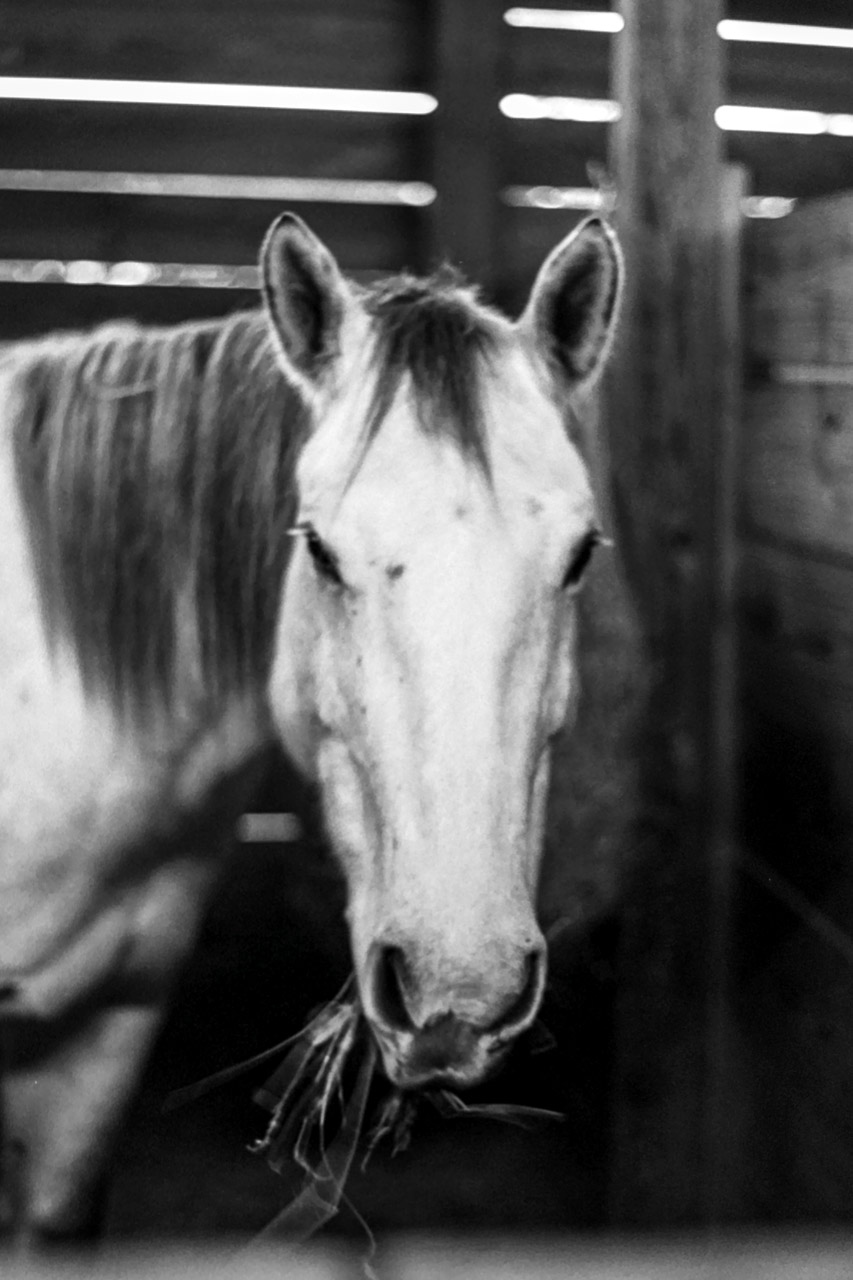
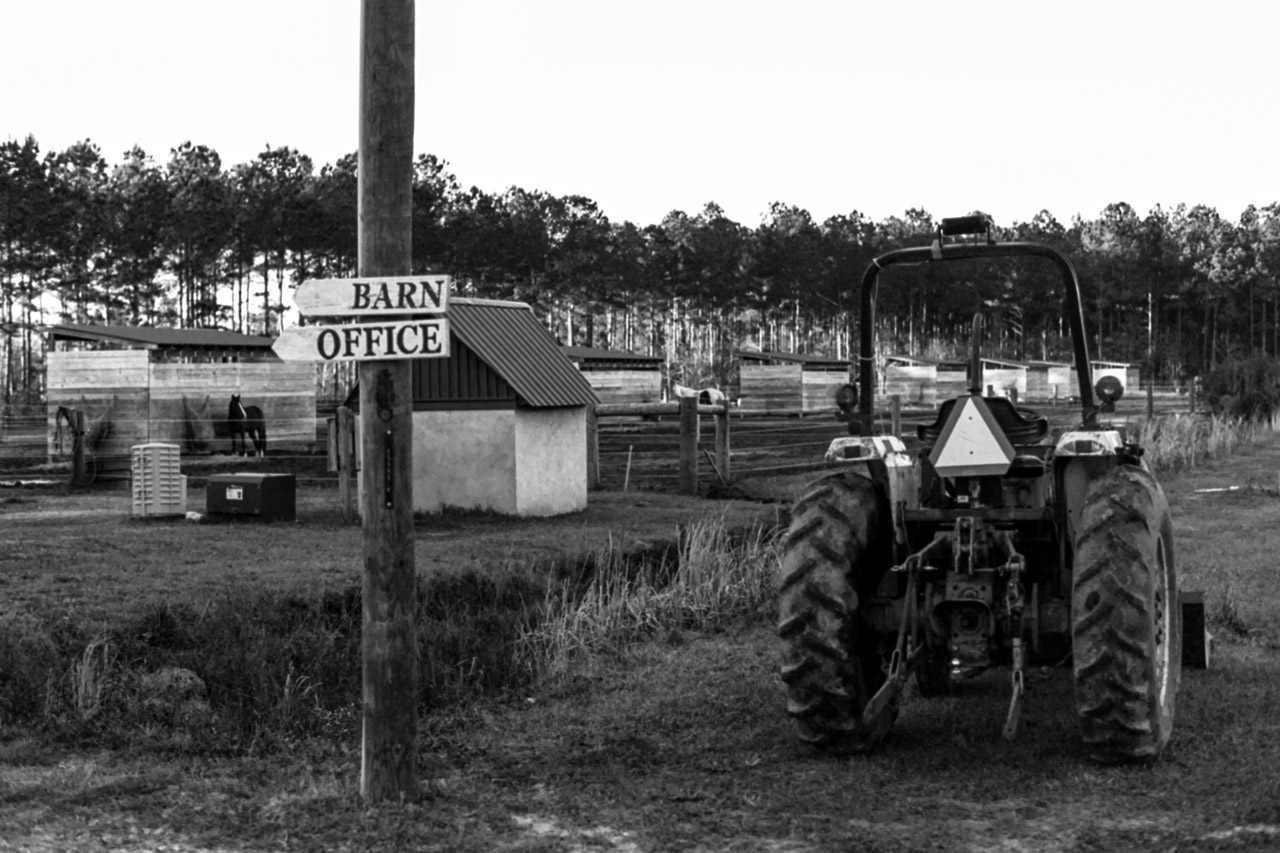
Finally got some shots back, Tri-X with Contax 139 & 50mm f/1.7 on the farm.
 |
||
 |
||
|
|
||
 |
||
|
|
||
 |
||
|
Feb 12, 2019 at 12:34 PM


p.755 #9Post your recent film shots!
Kyoto, Japan.
 Leica M7 Zeiss 50 Planar Ektachrome 100 by edward karaa, on Flickr
 Leica M7 Zeiss 50 Planar Ektachrome 100 by edward karaa, on Flickr
Leica M7 Zeiss 50 Planar Ektachrome 100 by edward karaa, on FlickrLeica M7 Zeiss 50 Planar Ektachrome 100 by edward karaa, on FlickrFeb 13, 2019 at 04:00 AM
p.755 #10Post your recent film shots!
Geisha apprentice (aka Maiko).
 Leica M7 Zeiss 85 Sonnar Superia 1600 by edward karaa, on Flickr
 Leica M7 Zeiss 85 Sonnar Superia 1600 by edward karaa, on Flickr
Leica M7 Zeiss 85 Sonnar Superia 1600 by edward karaa, on FlickrLeica M7 Zeiss 85 Sonnar Superia 1600 by edward karaa, on FlickrFeb 13, 2019 at 04:21 AM
|
p.755 #11Post your recent film shots!
Good to see that 40/2 in use with film!
imagesfromobjects wrote:
Pentax MX | Voigtlander Ultron 40/2 | Fuji Pro 400H
https://farm8.staticflickr.com/7891/40114832213_5401a8689c_b.jpg
https://farm8.staticflickr.com/7868/47079655861_04f6a3566d_b.jpg
https://farm8.staticflickr.com/7870/47079655951_4ff4ea1cd8_b.jpg
https://farm8.staticflickr.com/7882/40114832673_f87550c1cc_b.jpg
https://farm8.staticflickr.com/7900/33204615968_8559c9f5e2_b.jpg
https://farm8.staticflickr.com/7853/32137302777_22d66b2b06_b.jpg
https://farm8.staticflickr.com/7882/33204616098_8eabd650ec_b.jpg
imagesfromobjects wrote:
Pentax MX | Voigtlander Ultron 40/2 | Fuji Pro 400H
https://farm8.staticflickr.com/7891/40114832213_5401a8689c_b.jpg
https://farm8.staticflickr.com/7868/47079655861_04f6a3566d_b.jpg
https://farm8.staticflickr.com/7870/47079655951_4ff4ea1cd8_b.jpg
https://farm8.staticflickr.com/7882/40114832673_f87550c1cc_b.jpg
https://farm8.staticflickr.com/7900/33204615968_8559c9f5e2_b.jpg
https://farm8.staticflickr.com/7853/32137302777_22d66b2b06_b.jpg
https://farm8.staticflickr.com/7882/33204616098_8eabd650ec_b.jpg
Feb 13, 2019 at 08:28 AM
p.755 #12Post your recent film shots!
Mathieu18 wrote:
Good to see that 40/2 in use with film!
https://farm8.staticflickr.com/7891/40114832213_5401a8689c_b.jpg
https://farm8.staticflickr.com/7868/47079655861_04f6a3566d_b.jpg
https://farm8.staticflickr.com/7870/47079655951_4ff4ea1cd8_b.jpg
https://farm8.staticflickr.com/7882/40114832673_f87550c1cc_b.jpg
https://farm8.staticflickr.com/7900/33204615968_8559c9f5e2_b.jpg
https://farm8.staticflickr.com/7853/32137302777_22d66b2b06_b.jpg
https://farm8.staticflickr.com/7882/33204616098_8eabd650ec_b.jpg
Thanks, Man! That second shot - the horse portrait is OUTSTANDING.
Hey, maybe you can help- the Ultron 40 is rad, but I'm having an issue trying to correct the distortion. It's usually fine, but a couple shots with geometric subjects are problematic and the LR profiles aren't showing up for the film files - only digital(??)
More info:
https://www.fredmiranda.com/forum/topic/1583568
Good to see that 40/2 in use with film!
imagesfromobjects wrote
Pentax MX | Voigtlander Ultron 40/2 | Fuji Pro 400Hhttps://farm8.staticflickr.com/7891/40114832213_5401a8689c_b.jpg
https://farm8.staticflickr.com/7868/47079655861_04f6a3566d_b.jpg
https://farm8.staticflickr.com/7870/47079655951_4ff4ea1cd8_b.jpg
https://farm8.staticflickr.com/7882/40114832673_f87550c1cc_b.jpg
https://farm8.staticflickr.com/7900/33204615968_8559c9f5e2_b.jpg
https://farm8.staticflickr.com/7853/32137302777_22d66b2b06_b.jpg
https://farm8.staticflickr.com/7882/33204616098_8eabd650ec_b.jpg
Thanks, Man! That second shot - the horse portrait is OUTSTANDING.
Hey, maybe you can help- the Ultron 40 is rad, but I'm having an issue trying to correct the distortion. It's usually fine, but a couple shots with geometric subjects are problematic and the LR profiles aren't showing up for the film files - only digital(??)
More info:
https://www.fredmiranda.com/forum/topic/1583568
Feb 13, 2019 at 10:55 PM

p.755 #14Post your recent film shots!
Fushimi Inari, Kyoto.
 Leica M7 Ektachrome 100 by edward karaa, on Flickr
 Leica M7 Ektachrome 100 by edward karaa, on Flickr
 Leica M7 Ektachrome 100 by edward karaa, on Flickr
 Leica M7 Ektachrome 100 by edward karaa, on Flickr
Leica M7 Ektachrome 100 by edward karaa, on FlickrLeica M7 Ektachrome 100 by edward karaa, on FlickrLeica M7 Ektachrome 100 by edward karaa, on FlickrLeica M7 Ektachrome 100 by edward karaa, on FlickrFeb 14, 2019 at 10:18 AM
p.755 #15Post your recent film shots!
Appreciate it, that was a tough one, was pretty dark in the barn. I don't feel I'm getting the sharpness I should out of those lenses but I don't know if it's maybe just the scan, the lab just uses a quick low quality Pakon scan. That horse definitley had some motion blur though.
Anyway, I was thinking through it and don't see on distortion anyway how the digital profile wouldn't work near as well? Also possible, I think Adobe only has the profiles for the most recent versions and I think that was one of the earliest, maybe there's been slight changes? If it's not working well I think your only option will be a custom profile, which you can build for distortion as well but I've admittedly never tried.
imagesfromobjects wrote:
https://farm8.staticflickr.com/7891/40114832213_5401a8689c_b.jpg
https://farm8.staticflickr.com/7868/47079655861_04f6a3566d_b.jpg
https://farm8.staticflickr.com/7870/47079655951_4ff4ea1cd8_b.jpg
https://farm8.staticflickr.com/7882/40114832673_f87550c1cc_b.jpg
https://farm8.staticflickr.com/7900/33204615968_8559c9f5e2_b.jpg
https://farm8.staticflickr.com/7853/32137302777_22d66b2b06_b.jpg
https://farm8.staticflickr.com/7882/33204616098_8eabd650ec_b.jpgThanks, Man! That second shot - the horse portrait is OUTSTANDING.
Hey, maybe you can help- the Ultron 40 is rad, but I'm having an issue trying to correct the distortion. It's usually fine, but a couple shots with geometric subjects are problematic and the LR profiles aren't showing up for the film files - only digital(??)
More info:
https://www.fredmiranda.com/forum/topic/1583568
Anyway, I was thinking through it and don't see on distortion anyway how the digital profile wouldn't work near as well? Also possible, I think Adobe only has the profiles for the most recent versions and I think that was one of the earliest, maybe there's been slight changes? If it's not working well I think your only option will be a custom profile, which you can build for distortion as well but I've admittedly never tried.
imagesfromobjects wrote:
Mathieu18 wrote
Good to see that 40/2 in use with film!imagesfromobjects wrote
Pentax MX | Voigtlander Ultron 40/2 | Fuji Pro 400Hhttps://farm8.staticflickr.com/7891/40114832213_5401a8689c_b.jpg
https://farm8.staticflickr.com/7868/47079655861_04f6a3566d_b.jpg
https://farm8.staticflickr.com/7870/47079655951_4ff4ea1cd8_b.jpg
https://farm8.staticflickr.com/7882/40114832673_f87550c1cc_b.jpg
https://farm8.staticflickr.com/7900/33204615968_8559c9f5e2_b.jpg
https://farm8.staticflickr.com/7853/32137302777_22d66b2b06_b.jpg
https://farm8.staticflickr.com/7882/33204616098_8eabd650ec_b.jpg
Hey, maybe you can help- the Ultron 40 is rad, but I'm having an issue trying to correct the distortion. It's usually fine, but a couple shots with geometric subjects are problematic and the LR profiles aren't showing up for the film files - only digital(??)
More info:
https://www.fredmiranda.com/forum/topic/1583568
Feb 14, 2019 at 10:33 AM
p.755 #16Post your recent film shots!
Photos taken with Hasselblad 500 C/M and Zeiss-Hasselblad 80/2.8 and 50/4.0 CF T* lenses, Kodak Ektachrome 400 (expired 2007)
|
||
 |
||
|
|
||
 |
||
|
|
||
 |
||
|
Feb 16, 2019 at 08:53 AM
p.755 #17Post your recent film shots!
imagesfromobjects wrote:
Hey, maybe you can help- the Ultron 40 is rad, but I'm having an issue trying to correct the distortion. It's usually fine, but a couple shots with geometric subjects are problematic and the LR profiles aren't showing up for the film files - only digital(??)
More info:
https://www.fredmiranda.com/forum/topic/1583568
That's because LR needs the lens info embedded in the image to know what profile to apply. When you scan film, the info embedded in your scan is of the scanner. Not the original lens used.
I see the auto lens profiles in LR when I edit RAW digital files, but not when I edit scanned film images.
Hey, maybe you can help- the Ultron 40 is rad, but I'm having an issue trying to correct the distortion. It's usually fine, but a couple shots with geometric subjects are problematic and the LR profiles aren't showing up for the film files - only digital(??)
More info:
https://www.fredmiranda.com/forum/topic/1583568
That's because LR needs the lens info embedded in the image to know what profile to apply. When you scan film, the info embedded in your scan is of the scanner. Not the original lens used.
I see the auto lens profiles in LR when I edit RAW digital files, but not when I edit scanned film images.
Feb 16, 2019 at 02:00 PM
p.755 #18Post your recent film shots!
Desmolicious wrote:
More info:
https://www.fredmiranda.com/forum/topic/1583568That's because LR needs the lens info embedded in the image to know what profile to apply. When you scan film, the info embedded in your scan is of the scanner. Not the original lens used.
I see the auto lens profiles in LR when I edit RAW digital files, but not when I edit scanned film images.
Dig it - here's the work-around if you have a profile already. Super easy and confirmed working:
On Windows:
1. Navigate to:
C:/Program Files/Adobe/Adobe Lightroom Classic CC/Resources/LensProfiles/1.0
2. Find the profile you want to use and open the .lcp file in a text editor. Find the text that says:
stCamera:CameraRawProfile="True"
3. Change "True" to "False" for all entries - there may be just one, but there may be several.
4. Save a copy of the modified .lcp with a new name, without the "raw" at the end of the name and copy to:
[User]/AppData/Roaming/Adobe/CameraRaw/LensProfiles/ (need to "show hidden folders" if you don't see this)
5. Restart Lightroom - Done! Profile should be visible under Lens Corrections module.
imagesfromobjects wrote
Hey, maybe you can help- the Ultron 40 is rad, but I'm having an issue trying to correct the distortion. It's usually fine, but a couple shots with geometric subjects are problematic and the LR profiles aren't showing up for the film files - only digital(??)More info:
https://www.fredmiranda.com/forum/topic/1583568
I see the auto lens profiles in LR when I edit RAW digital files, but not when I edit scanned film images.
Dig it - here's the work-around if you have a profile already. Super easy and confirmed working:
On Windows:
1. Navigate to:
C:/Program Files/Adobe/Adobe Lightroom Classic CC/Resources/LensProfiles/1.0
2. Find the profile you want to use and open the .lcp file in a text editor. Find the text that says:
stCamera:CameraRawProfile="True"
3. Change "True" to "False" for all entries - there may be just one, but there may be several.
4. Save a copy of the modified .lcp with a new name, without the "raw" at the end of the name and copy to:
[User]/AppData/Roaming/Adobe/CameraRaw/LensProfiles/ (need to "show hidden folders" if you don't see this)
5. Restart Lightroom - Done! Profile should be visible under Lens Corrections module.
Feb 16, 2019 at 04:32 PM
p.755 #19Post your recent film shots!
I maybe sorta kinda accidentally just bought a Minolta CLE.
Oops! My finger must have slipped. Anyway, been eyeing one for a looooong time. This one had my name all over it- super cheap because, according to the seller, the meter is wonky but it works perfectly in manual mode sans meter. Meters are great but I don't really care cuz there's Sunny16 and an app for that. Guy seems legit, 100% feedback and returns accepted, so should be fine.
My 1st M mount camera! Very excited. Now, if only I hadn't sold off all my M lenses DOH! Gonna have to pick up a CV 40/1.4 ASAP and may have to part ways with something to ease the sting a little.
Anyone here used this camera?
Oops! My finger must have slipped. Anyway, been eyeing one for a looooong time. This one had my name all over it- super cheap because, according to the seller, the meter is wonky but it works perfectly in manual mode sans meter. Meters are great but I don't really care cuz there's Sunny16 and an app for that. Guy seems legit, 100% feedback and returns accepted, so should be fine.
My 1st M mount camera! Very excited. Now, if only I hadn't sold off all my M lenses DOH! Gonna have to pick up a CV 40/1.4 ASAP and may have to part ways with something to ease the sting a little.
Anyone here used this camera?
Feb 18, 2019 at 12:37 AM
p.755 #20Post your recent film shots!
Kyoto old and new:
 Leica M7 Zeiss 50 Planar Ektachrome 100 by edward karaa, on Flickr
 Leica M7 Zeiss 50 Planar Ektachrome 100 by edward karaa, on Flickr
Leica M7 Zeiss 50 Planar Ektachrome 100 by edward karaa, on FlickrLeica M7 Zeiss 50 Planar Ektachrome 100 by edward karaa, on FlickrFeb 18, 2019 at 03:00 AM