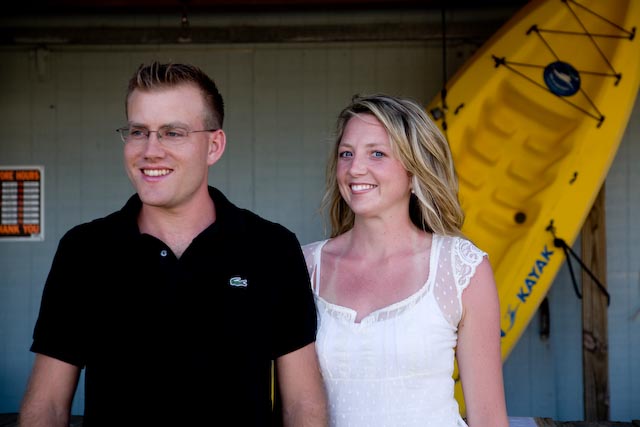
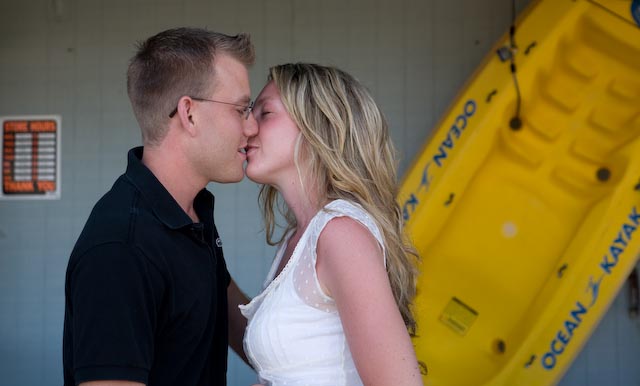
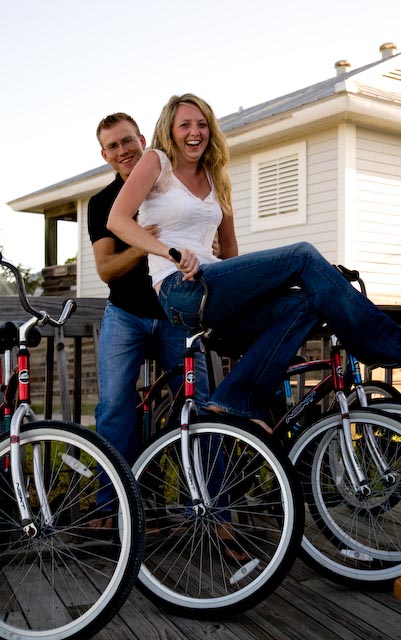
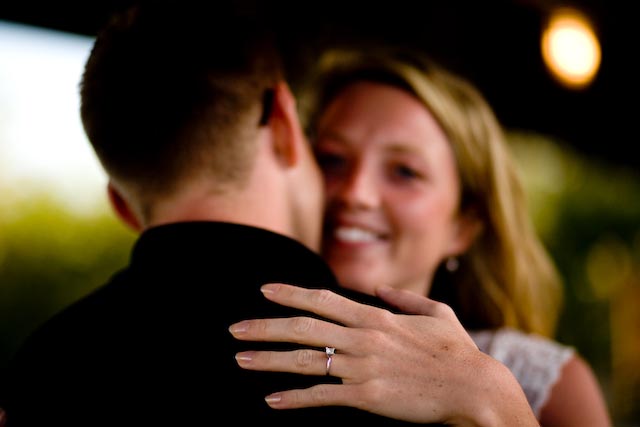
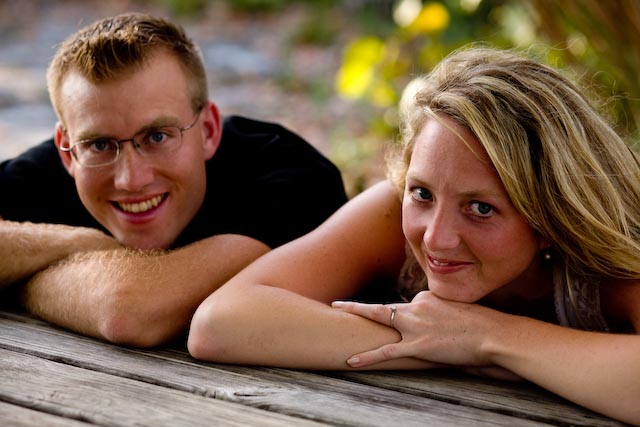
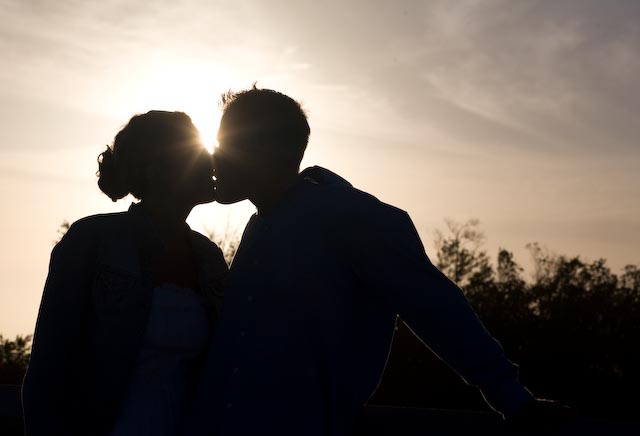
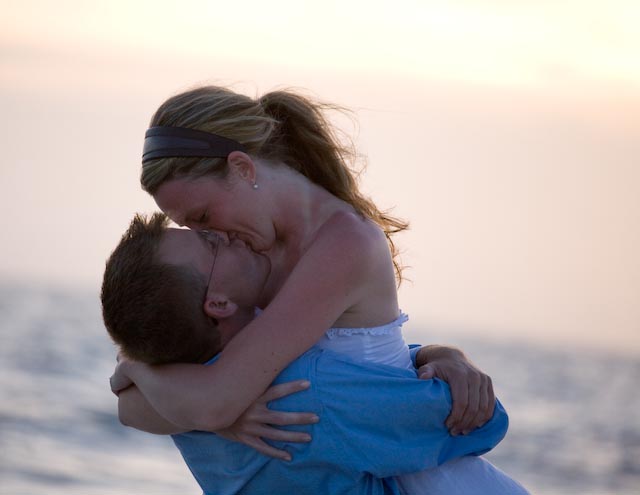
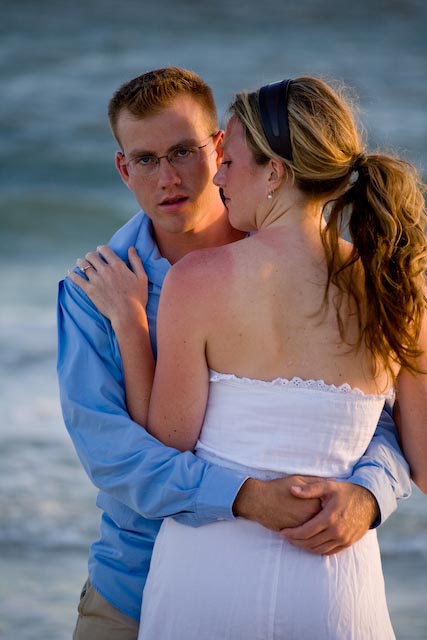
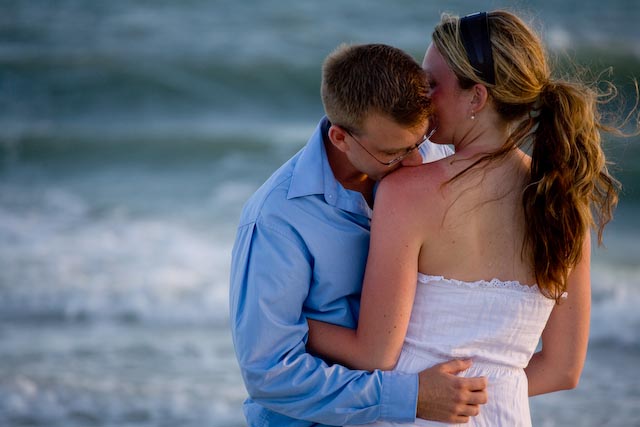
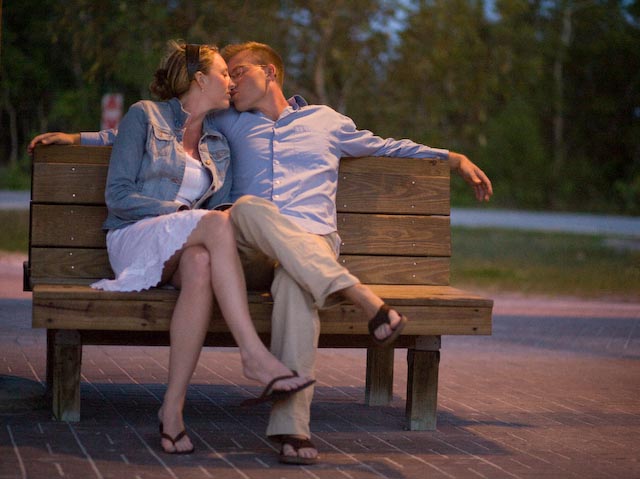
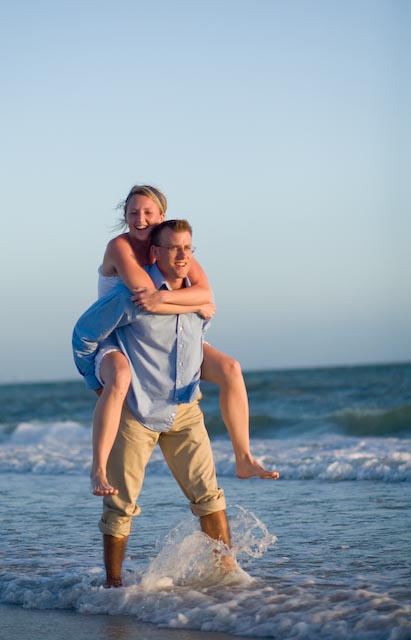
These photos are from my frist e-session, and I'd like some C&C. i'm really new at this, so instead of tearing it apart, please let me know what I could do better and what I should watch out for. I'm hyper-aware of things I screw up. I would particularly like advice about what I should do in PP. I imported them via Lightroom and have only adjusted color temp., blacks, and exposure.
quick question: Does anyone else find that their 5D underexposes consistently? If I keep my needle in the middle, I consistently get underexposed photos. I know this has to do with a lot of things, but I was wondering if anyone else had a problem with it. I shoot in RAW, so it's not the end of the world, but I'd like to get the photos right in the camera.
Also, I just calibrated my screen, but it seems like it's still a bit red. The couple was sunburnt, which I need to fix. But I think my screen makes it look a tad worse.
Yeah. I had a hard time with that because I caught that in between poses we were doing, and I really liked it as a candid moment. But the face is a little strange. My husband and I wanted to keep it because we know the couple and it's a really like him.
Besides it being weird, was the pose/lighting/cropping ok? Would it look better with a different face (maybe him looking at her) or is it just a terrible photo? I need some specifics to help me get better.
Thankfully I have a second e-session with them down town, so I'm looking forward to improving on what I already have.
Watch your backgrounds. Even if the kayak has some significance to the couple in the first two shots, the store hours sign probably doesn't.
Keep an eye peeled for photographic amputations!
One way to go after sunburn in PS is to create a new hue/saturation adjustment layer, select magentas, and use the eye dropper on the sunburn. Then ease back the saturation on that particular color.... This won't cure sunburn by itself, but its a start and will make it less pronounced. You can then mask in this effect only on the affected areas. You'll ultimately need to use this in conjunction with some cloning to blend the tan lines....
To me, 5 & 7 seem the strongest of the series. Neither is technically perfect, but the couple looks natural, and in 7 there's real passion & energy.
Thanks for the advice! I had to crop the first two to get rid of other extraneous background stuff, so I left the store hours sign in with the intention to photoshop it out. I have found that the background is the next thing I need to tackle. I have a hard time seeing the background issues once I'm looking through the lens. I suppose that means I should look much harder *before* I sit them down (or possibly use a longer lens)! See red sign in #10 for example. I have a few shots we did on a bridge where you can't see the details on their faces, but I think the background may have been better.
How do deal with horizon lines? I don't want to cut through any major body parts with the horizon, and I'm not the biggest fan of tilted horizon shots. I ended up shooting with my 70-200 up on a ledge, so the water filled the background. But I just saw the cover of a catalog today with the horizon, complete with large rock formation, cutting right through the head of the model. So I guess this is done fairly often? I still think it was distracting.
And cropping through body parts? I crop off toes and feet too often! Does anyone else do this? Slight shake of the camera and a body part is gone. Is it better to include more and crop later? Or should I continue to crop in the camera and be a lot more diligent about what I leave out? Thanks for the advice. Here's a horizon line example.
Horizon lines are like any other compositional element: their placement depends on the overall composition, DOF, etc..... I will say that most people seem to be more tolerant of horizon bisections than, say, trees coming out of heads. To a certain extent, though, it becomes a matter of taste. Taste is where ideal compositional theory meets photographing in the real world
Note that tilted horizons can be created EITHER by a tilted camera, an actual tilted horizon (IE hillside), OR a perspective that is not perpendicular to the horizon (convergence).
For a portrait session, its a good habit to take a moment or two to actually look through the viewfinder. (No, I'm not being a smart@$$ here). Too often, we can get in the habit of snapping away like we've seen Austin Powers do, and not pausing to really assess the composition, posing, clothes, etc etc etc. There's nothing wrong with spontaneous photography, but I'd encourage you to blend that approach with some exposures that you really take a minute or two just looking through the VF and adjusting compositions.... this is where you will start to catch things like amputations, awkward poses, stray hairs, extraneous background elements... etc etc.... It can be even more difficult if the subjects have ALSO been indoctrinated to expect a constant POP POP POP. Its up to you to take control of the situation and slow things down from time to time.
I do this too! Often I have to force myself to slow down and LOOK, rather than just "spray and pray." Its one of the great dangers of digital photography...
Again, this isn't to say that shooting should never be spontaneous.... but the good thing is that as you develop the habit of looking carefully at your scene before the click, you'll get faster and faster at it to the point where you'll quickly notice issues and adjust accordingly.
Wow, Evan, thanks so much! That's REALLY helpful. I always imagine photographers off on an engagement shoot snapping away, but in reality that isn't the case. I think I should take advantage of the time I have during an engagement shoot (unlike a wedding). It's possible I may miss a sweet "moment," but I have a lot more time to actually LOOK through the viewfinder, see any amputations/stray signs/ugliness, set my exposure, shoot, check the histogram, change exposure, and shoot once again. Thanks for the advice! I've been so blessed with friends who have volunteered for portraits, so I'll use that advice tonight!
You have a lot of good advice in this thread. Another way to say what Evan is talking about is, this is how we photographers "paint" our image. We imagine it with a mental sketch, sometimes a physical sketch before taking the picture. Take the time to "paint" by moving the subjects into place.
For you compositions, take a close look at number 4. and compare how large the hand is to her face. Pretty big hand if you ask me! The ffocus is the ring and there is many ways to go about this, but a large deattached hand crawling up the guys back isnt one of them!
In 6, i cant see the profile of the face, and it looks like a jumbled mess of shadows. Try having them touch noses and get the foreheads close, use a tight aperture like 16 and step in or zoom in so you eliminate dead space. Look to see if you can see clean looking profile lines in the silouete, the smaller aperture will give you more of the star effect from the sun.
And in 10 you got me on two things! The Dutch (tilt angle) makes me think they are on a slope or the photographer was drunk! My mentor taught me to watch the horizen lines, and if you want to dutch, make it intentional! or it just looks like a crooked picture. Some people like crooked pictures and I myself am rather old fashioned in certain areas, but in this picture, make it straight, the dutching isnt working with the angle. AND..... dun dun dun.... watch those crotch shots! Shes sitting there with her legs crossed, but it is still revealing! get her skirt over that area, change her angle slightly! Do anything to avoid the slightest peekaboo down under!
And I would like to close by saying you are certainly on the right track, just keep shooting! Thats the only way to apply the technical knowledge to the artistic eye.
Wow, that was so helpful! I really appreciate you all taking time to look at these and give me some constructive critiques. I, too, found the hand a bit large. I've heard the term "Alien Hands" for that crawling hand -- I need to watch for it. I should probably go with the 70-200mm next time instead of the 28-75mm. GREAT advice about the silhouette. I see that you knew exactly what I was going for, but didn't quite get! I have another one of the same shot without the sun "star" (or what should have been a star), and it's a bit cleaner. Not as clean as an f/16, but I'll use that one instead. About 10 -- thanks for pointing out the tilt! I didn't even see it. I can't believe I just admitted that I didn't see it. I am not as detail-oriented as others, so I often don't always see those little things in the viewfinder. Sometimes I don't see them on the screen. I'll just have to work a lot harder at it. If I take your advice and Evan's advice, I'm going to take a bit more time before I shoot.
Here's a question: I have some experience sketching, so I've been sketching out ideas for each picture I want before I get the picture. Like thumbnail sketches for a story board. I guess this is the first step, but I need to put a bit more thought into it. Thanks so much for the advice!
The sketching can help in many ways but don't tie yourself up in it too much, use it as a guide if anything (like a story board). Remember, when it comes to weddings, you want to be able to tell the story of the wedding. I see a lot of talent out there with AMAZING pipctures, but i can't see the story to the weddings and I find a lot of the pictures wonderfull yet irrelevant to the wedding.
I know a fellow down here that does mostly fine art shots and the sketching comes in very handy for formulating his ideas, and the end results are fabulous! His focus is ONE main shot, all others surrounding and leading up to that shot are to smooth out the wrinkles.
When I do engagements I focus on getting three main shots for the couple, and a few others for good measure (just to give them a choice, and people like looking at pictures, so i give it to them). Something that helps is posing yourself in the mirror, or have some friends come over to help you. do a very simple studio style shoot (flat lighting, and focus on posing them and nothing else. Pay attention to head angles, where the hand is (on the arm is better than on the shoulder, keep the hand away from the face to prevent gorilla hands), get the hair off the shoulder (sasquatch shoulder) and place it in front or pull it all back and when you have everything done, touch thier shoulder and tell them to "relax" (quite often you will see thier shoulders drop as they relax), sometimes I have people do a twist and a deep breath before they smile to accomplish the "relaxed" smile.
All in all remember that photography is like being a Doctor. You will be a specialist in one or a few fields but never in all. Look at all the greatest photographers and what they do. They specialize in a few fields but never all. Its funny that I tell this to the Doctors at my place that are hobbyists and some still argue with me about equipment and technique (because they are Doctors and they know it ALL! haha). But they Doc's that are really into photography listen to everything I say like its a mini class. Ever though about Forensic/Medical photography?
Find a field you enjoy and stick with that, you will eventually fine tune your craft when you find YOUR style.