thanks, I was using the 580EX bounce to the ceiling guess I'll have to invest in a second flash, or a small home studio setup with umbrella to give her that 3D look....
yauyi wrote:
thanks, I was using the 580EX bounce to the ceiling guess I'll have to invest in a second flash, or a small home studio setup with umbrella to give her that 3D look....
still learning
You can do it with just one light.
Simply move the light off the camera and to one side. Then use a reflector or reflective surface (even a wall). That is all you need (at minimum) using your current equipment.
To move it to the side you could use an "off camera shoe cord" or if you want to spend more get the remote STE device.
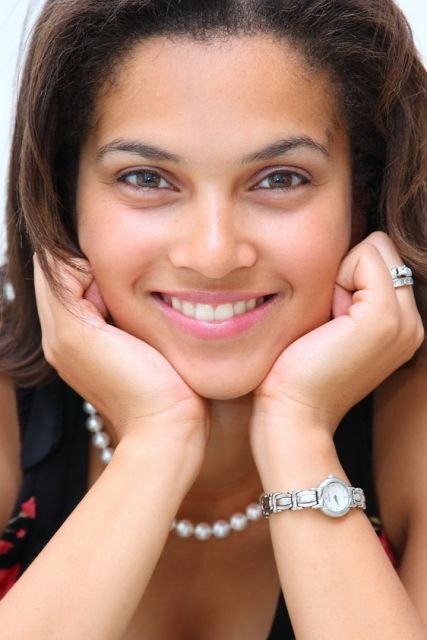
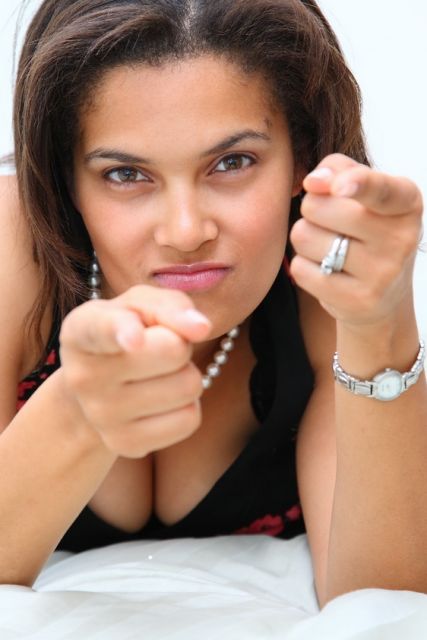
I like what you’re going for here but the photos are soft. In the first one, it seems the focus fell on her wrist and watch. And the second one is soft as well. I do like the natural-ness you get from these photos though. You know, not overly PS’ed.
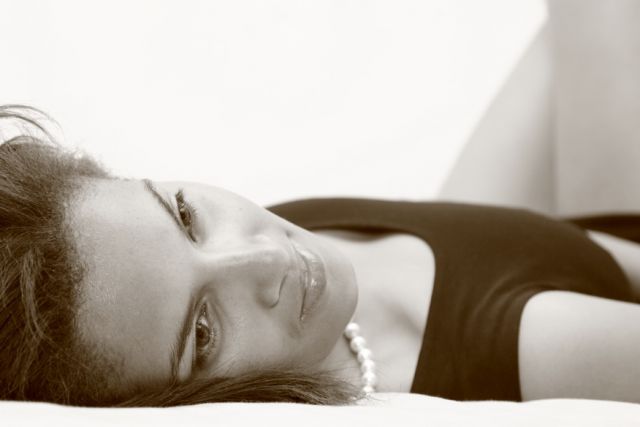
The last one doesn’t work for me, I think it’s the conversion….
The first two are nice fun poses, but the bounce light off the ceiling is creating dark eye sockets because the brow shades the downward direction of the light. See this thread in lighting on bounce and alternatives: https://www.fredmiranda.com/forum/topic/628778
With your single flash try shooting from further away with the flash bounced directly above or even behind the camera so it hits the subject at a lower angle. For example, if you stand a few feet in front of a white wall / ceiling when shooting, about 8ft from your subject, and aim the flash BACKWARDS up towards the ceiling behind you the light will be very similar to a sofbox in a butterfly configuration.
Pick up a second flash instead of an ST-E2. It will provide more lighting options.
for some reason my photo looks flat and boring on the LCD at work (19" Acer), but when I PP my workflow at home these photo looks very colorful, vibrant and contrasy. I am using a 37" 1080P LCD with ATI 1900XTX display card and photo like these looks different, my hi-def LCD is professionally calibrated as well so maybe I should bump up the saturation and contrast a bit when I PP next time.
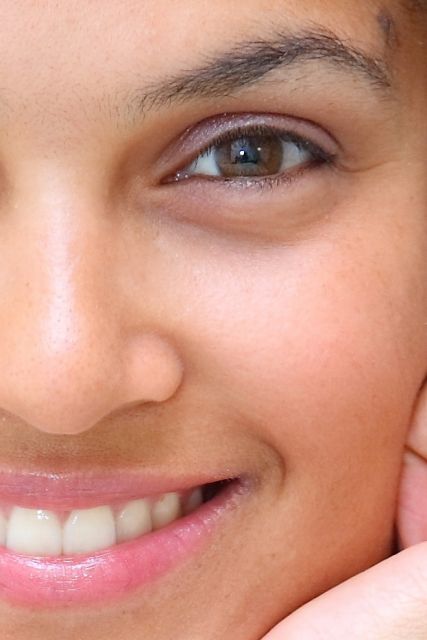
This is a 100% crop from the first picture, you guys really think this is too soft? If you look closely you can see me in her eye's reflection. I converted the RAW to JPG with DPP with everything set at default other than bumping up the brightness a bit, I would think for portraiture it is not good to be too sharp otherwise all the pores on nose and facial hair and stuff will be distracting...no?
Eyelashes and eyebrows should always be sharp. The rest of the shot can be blurred but if either of those two are soft, I see the whole shot as being out of focus. In this case, that ruins it for me. It's usable, but your $4k of gear is definitely capable of more.



 guess I'll have to invest in a second flash, or a small home studio setup with umbrella to give her that 3D look....