FM Studio: review, tag and transfer photos on Mac
p.4 #1FM Studio: review, tag and transfer photos on Mac
Thom wrote:
I've only set FM Studio up and imported a few images so far but I'm very impressed with the interface and LR integration, Fred. The big thing for me so far is how it sticks to the cameras' WiFi - just rock solid. Leica Fotos was always cutting me off mid-import IF I even got to that point and that was both of my M11s plus SL3 and Q3.
So, question, Fred. What does the future hold for SL and Q cameras on Wifi? It's just that I use all these cameras and one workflow for all would be great. I...Show more →
Thanks, Mark, I'm glad it's holding up. Hearing that it stays connected on both M11s where Leica Fotos kept cutting you off is exactly what I was after.
On the SL3 and Q3: today FM Studio does Wi-Fi with the M10 and M11 series (plus FlashAir cards and Canon cameras). The SL3 and Q3 are supported too, but over USB or straight from the SD card. I own a Q3 and have run it that way. [The SL3 I've tested through the same routes.] So you can already use one app, one Lightroom workflow and one set of rename/folder/metadata presets for all four cameras. That also takes care of the file numbering. The Q3, M11 and SL3 all start at L1000001, so use rename on import and you won’t get same-named files colliding.
Wi-Fi transfering for the SL and Q is the part I can't promise. The SL3 and Q3 have to be paired over Bluetooth to hand out the Wi-Fi password, and the current firmware doesn't allow that reliably, so there's nothing stable for FM Studio to connect to. Every brand, and often every generation, handles Wi-Fi differently, so each camera needs its own testing before I know whether it can be done. I did exactly that for Canon and it worked out. If a firmware update fixes the Bluetooth side, I'll test the SL3 and Q3 right away. I can't give you a date or say it's certain. However, currently, these 2 cameras are transfer blazing fast via Mass Storage USB and direct SD or CFe cards.
Thanks for the kind words, and welcome to the post-Leica Sync world.
I've only set FM Studio up and imported a few images so far but I'm very impressed with the interface and LR integration, Fred. The big thing for me so far is how it sticks to the cameras' WiFi - just rock solid. Leica Fotos was always cutting me off mid-import IF I even got to that point and that was both of my M11s plus SL3 and Q3.
So, question, Fred. What does the future hold for SL and Q cameras on Wifi? It's just that I use all these cameras and one workflow for all would be great. I...Show more →
Thanks, Mark, I'm glad it's holding up. Hearing that it stays connected on both M11s where Leica Fotos kept cutting you off is exactly what I was after.
On the SL3 and Q3: today FM Studio does Wi-Fi with the M10 and M11 series (plus FlashAir cards and Canon cameras). The SL3 and Q3 are supported too, but over USB or straight from the SD card. I own a Q3 and have run it that way. [The SL3 I've tested through the same routes.] So you can already use one app, one Lightroom workflow and one set of rename/folder/metadata presets for all four cameras. That also takes care of the file numbering. The Q3, M11 and SL3 all start at L1000001, so use rename on import and you won’t get same-named files colliding.
Wi-Fi transfering for the SL and Q is the part I can't promise. The SL3 and Q3 have to be paired over Bluetooth to hand out the Wi-Fi password, and the current firmware doesn't allow that reliably, so there's nothing stable for FM Studio to connect to. Every brand, and often every generation, handles Wi-Fi differently, so each camera needs its own testing before I know whether it can be done. I did exactly that for Canon and it worked out. If a firmware update fixes the Bluetooth side, I'll test the SL3 and Q3 right away. I can't give you a date or say it's certain. However, currently, these 2 cameras are transfer blazing fast via Mass Storage USB and direct SD or CFe cards.
Thanks for the kind words, and welcome to the post-Leica Sync world.
Nov 10, 2026 at 10:53 AM
p.4 #2FM Studio: review, tag and transfer photos on Mac
soarfm wrote:
I have a question...
Will it be possible (is it planned) that FM Studio might be able to import from another folder on the computer?
Thanks,
The other FM (soarFM)
---------------------------------------------
Kalispera wrote:
Actually, this is something I was wondering about too. Every once in a while, I'd drop the images off the card to my computer in a hurry, so that I deal with them later (especially if I used a few manual lenses that need to be sorted out through notes and re-tagged). Perhaps a feature not that essential, and I've purchased the FM Studio anyway, but would be highly useful down the road. (Thanks for developing this utility in any case -- it is just so helpful on the Mac)
Yes, this feature will be available in our upcoming v1.4.0 release!
I have a question...
Will it be possible (is it planned) that FM Studio might be able to import from another folder on the computer?
Thanks,
The other FM (soarFM)
---------------------------------------------
Kalispera wrote:
Actually, this is something I was wondering about too. Every once in a while, I'd drop the images off the card to my computer in a hurry, so that I deal with them later (especially if I used a few manual lenses that need to be sorted out through notes and re-tagged). Perhaps a feature not that essential, and I've purchased the FM Studio anyway, but would be highly useful down the road. (Thanks for developing this utility in any case -- it is just so helpful on the Mac)
Yes, this feature will be available in our upcoming v1.4.0 release!
Nov 10, 2026 at 10:55 AM
p.4 #3FM Studio: review, tag and transfer photos on Mac
FM Studio 1.4.0 is out
FM Studio 1.4.0 is now available. If you already have the app, it will tell you an update is ready. You can also go to the FM Studio page and download the new version directly:
https://www.fredmiranda.com/forum/fm-studio.php
What's new
Load photos from a folder. The new Load from folder button reads photos from any folder on your Mac or from an external drive, with or without subfolders, newest first. Plugged-in drives are listed for you, and your recent folders are remembered. Downloading works the same as from a card, so renaming, folders, metadata and Lightroom all apply. Delete Mode and Format are never available for a folder, so nothing can be removed from it.
Smarter folder loading. Large folders are read in a single pass. Lightroom preview files and Photos library bundles are skipped, and so is FM Studio’s own download folder if it sits inside the folder you chose, so your imports don’t come back as new photos.
Selection fixes. Shift-click ranges and filter changes no longer select photos you can’t see. If you select photos and then switch to a filter such as RAW Only, the hidden ones are dropped from the selection, so Download, Edit EXIF and Delete only act on what’s on screen.
Content Credentials are kept. Leica DNG files that carry Content Credentials (SL3-P, M11-D and M11-P) keep them when FM Studio writes metadata or a rating. Lightroom Classic no longer shows an exclamation mark on those files or refuses to edit them.
The user manual has been updated for 1.4.0 as well. Thanks to everyone who reported issues and sent feedback. 🥳
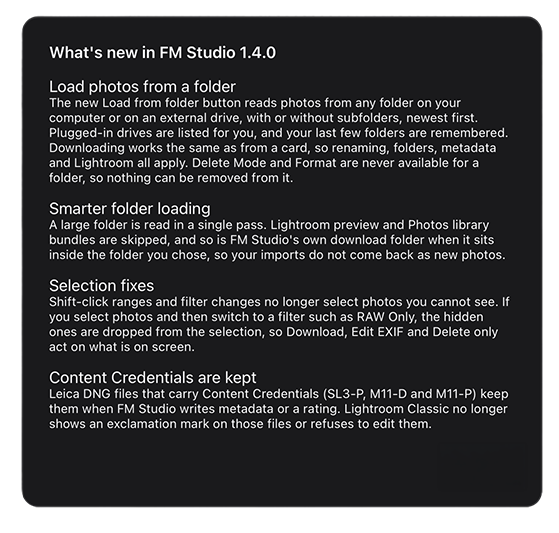
FM Studio 1.4.0 is now available. If you already have the app, it will tell you an update is ready. You can also go to the FM Studio page and download the new version directly:
https://www.fredmiranda.com/forum/fm-studio.php
What's new
Load photos from a folder. The new Load from folder button reads photos from any folder on your Mac or from an external drive, with or without subfolders, newest first. Plugged-in drives are listed for you, and your recent folders are remembered. Downloading works the same as from a card, so renaming, folders, metadata and Lightroom all apply. Delete Mode and Format are never available for a folder, so nothing can be removed from it.
Smarter folder loading. Large folders are read in a single pass. Lightroom preview files and Photos library bundles are skipped, and so is FM Studio’s own download folder if it sits inside the folder you chose, so your imports don’t come back as new photos.
Selection fixes. Shift-click ranges and filter changes no longer select photos you can’t see. If you select photos and then switch to a filter such as RAW Only, the hidden ones are dropped from the selection, so Download, Edit EXIF and Delete only act on what’s on screen.
Content Credentials are kept. Leica DNG files that carry Content Credentials (SL3-P, M11-D and M11-P) keep them when FM Studio writes metadata or a rating. Lightroom Classic no longer shows an exclamation mark on those files or refuses to edit them.
The user manual has been updated for 1.4.0 as well. Thanks to everyone who reported issues and sent feedback. 🥳
Nov 10, 2026 at 12:19 PM
p.4 #4FM Studio: review, tag and transfer photos on Mac
Fantastic! Just tested downloading from a folder -- works like a charm. Thank you so much 🙏🥂
Nov 10, 2026 at 02:31 PM
p.4 #5FM Studio: review, tag and transfer photos on Mac
Exciting new features in the next release. Stay tuned!
Nov 10, 2026 at 03:27 PM
p.4 #6FM Studio: review, tag and transfer photos on Mac
Do ratings also carry over to Bridge?
Nov 10, 2026 at 06:19 PM
|
p.4 #7FM Studio: review, tag and transfer photos on Mac
racetratr wrote:
Do ratings also carry over to Bridge?
Yes, ratings carry over to Bridge and Lightroom.
Do ratings also carry over to Bridge?
Yes, ratings carry over to Bridge and Lightroom.
Nov 10, 2026 at 09:51 PM
p.4 #8FM Studio: review, tag and transfer photos on Mac
Fred Miranda wrote:
FM Studio 1.4.0 is out
Load photos from a folder. The new Load from folder button reads photos from any folder on your Mac or from an external drive, with or without subfolders, newest first. Plugged-in drives are listed for you, and your recent folders are remembered. Downloading works the same as from a card, so renaming, folders, metadata and Lightroom all apply. Delete Mode and Format are never available for a folder, so nothing can be removed from it.
Now I have a project.
FM Studio 1.4.0 is out
Load photos from a folder. The new Load from folder button reads photos from any folder on your Mac or from an external drive, with or without subfolders, newest first. Plugged-in drives are listed for you, and your recent folders are remembered. Downloading works the same as from a card, so renaming, folders, metadata and Lightroom all apply. Delete Mode and Format are never available for a folder, so nothing can be removed from it.
Now I have a project.
Nov 10, 2026 at 10:04 PM
p.4 #9FM Studio: review, tag and transfer photos on Mac
leorafa35mm wrote:
I don't know if I missed this anywhere but is there a trial available? I don't see a way to try it out before commiting to a subscription.
Hi Daniel,
Yes, there's a trial. On the FM Studio page you can pick the 1-month license for $9.95. It's a single payment, so there is no subscription and nothing renews by itself. If you decide to keep FM Studio, that $9.95 is credited toward the lifetime license, so the trial costs you nothing extra in the end. Lifetime is a one-time $99.95 until December 31, and there's no other plan or recurring charge.
https://www.fredmiranda.com/forum/fm-studio.php
If you have any questions while you're trying it, just reply here.
Thanks,
Fred
I don't know if I missed this anywhere but is there a trial available? I don't see a way to try it out before commiting to a subscription.
Hi Daniel,
Yes, there's a trial. On the FM Studio page you can pick the 1-month license for $9.95. It's a single payment, so there is no subscription and nothing renews by itself. If you decide to keep FM Studio, that $9.95 is credited toward the lifetime license, so the trial costs you nothing extra in the end. Lifetime is a one-time $99.95 until December 31, and there's no other plan or recurring charge.
https://www.fredmiranda.com/forum/fm-studio.php
If you have any questions while you're trying it, just reply here.
Thanks,
Fred
Nov 11, 2026 at 03:49 PM
p.4 #10FM Studio: review, tag and transfer photos on Mac
Is there a free trial for current buy and sell members?
Regards
Brian
Fred Miranda wrote:
Is there a free trial for current buy and sell members?
Hi Daniel,
Yes, there's a trial. On the FM Studio page you can pick the 1-month license for $9.95. It's a single payment, so there is no subscription and nothing renews by itself. If you decide to keep FM Studio, that $9.95 is credited toward the lifetime license, so the trial costs you nothing extra in the end. Lifetime is a one-time $99.95 until December 31, and there's no other plan or recurring charge.
https://www.fredmiranda.com/forum/fm-studio.php
If you have any questions while you're trying it, just reply here.
Thanks,
Fred
Regards
Brian
Fred Miranda wrote:
leorafa35mm wrote
I don't know if I missed this anywhere but is there a trial available? I don't see a way to try it out before commiting to a subscription.Hi Daniel,
Yes, there's a trial. On the FM Studio page you can pick the 1-month license for $9.95. It's a single payment, so there is no subscription and nothing renews by itself. If you decide to keep FM Studio, that $9.95 is credited toward the lifetime license, so the trial costs you nothing extra in the end. Lifetime is a one-time $99.95 until December 31, and there's no other plan or recurring charge.
https://www.fredmiranda.com/forum/fm-studio.php
If you have any questions while you're trying it, just reply here.
Thanks,
Fred
Nov 12, 2026 at 04:48 PM
p.4 #11FM Studio: review, tag and transfer photos on Mac
Fred Miranda wrote:
Wi-Fi transferring for the SL and Q is the part I can't promise.
Thanks, Fred! That's perfectly understandable and FM Studio offers so much already. I generally use SD import anyway so not a big deal to be honest.
Wi-Fi transferring for the SL and Q is the part I can't promise.
Thanks, Fred! That's perfectly understandable and FM Studio offers so much already. I generally use SD import anyway so not a big deal to be honest.
Nov 14, 2026 at 12:47 PM