Fred Miranda
Offline
Admin
Upload & Sell: On
|
 p.1 #1 · Leica Contact Sheet: A free app for Mac and iPhone p.1 #1 · Leica Contact Sheet: A free app for Mac and iPhone | |
A quick contact-sheet tool for previewing DNG files off your SD card (Mac + iPhone)
I put together a small tool for myself and figured I'd share it in case it's useful to anyone else here. It works with any Leica M digital rangefinder, and probably plenty of other DNG-shooting cameras too.
Backstory:
I shoot an M-D Typ 262, which has no rear screen at all: no chimping, no menus, nothing. That's part of the appeal, but it also means the only way to see what you shot is to get the card into a computer. When traveling I wanted something faster: pull the card, plug it into my phone with an adapter, and immediately see a gallery of everything on it, no importing, no waiting.
It turns out Leica's DNGs carry an embedded JPEG preview alongside the raw data, a real, usable-sized one, not just a tiny thumbnail. On my M-D that preview comes out around 1472×976, plenty to check framing, exposure, and focus in the field (more resolution than the original Nikon Coolpix 900 from 1998  ). Since it's reading well under 100KB out of a 24-80MB file instead of decoding the whole RAW, pulling it out is close to instant, so scanning a full card takes seconds. Basically a contact sheet, the way a film lab used to hand one back with your negatives. ). Since it's reading well under 100KB out of a 24-80MB file instead of decoding the whole RAW, pulling it out is close to instant, so scanning a full card takes seconds. Basically a contact sheet, the way a film lab used to hand one back with your negatives.
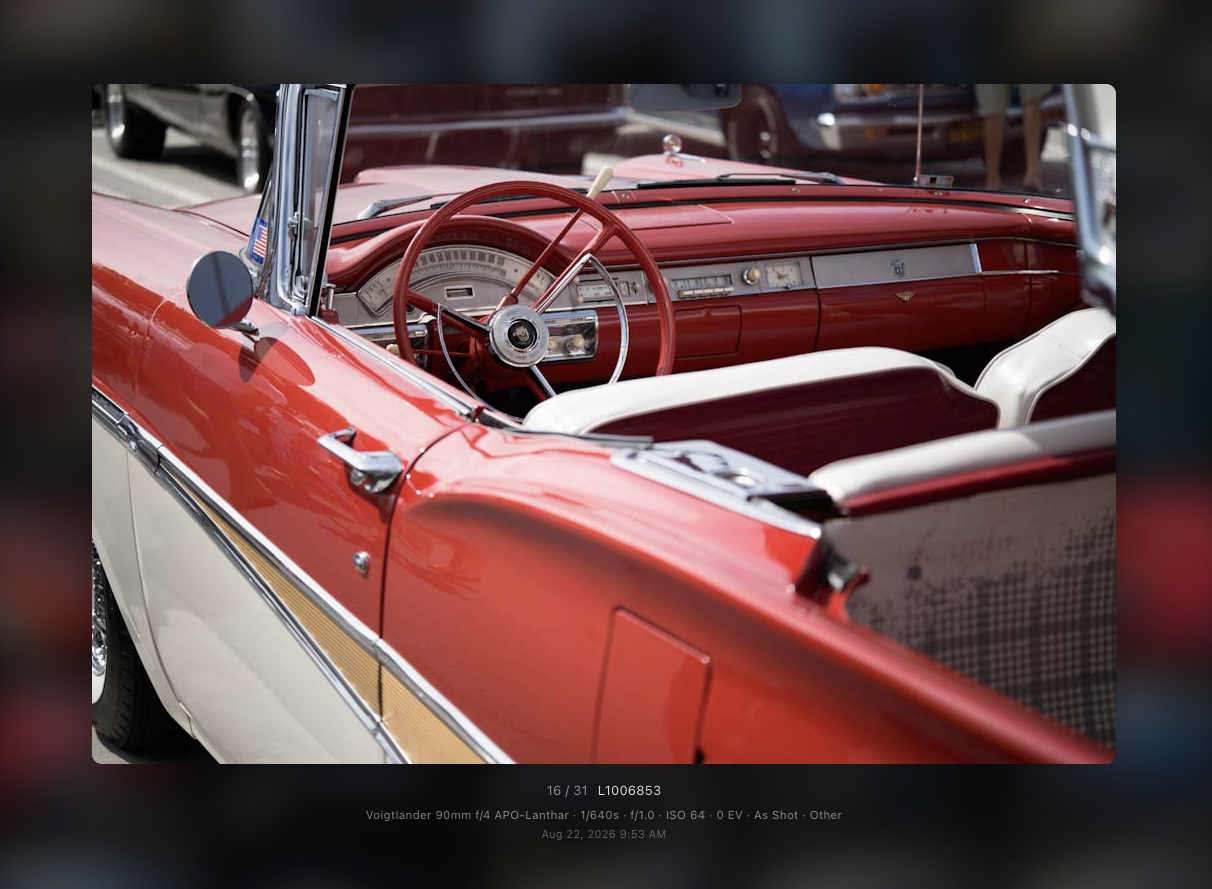
It also reads each photo's EXIF, so lens name, shutter speed, aperture, ISO, exposure compensation, white balance, and metering mode are all there when you tap in. I've tested it against M-D Typ 262, M11-D, M10-P, and M10-R files, and since it's pulling a real JPEG out of the file, tapping into a photo also lets you share that exact preview straight to Messages or AirDrop, handy for texting someone a shot from the field without exporting or converting anything.
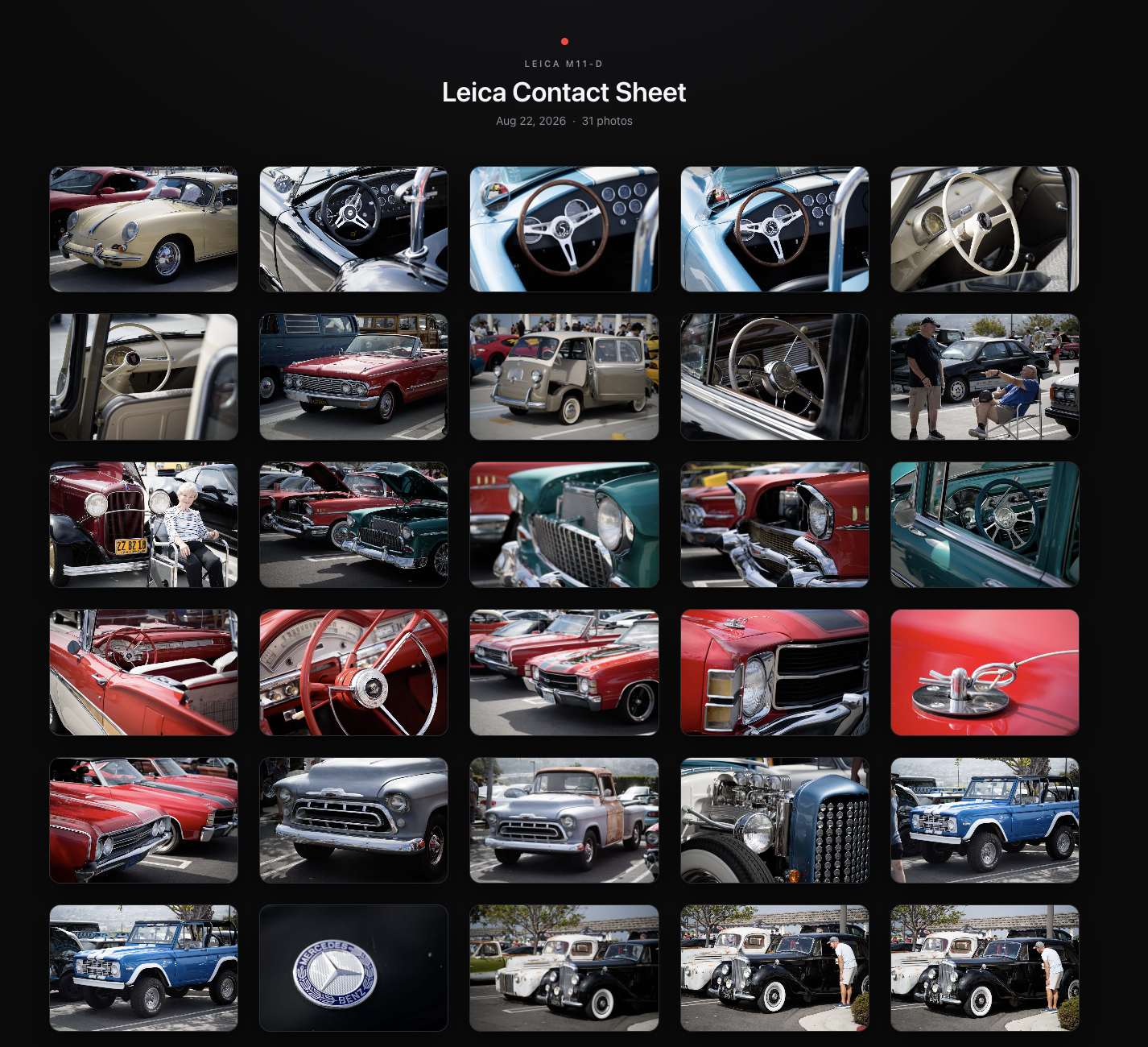
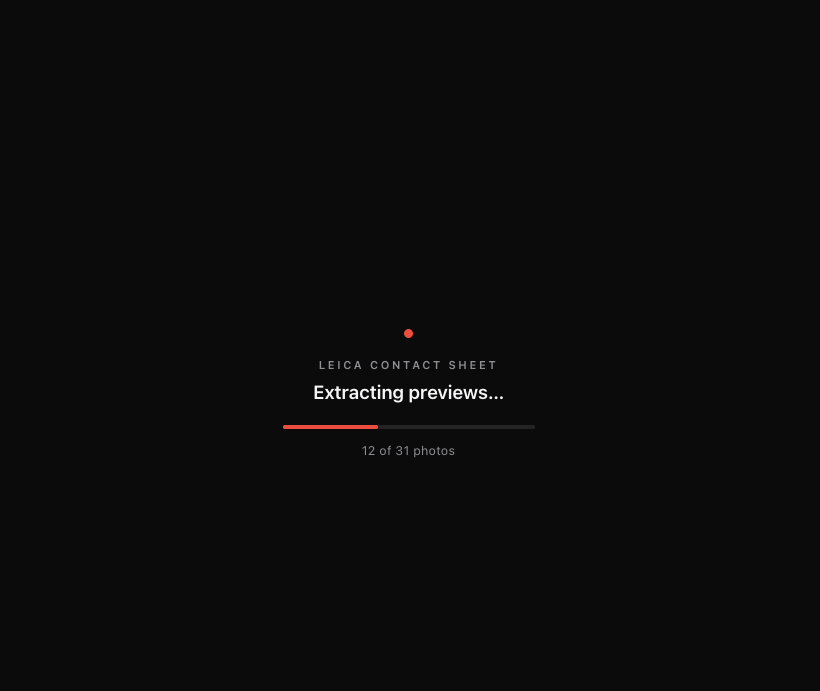
There are two versions: a tiny Mac app and an iPhone version that runs through a free app called Scriptable. Both do the same job: point them at your SD card, they scan every DNG, pull the embedded preview out of each one, and build a dark, simple gallery. Tap a thumbnail for the big view with full EXIF underneath.
One extra note: If your card also has plain JPEGs sitting next to DNGs with the same filename (some cameras save both), those get skipped, since the DNG's embedded preview already covers that shot. A JPEG with no matching DNG (a different camera, or a JPEG-only shot) still gets added to the gallery, just slower, since resizing a full JPEG down to preview size is meaningfully slower than pulling the already-small preview out of a DNG, on the order of a hundred times or more in testing.
On the Mac
"Leica Contact Sheet" is a small double-clickable app. Insert your card and click the app; it scans the mounted card's DCIM folder, extracts every preview, and opens a Finder window alongside the gallery page. The Finder window is there so you can select one or more extracted JPEGs and use Finder's own Share menu (Messages, AirDrop, Mail, whatever), since a web page in a browser has no way to trigger that on its own. If it can't find a card automatically, it'll just ask you to pick the folder.
To install:
1. Download and unzip "Leica Contact Sheet.zip", then drag "Leica Contact Sheet.app" into your Applications folder.
2. It needs "exiftool" for reading EXIF data. Open Terminal and run 'brew install exiftool' (you'll need Homebrew first, from brew.sh), or if you'd rather skip the command line, grab the Mac installer here. The app will tell you if exiftool is missing.
3. Since this app is distributed outside the App Store, macOS will block it initially (click Done on the warning). To fix this, head to System Settings > Privacy & Security, scroll down, and click Open Anyway twice.
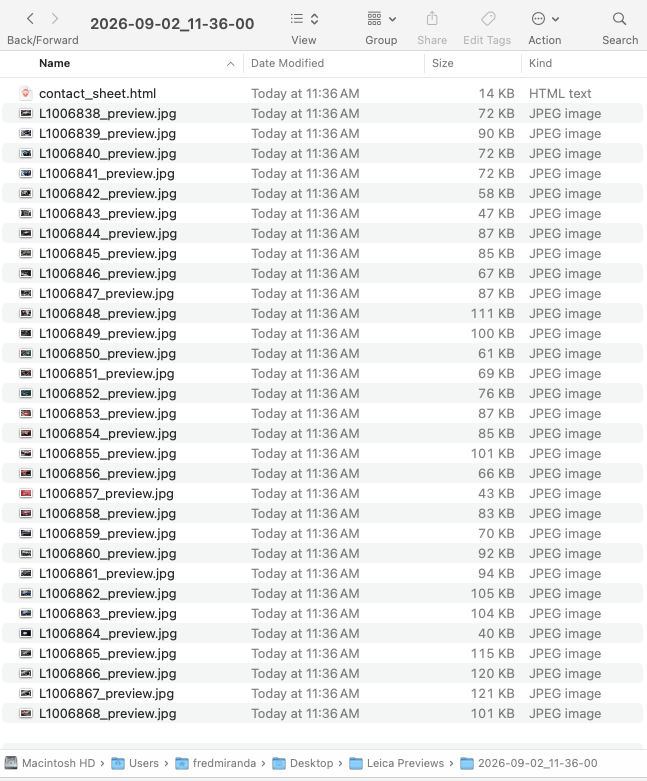
After that, every time you plug in a card and open the app it'll find it automatically. Results land in a timestamped folder inside '~/Desktop/Leica Previews/', so nothing ever gets overwritten.
On the iPhone
This side runs through "Scriptable" (free on the App Store) instead of being its own app, since iOS won't let you install a real standalone app without a developer account. Scriptable is a sandboxed way to run a script with genuine access to files and the native share sheet, which turned out to be enough to do the whole thing properly.
One-time setup:
1. Install Scriptable from the App Store.
2. Plug your SD card in via a Lightning/USB-C card reader adapter, open the "Files" app once, and confirm you can browse into the card and see its DCIM folder. That's what gets iOS to mount the card so Scriptable can reach it afterward.
3. In Scriptable, tap the gear icon (top right) → "Bookmarks" → "+" → choose the card's DCIM folder → name the bookmark exactly 'LeicaCard' (case-sensitive, has to match exactly).
4. Open 'Leica Gallery.js', copy the whole thing, then in Scriptable tap "+" to create a new script and paste it in. Name it whatever you like.
After that, it's one tap: card in, open Scriptable, tap the script. It scans the card, extracts every preview, and opens the same style of gallery right inside the app. Tap a photo for the big view with its EXIF underneath, tap the share icon to send that exact photo via Messages, AirDrop, or whatever. When you close it out, it asks whether to save the gallery (previews plus the page) to Files, or just discard it. If you save, each run gets its own timestamped folder.
Download both Leica Contact Sheet (Mac app) and Leica Gallery script (for the free iPhone Scriptable app):
https://www.fredmiranda.com/Buzz/Leica-Contact-Sheet.zip
----
Neither of these is signed or notarized by Apple (personal utility tools, not App Store apps), so use your own judgment there. Happy to help troubleshoot or answer questions if anyone gives it a try.
What automatically opens once all DNGs finish scanning from the SD card.
Clicking a thumbnail displays the larger JPEG preview (1440x960px).
Dated desktop JPG files under 100KB (disposable or archive)
|




 Who needs wifi
  Thank you.