Moon Over Factory Butte

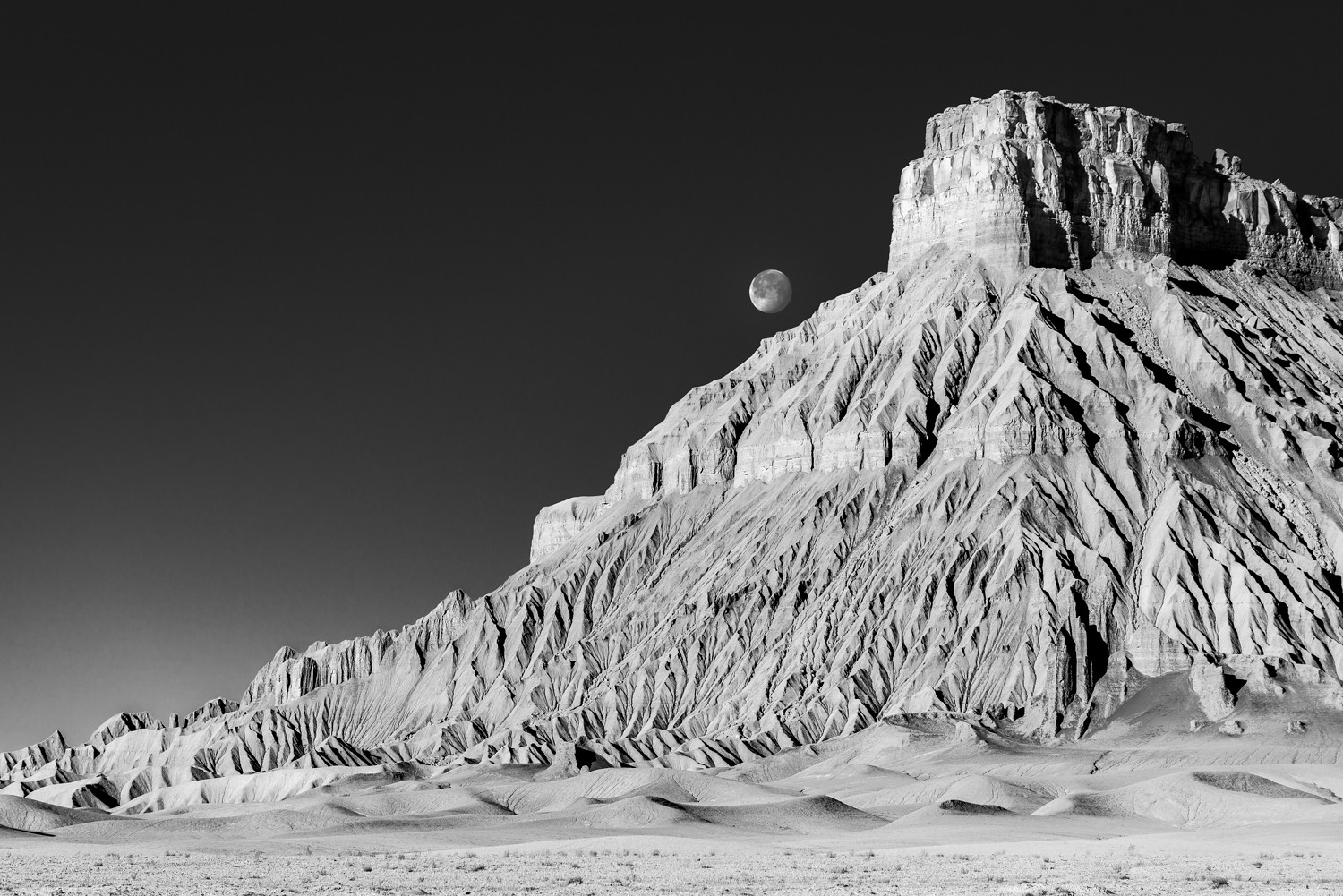
p.1 #4Moon Over Factory Butte
Nicely done. Didn't make it there during my last Utah trip, but seeing this inspires me to try again.
Aug 23, 2026 at 05:30 PM
p.1 #7Moon Over Factory Butte
Wonderful B+W's!!! The moon looks so 3-D suspended there! Your sharpening is perfect, spot on here!
Side note: there is a touch of posterization in the sky especially near the horizon line and a super cool trick some may be interested in learning, I've been doing for a few years now, is knock the posterization/banding or whatever... out with some CR Filter Luminance Noise Reduction (even much better in Photoshop's 32-bit Mode - YES even on a 8-bit JPEG) but before hitting OK in the CR Filter (after you have adjusted the Luminance Noise Reduction) make sure to go to "Effects/Grain" and just put in 2-3 Amount, 0 Size, and 68-70 Roughness. It adds back a very natural amount of pixel to pixel micro variation, so that banding or posterization disappears and cannot occur. It can be done in 16-bit as well (I would not do it in 8 bit), but there is a significant improvement in the 32-bit space! Sometimes almost magic!
So Image - Mode - 32 Bits/Channel - CR Filter (Luminance NR and Grain) - then, Image - Mode 16-bits. Most people get hung up here (when going back to 16 bits) and they quit, because the HDR Panel comes up! And it is not obvious how to go from there... But all you do is choose "Exposure and Gamma" from the "Method" pulldown menu, and bam, your image is now in 16-bits. This can do amazing wonders to images with banding/posterization, even to the point where a person can keep editing them as much as they want, as long as they keep putting the micro pixel variations back in. Then you just mask it into the sky...
After it is in 16-bits it can be saved as a 8 bit JPEG again, but with a significant data boost, and clean!
Anytime people send me a horribly beat up JPEG's for print post-processing, this is the VERY FIRST thing I do (just the noise/ultra fine grain part). Sometimes I will use Noise/Add Noise instead of the CR Filter Grain (always in 32-bit), then brought back to 16-bit. Black and white's are even more prone to the issues...
Hope it helps someone.
Side note: there is a touch of posterization in the sky especially near the horizon line and a super cool trick some may be interested in learning, I've been doing for a few years now, is knock the posterization/banding or whatever... out with some CR Filter Luminance Noise Reduction (even much better in Photoshop's 32-bit Mode - YES even on a 8-bit JPEG) but before hitting OK in the CR Filter (after you have adjusted the Luminance Noise Reduction) make sure to go to "Effects/Grain" and just put in 2-3 Amount, 0 Size, and 68-70 Roughness. It adds back a very natural amount of pixel to pixel micro variation, so that banding or posterization disappears and cannot occur. It can be done in 16-bit as well (I would not do it in 8 bit), but there is a significant improvement in the 32-bit space! Sometimes almost magic!
So Image - Mode - 32 Bits/Channel - CR Filter (Luminance NR and Grain) - then, Image - Mode 16-bits. Most people get hung up here (when going back to 16 bits) and they quit, because the HDR Panel comes up! And it is not obvious how to go from there... But all you do is choose "Exposure and Gamma" from the "Method" pulldown menu, and bam, your image is now in 16-bits. This can do amazing wonders to images with banding/posterization, even to the point where a person can keep editing them as much as they want, as long as they keep putting the micro pixel variations back in. Then you just mask it into the sky...
After it is in 16-bits it can be saved as a 8 bit JPEG again, but with a significant data boost, and clean!
Anytime people send me a horribly beat up JPEG's for print post-processing, this is the VERY FIRST thing I do (just the noise/ultra fine grain part). Sometimes I will use Noise/Add Noise instead of the CR Filter Grain (always in 32-bit), then brought back to 16-bit. Black and white's are even more prone to the issues...
Hope it helps someone.
Aug 24, 2026 at 07:42 AM

|
p.1 #9Moon Over Factory Butte
Nicely done, Derek, I like the graphicness and scifi vibe.
Aug 24, 2026 at 09:04 AM
p.1 #10Moon Over Factory Butte
This is very nice. It doesn't matter how many times I go to FB, it's always amazing. You just gave me more ideas to try 
Aug 24, 2026 at 04:31 PM
p.1 #12Moon Over Factory Butte
Curious how you were able to get the Moon on the both sides of the butte?
Aug 27, 2026 at 06:26 AM
p.1 #14Moon Over Factory Butte
The contrast and texture is gorgeous. It could be a different planet. This is National Geographic beautiful. Unearthly
Sep 24, 2026 at 08:02 PM