Favorite color film simulation
p.2 #1Favorite color film simulation
Acros+R and Reala Ace in C1 as a starting point are my most used curves. Evoto has a few new B&W conversions that I like better than what I do, so Acros is rarely needed anymore.
Aug 21, 2026 at 11:14 AM
p.2 #2Favorite color film simulation
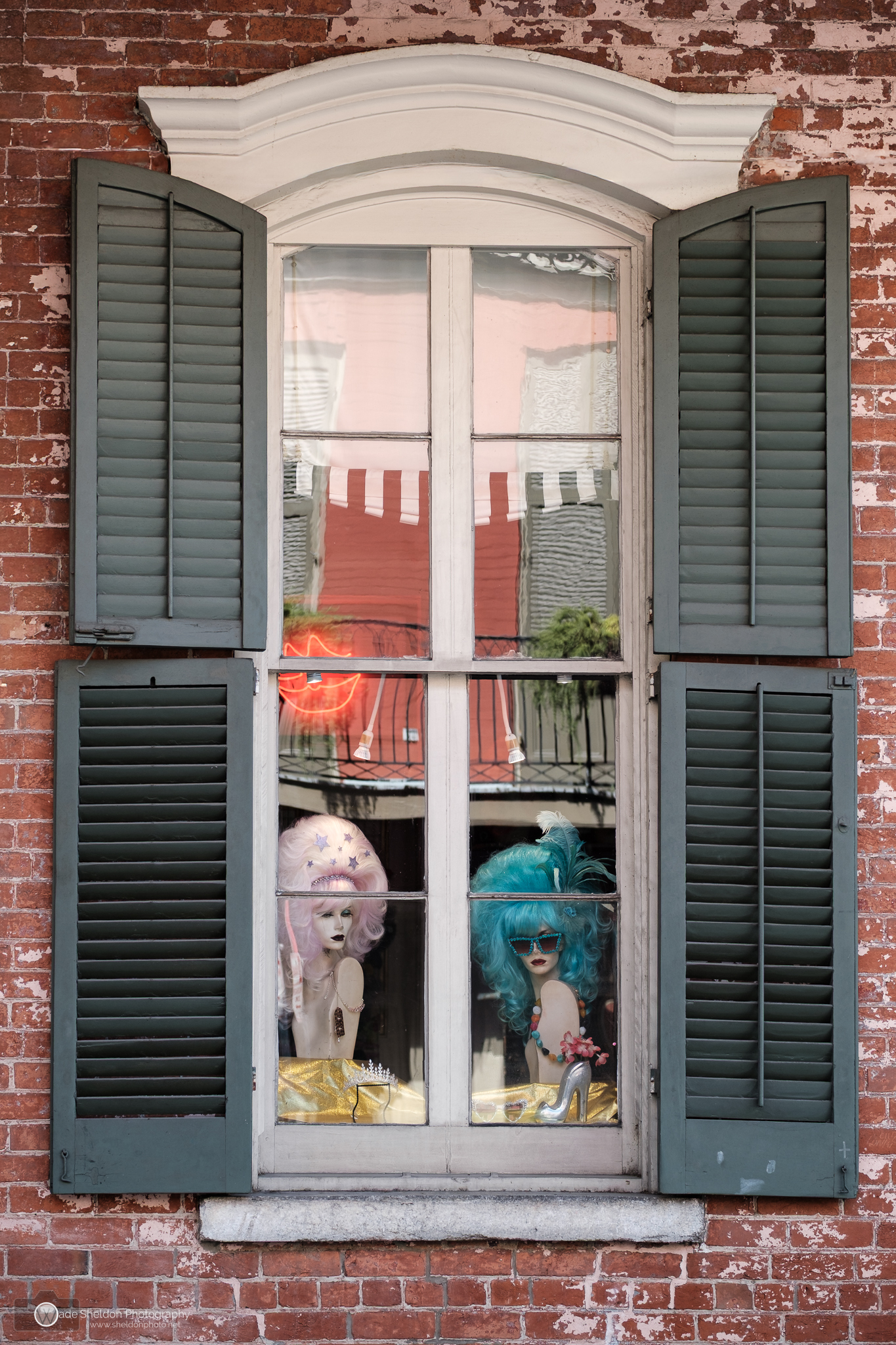
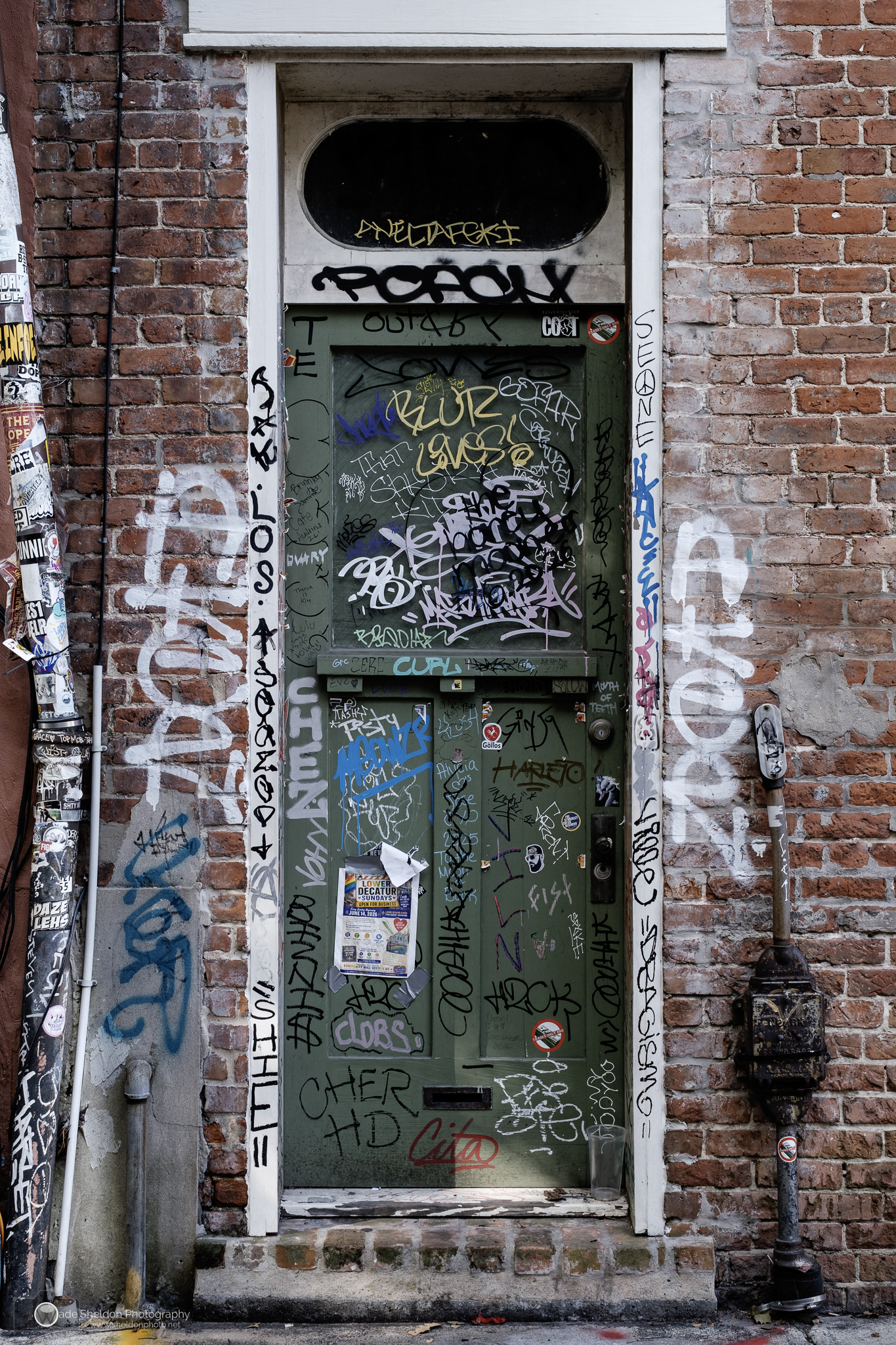
I really enjoy Classic Chrome for urban scenes, particularly grungy scenes like these from a recent New Orleans trip. The tones and contrast were great SOOC for both of these. I prefer Astia for portraits and theater (love the skin tones and soft blues), but for most other subjects I usually use the new Reala Ace or Provia. For B&W it's definitely Acros.
Great to have these options, but I agree these are mostly starting points for my post-processing.
New Orleans French Quarter wig shop
Graffiti door, New Orleans
Great to have these options, but I agree these are mostly starting points for my post-processing.
 |
||
 |
||
|
New Orleans French Quarter wig shop
X-Pro3 XF50mmF2 R WR lens 50mm f/3.2 1/160s 160 ISO 0.0 EV
|
||
 |
||
|
Graffiti door, New Orleans
X-Pro3 XF35mmF1.4 R lens 35mm f/4.0 1/80s 200 ISO -0.3 EV
Aug 27, 2026 at 07:29 AM
p.2 #3Favorite color film simulation
Classic Chrome is the only usable color simulation. I sometimes use a modified Acros.
Aug 27, 2026 at 10:59 AM
p.2 #4Favorite color film simulation
I used to love classic negative. Now I just shoot with Provia
Aug 30, 2026 at 07:07 AM
p.2 #6Favorite color film simulation
I've been shooting quite a bit of my own custom Pro Neg Standard recipe, intended to give a Portra 400 look. I like it in when the light is high contrast and fairly warm. I am probably in the minority these days aiming for a low saturation, low contrast look.
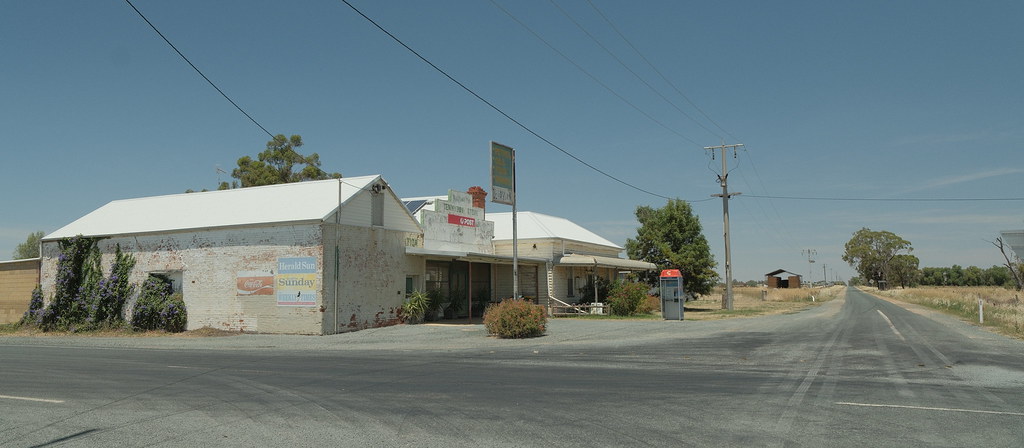 Tennyson, XT5 by Geoff F, on Flickr
 Old Bus by Geoff F, on Flickr
Tennyson, XT5 by Geoff F, on FlickrOld Bus by Geoff F, on FlickrSep 16, 2026 at 01:19 AM
p.2 #7Favorite color film simulation
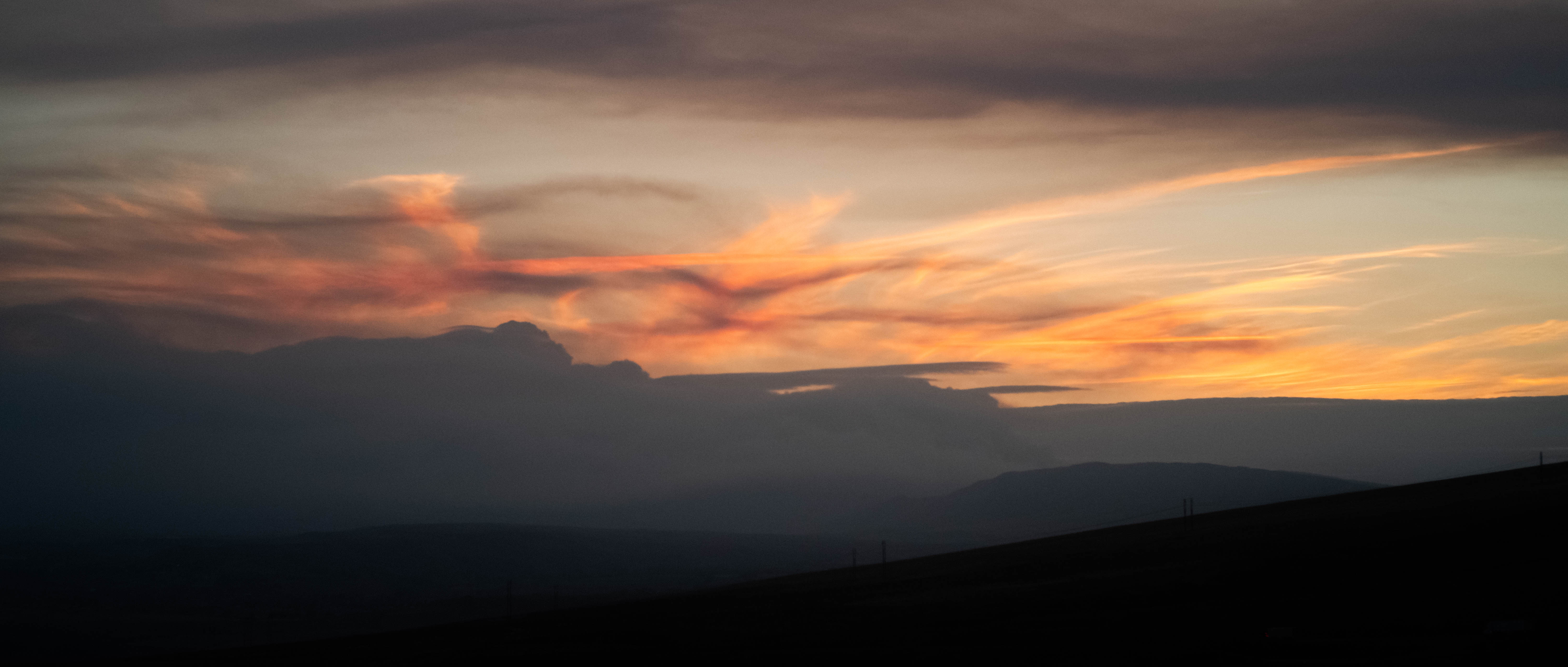
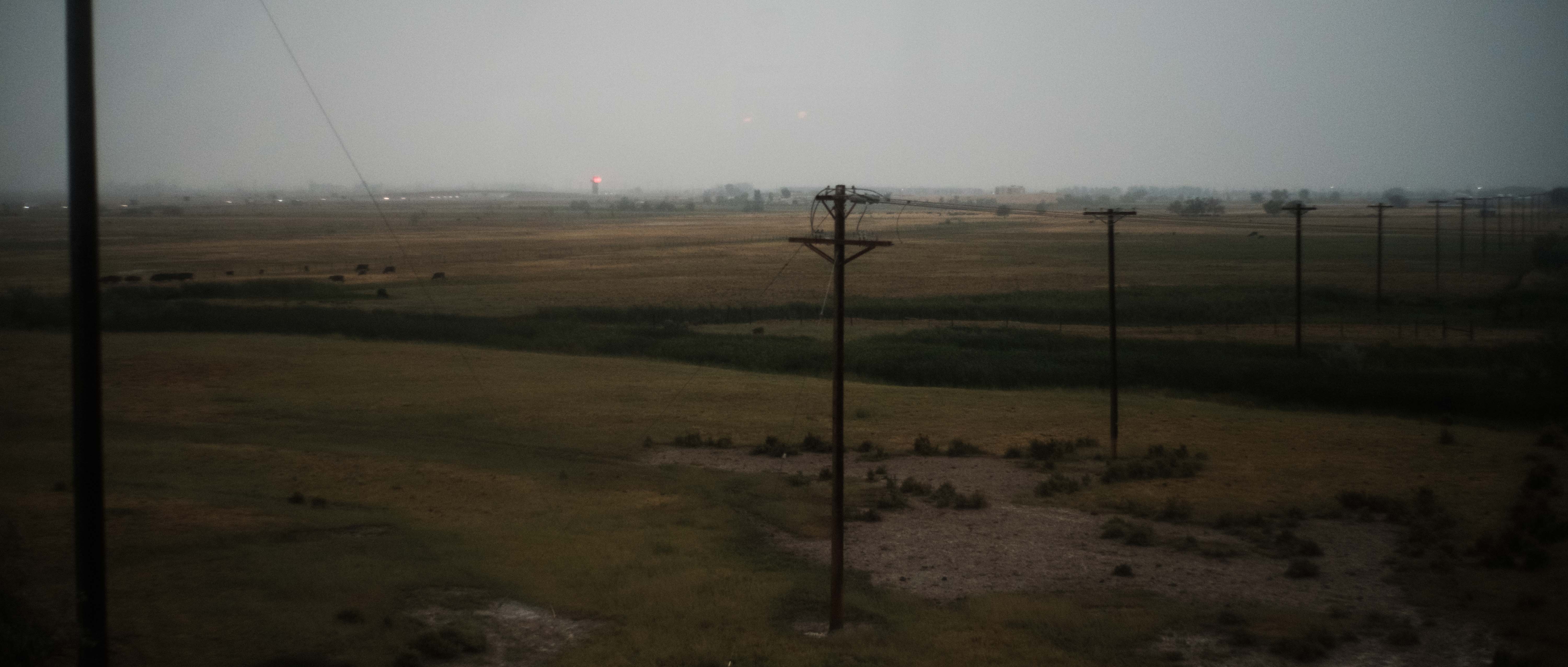
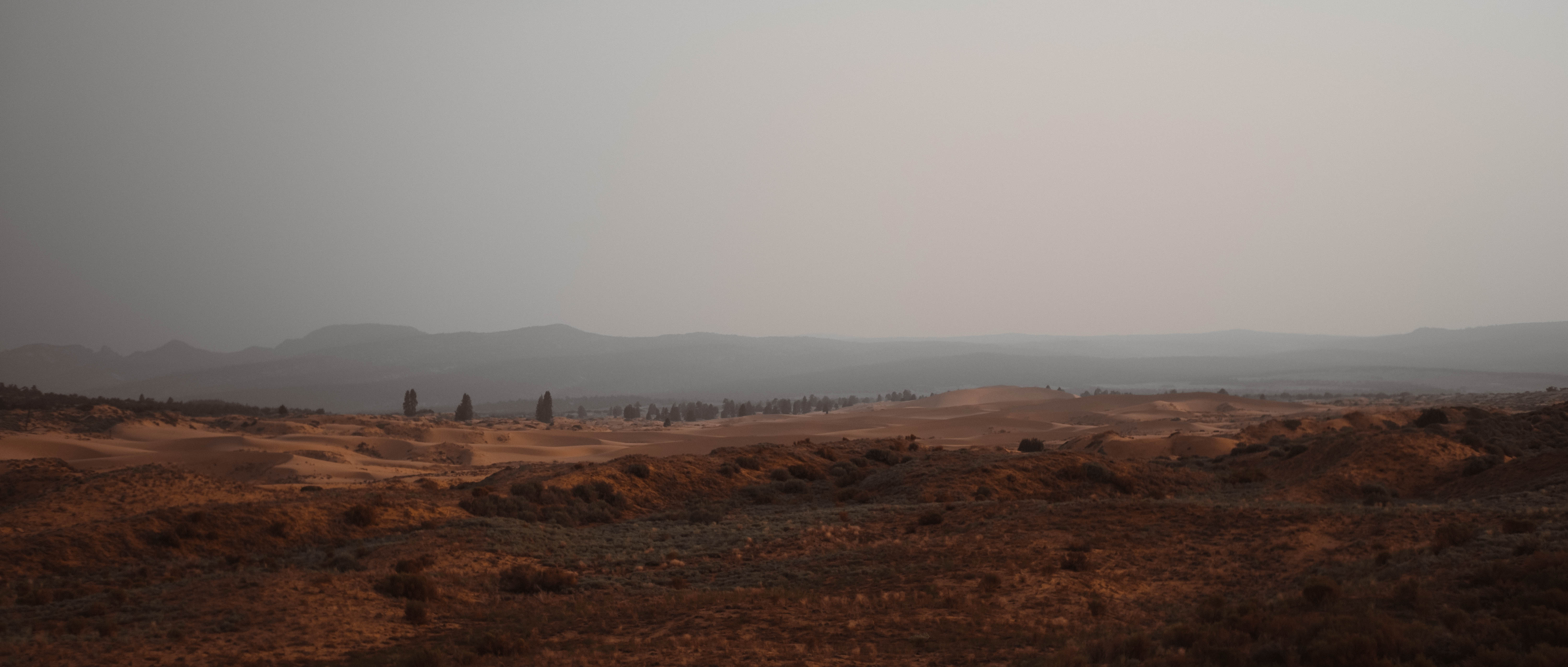
Classic Chrome has got to be my favorite when I take out my Fuji. When you bring the saturation back just a little it can really pop
 |
||
 |
||
|
|
||
 |
||
|
|
||
 |
||
|
Sep 16, 2026 at 01:30 AM
p.2 #8Favorite color film simulation
For portraits---it's Astia la vista for me---I'll keep coming back :-)

FujiFilm X100VI
1/250s f/2.0 at 23.0mm iso100
FujiFilm X100VI
1/250s f/2.0 at 23.0mm iso100
Sep 16, 2026 at 08:51 AM
RoamingScott
Offline
Activity
[X]
Details
p.2 #9Favorite color film simulation
ws_photo wrote:
Classic Chrome has got to be my favorite when I take out my Fuji. When you bring the saturation back just a little it can really pop
Is the pop in the room with us
Classic Chrome has got to be my favorite when I take out my Fuji. When you bring the saturation back just a little it can really pop
Is the pop in the room with us
Sep 16, 2026 at 08:51 AM
p.2 #10Favorite color film simulation
Driften wrote:
I shoot raw with Velvia or Acros selected as a film simulation then edit to taste in Lightroom. I do not do recipes. I shot film back in the 70's as a kid and in college in the 80's on until I moved to digital in 2005. I lived though those eras and don't need to see images with colors that look like cheep prints from film that were left in the sun for 20 years to fade.
Velvia and Acros are both recipes, just those created by Fuji to match a certain look. So you do recipes, but only the off-the-shelf ones.
I shoot raw with Velvia or Acros selected as a film simulation then edit to taste in Lightroom. I do not do recipes. I shot film back in the 70's as a kid and in college in the 80's on until I moved to digital in 2005. I lived though those eras and don't need to see images with colors that look like cheep prints from film that were left in the sun for 20 years to fade.
Velvia and Acros are both recipes, just those created by Fuji to match a certain look. So you do recipes, but only the off-the-shelf ones.
Sep 16, 2026 at 05:39 PM
|
p.2 #11Favorite color film simulation
Winsome Dove wrote:
Velvia and Acros are both recipes, just those created by Fuji to match a certain look. So you do recipes, but only the off-the-shelf ones.
Nope... the built in sims are no different than the camera profiles on other brands. Recipes are a set of modifications to those profiles. Fuji wanted a certain looks, but so did Canon and Nikon. It doesn't matter if those looks are not trying to inspired by film stocks.
Driften wrote
I shoot raw with Velvia or Acros selected as a film simulation then edit to taste in Lightroom. I do not do recipes. I shot film back in the 70's as a kid and in college in the 80's on until I moved to digital in 2005. I lived though those eras and don't need to see images with colors that look like cheep prints from film that were left in the sun for 20 years to fade.Nope... the built in sims are no different than the camera profiles on other brands. Recipes are a set of modifications to those profiles. Fuji wanted a certain looks, but so did Canon and Nikon. It doesn't matter if those looks are not trying to inspired by film stocks.
Sep 16, 2026 at 05:53 PM
p.2 #12Favorite color film simulation
Driften wrote:
Velvia and Acros are both recipes, just those created by Fuji to match a certain look. So you do recipes, but only the off-the-shelf ones.Nope... the built in sims are no different than the camera profiles on other brands. Recipes are a set of modifications to those profiles. Fuji wanted a certain looks, but so did Canon and Nikon. It doesn't matter if those looks are not trying to inspired by film stocks.
I think I'd disagree. The built in sims are the result of a recipe, we just don't the know the ingredients as they're already baked in. How many cooking metaphors can we use lol.
Winsome Dove wrote
Driften wrote
I shoot raw with Velvia or Acros selected as a film simulation then edit to taste in Lightroom. I do not do recipes. I shot film back in the 70's as a kid and in college in the 80's on until I moved to digital in 2005. I lived though those eras and don't need to see images with colors that look like cheep prints from film that were left in the sun for 20 years to fade.I think I'd disagree. The built in sims are the result of a recipe, we just don't the know the ingredients as they're already baked in. How many cooking metaphors can we use lol.
Sep 17, 2026 at 04:38 AM
p.2 #13Favorite color film simulation
My 3rd favorite film sim is Sony's Warm. *ducks for cover*
Sep 17, 2026 at 11:39 AM
p.2 #14Favorite color film simulation
Winsome Dove wrote:
I think I'd disagree. The built in sims are the result of a recipe, we just don't the know the ingredients as they're already baked in. How many cooking metaphors can we use lol.
"Recipe" as Fuji users have adopted it (Canon were actually using it first and is where earlier Fuji users adopted it from) means a combination of colour profile + control modifications, such as contrast, saturation, and white balance. A 'film simulation' is not a 'recipe', but simply Fuji's marketing term for colour profiles, which itself is a photo-specific name for colour matrices. Fuji's sims aren't a simple 1:1:1 matrix with some sliders moved around afterward; they're all unique base matrices.
Anyway.
My favourites are Astia with reduced saturation, if there's not much green in the shot, or Velvia with (even more) reduced saturation if there is some green, especially with a slightly cooled white balance to exaggerate its highlight tint. Pro Neg S with saturation at +1 and contrast at +0.5 is my default, 'safe' in-camera choice if I don't know what kind of colours I'm going to be encountering.
For monochrome I like the original sim with the green or yellow filter, though often I'll put a (physical) blue filter on instead. Acros loses too much contrast in the shadows and highlights, for me, and I don't like that its higher midtone contrast exaggerates the file's noise as a lazy 'grain'. If I want 'grain' (rarely), the actual grain option is more convincing.
For a while I used Eterna a lot for in-camera files, with the saturation and colour chrome maxed out, though I'm a bit over that look now.
My absolute favourite mix would be Classic Chrome's skin tones, yellows, and overall contrast; Pro Neg Hi's more saturated reds; Velvia's greens and slightly blue-tinted highlights; and Astia's blues... but that's what raw processing is for.
If I'm shooting raw and need to be very precise then I use a calibrated profile to start with, as all of Fuji's profiles are stylised one way or another, even Pro Neg, and aren't suitable bases for either very accurate or very detailed grading.
I think I'd disagree. The built in sims are the result of a recipe, we just don't the know the ingredients as they're already baked in. How many cooking metaphors can we use lol.
"Recipe" as Fuji users have adopted it (Canon were actually using it first and is where earlier Fuji users adopted it from) means a combination of colour profile + control modifications, such as contrast, saturation, and white balance. A 'film simulation' is not a 'recipe', but simply Fuji's marketing term for colour profiles, which itself is a photo-specific name for colour matrices. Fuji's sims aren't a simple 1:1:1 matrix with some sliders moved around afterward; they're all unique base matrices.
Anyway.
My favourites are Astia with reduced saturation, if there's not much green in the shot, or Velvia with (even more) reduced saturation if there is some green, especially with a slightly cooled white balance to exaggerate its highlight tint. Pro Neg S with saturation at +1 and contrast at +0.5 is my default, 'safe' in-camera choice if I don't know what kind of colours I'm going to be encountering.
For monochrome I like the original sim with the green or yellow filter, though often I'll put a (physical) blue filter on instead. Acros loses too much contrast in the shadows and highlights, for me, and I don't like that its higher midtone contrast exaggerates the file's noise as a lazy 'grain'. If I want 'grain' (rarely), the actual grain option is more convincing.
For a while I used Eterna a lot for in-camera files, with the saturation and colour chrome maxed out, though I'm a bit over that look now.
My absolute favourite mix would be Classic Chrome's skin tones, yellows, and overall contrast; Pro Neg Hi's more saturated reds; Velvia's greens and slightly blue-tinted highlights; and Astia's blues... but that's what raw processing is for.
If I'm shooting raw and need to be very precise then I use a calibrated profile to start with, as all of Fuji's profiles are stylised one way or another, even Pro Neg, and aren't suitable bases for either very accurate or very detailed grading.
Sep 17, 2026 at 11:51 AM
p.2 #15Favorite color film simulation
pressedbunny wrote:
"Recipe" as Fuji users have adopted it (Canon were actually using it first and is where earlier Fuji users adopted it from) means a combination of colour profile + control modifications, such as contrast, saturation, and white balance. A 'film simulation' is not a 'recipe', but simply Fuji's marketing term for colour profiles, which itself is a photo-specific name for colour matrices. Fuji's sims aren't a simple 1:1:1 matrix with some sliders moved around afterward; they're all unique base matrices.
.
Yeah, I'm starting to realize that there's some sort of purist thing going on if you use the word recipe. I gather for example, that if you use a recipe (as you've defined) but shoot in raw, and then post process.. it doesn't count as having used a recipe?
Anyway, the original thread question was about a favorite film "sim" (not necessarily just built-in), which could be inclusive of recipes, as many of these are meant to simulate eg. Kodachrome, NPH, Portra, TriX or whatnot.
Winsome Dove wrote
I think I'd disagree. The built in sims are the result of a recipe, we just don't the know the ingredients as they're already baked in. How many cooking metaphors can we use lol..
Yeah, I'm starting to realize that there's some sort of purist thing going on if you use the word recipe. I gather for example, that if you use a recipe (as you've defined) but shoot in raw, and then post process.. it doesn't count as having used a recipe?
Anyway, the original thread question was about a favorite film "sim" (not necessarily just built-in), which could be inclusive of recipes, as many of these are meant to simulate eg. Kodachrome, NPH, Portra, TriX or whatnot.
Sep 17, 2026 at 04:05 PM
p.2 #16Favorite color film simulation
Winsome Dove wrote:
Yeah, I'm starting to realize that there's some sort of purist thing going on if you use the word recipe. I gather for example, that if you use a recipe (as you've defined) but shoot in raw, and then post process.. it doesn't count as having used a recipe?There are several prominent blogs and a podcast dedicated to preaching the virtues of only using (their) recipes and yeah, the Fuji 'recipe community' is pretty zealous about what does and doesn't count and what can or can't be used. Certainly, processing on a desktop computer doesn't qualify to them, which is somewhat ironic as, as I mentioned before, Canon were actually the first platform to use the term 'recipe' for combinations of settings to create different looks (years before Fuji X-mount existed), but they only use it in their desktop software for processing raws. So the actual origins of the term have nothing to do with in-camera files. But the people have spoken...
Personally, I try to communicate as clearly as possible, so I do use the popular definitions of these terms, the way the most vocal users insist upon. I don't like how just a few people have elected themselves head of the recipe committee, but there is benefit to using specific terms for specific methods.
Winsome Dove wrote:
many of these are meant to simulate eg. Kodachrome, NPH, Portra, TriX or whatnot.
Well, they may be meant to simulate those film stocks, but I think anyone who actually shoots/has shot those films often will agree the recipes rarely actually look like film. A remember a few years ago one of Fuji's designers actually did an interview where he said he slightly regretted some of the 'film simulation' naming because things like Provia, Astia, and Velvia clearly don't actually look like the films they're named after, which is why Classic Chrome and Classic Negative got more generic names based on 'vibes' rather than claiming to be one precise film stock. And the typical 'recipe' method of simply changing the contrast setting and tinting the white balance sure doesn't make them look like the real film, either.
If anyone wants to actually faithfully recreate a film stock then they definitely need to shoot raw and do much more nuanced, detailed processing than anything in-camera allows for. JPG settings can look really nice (I love a whole bunch of base sims + my own settings, as I mentioned above), but they never convincingly look like a specific film photograph.
Yeah, I'm starting to realize that there's some sort of purist thing going on if you use the word recipe. I gather for example, that if you use a recipe (as you've defined) but shoot in raw, and then post process.. it doesn't count as having used a recipe?There are several prominent blogs and a podcast dedicated to preaching the virtues of only using (their) recipes and yeah, the Fuji 'recipe community' is pretty zealous about what does and doesn't count and what can or can't be used. Certainly, processing on a desktop computer doesn't qualify to them, which is somewhat ironic as, as I mentioned before, Canon were actually the first platform to use the term 'recipe' for combinations of settings to create different looks (years before Fuji X-mount existed), but they only use it in their desktop software for processing raws. So the actual origins of the term have nothing to do with in-camera files. But the people have spoken...
Personally, I try to communicate as clearly as possible, so I do use the popular definitions of these terms, the way the most vocal users insist upon. I don't like how just a few people have elected themselves head of the recipe committee, but there is benefit to using specific terms for specific methods.
Winsome Dove wrote:
many of these are meant to simulate eg. Kodachrome, NPH, Portra, TriX or whatnot.
Well, they may be meant to simulate those film stocks, but I think anyone who actually shoots/has shot those films often will agree the recipes rarely actually look like film. A remember a few years ago one of Fuji's designers actually did an interview where he said he slightly regretted some of the 'film simulation' naming because things like Provia, Astia, and Velvia clearly don't actually look like the films they're named after, which is why Classic Chrome and Classic Negative got more generic names based on 'vibes' rather than claiming to be one precise film stock. And the typical 'recipe' method of simply changing the contrast setting and tinting the white balance sure doesn't make them look like the real film, either.
If anyone wants to actually faithfully recreate a film stock then they definitely need to shoot raw and do much more nuanced, detailed processing than anything in-camera allows for. JPG settings can look really nice (I love a whole bunch of base sims + my own settings, as I mentioned above), but they never convincingly look like a specific film photograph.
Sep 18, 2026 at 10:00 AM
RoamingScott
Offline
Activity
[X]
Details
p.2 #17Favorite color film simulation
Winsome Dove wrote:
Yeah, I'm starting to realize that there's some sort of purist thing going on if you use the word recipe. I gather for example, that if you use a recipe (as you've defined) but shoot in raw, and then post process.. it doesn't count as having used a recipe?
It's not a "purist" thing, and in fact it's extremely simple.
Using a built in look and shooting JPEG is using a "film simulation". Provia, Astia, Acros et al
Modifying a built in look and shooting JPEG is using a "recipe".
Shooting a raw is shooting a raw, the underlying film sim doesn't matter once brought into your software of choice. Of course, you could apply a base film simulation over the RAW in Lightroom or Capture One, but if you do that and then further edit the file, you're still just editing a RAW file and it's not a recipe.
Yeah, I'm starting to realize that there's some sort of purist thing going on if you use the word recipe. I gather for example, that if you use a recipe (as you've defined) but shoot in raw, and then post process.. it doesn't count as having used a recipe?
It's not a "purist" thing, and in fact it's extremely simple.
Using a built in look and shooting JPEG is using a "film simulation". Provia, Astia, Acros et al
Modifying a built in look and shooting JPEG is using a "recipe".
Shooting a raw is shooting a raw, the underlying film sim doesn't matter once brought into your software of choice. Of course, you could apply a base film simulation over the RAW in Lightroom or Capture One, but if you do that and then further edit the file, you're still just editing a RAW file and it's not a recipe.
Sep 18, 2026 at 10:11 AM
p.2 #18Favorite color film simulation
I think we're just arguing semantics here. Everyone understands what they're doing when they choose a simulation and then choose to either modify it or leave it alone. Naming it doesn't change what we're doing.
Sep 18, 2026 at 11:35 AM
p.2 #19Favorite color film simulation
RoamingScott wrote:
It's not a "purist" thing, and in fact it's extremely simple.
Using a built in look and shooting JPEG is using a "film simulation". Provia, Astia, Acros et al
Modifying a built in look and shooting JPEG is using a "recipe".
Shooting a raw is shooting a raw, the underlying film sim doesn't matter once brought into your software of choice. Of course, you could apply a base film simulation over the RAW in Lightroom or Capture One, but if you do that and then further edit the file, you're still just editing a RAW file and it's not a recipe.
This isn't exactly how I understand it.
1. Using a built-in film simulation is understood. However, there are IQ global settings that may or may not be set, that could universally be sticky-applied for jpegs to whatever film sim you've chosen (eg. DR200/DR400, grain size, chrome effect, Color, NR, etc). If any one of these global settings is changed to a value other than how the camera shipped from the factory, are we now then shooting with a "recipe"? I think a lot of people by default immediately set NR to -3 or whatnot as soon as they get their camera for example.
2. Shooting raw, and I guess it's because I have DxO film pack, my chosen film simulation (built-in ones only) automatically loads in the raw converter as a starting point. If I use AI noise reduction, or apply a bit of vignetting, or do a bit of highlight recovery etc. to such, am I ok still saying I shot with a film simulation?
Also, using Fuji's own X-Raw converter allows you to change the recipe before exporting to a jpeg or TIF. I understand that we can't make the holy claim of SOOC, but the resulting edited from as-shot image, converted from Raw would still be the result of an applied recipe, right (since the camera itself is applying the settings)?
A bunch of the built-in film simulations are based on negative film, which of course is a negative of what we all view on screen. A negative gets printed, and certainly the settings back in the day used on the color enlargers themselves, can have a large impact on what the printed image would look like from a tonality standpoint. Still leaving aside the "SOOC" thing, but 'film recipe' seems a bit incomplete, as nobody really shot film for the sake of only yielding film, but for the final resulting print.
Winsome Dove wrote
Yeah, I'm starting to realize that there's some sort of purist thing going on if you use the word recipe. I gather for example, that if you use a recipe (as you've defined) but shoot in raw, and then post process.. it doesn't count as having used a recipe?Using a built in look and shooting JPEG is using a "film simulation". Provia, Astia, Acros et al
Modifying a built in look and shooting JPEG is using a "recipe".
Shooting a raw is shooting a raw, the underlying film sim doesn't matter once brought into your software of choice. Of course, you could apply a base film simulation over the RAW in Lightroom or Capture One, but if you do that and then further edit the file, you're still just editing a RAW file and it's not a recipe.
This isn't exactly how I understand it.
1. Using a built-in film simulation is understood. However, there are IQ global settings that may or may not be set, that could universally be sticky-applied for jpegs to whatever film sim you've chosen (eg. DR200/DR400, grain size, chrome effect, Color, NR, etc). If any one of these global settings is changed to a value other than how the camera shipped from the factory, are we now then shooting with a "recipe"? I think a lot of people by default immediately set NR to -3 or whatnot as soon as they get their camera for example.
2. Shooting raw, and I guess it's because I have DxO film pack, my chosen film simulation (built-in ones only) automatically loads in the raw converter as a starting point. If I use AI noise reduction, or apply a bit of vignetting, or do a bit of highlight recovery etc. to such, am I ok still saying I shot with a film simulation?
Also, using Fuji's own X-Raw converter allows you to change the recipe before exporting to a jpeg or TIF. I understand that we can't make the holy claim of SOOC, but the resulting edited from as-shot image, converted from Raw would still be the result of an applied recipe, right (since the camera itself is applying the settings)?
A bunch of the built-in film simulations are based on negative film, which of course is a negative of what we all view on screen. A negative gets printed, and certainly the settings back in the day used on the color enlargers themselves, can have a large impact on what the printed image would look like from a tonality standpoint. Still leaving aside the "SOOC" thing, but 'film recipe' seems a bit incomplete, as nobody really shot film for the sake of only yielding film, but for the final resulting print.
Sep 18, 2026 at 11:48 AM
p.2 #20Favorite color film simulation
TENOG wrote:
I think we're just arguing semantics here. Everyone understands what they're doing when they choose a simulation and then choose to either modify it or leave it alone. Naming it doesn't change what we're doing.
Semantics are important here - and I'm not sure everyone means the same thing when they talk about film simulations, recipes and custom settings - in a FujiFilm context they are all different and specific.
I think we're just arguing semantics here. Everyone understands what they're doing when they choose a simulation and then choose to either modify it or leave it alone. Naming it doesn't change what we're doing.
Semantics are important here - and I'm not sure everyone means the same thing when they talk about film simulations, recipes and custom settings - in a FujiFilm context they are all different and specific.
Sep 18, 2026 at 11:58 AM