Mark Metternich
Offline
• • • • • •
Upload & Sell: On
|
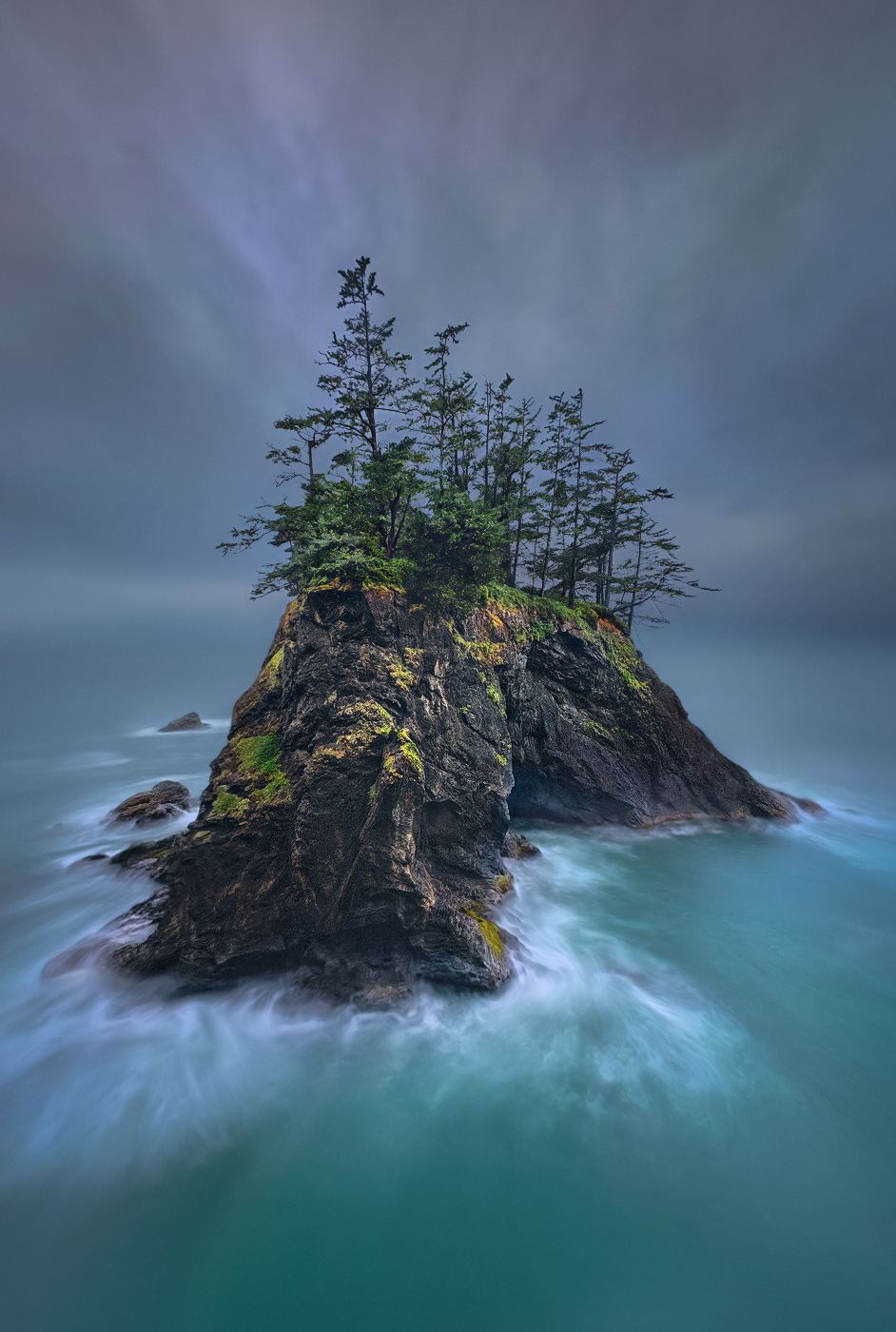
Thank you very much. I only needed a rope to get to the positioning. It’s not a place I would recommend anyone to go unless they’re an experienced rock climber one false move and you’re probably dead! This is a spot I don’t know if anyone has ever been to. Because I don’t want to encourage people to potentially risk their life, not having an abundance of experience climbing (I was raised by a world class mountaineer) and using a rope and so forth I’ll keep it at that for now.
This was actually handheld at high ISO (and Image stabilization) shooting in continuous mode.
Then I auto aligned the images in Photoshop, and then converted the layers to a single “smart object”. I used the smart object blend mode “mean” to average the exposures. That is under the pull down menus “Layer, smart object, stacking mode”…
What I love about doing that is that it knocks the noise down. And you can choose later how long you want the exposure to be. Simply by how many frames that you decide to blend together… Very loosely, about four frames equals one stop of noise reduction.
I shot it ultra wide angle, horizontally, also as a stitch!
Yes, it makes it a little bit complicated but this is what I do for a living so it’s kind of a snap for me.
But it allowed me to shoot very wide horizontally, pointing nearly straight down, then up more toward the horizon line, where all the waves were moving!(and I waited until the surf was kicking up) and then I did another shot tilted more upward to get plenty of sky!
Because I sit behind my computer doing post processing 8-14 hours a day, usually six days a week (hardly ever for myself, but for others for Gallery enlargement print processing) I’ve got loads of cool tricks up my sleeve to really get Quality pretty much no matter what the camera system. I have some ways to rely on algorithms that are not the generative AI type. Algorithms that are designed to extract real detail. And that’s a long complicated story.
I’ll say that I get the most out of camera raw, which is also in Lightroom (the develop tab is camera raw) and I always, always ALWAYS turn OFF the sharpening, because it does nothing but damage Images! And one of the best noise control techniques is to use.Adobe’s Denoise for each layer, as a raw smart object layer in Photoshop, as a duplicate. In other words, bring in every layer without Denoise. Duplicate it. On the bottom layer run Denoise, but on the top layer don’t. Then all you have to do is go to the layer style blending options “Blend If” for the top layer (that does not have the Denoise) and all you do is alt/option click on the right side of the little black slider node. Then split, and slide it all the way across. This makes the Denoise 100% at the black point and 0% of the white point in a perfectly graduated fashion!
Because noise resides more and more in the darkest tones and less, and less in the lightest tones, you retain all of the naturalness, natural look to the lighter mid tones, lights and highlights… because our eyes are drawn to highlights and lights and midtones, this makes it work brilliantly. I don’t know why AI (Adobe Denoise) doesn’t automatically just do this.
Even at 6400 ISO or even 12,800 ISO, when you do it right, there’s hardly anyone that would not think that the file was shot at 50 ISO. And it retains a natural look that you don’t get when you just clobber your photos with AI noise reduction or any other noise reduction.
After this is all pulled together, you have a very robust data intensive 16-bit file that can be rasterized (flattened -not raw) and can take all the fine-tuning you want until the image is fully corrected and optimized.
I can also say that photos that are processed this way respond to upsizing and sharpening algorithms in a profoundly better way than photos that are just clobbered with some type of noise reduction or AI noise reduction.
I hope that’s helpful.
Malka_1 wrote:
Incredible image! People outside this forum will find it hard to believe it's not an AI/computer generated one. Question comes to mind - how did you get the camera to stay still for long exposure if there was a rope involved?
|