Is anyone else having this issue with your Sony A7RVI and exporting files in Lightroom desktop on a mac?
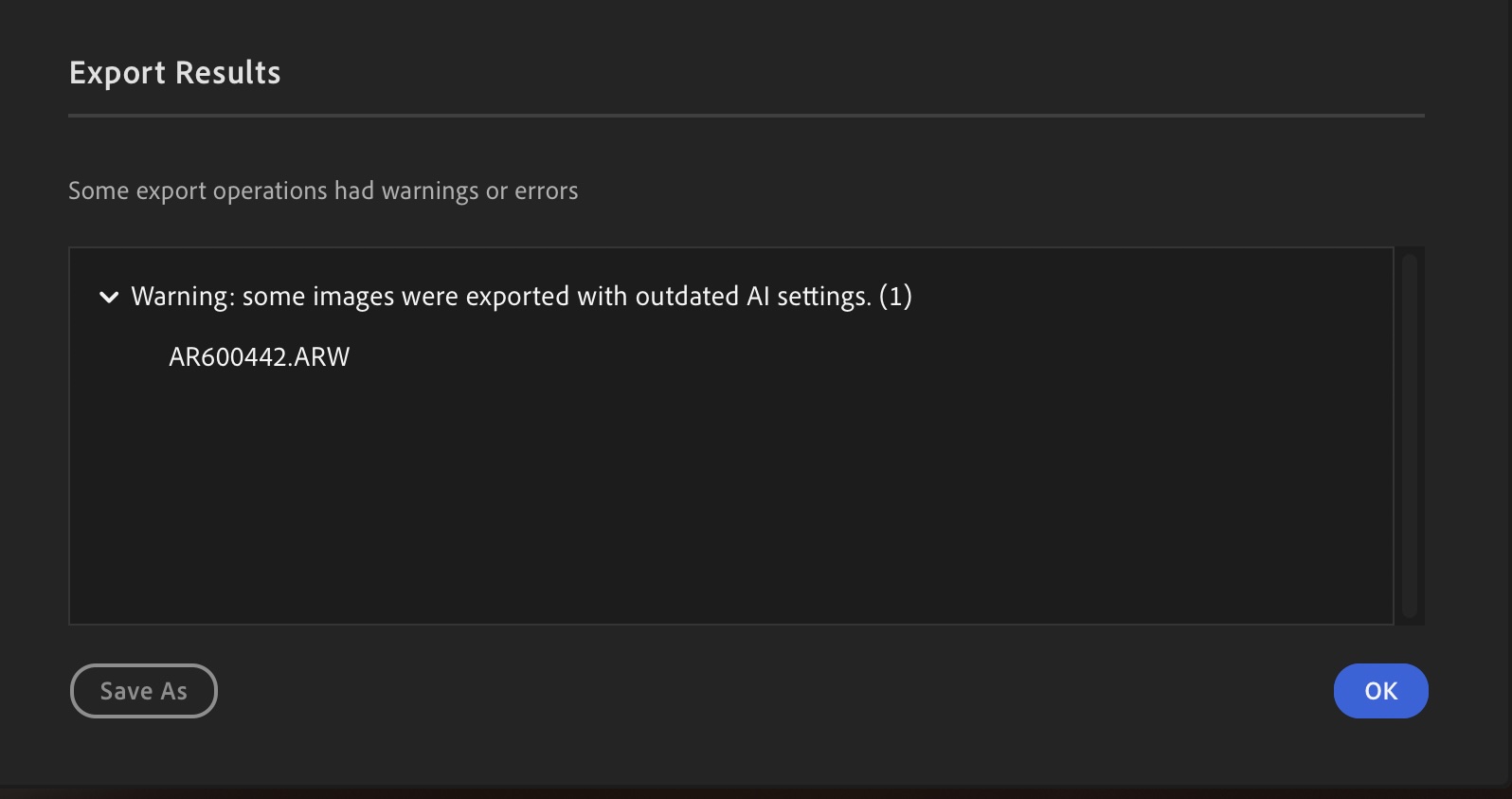
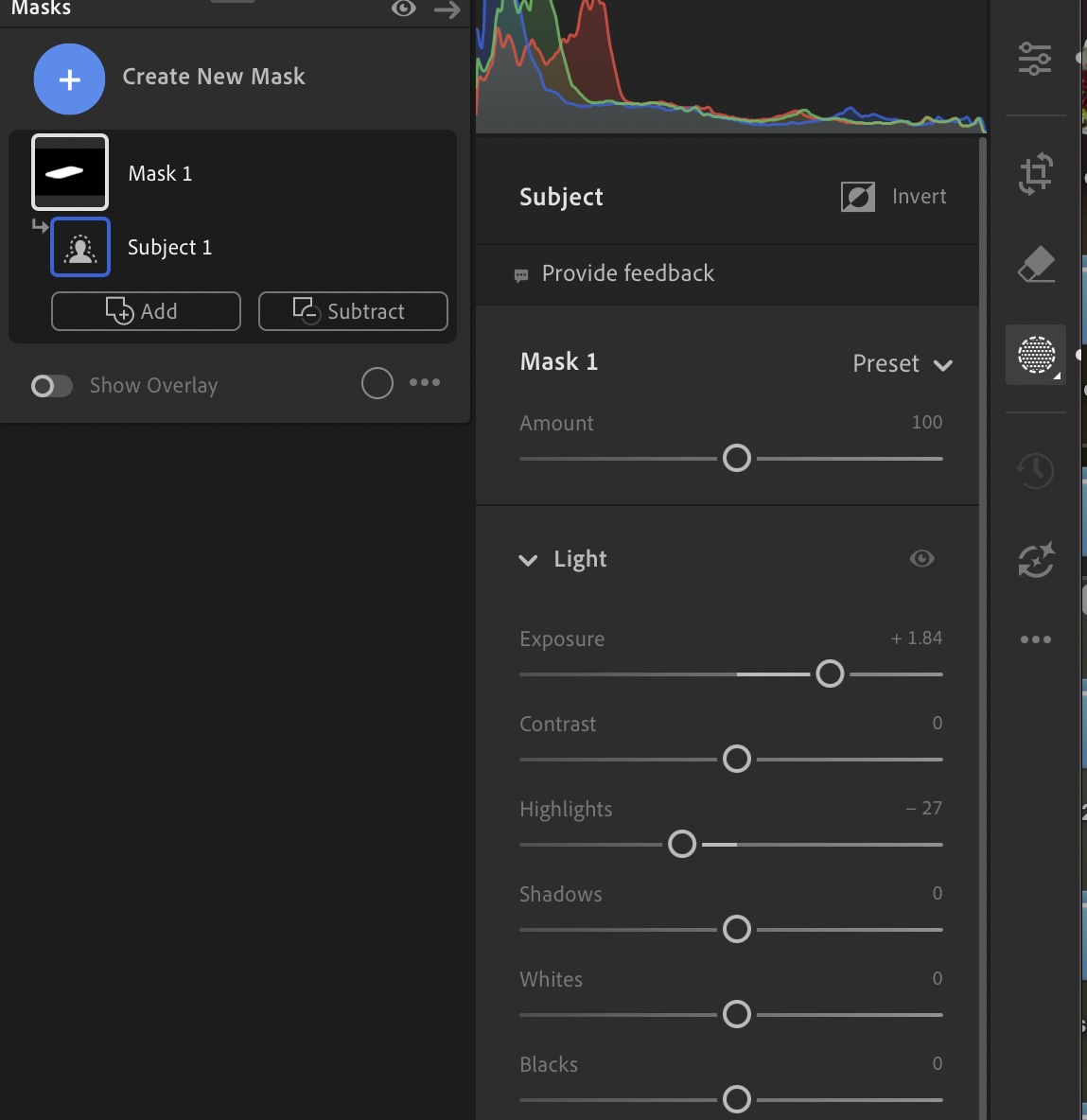
With the new Sony A7RVI, when I go to export raw photos with any mask, it provides the attached error message even though there are no AI edits to update as you can see by the no yellow icon. Seems to be triggered anytime you apply a mask to a file. Have tried the multiple file updating AI edits for all files and that does not work either. It doesn't do it with my other Sony and Nikon raw files. Have had others with Lightroom desktop try the same workflow and are receiving the same error, so there seems to be some raw file compatibility issue.
Would like to confirm with other A7RVI users also if they are experiencing this issue or not when editing their raw files with mask and exporting. Appreciate your input! Thank you.
I've had the A7RV since it came out and have loved it. It replaced the A7RIV primarily because of the automated focus stacking. I just got the A7RVI and while it's an amazing machine, it is somewhat tedious to set up. Maybe I don't remember what I went through to set up the A7RV.
I joined Mark Galer's Patreon and have his e-book and Camset. I really do not need quite so many sets of settings and I know I can use only what I want and or need but I find myself going through sooo many menus to set up "my menu" and the function menu that I may need to take a break for a couple of days. I'm sure I'll get it set and get used to it eventually but it seems a struggle.
I'm a mainly landscape/nature person who also does family events.
You are not alone. I'm thinking there's a market for someone reverse-engineering the format of Sony camset files and making a simple utility to transfer settings across cameras even if they're not the same model.
Although... to be perfecty honest, it took me less than 20 minutes to manually move all my settings from the A7RV to the A1 II and the same procedure can be repeated for the A7RVI:
- Put both cameras on a desk
- Replicate the i-menu by looking at the reference
- Replicate the home menu by looking at the reference
- Replicate the custom button assignment, again - looking at the reference
- Go through the rest of the shooting menus
I swear it took me less than 20 minutes. It is a very dumb "mechanical" exercise. But it takes much longer if the reference camera is not laying in front of you.
Jason29 wrote:
Is anyone else having this issue with your Sony A7RVI and exporting files in Lightroom desktop on a mac?
With the new Sony A7RVI, when I go to export raw photos with any mask, it provides the attached error message even though there are no AI edits to update as you can see by the no yellow icon. Seems to be triggered anytime you apply a mask to a file. Have tried the multiple file updating AI edits for all files and that does not work either. It doesn't do it with my other Sony and Nikon raw files. Have had others with Lightroom desktop try the same workflow and are receiving the same error, so there seems to be some raw file compatibility issue.
Would like to confirm with other A7RVI users also if they are experiencing this issue or not when editing their raw files with mask and exporting. Appreciate your input! Thank you. ...Show more →
I have exported several A7R6 images from LR where I used dodge & burn or sharpening masks, and sometimes Denoise, and have not had this error, though when exporting the same image again after further tweaking I have seen the dialogue box asking if I want to update AI changes and I OK that. I’m on a MacBook running Tahoe 26.5.1.
Jason29 wrote:
Is anyone else having this issue with your Sony A7RVI and exporting files in Lightroom desktop on a mac?
With the new Sony A7RVI, when I go to export raw photos with any mask, it provides the attached error message even though there are no AI edits to update as you can see by the no yellow icon. Seems to be triggered anytime you apply a mask to a file. Have tried the multiple file updating AI edits for all files and that does not work either. It doesn't do it with my other Sony and Nikon raw files. Have had others with Lightroom desktop try the same workflow and are receiving the same error, so there seems to be some raw file compatibility issue.
Would like to confirm with other A7RVI users also if they are experiencing this issue or not when editing their raw files with mask and exporting. Appreciate your input! Thank you. ...Show more →
I plugged the error into Google Gemini and it suggested the following:
Switch to the Library Module in Grid View.Select the images giving you the error.In the top menu, click Photo > Develop Settings > Update AI Settings (or right-click the selected images and choose this option).
Ross Martin wrote:
I have exported several A7R6 images from LR where I used dodge & burn or sharpening masks, and sometimes Denoise, and have not had this error, though when exporting the same image again after further tweaking I have seen the dialogue box asking if I want to update AI changes and I OK that. I’m on a MacBook running Tahoe 26.5.1.
Thank you for taking the time to reply. I truly appreciate it. Are you using Lightroom Classic or LR Desktop? A friend tested it in LRC and it worked fine, but not on regular LR Desktop. What if you do a subject mask, any issue exporting (assuming you are not using LRC)?
snapsy wrote:
I plugged the error into Google Gemini and it suggested the following:
Switch to the Library Module in Grid View.Select the images giving you the error.In the top menu, click Photo > Develop Settings > Update AI Settings (or right-click the selected images and choose this option).
Thank you! I actually had tried that before.. Sort of the bulk acceptance of AI changes doing it, but unfortunately, that does not work either. It is on all raw files with the camera I am having the issue once I add a mask, even applying changes to all files like that.