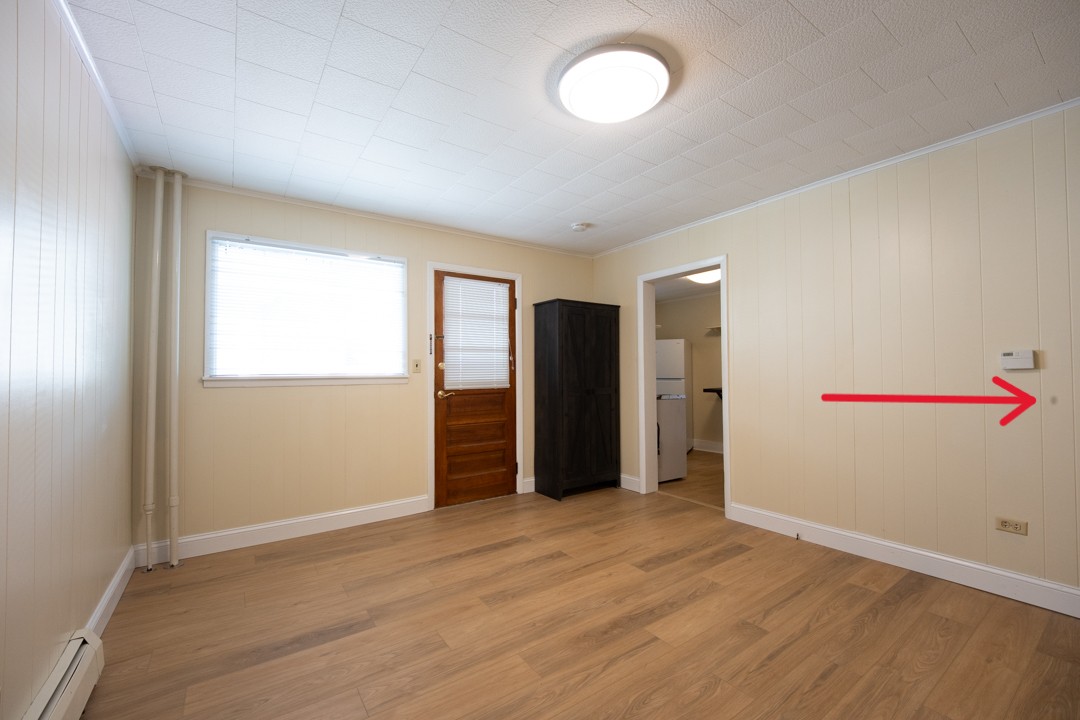
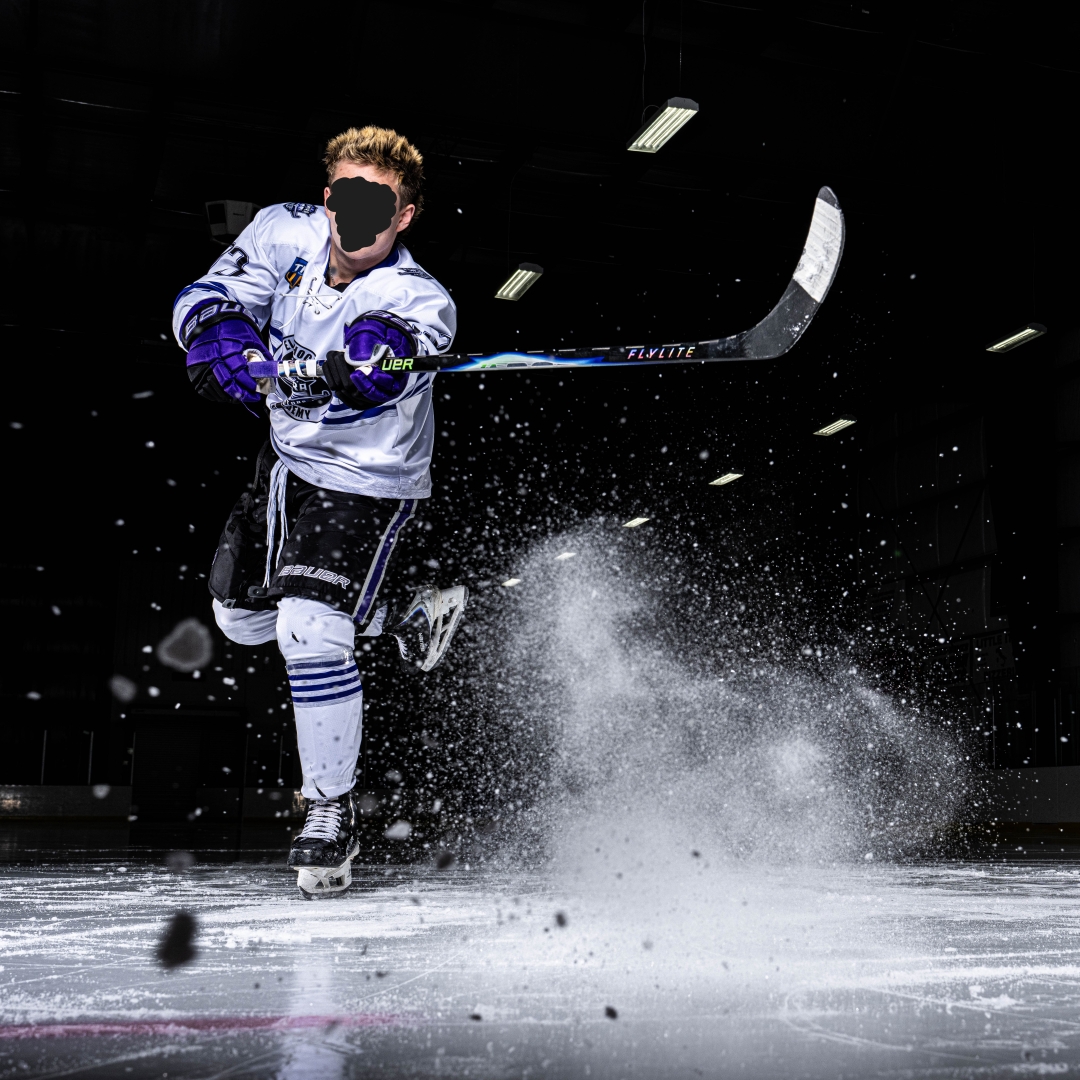
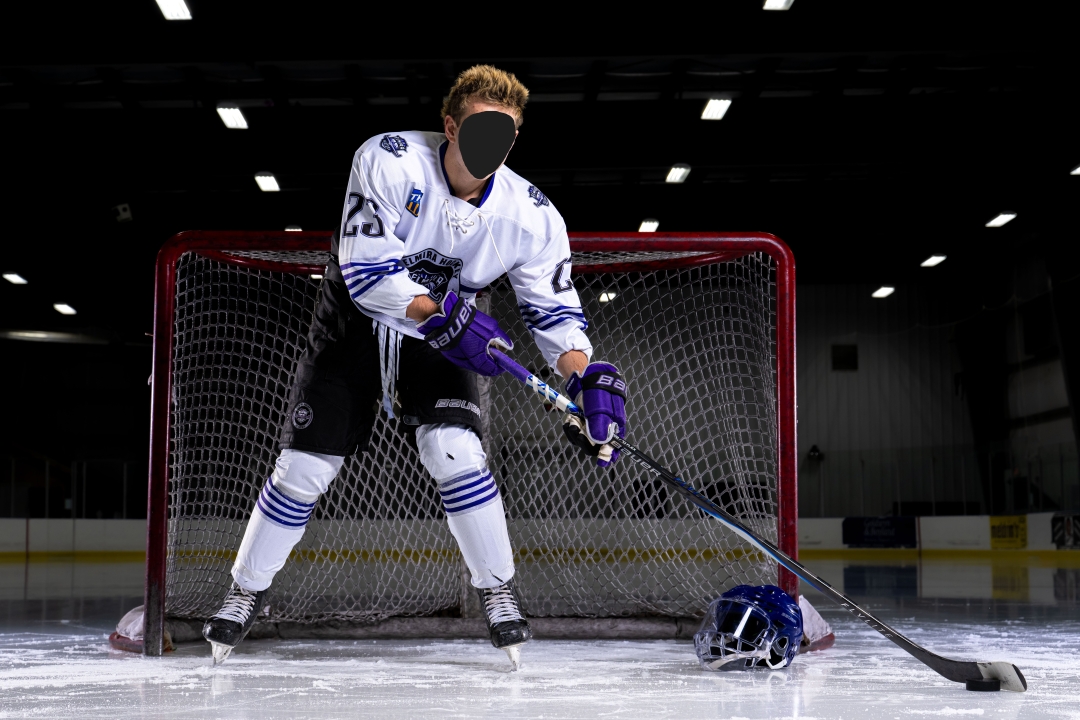
Here is a quick example of my spot. I've been able to take care of it in shots like this, and know to avoid it for my senior pictures, but it's quite annoying. This is F8. I can see it as low as F1.8 sometimes.
ILCE-7RM6Viltrox 14mm F4.0 FE lens14mmf/5.61/30s1250 ISO0.0 EV
BigBabyMoses06 wrote:
Here is a quick example of my spot. I've been able to take care of it in shots like this, and know to avoid it for my senior pictures, but it's quite annoying. This is F8. I can see it as low as F1.8 sometimes.
Your spot is worse than mine was. I had to go slower than f/9 to see it. You can set a profile in lightroom to automatically fix it for you with spot removal.
BigBabyMoses06 wrote:
Here is a quick example of my spot. I've been able to take care of it in shots like this, and know to avoid it for my senior pictures, but it's quite annoying. This is F8. I can see it as low as F1.8 sometimes.
BigBabyMoses06 wrote:
Here is a quick example of my spot. I've been able to take care of it in shots like this, and know to avoid it for my senior pictures, but it's quite annoying. This is F8. I can see it as low as F1.8 sometimes.
Sony should take care of it, I had them replace a failed shutter on an A7R5 I bought secondhand. As long as it's less than a year old, they seem to fix issues like that.
Yes sorry, situation is still TBD. I can send the camera for repair in a couple of weeks, I'm still using it for senior portraits the next two weeks.
I purchased it second hand, original owner gave me the receipt, he purchased from Amazon through an authorized retailer (beach camera). Fingers crossed.
I'm definitely concerned that dust or debris can get underneath so easily. I want to get a second A7RVI body, but I'm a little leary now. Hopefully just a really rare fluke.
I'm just reading through this long thread, so I realize this is a bit late, but it seems for your style of shooting (and mine) the cam ranger is the tool you want/need. You can send your images to an ipad or ipads or tablets and you'll have a much bigger screen to work with and this is especially helpful for getting team photos and poses right or right in the clients eye. In fact I'll often give one of my ipads (I routinely bring 4-5 ipads with me to a shoot, 1 for me, and the rest for coaches and players) to the coach and let them set up the team how they want. Doing senior portraits, give the mom and ipad and let her see what your capturing. While this can be a double edged sword, the parent can help give posing directions. It's so much better than trying to share the back of your camera screen. Once you're reviewing your images on a 10" ipad, you'll never want to use the rear lcd for that.
BigBabyMoses06 wrote:
Absolutely. Why not? Why shouldn't one be able to do that? What if I have the camera in a position where I cant view the EVF? Even when you can, the EVF isn't perfect. The screen should be a much higher priority for Sony.
I REALLY want a button/setting I can program that toggles the jpeg preview on and off so I can get a clear idea of how I'll be able to pull the file in different directions.
Mind you, I almost exclusively shoot with off camera flash. It's just a bit silly to me that one can't really judge exposure better than we are currently able to, on the rear screen. I can't even show my clients the back of the screen when we're outside. It's less as much about the color (tho why not?) and more about exposure for me. For on the fly fast paced portrait or media day sessions, using the histogram is pretty much worthless for me. For one, I need to be judging my subjects exposure as accurately as possible, especially their face/skin and not just the overall scene which often has bright backgrounds. Zebras can help in some instances.
Anyway, I still love the camera, even with my dust speck under the sensor glass, and the old rear screen
Here are a few pieces of my recent work with it, and the 50 1.2 or 20-70....Show more →
timgangloff wrote:
I'm just reading through this long thread, so I realize this is a bit late, but it seems for your style of shooting (and mine) the cam ranger is the tool you want/need. You can send your images to an ipad or ipads or tablets and you'll have a much bigger screen to work with and this is especially helpful for getting team photos and poses right or right in the clients eye. In fact I'll often give one of my ipads (I routinely bring 4-5 ipads with me to a shoot, 1 for me, and the rest for coaches and players) to the coach and let them set up the team how they want. Doing senior portraits, give the mom and ipad and let her see what your capturing. While this can be a double edged sword, the parent can help give posing directions. It's so much better than trying to share the back of your camera screen. Once you're reviewing your images on a 10" ipad, you'll never want to use the rear lcd for that.
Very much appreciate that! I've been recommended that a few times, I will seriously look into it. I have tried C1 with my Ipad, but the Ipad was a entry level one, and not a pro, thus not bright enough.
I used the a7R6 yesterday and today for portraits. The indoor portraits were sublime and are turning out great.
The outdoor portraits I struggled to see the screen and even the EVF was a struggle because my eyes were dilated to the bright over cast conditions. Its simply not bright /detailed enough. Once I viewed the images indoors (and got them on my PC), I immediately saw my skies were more exposed than what I had wanted. Because of the lighting conditions and the darker screen, I was tricked into thinking my settings were dialed in perfectly. It is something I have to work on remembering for my shoots. One more fall foliage senior session left.
A different potential issue I've been noticing is the camera has a bad tenancy to front focus on full body portraits, and/or has shutter slap/shock issues, when shooting wide open (1.2 / 1.4). I know those apertures are razor thin, but it's clear as day to me on basically all of my full body shots. Edge performance of the lenses I've been using amplifies the issue a little as obviously the edges aren't as sharp as the center, but my eyes and faces are too soft too often, and front focusing on the kids shirts rather than their face/eyes. Both GM 85 1.4 II and the 50 1.2. All with off camera flash. Was not an issue last year on my A7RV/Viltrox 85 1.4. I've seen talk on other forums/reviews of shutter shock issues with this camera, but haven't seen anyone else report front focusing.
My clients don't notice/don't know any better, but I do. I will try and share some examples. Maybe I have a lemon
Anyway, 2 from yesterday! 3 light setup. FJ800 main camera right with a 44" octa. 2 FJ400s with basic reflectors behind the subject for edge light.
Very much appreciate that! I've been recommended that a few times, I will seriously look into it. I have tried C1 with my Ipad, but the Ipad was a entry level one, and not a pro, thus not bright enough.
I used the a7R6 yesterday and today for portraits. The indoor portraits were sublime and are turning out great.
The outdoor portraits I struggled to see the screen and even the EVF was a struggle because my eyes were dilated to the bright over cast conditions. Its simply not bright /detailed enough. Once I viewed the images indoors (and got them on my PC), I immediately saw my skies were more exposed than what I had wanted. Because of the lighting conditions and the darker screen, I was tricked into thinking my settings were dialed in perfectly. It is something I have to work on remembering for my shoots. One more fall foliage senior session left.
A different potential issue I've been noticing is the camera has a bad tenancy to front focus on full body portraits, and/or has shutter slap/shock issues, when shooting wide open (1.2 / 1.4). I know those apertures are razor thin, but it's clear as day to me on basically all of my full body shots. Edge performance of the lenses I've been using amplifies the issue a little as obviously the edges aren't as sharp as the center, but my eyes and faces are too soft too often, and front focusing on the kids shirts rather than their face/eyes. Both GM 85 1.4 II and the 50 1.2. All with off camera flash. Was not an issue last year on my A7RV/Viltrox 85 1.4. I've seen talk on other forums/reviews of shutter shock issues with this camera, but haven't seen anyone else report front focusing.
My clients don't notice/don't know any better, but I do. I will try and share some examples. Maybe I have a lemon
Anyway, 2 from yesterday! 3 light setup. FJ800 main camera right with a 44" octa. 2 FJ400s with basic reflectors behind the subject for edge light. ...Show more →
Front focusing in mirrorless could be a firmware issue (like Canon had with its 70-200), AF algorithms being bad (like with Nikon's tendency to focus on eyelashes instead of iris), or simply due to being on the extreme end of the mount tolerances as we are talking about very very thin focal plane. Though, the last one usually translates to uneven focus. Make sure that you don't have any MF overwrite that you accidentally use and that Priority in AF (Face/Eye) is on or your IBIS might be overcompensating?Hard to tell but I would mention this to Sony alongside with your dust issue.
Regardless of the above, great shots! I especially like the first one; great framing and dynamism.
Was testing out the camera last night with some long exposures. It seems like the bulb mode doesn't work with either the intervalometer or focus bracketing which are limited to 30s each.
It would be so simple just to have the shutter time extend with the dial and go to 60s, 120s, 240s, etc and way more convenient.
sbay wrote:
Was testing out the camera last night with some long exposures. It seems like the bulb mode doesn't work with either the intervalometer or focus bracketing which are limited to 30s each.
It would be so simple just to have the shutter time extend with the dial and go to 60s, 120s, 240s, etc and way more convenient.
Every Sony camera has a limit of 30 seconds of selectable shutter speed-
My Leica M11-P can do 60 minutes
Who knows what Sony would need to unravel in code to fix but its 100% annoying. Use your phone - Its the cheapest way around it and you can just set a timer. Not perfect but I do exposures longer than 30 seconds so in frequently so it works for me.
RustyRus wrote:
Every Sony camera has a limit of 30 seconds of selectable shutter speed-
My Leica M11-P can do 60 minutes
Who knows what Sony would need to unravel in code to fix but its 100% annoying. Use your phone - Its the cheapest way around it and you can just set a timer. Not perfect but I do exposures longer than 30 seconds so in frequently so it works for me.
You can set the shutter speed of the A7r VI to longer than 30 seconds. You can even get a Bulb (BULB) setting. Actually, to set your Sony a7R VI to a shutter speed longer than 30 seconds, switch your shooting mode to Bulb (BULB).
How to Access Bulb Mode
1. Set your camera's Mode Dial to M (Manual Exposure).
2. Rotate the main control dial to decrease your shutter speed past 30 seconds until the display reads BULB.
• Using BULB Timer Settings: You can program a precise exposure time directly in-camera without holding down the button. Navigate to Menu > Exposure/Color > Exposure > BULB Timer Settings and set your preferred duration (from 2 up to 900 seconds).
• Using a Remote Shutter Release: Plug a wired or wireless remote shutter release cable into the camera's terminal to lock or hold the shutter open for as long as needed without causing camera shake.
• Using the Creators' App: Connect your smartphone via the Sony Creators' App to trigger timed or manual bulb exposures remotely.
FYI, the explanation is not mine but posted using copy and paste method.
AGeoJO wrote:
You can set the shutter speed of the A7r VI to longer than 30 seconds. You can even get a Bulb (BULB) setting. Actually, to set your Sony a7R VI to a shutter speed longer than 30 seconds, switch your shooting mode to Bulb (BULB).
How to Access Bulb Mode
1. Set your camera's Mode Dial to M (Manual Exposure).
2. Rotate the main control dial to decrease your shutter speed past 30 seconds until the display reads BULB.
• Using BULB Timer Settings: You can program a precise exposure time directly in-camera without holding down the button. Navigate to Menu > Exposure/Color > Exposure > BULB Timer Settings and set your preferred duration (from 2 up to 900 seconds).
• Using a Remote Shutter Release: Plug a wired or wireless remote shutter release cable into the camera's terminal to lock or hold the shutter open for as long as needed without causing camera shake.
• Using the Creators' App: Connect your smartphone via the Sony Creators' App to trigger timed or manual bulb exposures remotely.
FYI, the explanation is not mine but posted using copy and paste method....Show more →
Thats what I just said A selctable shutter speed only goes to 30 seconds.
Here are the two particular use cases I was testing out.
Doing a focus stack at f/2.8 in the middle of the night. Each frame might need from 2 to 5 minutes exposure time. I can use bulb mode for single photos, but not in focus bracketing mode. So I'm back to changing the focus distance manually (with bulb). There isn't really a good alternative here because it's really hard to figure out how much to move the focus between frames.
I want to take a 10 minute exposure of the landscape. But every once a while a car comes through and the headlights ruin the shot. So instead I do 7x2min, throw out the 2 frames with cars in them, and average the rest in post. However the intervalometer doesn't let me go past 30s. For this, I can use a wired intervalometer with bulb or count the shots. But it shouldn't be necessary.
sbay wrote:
Here are the two particular use cases I was testing out.
Doing a focus stack at f/2.8 in the middle of the night. Each frame might need from 2 to 5 minutes exposure time. I can use bulb mode for single photos, but not in focus bracketing mode. So I'm back to changing the focus distance manually (with bulb). There isn't really a good alternative here because it's really hard to figure out how much to move the focus between frames.
I want to take a 10 minute exposure of the landscape. But every once a while a car comes through and the headlights ruin the shot. So instead I do 7x2min, throw out the 2 frames with cars in them, and average the rest in post. However the intervalometer doesn't let me go past 30s. For this, I can use a wired intervalometer with bulb or count the shots. But it shouldn't be necessary.
I don't think Sony is going to fix that anytime soon. Camera firmware is usually built on years of older code, and going back to change how something core works, like how bulb interacts with focus bracketing or the intervalometer, is harder than it sounds. Every change risks breaking something else and has to be retested across bodies, so companies tend to put that effort into the next camera instead of reworking the current one. If Sony even sees this as a real problem/revenue generator.
For now I'd stick with the workaround you have. Or maybe it's time to add a Nikon or another brand that supports what you're looking for in body.
sbay wrote:
Here are the two particular use cases I was testing out.
Doing a focus stack at f/2.8 in the middle of the night. Each frame might need from 2 to 5 minutes exposure time. I can use bulb mode for single photos, but not in focus bracketing mode. So I'm back to changing the focus distance manually (with bulb). There isn't really a good alternative here because it's really hard to figure out how much to move the focus between frames.
I want to take a 10 minute exposure of the landscape. But every once a while a car comes through and the headlights ruin the shot. So instead I do 7x2min, throw out the 2 frames with cars in them, and average the rest in post. However the intervalometer doesn't let me go past 30s. For this, I can use a wired intervalometer with bulb or count the shots. But it shouldn't be necessary.
Re cars in a long exposure night-scape, the old-school method we used was a black card over the lens as the car went by. That would still work and is probably more convenient than Bulb and later stacking for noise.
The only workaround I can think of for focus stacking is to manually move the AF point between the Bulb exposed frames to logical focus areas for the later focus stack. Not ideal, but definitely workable.
Is there any current camera that allows focus stacking or intervalometer use combined with a Bulb exposure? Any that offer long exposures into multiple minutes aside from Bulb? If I am recalling correctly, pretty sure I was similarly limited with my Nikon Z's and Fuji's.
One other thought, multiple AF stacks at 30 second exposures, then blend each frame from each specific focus capture first for noise, then blend those individual noise-corrected finals for focus? Again, a lot of post work, but it should work at least theoretically. Might even be better from a noise perspective?