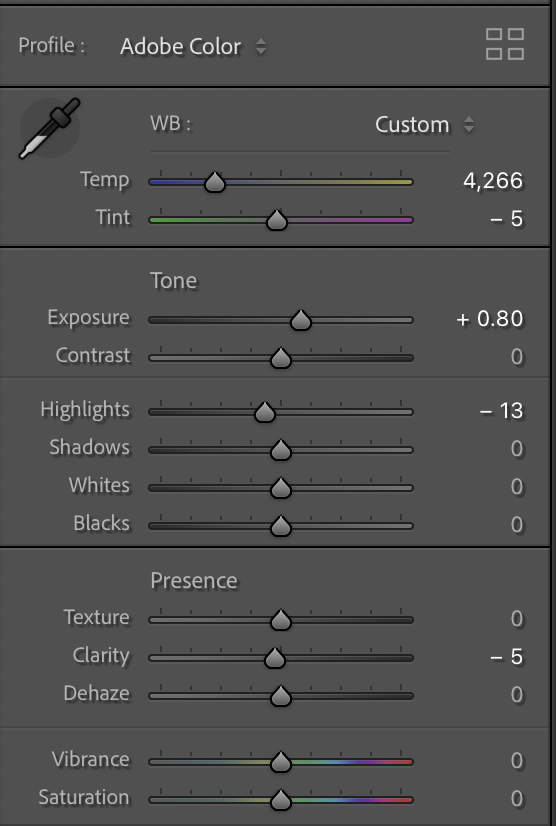
In Lightroom ( and capture one) - white balance is a post-processing step. The Kelvin value may look like it corresponds to actual colour temperature, but it’s calculated after the camera profile is applied, so it’s profile-dependent rather than absolute.
For consistent comparisons across different profiles, you need to use the white balance eyedropper on the same reference point rather than relying on matching Kelvin values.
This will also differ from how the camera applies white balance in-camera, or how an “Auto” setting determines it, since those operate earlier in the pipeline with different assumptions and heuristics.
ruthenium wrote:
I tend to agree with the above, regarding the importance of pleasing vs. accurate colours.
In fact, I believe that proving that some colours are "accurate" may not be that simple - not like, look at the "accurate" colours and one should immediately know that the presented colours are accurate indeed.
The problem is, I don't think that humans actually know "accurate" colors. In our mind, we have certain ideas of what colours can be expected in an image, but such expectations almost certainly cannot be accurate for an average person. I fully agree with the above-said "unless a user is highly experienced and knows when to stop trusting his eyes. Taking breaks or applying psychological tricks is often required to "reset" your color senses." An average person absolutely cannot be "trusting his eyes." From my experience, if I work on an image for longer than 1h, I can no longer trust my eye.
One objective of post-processing is to present a viewer with colors that should evoke an adequate emotional response to the visual "stimuli". I am with @old-gregg@ on that the right colours are almost certainly not the "correct" colours. Thus, a starting point for corrections that attempts to present "accurate" colours can make the processing more difficult, rather than easier.
I cannot comment on Adobe colors. Some of the above posts suggest that the default Adobe color profile (profiles?) have poor colors. I think this is something that those who claim this should prove by presenting blind tests to prove the point.
I am using Capture One and DxO Photolab, and I purchased the new Spectre profiles for my main camera, Fujifilm GFX100S II. Below are uploads of one unremarkable scene that I selected for the reason that it has a mixture of typical colours: blue, green, and red. The raw file was captured with the WB set to Daylight in camera. The scene was obviously captured in broad daylight.
The four uploads have been minimally processed in Capture One, DxO Photolab 9, as well as processed in camera. I am not going to tell you which one is which, but of the four there are
One image processed in-camera with the Velvia profile
One image from DxO Photolab, processed with the Generic rendering "Neutral color"
One image from Capture One, processed with the ICC Profile "GFX100S II Cobalt Standard Daylight (S)" with Curve: "Film Standard" - the WB was set to Daylight in Capture One.
One image from Capture One, processed with the ICC Profile "GFX100S II Generic" with Curve: "Film Standard"
It would be interesting to know which of the profiles might be considered a better "starting point" for further processing? Do you like the profile in upload 1, 2, 3, or 4? ...Show more →
This is a great example with all the colors going on.
The third one is my favorite. I like how the clouds don't have much of a magenta cast, and the sky does not take on such a strong cyan color. My least favorite is number 2.
EvilBoris wrote:
To remove subjective judgement, you can look at controlled input instead. Using synthetic RGB sweeps from a 32-bit EXR (i.e. clean, known data), it becomes clear how the pipeline behaves as exposure increases:
Distinct hues begin to converge
Gradients that should remain smooth start to distort
Certain regions (particularly blue → magenta transitions) break down abruptly and irregularly
At more extreme values, colours collapse toward similar outputs
Isn't this simply a byproduct of colorspace clipping, as opposed to sensor behavior though? The entire pipeline within a RAW converter operates in the internal colorspace which is linear and huge. Nothing clips there. If that's the case, the shown irregularities should be addressed via perceptual colorspace mapping, which is the last stage and fairly removed from the hardware. Just thinking out loud...
DWOfPaul wrote:
This is a great example with all the colors going on.
The third one is my favorite. I like how the clouds don't have much of a magenta cast, and the sky does not take on such a strong cyan color. My least favorite is number 2.
Looks like I may need to pick up the profiles.
The third image is with the default Capture One profile.
While Capture One itself requires subscription or a one-time purchase of the perpetual version, the default color profiles are integral to Capture One - a user doesn't need to "pick up" these.
The second image in the series is with the Fuji Velvia profile, straight out of camera. Apart from the green, the other colors of Velvia often can look really nice in a photo. The camera can export 8-/16-bit TIF files where the green colors can be desaturated in post, prior to conversion to JPG.
ruthenium wrote:
The third image is with the default Capture One profile.
While Capture One itself requires subscription or a one-time purchase of the perpetual version, the default color profiles are integral to Capture One - a user doesn't need to "pick up" these.
The second image in the series is with the Fuji Velvia profile, straight out of camera. Apart from the green, the other colors of Velvia often can look really nice in a photo. The camera can export 8-/16-bit TIF files where the green colors can be desaturated in post, prior to conversion to JPG.
I am confused. I thought the third image used the Cobalt profiles, as it said "Cobalt Standard Daylight". Is Cobalt built into Capture One?
Edit, just realized your descriptions were not in the order of the photos posted.
DWOfPaul wrote:
I am confused. I thought the third image used the Cobalt profiles, as it said "Cobalt Standard Daylight". Is Cobalt built into Capture One?
Edit, just realized your descriptions were not in the order of the photos posted.
Yes, and sorry for confusing descriptions.
It was the 1st image that was processed with the Cobalt Spectre profile.
old-gregg wrote:
Isn't this simply a byproduct of colorspace clipping, as opposed to sensor behavior though? The entire pipeline within a RAW converter operates in the internal colorspace which is linear and huge. Nothing clips there. If that's the case, the shown irregularities should be addressed via perceptual colorspace mapping, which is the last stage and fairly removed from the hardware. Just thinking out loud...
Yes, sorry if I wasn't clear - it's 100% not a hardware issue.
I wanted to preset a synthentic test that easily highlights common color handling issues in digital color processing.
If you can see how that is doing that there you can see how other aspects of the pipeline that are also carelessly handled might cause other visual disturbances in your image that will certainly make things not pleasing.
To Ulysseita: It's really good that you are here, so that we can ask questions to you directly.
I have bought the Spectre profiles a while ago. I've seen the video you linked to above, and would like to ask a couple of questions just to make sure I understand how to get the most out of these profiles.
When I take my picture (let's say I'm making a portrait in mixed light) should I use the camera's auto white balance, or should I make a manual white balance setting from my Color checker gray card?
When I open the raw file in Lightroom, should I use the "as shot" setting or the "daylight", "shade", "tungsten", etc. settings, depending on the light source in the image?
Can you please comment on my experiment below when you have time. I really appreciate what you are trying to do with the Spectre profiles but I don't understand the difference between the two cameras.
I'm using Spectre with two different cameras.
Left: Nikon Z6III + Voigtlander APO 35/2
Right: Sony A7RV + Zeiss Otus ML 35/1.4
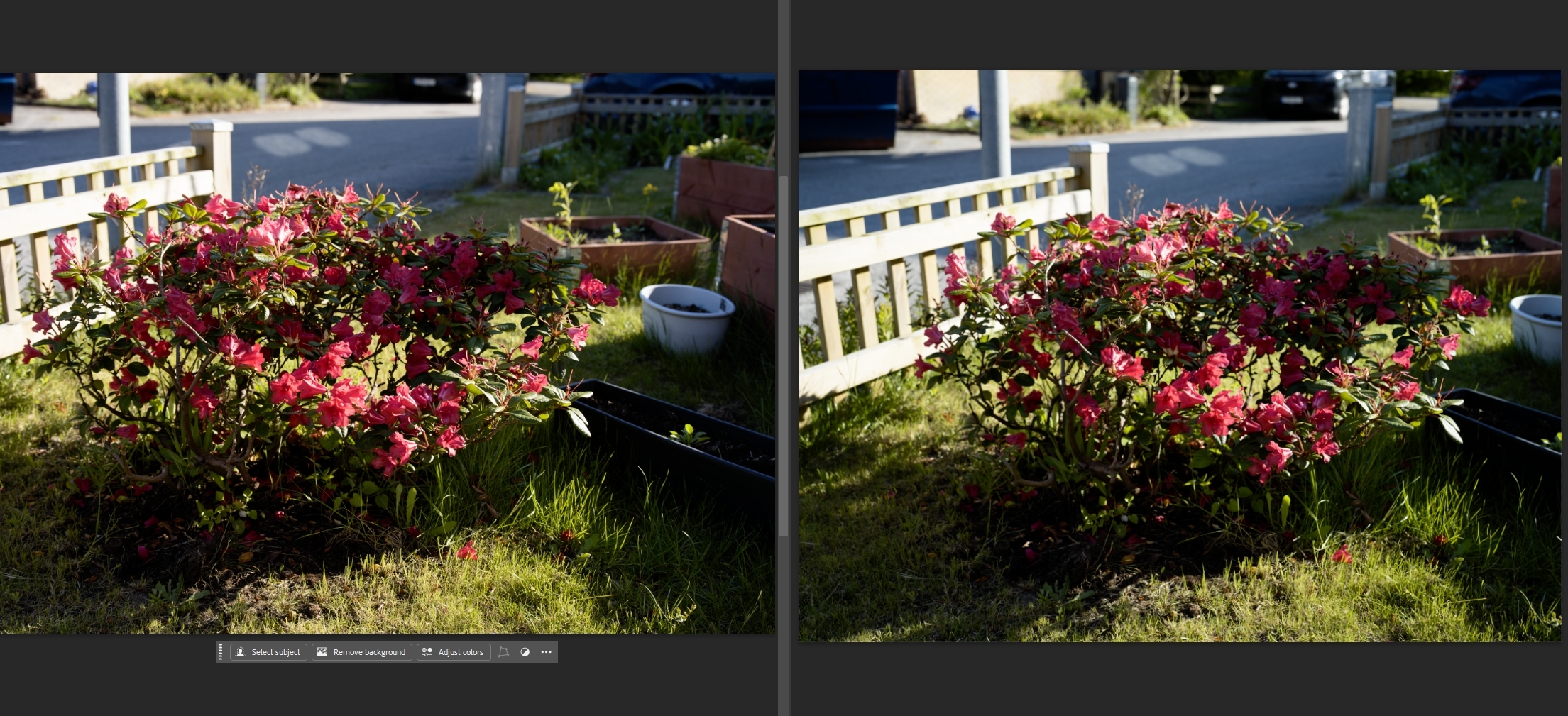
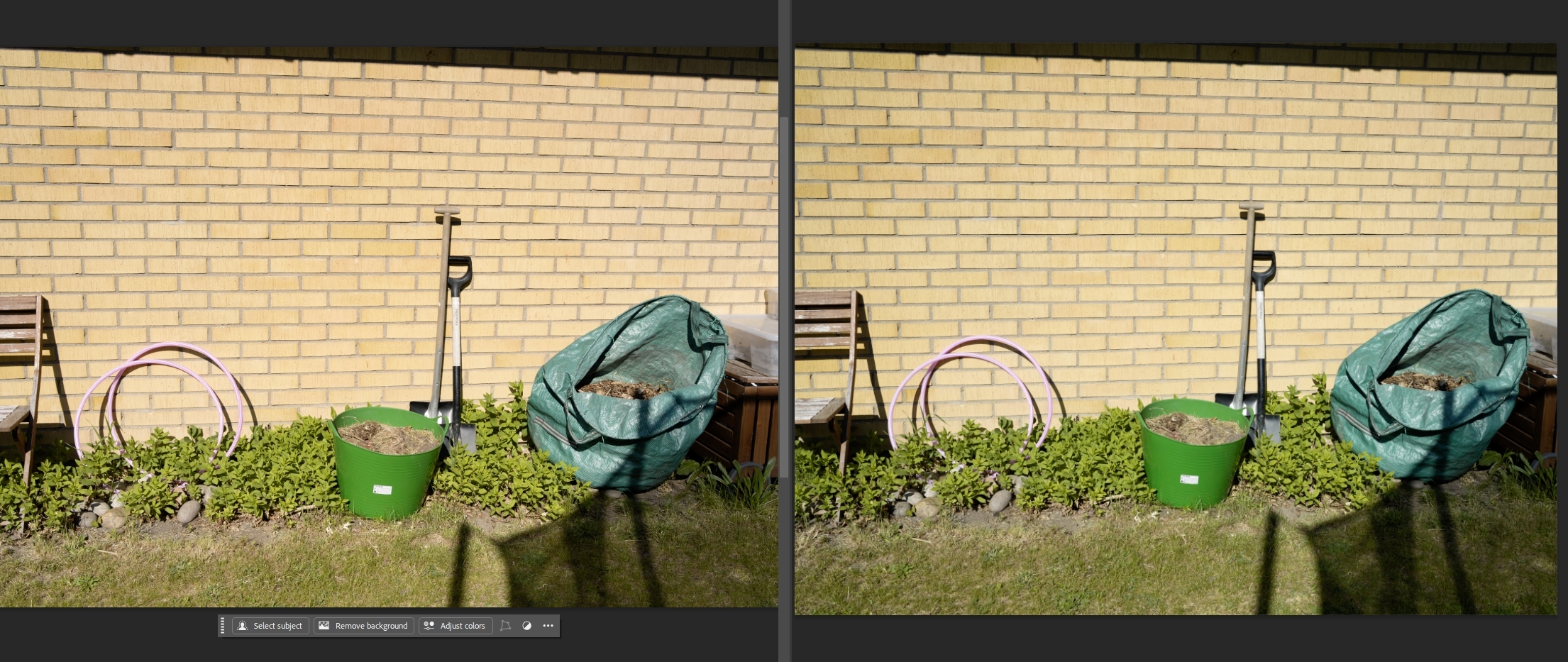
In Lightroom I use the Cobalt Standard (S) profile for both cameras and select Daylight. The picture look very different. Especially the Nikon image tend to look very warm? Is this expected or am I doing something wrong?
Example 1: Nikon left | Sony right
Example 2: Nikon left | Sony right
I've put the few raw files here. Images were taken at about 5 pm with pretty much a blue sky. For some of the pictures, the exposure isn't perfect. I had the cameras on A and noticed afterwards that the exposure was slight different. But that can be normalized in Lightroom.
As a final experiment I used the White Balance Tool instead of the Daylight present. In this case I think the pictures look very similar. But that shouldn't be needed, right?
Re "In Lightroom I use the Cobalt Standard (S) profile for both cameras"
You may want to confirm that you are using two different (camera-specific) Spectre profiles: one for Sony and a different one for Nikon - correct?
Furthermore, it would be interesting to see your results side by side with images obtained using LR profiles.
I tested the files by applying the **Cobalt Spectre Standard** profile and setting the white balance to **Daylight**.
This is the result I obtain. Considering that two non-native lenses were used, from different brands and with different optical characteristics, I would say that the match is very good.
In the wall image, I corrected the exposure on the more underexposed file, but the white balance is still set to Daylight, with no other correction applied.
I'm glad someone started this thread because I've been a fan of the Spectre profiles for a while, but I was waiting for Cobalt to add compatibility for the Nikon Zf. I just noticed it's finally available. Not sure when they added it since it definitely wasn't on their site last week. https://www.cobalt-image.com/product/spectral-camera-profiles-adobe-capture-one/
I do wish they would make profiles for the Leica M-D and Sony A7R II as well, but I'm not holding my breath since those are probably considered vintage cameras by now.
I did a quick test with my Zf using the Spectre profile, which I really love for shooting people because of the accurate skin tones and the more natural overall tonality and color.
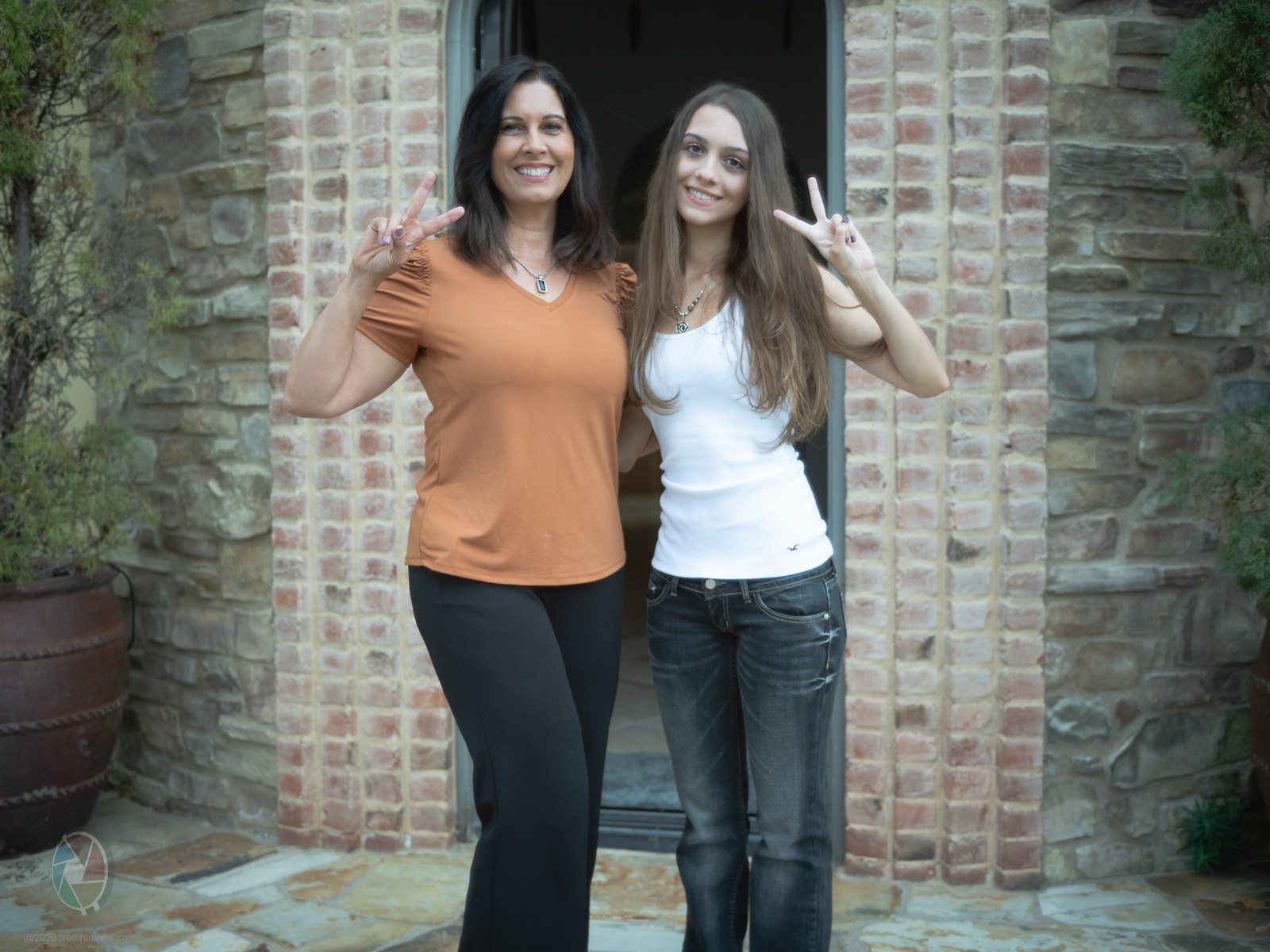
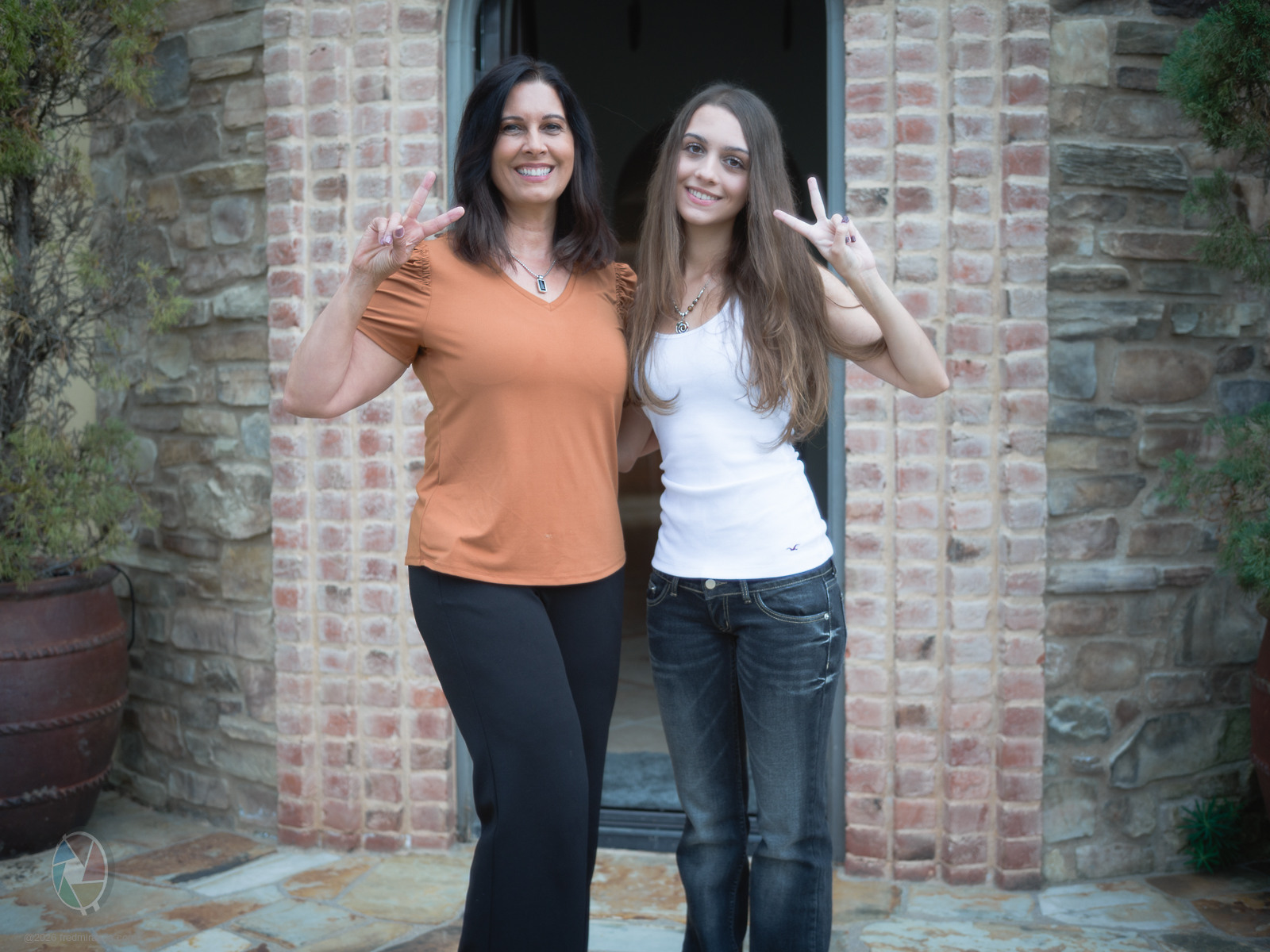
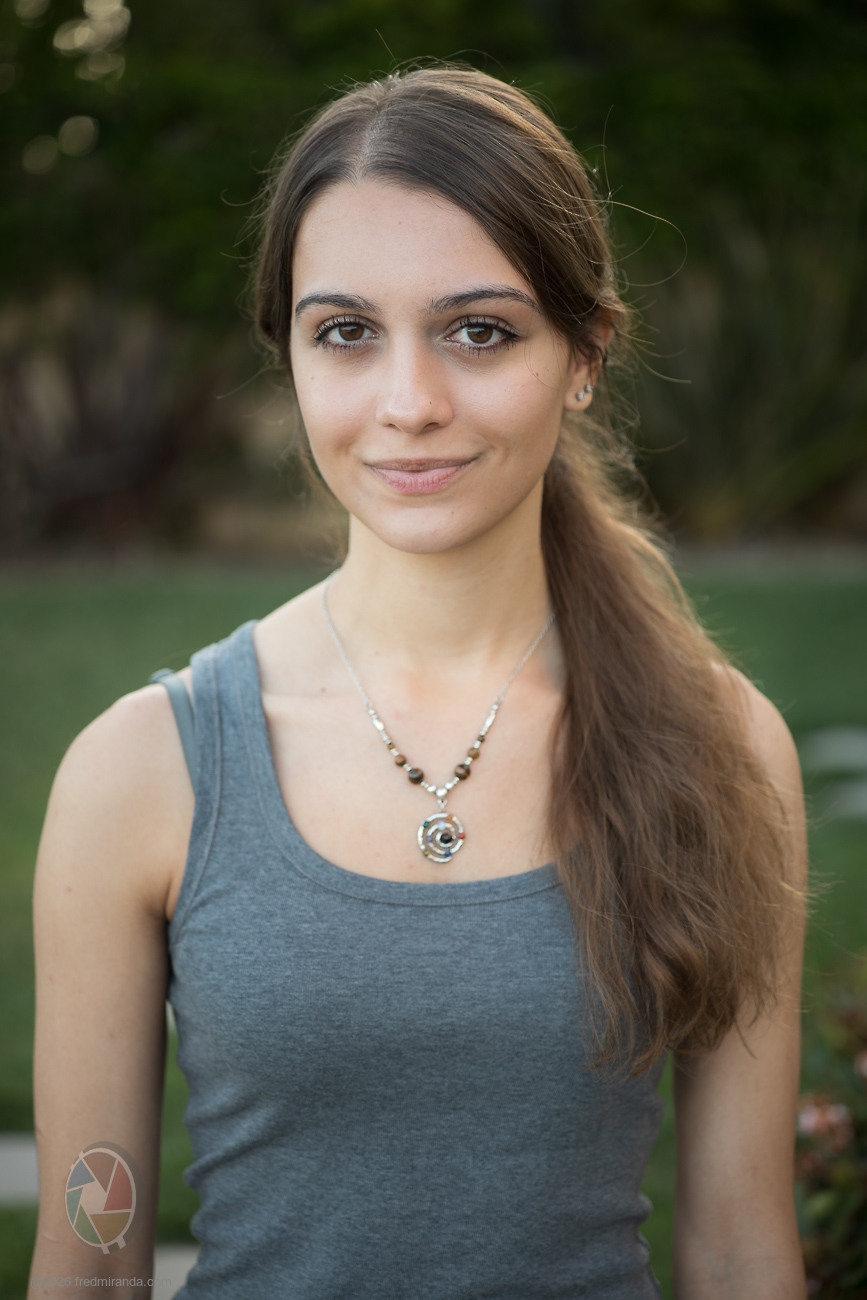
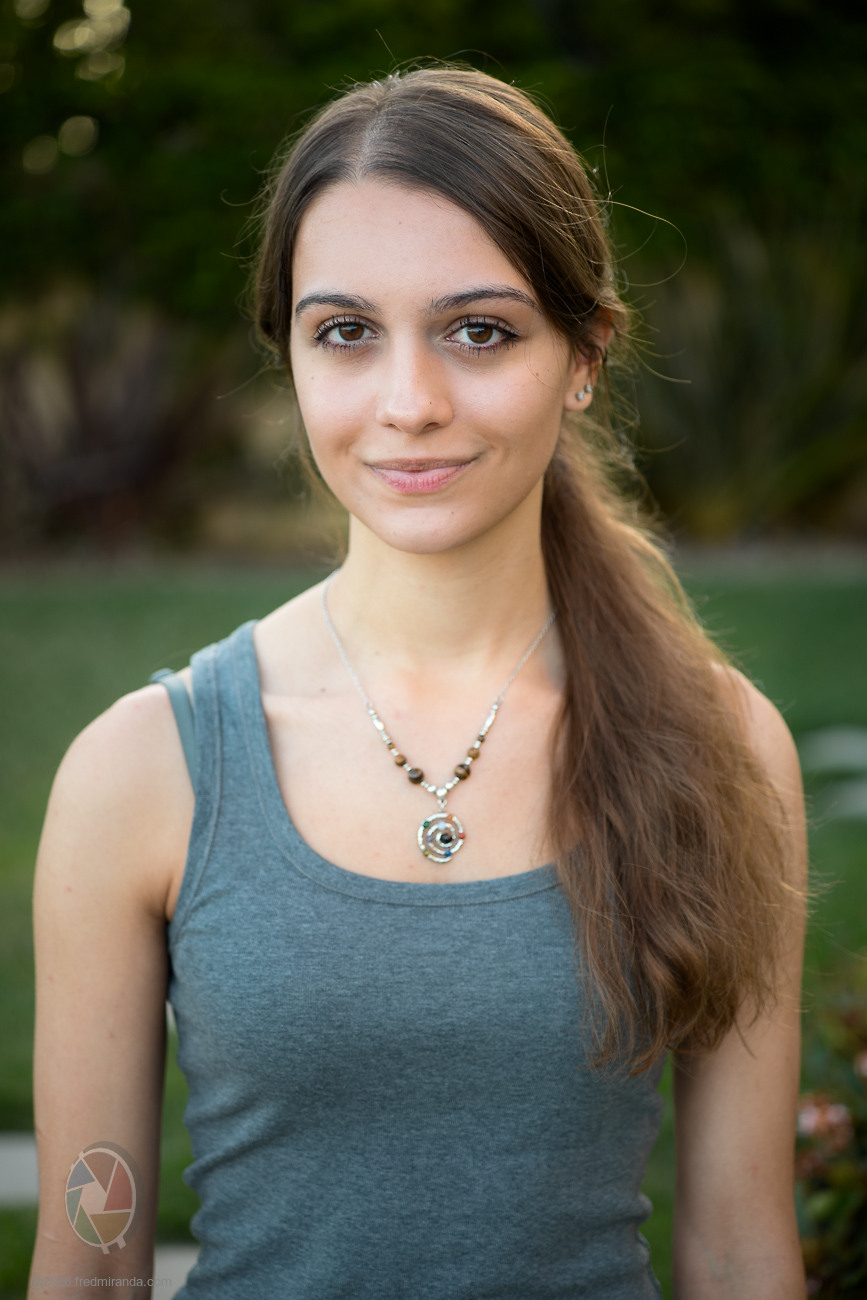
Here’s a before and after comparison:
1) Adobe Color profile
2) Cobalt Standard (Spectre)
Both images use the exact same settings, including white balance. The only thing changed was the profile, from Adobe Color to Cobalt Spectre for the Zf.
Adobe Color profile
NIKON Z fLight Lens Lab 35mm f/2 Eight Element lens35mmf/3.21/400s100 ISO0.0 EV
Cobalt Standard (Spectre)
NIKON Z fLight Lens Lab 35mm f/2 Eight Element lens35mmf/3.21/400s100 ISO0.0 EV
Nifty Fifty wrote:
And what about ooc jpg? After all, we're constantly told how brilliant Nikon colors are in general, and skin tones in particular. 🤔
---
jojib wrote:
Nice Fred. Have you tried Adobe Portrait profile? It might come close to the Cobalt.
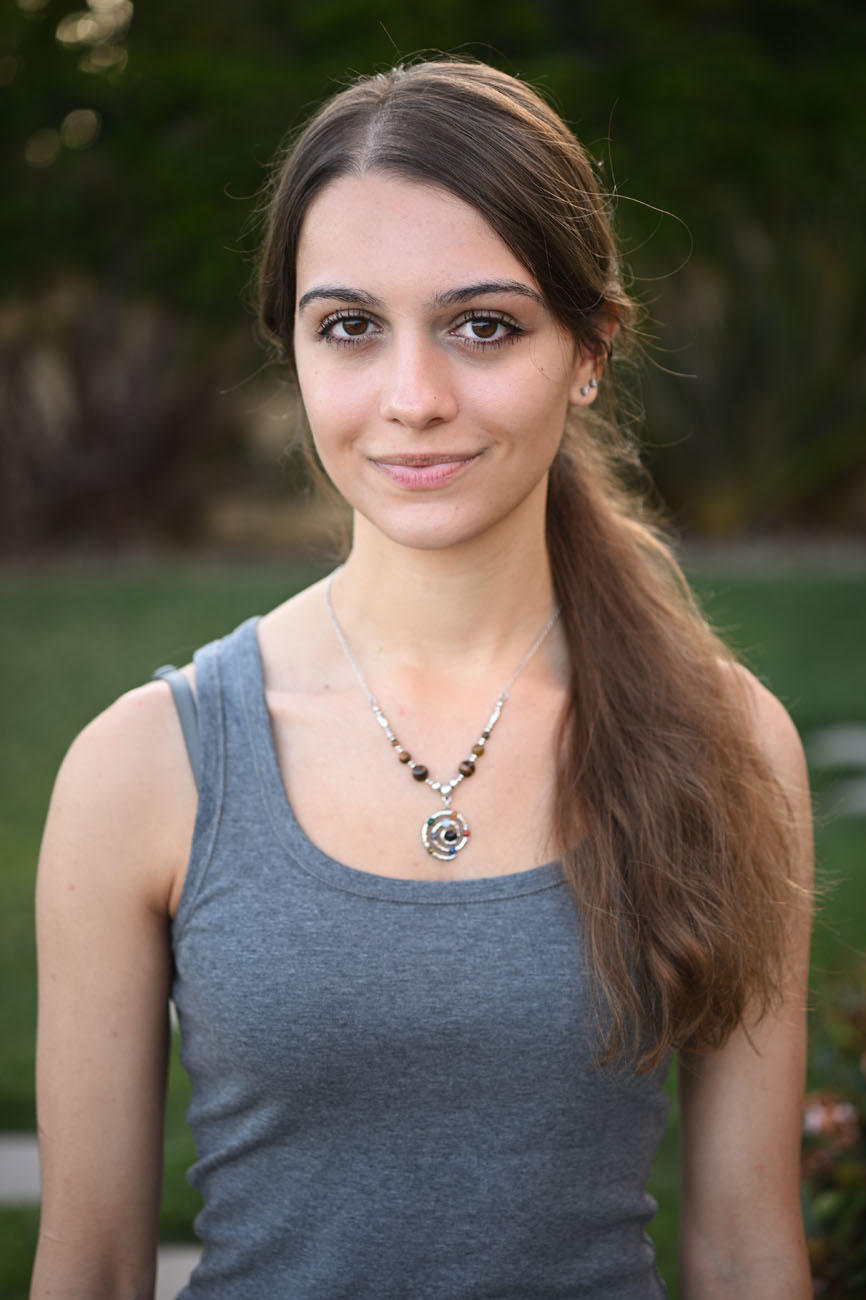
Here is another comparison from the Nikon Zf:
White balance "Shade" used for all images
1) OOC jpg (using SD - Standard profile)
2) NEF file using Adobe Portrait
3) NEF file using Cobalt Standard (S) Spectre
If I have the raw file, I can usually get the non-Spectre profile pretty close with some work. It's not a one click fix though, and it takes time. Even then, it still doesn't really match the tonal separation or color richness in my opinion. I think getting white balance right is critical before any real processing begins. In most cases, starting with presets or sampling a neutral gray area gives the most reliable baseline.
Thanks for the comparison! I personally like the Nikon ooc picture the best. And that's with zero effort and zero extra costs. Remarkable.
While "Standard" might have been more suitable for Adobe, as it was also chosen for Nikon and Cobalt. In the end it's probably just a matter of chance which setting is best for which subject.