I just posted this in a comment in a different forum, but it seems even more relevant in this forum, so I'm sharing it here, too.
In the other post the context was a reply to someone who felt that NR isn't as important in landscape photography or that the genre poses challenges to NR. I'm not going to take that on here — instead I'm just sharing as an example of what the Adobe AI Denoise feature can do.
- - -
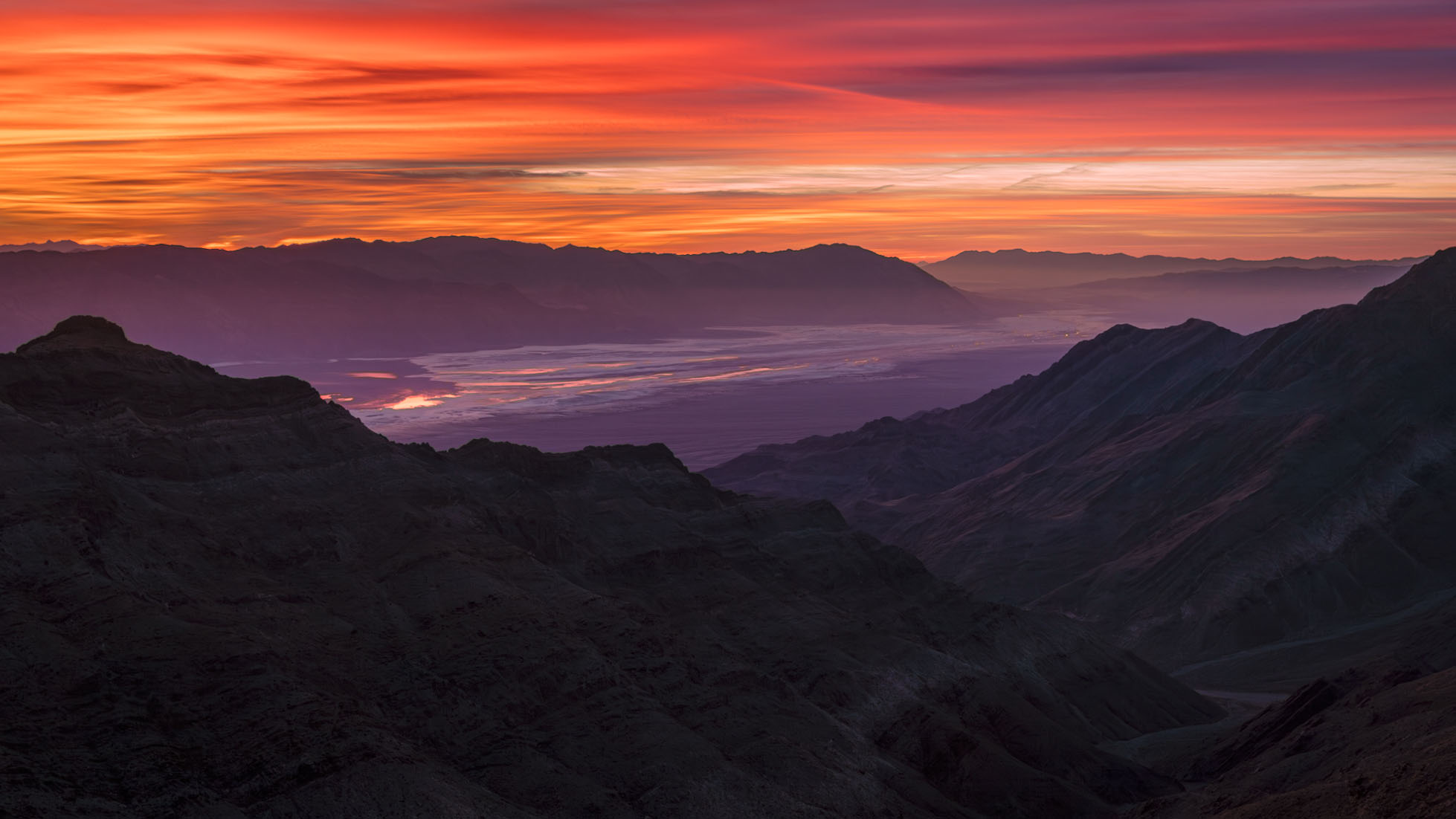
...As, in part, a landscape photographer I can tell you that we often push at the edges of dynamic range, even if we tend to shoot at lower ISOs when possible. I'll give you an example in which I relied pretty heavily on Adobe's AI Denoise. Here is the completed photograph, at the end of a workflow based on ACR and PS:
This was a very challenging photograph. (The location is a high ridge in the Panamint Range west of Death Valley, looking southeast across the valley before sunrise.) The biggest challenge was the extreme dynamic range of the scene, exacerbated by the very hot red channel in the intensely colored clouds. Not certain if I could work with a single exposure, I bracketed the scene at 1-stop intervals over a range of perhaps 6 stops or so. However, it turned out that I was able to work with a single exposure.
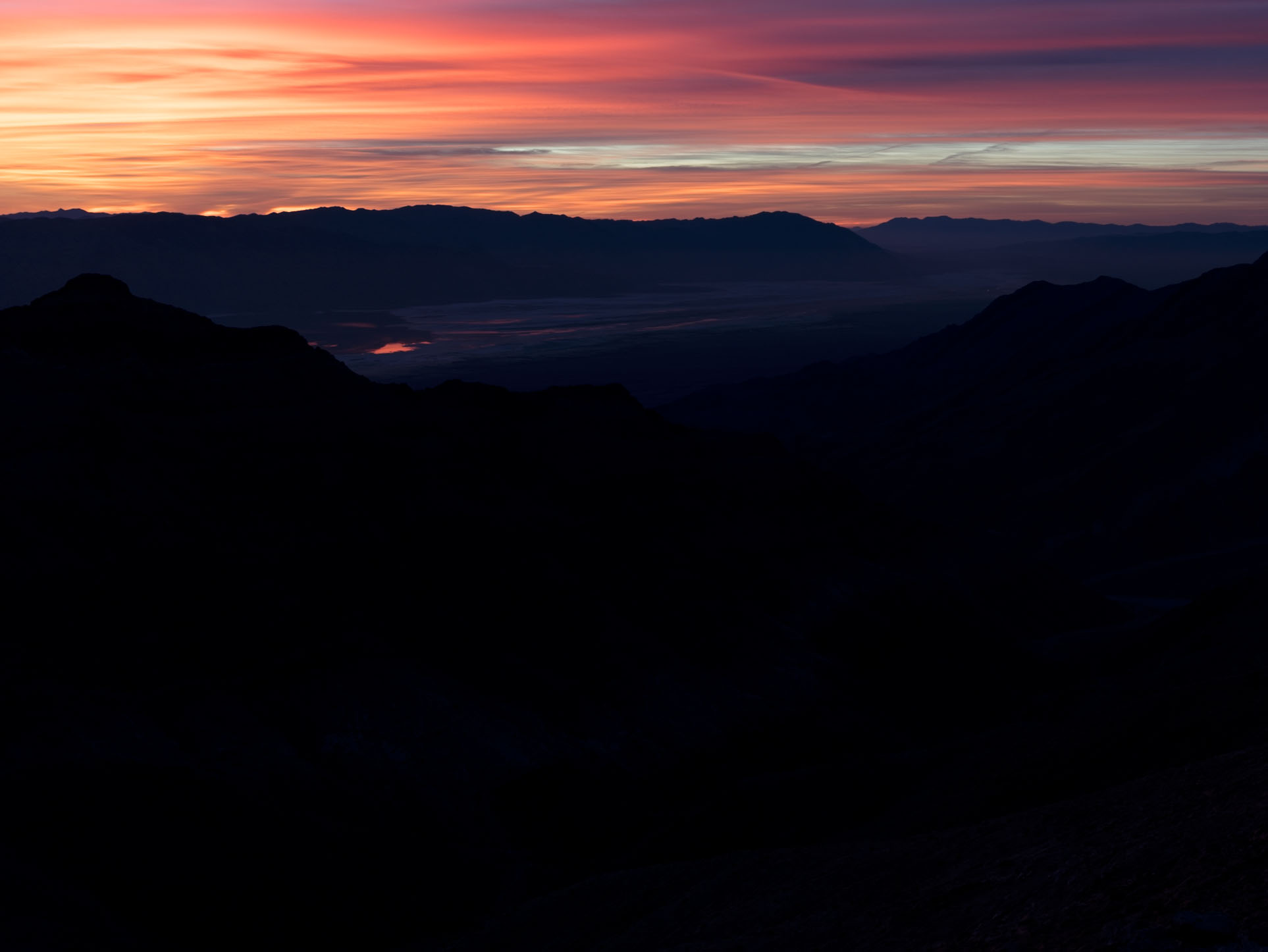
The intent in that exposure was to protect the highlights in the brighter and most intensely colorful areas of the clouds at upper left. That meant severely "underexposing" (though I'd call it correctly exposing!) the scene to produce the following raw file.
Here the highlights are still a bit too hot, but the shadows are so dark that there is almost no visible detail. Working entirely in ACR — and making extensive use of its sophisticated masking features — I suppressed those highlights a bit more and radically brightened the non-sky portions of the image, in particular raising the levels in the foreground mountains significantly. That gave me the following in ACR:
(This file was then imported into Photoshop as a smart layer so that I could continue to edit it non-destructively in PS and ACR. The 16:9 aspect ratio crop was for aesthetics/compositional reasons.)
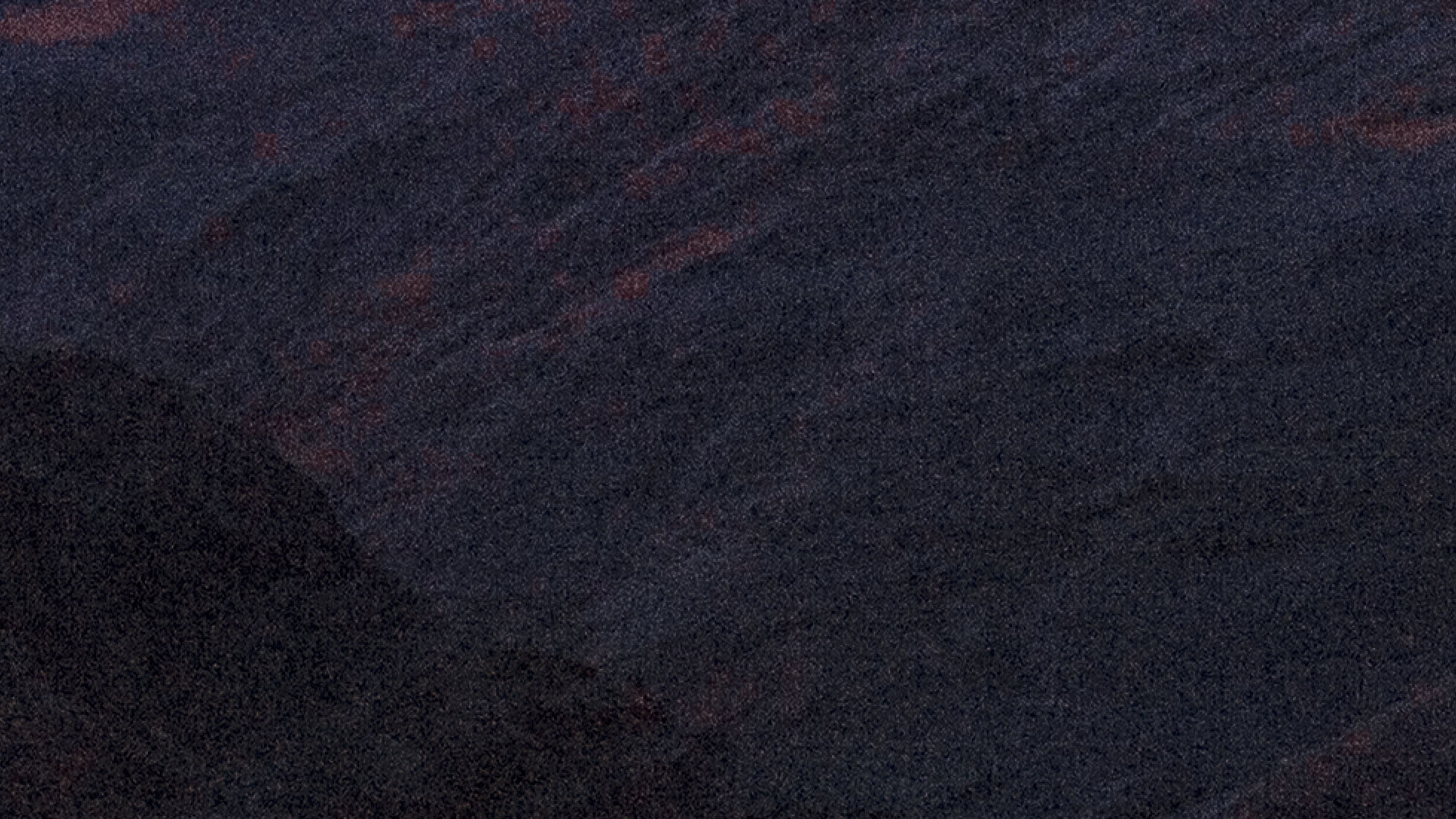
As expected, raising those shadows so radically revealed a whole lot of noise. Here's a 200% crop of a section of the foreground mountains before NR was applied.
In the past, I would have tried to use the traditional NR tools in ACR and PS to deal with this noise, and I could have made it work well enough in a print, but it would not have been ideal. It likely would have relied on creating separate masks for parts of the image to apply NR selectively — the sky, the far mountains and valley, the slightly less dark mountains at lower right, and the very dark mountains at bottom left.
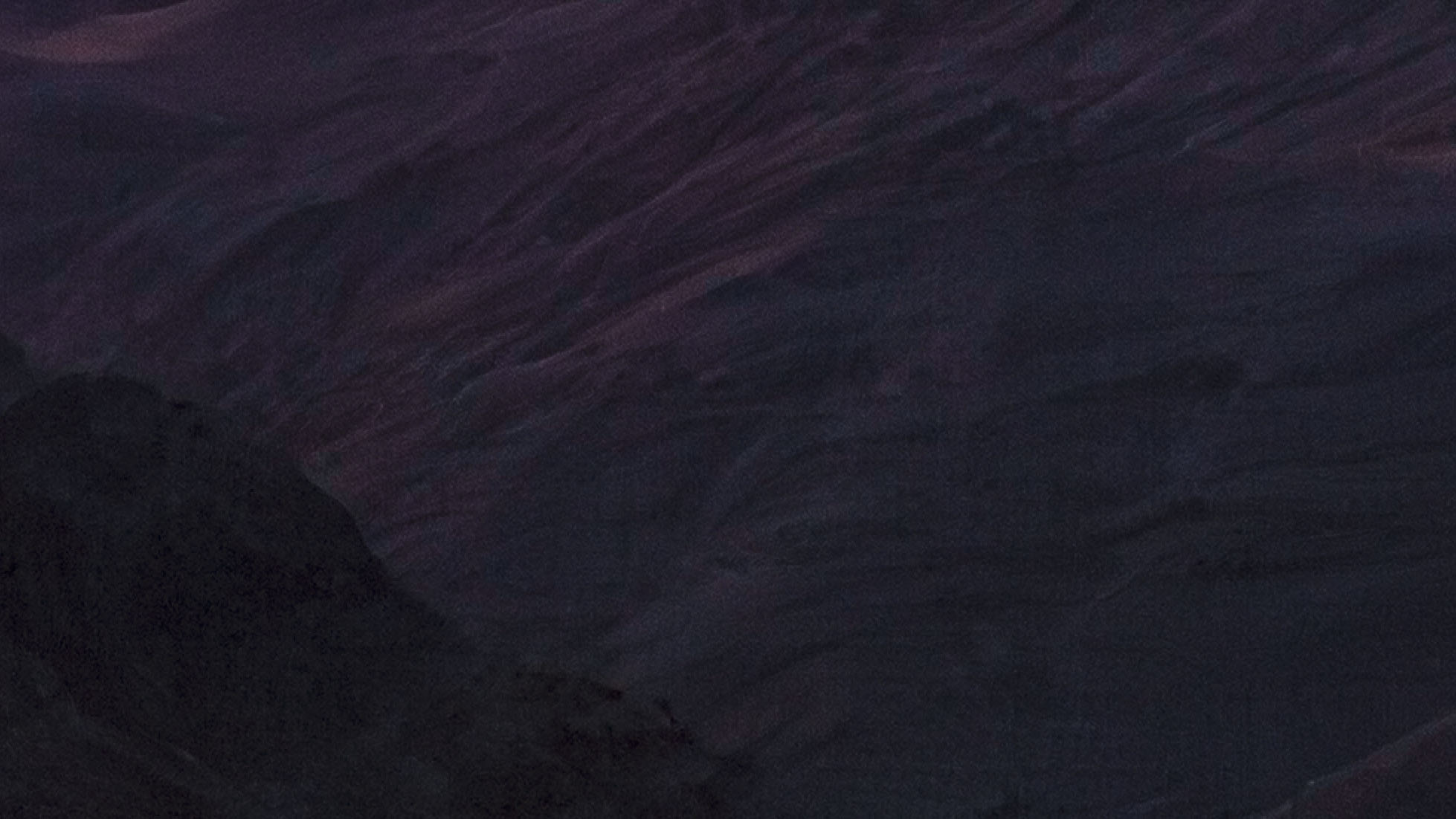
Instead I simply clicked the apply AI Denoise button in ACR and let it do its thing, then set the level to 50%. Here's the result from almost the same section of the raw file, also at 200% magnification.
I have other examples that are not landscapes, that use ISOs as high as 12800 on a APS-C Fujifilm system that I use for street photograph.
Dan, if this example is meant to be truly instructional for other photographers, as well as to give a real sense of the challenge presented by the photographed scene and the technical prowess of ACR, you may want to make the raw file available and allow others to process the raw file in their applications of choice (and share the observations). For example, I would be interested in how this should feel and work in Capture One and/or DxO Photolab.
If you cannot share the raw file, I would understand. However, in this case, one would have to take your word that no better way exists to process this file other than in ACR.
Who knows, maybe this is true, or maybe not.
ruthenium wrote:
Dan, if this example is meant to be truly instructional for other photographers, as well as to give a real sense of the challenge presented by the photographed scene and the technical prowess of ACR, you may want to make the raw file available and allow others to process the raw file in their applications of choice (and share the observations). For example, I would be interested in how this should feel and work in Capture One and/or DxO Photolab.
If you cannot share the raw file, I would understand. However, in this case, one would have to take your word that no better way exists to process this file other than in ACR.
Who knows, maybe this is true, or maybe not....Show more →
Sorry, but I don’t give away raw files, especially to photographs that I consider my better work.
However, perhaps I can come up with a test image at some point to share. We’ll see. Alternatively, you could share one of your raw files.
It is possible that I’ll write a more detailed accounting of the post processing used on this file and share it at my website.
In any case, my point was somewhat responsive to an earlier poster in a different thread who implied that Adobe NR was not for serious use, and to another poster in that thread who suggested that landscape photographers didn’t have to concern themselves with noise reduction.
The results have the tell-tale false-color splotchy-ness that all AI Denoise tends to introduce (greenish in this case), though I find Adobe is better in this regard than Topaz ever was. As always, the photographer must remain smarter than his tools.
In photos where you are raising shadows from virtually no detail, it's better to bracket and composite for this very reason, if you are taking the output seriously. If it's a web image to be posted at a laughable resolution, no one will be the wiser.
Give it a break Scott. I know how ot do this and produce an excellent print. You are looking at a 200% magnification crop, and the NR is only set to 50%. That supposed “tell-tale splotchiness” you imagine you see is the texture of the rock formations with slight reddish light affecting some surfaces that are angled for more exposure to the red light reflected from the clouds.