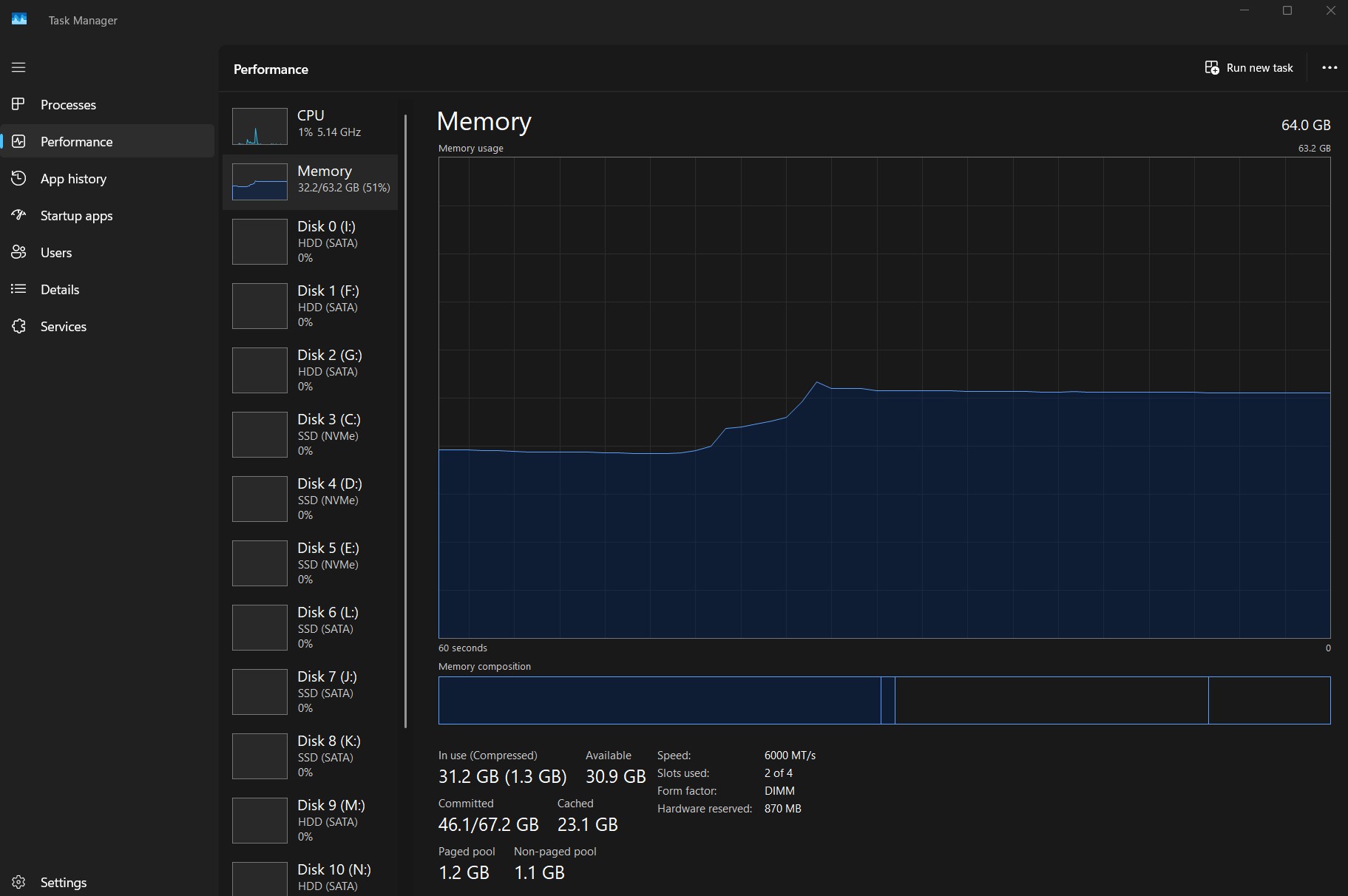
Windows 11, files are Canon R5 RAW, approx 1,900 photos loaded 1:1 from editing folder
Apps open:
- LR Classic
- Topaz AI
- MS Outlook
- Foobar (music player streaming from my NAS)
- Snipper tool to make JPG below
- FireFox with about 20 tabs open (one is YouTube)
- Task Manager
You know that Windows as any other OS will cache as much as it can, but no reason to have every photo in RAM. If you run a batch process then you can see it usually barely affects the actual run time. You should be able to take out or swap some of the RAM and test yourself, but I found little difference a few years ago. Still, I opted for 64GB since I already had bought it before getting 2x16GB free.
Good point... but I want as much cached as possible. For example, I live in Develop and flip through the pics back and forth. Why not? Workflow is much faster and less complicated if you stay in Develop and just do work. Flagging, deleting, editing, comparing... etc.
If you got the horsepower, Library vs Develop modules go away... vestiges from back when the app was too complex for the slow machinery. No?
BTW, I can't seem to find the algorithm LR uses to put items into RAM... even with 64GB, I can still get stuttering when flipping through with the left/right arrow... I suspect there is I/O going on... so they don't have all that many pics in cache... it seems... no? Is it LR or WIndows making those decisions? I suspect it is LR.
I left windows for editing. 64gb ram and 12gb vram and I was pulling my teeth out during event turnaround. Changed over to iPad Pro with OLED and reference mode and raw images edit and select like jpegs even in 16bit mode. I have two workstations and tried 128gb in one (same boards and graphics cards) and it made no difference because of the LR/PS coding so switched to Photomator and even editing in 16bit hdr mode is smooth as could be now. I changed to exporting hlg/heif images pretty much exclusively now too since people want images NOW and during festivals/concerts/tournaments and the final viewing experience on handheld devices is remarkable compared to sdr jpeg too. I was with LR since it was first released (and CS3 onward), and have the last standalone Topaz Sharpen and I am never going back to the Adobe/Windows workflow for images.
I have a MacBook Pro with M1 Pro and 4TB with 32gb of RAM. I also have a Mac Studio with M1 Ultra 8TB and 128gb of RAM. If I have a browser (Brave) with 10-15 tabs such as Gmail, Drive, Google Docs, YouTube, ChatGPT, etc open plus apps such as Photo Mechanic, Capture One, Photoshop, Notes, and DaVinci Resolve open the MacBook will show much less ram available than the Studio (obviously) but in practice it's tough to distinguish the performance difference in general usage. Of course if I do a render of video longer than 3-4 minutes in Resolve or export 1000 raw files as JPGs and TIFFs the Studio will crush the laptop but in just the regular usage going between apps, windows, and tabs, it's really not obvious which computer I'm using as there's very little delay or "spinning beachball" in either machine. Now, when I use a MacBook Air with 512gb of SSD and 8gb of ram, then yes I can tell pretty quickly that the machine is running with less headroom and there's more waiting when going between apps. So all that to say that I think 32gb of RAM is fine as a starting point for most users doing creative work day to day where saving time is essential.
Is throwing down this much for 64gb of ram really worth it at the current prices? I feel like riding it out with 32gb seems like the move relative to other investments in a complete photo gear ecosystem at the moment.
You could get one 32GB and then add another later if that makes sense for you.
I find 32-64GB enough for ~1 Gigapixel images in PS, but I'm not a LR user.
Depending on your personal or business plans it may be better to capture now and process later, even a few years later.