Do not update the camera firmware with lenses other than Z-mount NIKKOR lenses or mount adapters other than FTZ II/FTZ attached; failure to observe this precaution could result in camera malfunction.
I don’t expect there to be a change but would be great if someone could check MF confirmation with non-CPU lenses. Not something that Nikon would write in patch notes, I think..
Well I've been digging into FW 3.0 all morning, and am really pleased with some of the "lesser" features that Nikon has thrown our way. While we knew that Film Grain was the main feature coming, I was pleasantly surprised by quite a few of the quality of life improvements. Below are the ones I am most excited for, and where to find them.
Film Grain
Menu > Photo (Camera Icon) > Film Grain Options
Nikon has finally given us not 1 but 18 options for fine tuning baked-in grain for our JPEG images. Of note, this setting lives somewhat outside of standard picture control settings, and applies to any active picture control you toggle to. You select a grain size (Small, Medium, or Large) and then select an intensity from 1 to 6. Play around with these 18 combinations to determine how lo-fi you want your final image to be, since you can never remove this type of grain later!
Framelines
D16 [Grid Type] for 4:3 and G14 [Grid Type] for 9:16
Added to our existing list of framelines are now 4:3 and 9:16 for still and video respectively. This is exciting because 4:3 for stills is becoming more and more desired as it matches the aspect ratio of medium format 44x33 sensors. 9x16 will help you frame up vertical content for social media as well.
Max Aperture Liveview
A13 > Set to ON
Max Aperture LV
A13 > Set to ON
Max Aperture LV will permanently set your lens to its widest aperture during composition and live view. This allows for more light to hit the sensor for better autofocus acquisition and stickiness. Of course, your final photo will be at whatever aperture you have set, so make sure to inspect your photos once in a while to ensure the depth of field is what you want it to really be!
Focus Limiter
A15 > Set to ON and set Nearest and Farthest distances either manually or with Autofocus)
Focus Limiter can be thought of like Zone focus but with autofocus…you are telling the camera to only release the shutter and focus between certain pre-set distances. This is very handy if you are stationary, shooting a scene and waiting for a subject to enter from outside the frame. You are ensuring your focus will not rack anywhere where you don’t want it to, increasing your keeper rate.
Exposure Compensation and ISO on command wheels
G2 (Set Command Wheels)
This allows us to now control exposure compensation and ISO values with the front and back wheels in video mode while shooting in full Manual mode…a very nice addition that doesn’t require us fiddling with the top dials!
Camera Sounds
Setup > Set to ON (Pick Sound and Volume)
We now have the added option for shutter release sounds when using electronic shutter modes like high speed burst and pixel shift! Select your sound and volume in the menu.
Focus Peaking Only While Magnified
A12 > Only During Zoom > Set to ON
Folks with unchipped manual lenses will love this…you can now have focus peaking ONLY active while magnifying the image…now you can freely compose your scene without the shimmering of focus peaking blocking your view…punch into mag to confirm focus, and exit to confirm your composition before capturing the photo. Great add!
Imaging Cloud Recipe Download Improvements
Nikon has trimmed down the steps to get their approved Nikon Imaging Cloud recipes to your camera…now it’s only a 2 step process. It does appear that your camera may need to be re-registered with Imaging Cloud after applying Firmware 3.0 however.
Non-CPU Lens Aperture Bug Fix
There was a widely reported bug that Non-CPU Lens slots 18 and 19 would not display aperture correctly for unchipped lenses…that has been fixed!
I'd be interested to know how the "film grain" differs from the one in Lightroom and whether you can activate it in the camera only for JPG or whether there's also the option to apply the selected variant in Lightroom to RAW as well.
Nifty Fifty wrote:
I'd be interested to know how the "film grain" differs from the one in Lightroom and whether you can activate it in the camera only for JPG or whether there's also the option to apply the selected variant in Lightroom to RAW as well.
LR will apply its version of grain if you import with camera settings. For examples, Large 6 is 82/34/80 in LR.
The Nikon Film Grain function is available in post production if you are using Nikon's NX Studio free software. This feature lets you add it in post rather than baking it in, in camera for Raw NEF's and JPEG's
Additionally, NX Studio now has a Dehaze function available in bot NEF and JPEG.
Nifty Fifty wrote:
I'd be interested to know how the "film grain" differs from the one in Lightroom and whether you can activate it in the camera only for JPG or whether there's also the option to apply the selected variant in Lightroom to RAW as well.
Maybe this is a step toward taking away any advantage Lumix has had for grainy monochrome JPEG shooting.
RoamingScott wrote:
Nikon has finally given us not 1 but 18 options for fine tuning baked-in grain for our JPEG images. Of note, this setting lives somewhat outside of standard picture control settings, and applies to any active picture control you toggle to. You select a grain size (Small, Medium, or Large) and then select an intensity from 1 to 6. Play around with these 18 combinations to determine how lo-fi you want your final image to be, since you can never remove this type of grain later!
https://live.staticflickr.com/65535/54886602583_a78a91146a_o.jpg
Thank you for the examples. The grain is unfortunately no better than in LR. To me, it doesn't look like film at all. I can't really explain why, but I think it's because the grain structure is the same across different grayscale levels, whereas with silver prints, the grain becomes more subtle the lighter the gray becomes, which is particularly noticeable with skin. There must be grain simulations that can do this better; at least I've seen digital grain that looked more analog. But I have no idea how it was produced. I would love to have nice Tri-X grain, but I just can't do anything with LR grain. Sometimes I play around with the film simulations in Snapseed, but that's pretty suboptimal, too. Years ago, I tried the DxO Filmpack, but found it disappointing, too. Really, with AI, it should be possible to create authentic grain these days. I don't understand why this is still such a problem.
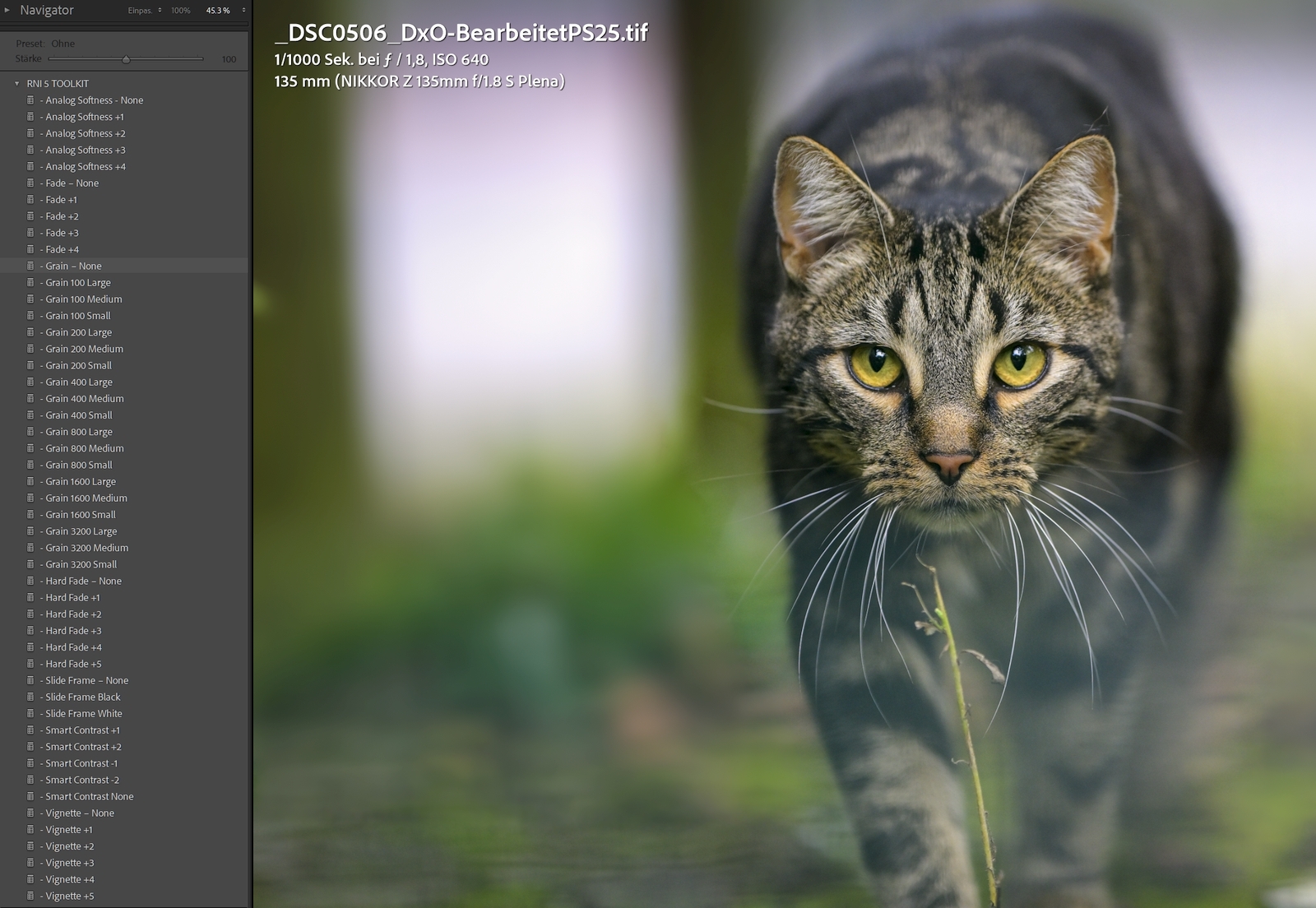
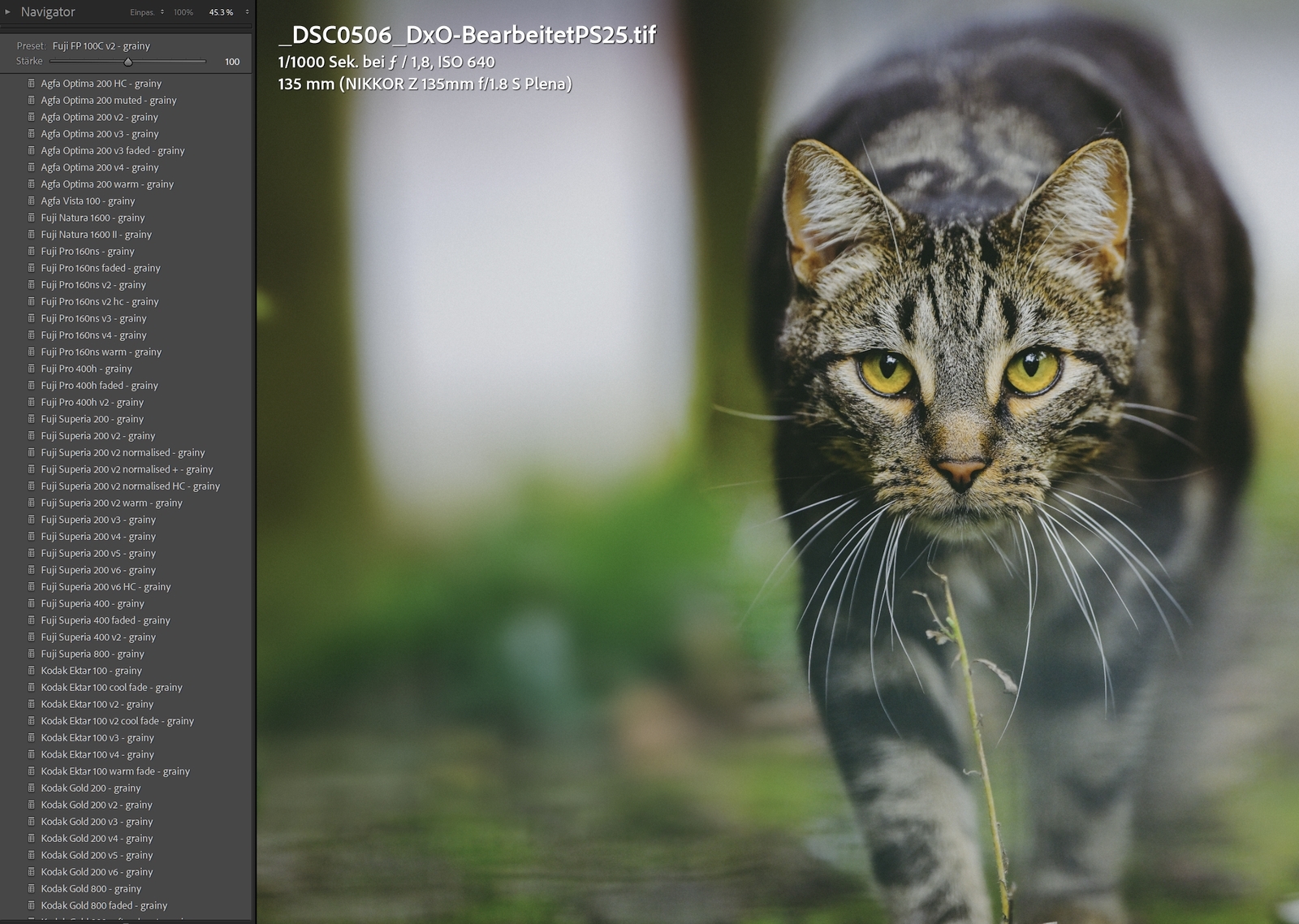
RNI All Films 5 for LRC might be worth a try.
In addition to a comprehensive “Film Profile” pack, it also includes various grain profiles, which can be adjusted in intensity.
Apart from that, each of the analog film profiles is available with and without grain.
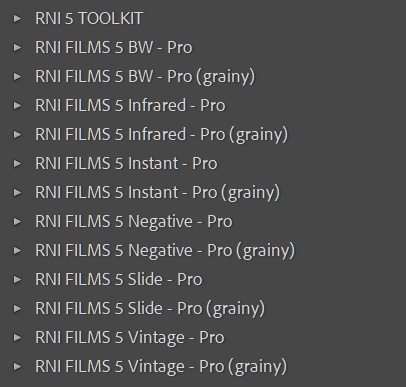
I use the Pro version of RNI 5, which includes the following profiles.
The Pro package isn't cheap, but it's very comprehensive and, in my opinion, offers the best analog film profiles for LRC.
RoamingScott wrote:
The best LR grain I've found so far utilizes unique grain values by brightness achieved by 3 layers based on luminance.
Maybe I'll have to get a laptop again at some point to be able to use LR to its full potential. But I really don't have any desire for that and find a tablet with a stylus so much more convenient.
AdaptedLenses wrote:
20 years of touting the benefits of digital, all to
chase the grain and colors of various analogue films… which get digitized anyway.
Life is weird sometimes.
I've never liked digital and only ended up there out of necessity. I also find it embarrassing to simulate film grain, but here we are.