p.1 #1 · A7R4 Saves 3 Identical Images Every Time I Press the Shutter?
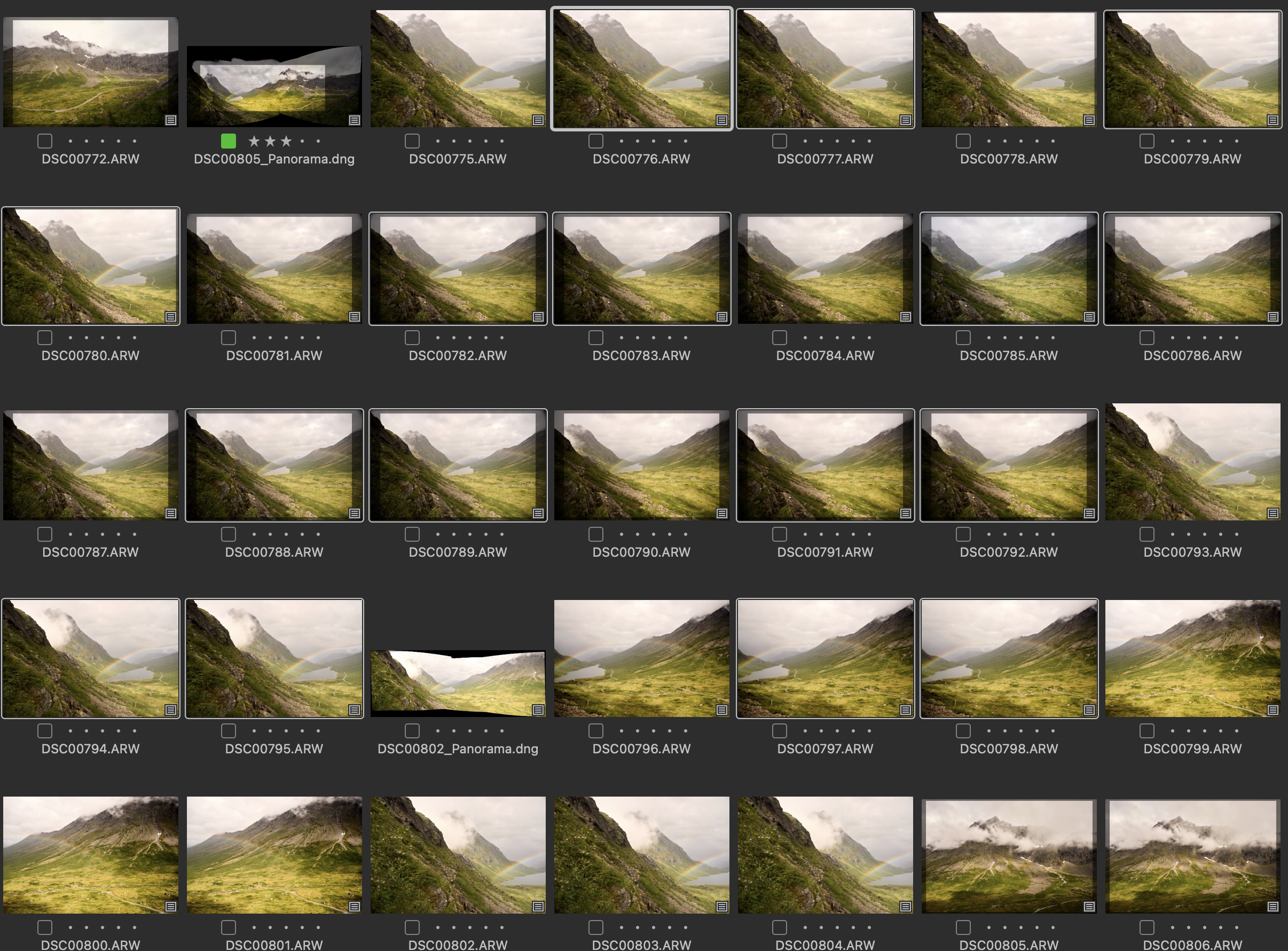
I am relatively new to Sony cameras and just noticed a weird behavior while going through some photos — for segments of my last trip the camera saved 3 identical images for each shot.
I was shooting in raw only. There are 3 files, named sequentially. It is not bracketing because all exposure parameters are identical — ISO, Shutter Speed, Aperture, White Balance.... Shot dates/times are identical also. The camera was not actually taking 3 exposures because I would have noticed that (I do not use electronic shutter unless it is a necessity). Saving 3 uncompressed raws would go a long way toward explaining why the camera took so frustratingly long to display photos for review after taking them....
Screenshot attached (please pardon the white balance error). Anyone have any ideas?
p.1 #4 · A7R4 Saves 3 Identical Images Every Time I Press the Shutter?
jeffbuzz wrote:
DRO bracketing? Compare images' EXIF tag "DynamicRangeOptimizer" and see if there are different values.
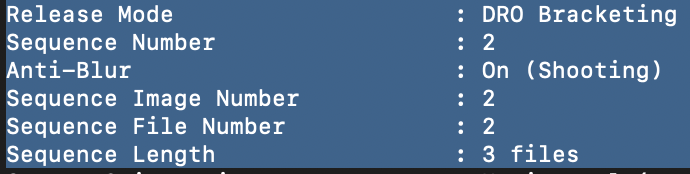
I think you are right on this Jeff, DRO was set to "Auto" in my settings and when I checked the EXIF data it shows the affected images as being part of a 3-image sequence.
But my question now is....why? The files appear identical so why would the camera output 3 of them? Not only does it waste time saving the data/slowing down the other camera processes, but it also wastes 250MB per image the memory card and my hard drive, consumes camera battery power, etc. I wasn't even shooting jpeg so I have no idea what the point of DRO would be — I can just adjust the shadows and highlights with the raw file myself.
My current plan is to keep the first image in each set and delete the following two, and make sure DRO is set to "off" for the future. Am I losing any data by deleting 2 out of the 3 images?
p.1 #5 · A7R4 Saves 3 Identical Images Every Time I Press the Shutter?
I had this with WB bracketing. Accidentally turned it on but did not realise. Got home and the card was full with 3 of everything. In that case I could see that the white balance was slightly different in some of the triplets, but not in others.
I was not a happy bunny -- sometimes (often?) the Sony interface is too complicated and cluttered for its own good!
p.1 #6 · A7R4 Saves 3 Identical Images Every Time I Press the Shutter?
js47 wrote:
I think you are right on this Jeff, DRO was set to "Auto" in my settings and when I checked the EXIF data it shows the affected images as being part of a 3-image sequence.
But my question now is....why? The files appear identical so why would the camera output 3 of them? Not only does it waste time saving the data/slowing down the other camera processes, but it also wastes 250MB per image the memory card and my hard drive, consumes camera battery power, etc. I wasn't even shooting jpeg so I have no idea what the point of DRO would be — I can just adjust the shadows and highlights with the raw file myself.
My current plan is to keep the first image in each set and delete the following two, and make sure DRO is set to "off" for the future. Am I losing any data by deleting 2 out of the 3 images?...Show more →
You set your drive mode to DRO bracketing which records 3 images. Avoiding that will eliminate the unwanted images.
DRO only effects JPEG output. So you'd only see the effects on the camera histogram when taking the images or on the original JPEG previews embedded within your raw files. LR is replacing your local previews with its own which are generated from the raw files. You can use exiftool to extract those embedded JPEGs if you're really interested.
That's the problem for raw shooters. DRO can severely alter the in-camera histogram compared to the actual raw exposure. So if you're using the histogram to judge exposure, you can be seriously mislead.
There is no direct "off" setting for DRO on the a7RIV. You can indirectly turn DRO off by using a picture profile or picture effect. Shooting raw doesn't disable DRO because the camera is still creating a JPEG for the histogram and preview. I use a picture profile so DRO is always disabled.