p.1 #1 · Multiple AF settings assigned to various buttons possible?
When I used different cameras for bird photography, my Canon and Nikons were set up so I could press one button for tracking, another one for center point focus etc.
Then I switched to the OM-1 and I was always fine with just the bird tracking, so I never explored button options with that camera.
Now I found myself shooting a demonstration yesterday and I needed a way to quickly switch again.
The challenge was as follows: when I shot the demonstration itself, I could without much issue use the human face/eye tracking. But there were also counter-protesters and they were kept away from the actual protest by several rows of police. Thus when I tried to shoot the counter-protesters, the focus would be on the police officers in front of them.
I thus wanted a quick, preferable one button, action to temporarily switch from eye AF to just single point non-eye AF.
I tried to find such a setup this morning, but couldn't. Is there one?
p.1 #2 · Multiple AF settings assigned to various buttons possible?
I do not think that is possible as you have described it without programming a Custom mode
I have my AF-On set to Subject detection but that does not change the AF Target Mode. I have the Control Lever set to change my AF target Mode settings which vary for each of my 4 Custom Modes.
if you are shooting an event, you could prior to the shoot download from the app a set of custom modes that accomplish what you want and then you just turn the dial one-click. Not sure if this meets your work-flow
p.1 #3 · Multiple AF settings assigned to various buttons possible?
offtraildog wrote:
I do not think that is possible as you have described it without programming a Custom mode
I have my AF-On set to Subject detection but that does not change the AF Target Mode. I have the Control Lever set to change my AF target Mode settings which vary for each of my 4 Custom Modes.
if you are shooting an event, you could prior to the shoot download from the app a set of custom modes that accomplish what you want and then you just turn the dial one-click. Not sure if this meets your work-flow
I’m afraid you’re right. I did more searching and so far also came out to Custom Modes. I find that really surprising, since the OM-1 is a well-thought out camera overall. On both the R5 and the Nikons I used to have I could assign different AF behavior to single buttons. Strange that the OM-1 wouldn’t allow for that.
p.1 #4 · Multiple AF settings assigned to various buttons possible?
Certainly are some missed opportunities for better usability as you have described.
My OM-1 is larger than desired for travel and I am not a fan of the OM-3’s handling but love the C1-C5 since it is similar to my OM-1 and Pen-F but I prefer the form factor of the OM-5.2 as my travel camera which only has one custom mode on the dial. I have to select the Custom Modes from My Menu which involves several button presses. Instead there is ART, SCN and Auto on the Control dial which I won’t use. Another poor usability decision with the “new” OM-5
p.1 #5 · Multiple AF settings assigned to various buttons possible?
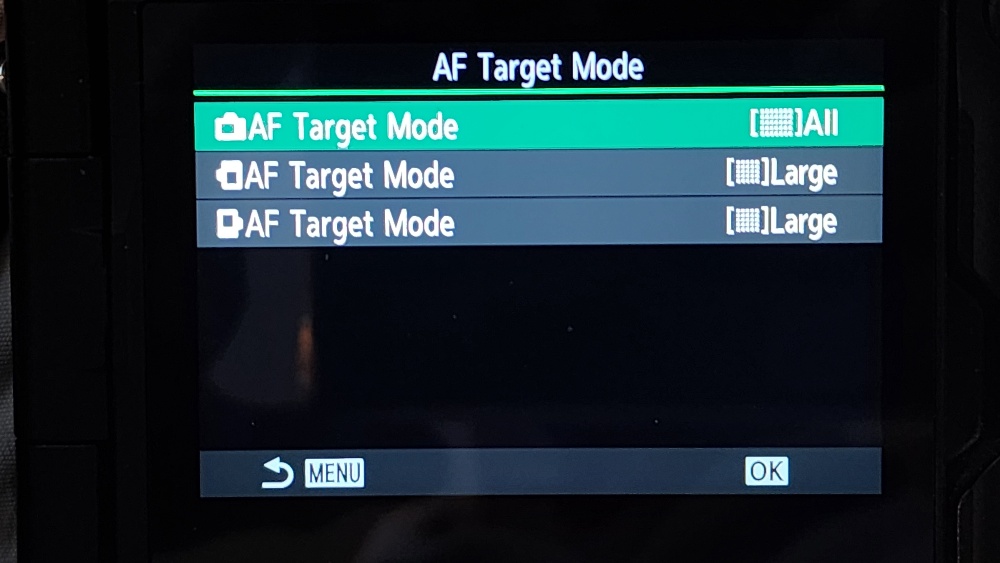
Johnvanr, It would be the same as if it is wildlife or birds, or people. Selectively focus points using the Joystick (Multi Selector) and spinning either dial to select pattern (size) then Joystick to position focus pattern area where you need it.
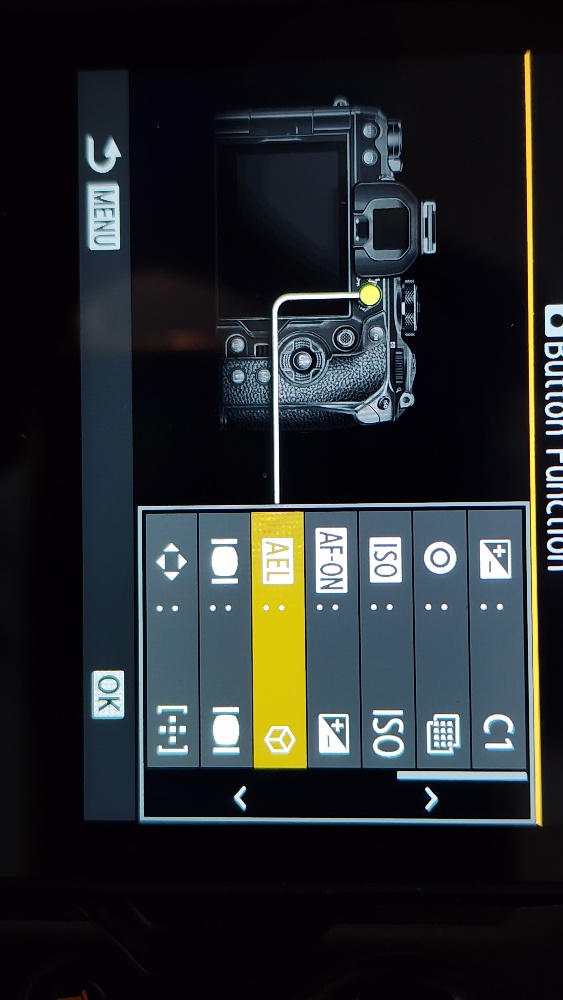
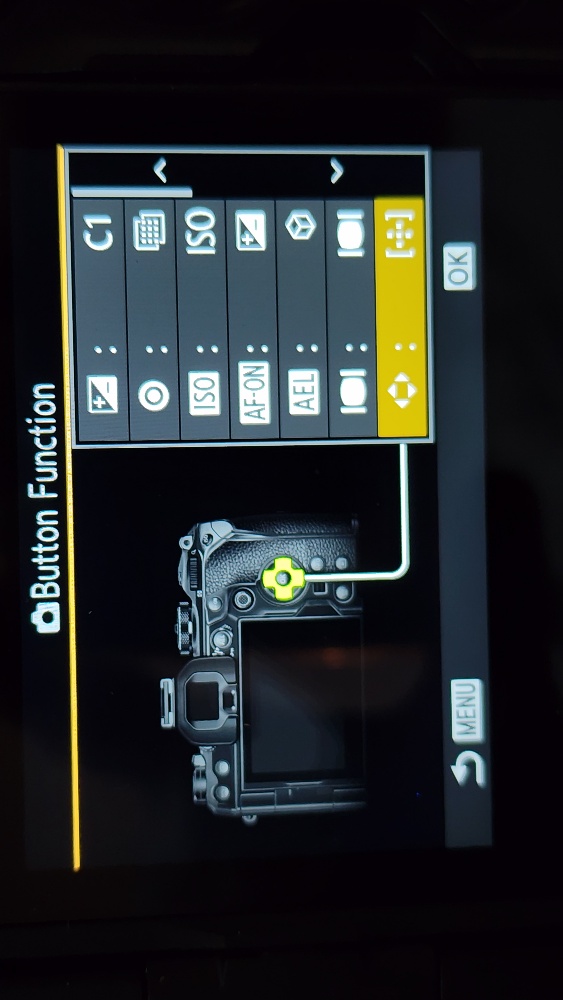
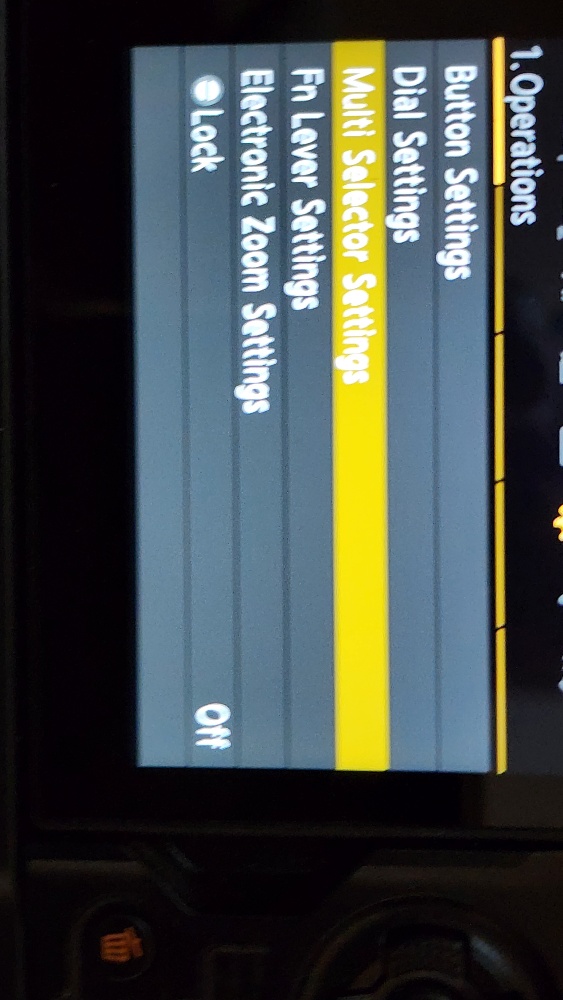
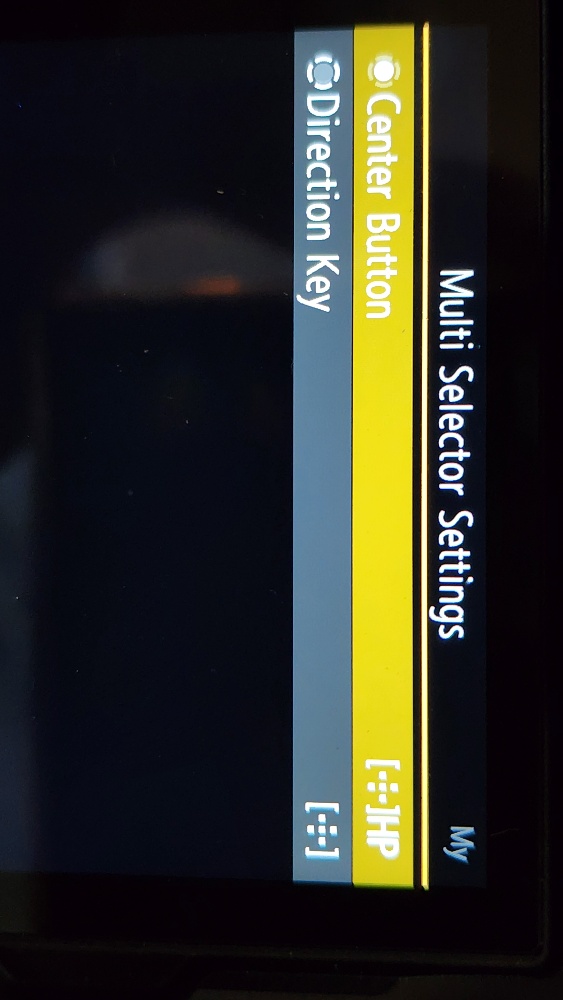
Screen shots of settings below.
I assigned “AEL” button to subject detection. One push on or off. Hold button down and spin dial to change subject type.
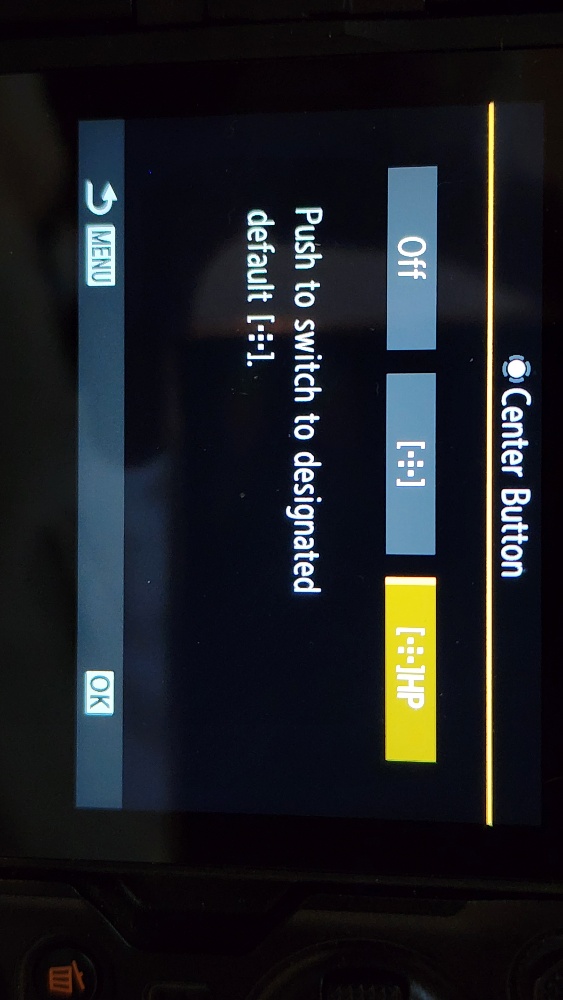
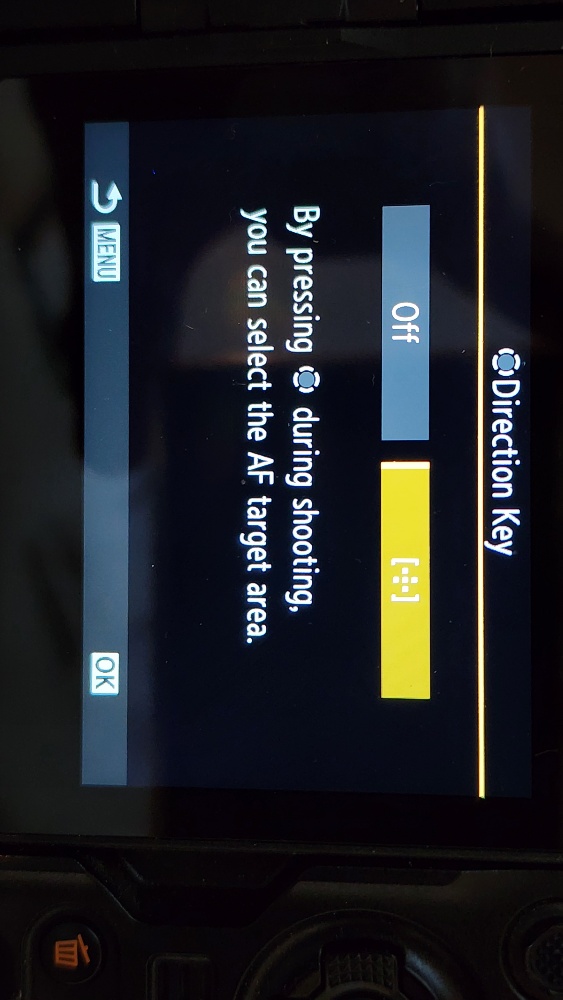
My 4-button ring is set for AF target area. This gives me extra buttons to get to the focus pattern settings. Do not need to be bumping it and activating other settings configurations (anymore).
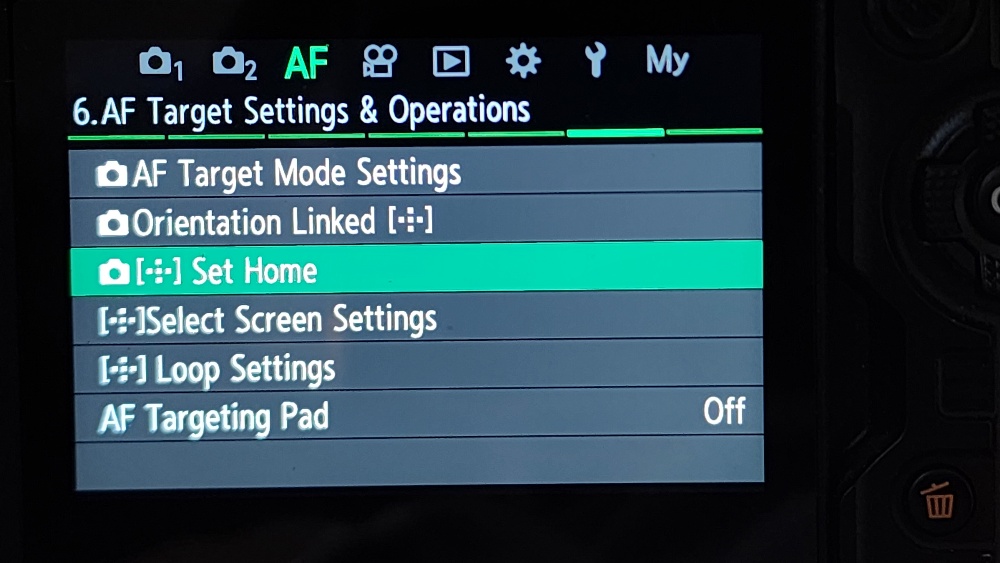
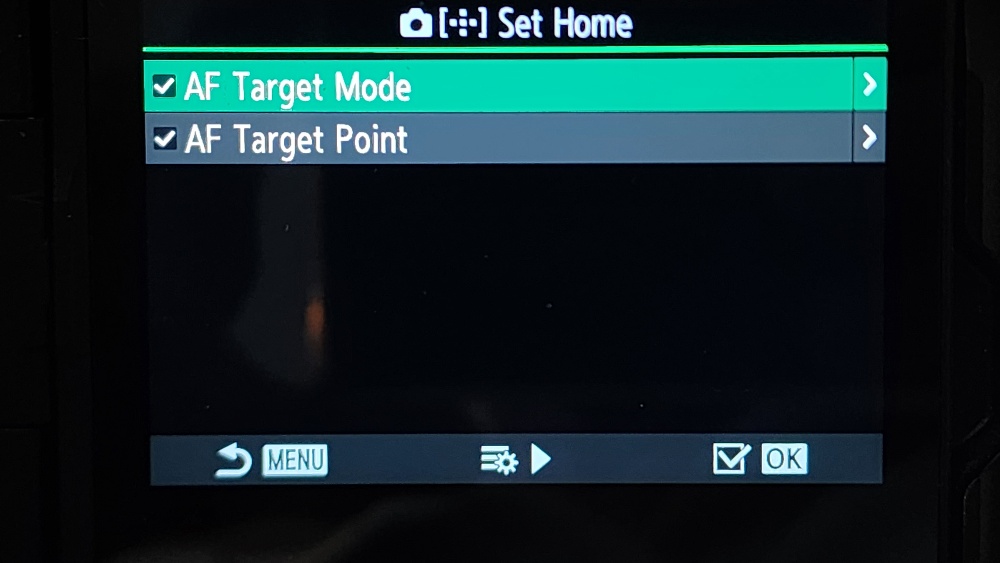
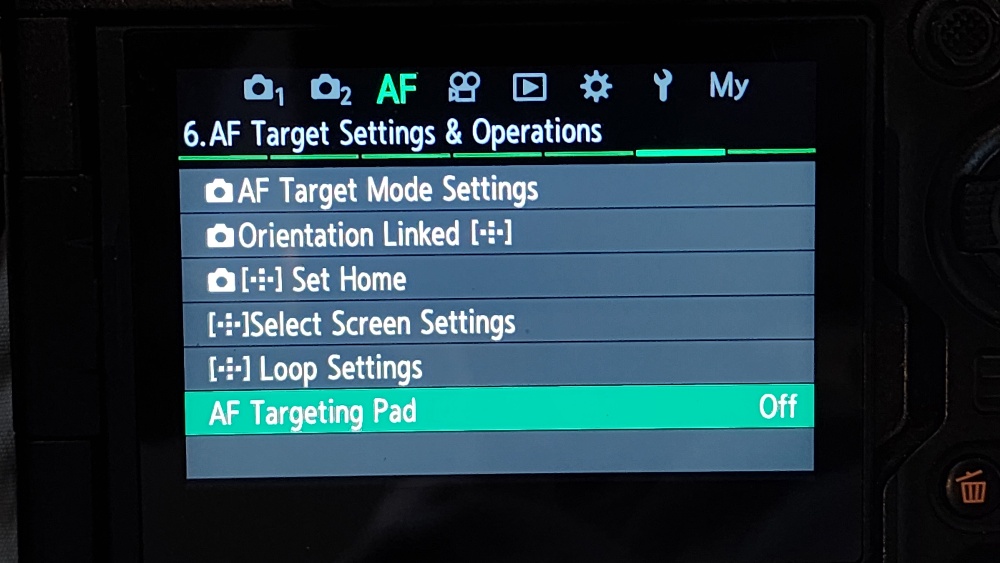
My “Multi Selector Settings” (Joystick) are set making the angle push of the joystick the focus pattern selection active, then spin a dial to change pattern. Moving the joystick moves the pattern area where I want to focus. With a full down press, I have it programed to go to a “Home” focus pattern quickly. Unlike the EM1x pressing it again does not return to previous selected pattern area.
The “Set Home” settings are located at “AF” tab 6. See screen grabs.
I have “AF Targeting Pad” set to “OFF.”
To go from C-AF to S-AF, one way is taking your hand off the lens and pressing the top split button “AF” on the left. Better yet for me, I leave the Super Control screen selection at the left side on “AF.” I can find and press the “OK” button without taking my eye from the viewfinder. Two presses I am in and right or left on the 4-ring rocker gets me selecting the “AF” I am needing quickly.
Different ways of getting to settings. Of course, not for all. I do try to set camera up to not have to take my eye from the viewfinder to make changes.
Patrick
p.1 #7 · Multiple AF settings assigned to various buttons possible?
I’m old school and I wouldn’t bother with this for a demo at all. I would just use a small focus point and AF-S using back button focus and either move the camera, or the focus point (using the joystick or multi selector) to hit the subject I want and then shoot. I find eye or subject AF too slow for fast changing crowds and, of course, the camera has no way to know which face you want in focus. Sometimes I switch to C-AF and no back button focus (using the two position switch) and use the multi selector/joystick to place the AF spot where I want it. About the only time I use subject or eye AF is if I am shooting one person, which for me is unusual, since I am usually street shooting and not in a portrait type situation. I have, however, set face detection on as a button custom function. If in a portrait situation, I would switch on eye AF using My menu, as activation speed is not important then.
p.1 #8 · Multiple AF settings assigned to various buttons possible?
Robin Smith wrote:
I’m old school and I wouldn’t bother with this for a demo at all. I would just use a small focus point and AF-S using back button focus and either move the camera, or the focus point (using the joystick or multi selector) to hit the subject I want and then shoot. I find eye or subject AF too slow for fast changing crowds and, of course, the camera has no way to know which face you want in focus. Sometimes I switch to C-AF and no back button focus (using the two position switch) and use the multi selector/joystick to place the AF spot where I want it. About the only time I use subject or eye AF is if I am shooting one person, which for me is unusual, since I am usually street shooting and not in a portrait type situation. I have, however, set face detection on as a button custom function. If in a portrait situation, I would switch on eye AF using My menu, as activation speed is not important then....Show more →
At first that was my plan, but I found overall eye-AF worked well. This was a strange demonstration, one by extreme right-wing nuts who on the one hand held a public event in Austria’s largest city, but on the other hand used umbrellas to block photographers from photographing them. Eye-AF quickly found the persons around the umbrella or before they came in with their umbrellas. The nature of the event also meant the counter-demonstrators were separated by three rows of riot police, so shooting in that direction meant shooting with the risk of the focus jumping on a police officer if his/her face was visible.
p.1 #9 · Multiple AF settings assigned to various buttons possible?
PV Hiker wrote:
Johnvanr, It would be the same as if it is wildlife or birds, or people. Selectively focus points using the Joystick (Multi Selector) and spinning either dial to select pattern (size) then Joystick to position focus pattern area where you need it.
Screen shots of settings below.
I assigned “AEL” button to subject detection. One push on or off. Hold button down and spin dial to change subject type.
My 4-button ring is set for AF target area. This gives me extra buttons to get to the focus pattern settings. Do not need to be bumping it and activating other settings configurations (anymore).
My “Multi Selector Settings” (Joystick) are set making the angle push of the joystick the focus pattern selection active, then spin a dial to change pattern. Moving the joystick moves the pattern area where I want to focus. With a full down press, I have it programed to go to a “Home” focus pattern quickly. Unlike the EM1x pressing it again does not return to previous selected pattern area.
The “Set Home” settings are located at “AF” tab 6. See screen grabs.
I have “AF Targeting Pad” set to “OFF.”
To go from C-AF to S-AF, one way is taking your hand off the lens and pressing the top split button “AF” on the left. Better yet for me, I leave the Super Control screen selection at the left side on “AF.” I can find and press the “OK” button without taking my eye from the viewfinder. Two presses I am in and right or left on the 4-ring rocker gets me selecting the “AF” I am needing quickly.
Different ways of getting to settings. Of course, not for all. I do try to set camera up to not have to take my eye from the viewfinder to make changes.
Patrick
Just set up the camera this way. What I didn't realize is that when you assign Subject Detection to a button, nothing indicates in the viewfinder that you can change any settings when you press the assigned button, but that you just have to move the dial and only then will you see that Subject Detection mode changing.