Archive 2024 · In search of dark backgrounds
p.3 #1In search of dark backgrounds
aae991 wrote:
Stunning images.
Thanks !
Stunning images.
Thanks !
Feb 07, 2024 at 03:32 PM
p.3 #2In search of dark backgrounds
LRG75 wrote:
Awesome pictures!! Beginner question on your process you mention on these. Are you running them through DxO PureRaw and then Lightroom Classic?
Thank you.
Yes, I run the Raw files through DxO Pure Raw and then export into Photoshop. From there it's very basic editing; levels, shadow/highlight, possibly saturation. I do all those adjustments on their own layer so that I can be specific on what area of the photo gets adjusted and what doesn't. If I need sharpening I usually do that in Topaz AI. Sometimes noise reduction in Topaz also but I'm finding Topaz leaves some very funky artifacts on fur and things like talons so I have to be careful of when and when not to use it.
The biggest problem I'm having right now is DxO a lot of times will lighten the background way too much. I've been trying to find out if there's any way to adjust that but so far it seems you can't. If anyone reading this knows better I would appreciate the input.
Feb 07, 2024 at 03:41 PM

p.3 #4In search of dark backgrounds
Ted ellis wrote:
Congrats Gary👍🙂
Thanks much Ted !
Congrats Gary👍🙂
Thanks much Ted !
Feb 10, 2024 at 07:05 AM
p.3 #5In search of dark backgrounds
Congratulations Gary !! Well deserved honor !
John
John
Feb 10, 2024 at 07:31 AM
p.3 #6In search of dark backgrounds
sum1sgrampa wrote:
Here's one to play with. Feel free to download and demonstrate please. Would love to see the results as I'm not familiar with On1 AI brilliance
with LRC's masking features, it can be done in seconds.(just tried it)
btw, nice images.
mogul wrote
On1 AI brilliance can automate that effect.with LRC's masking features, it can be done in seconds.(just tried it)
btw, nice images.
Feb 10, 2024 at 08:17 AM
p.3 #7In search of dark backgrounds
n.v.m. wrote:
Here's one to play with. Feel free to download and demonstrate please. Would love to see the results as I'm not familiar with On1 AI brilliancewith LRC's masking features, it can be done in seconds.(just tried it)
btw, nice images.
Maybe this will help
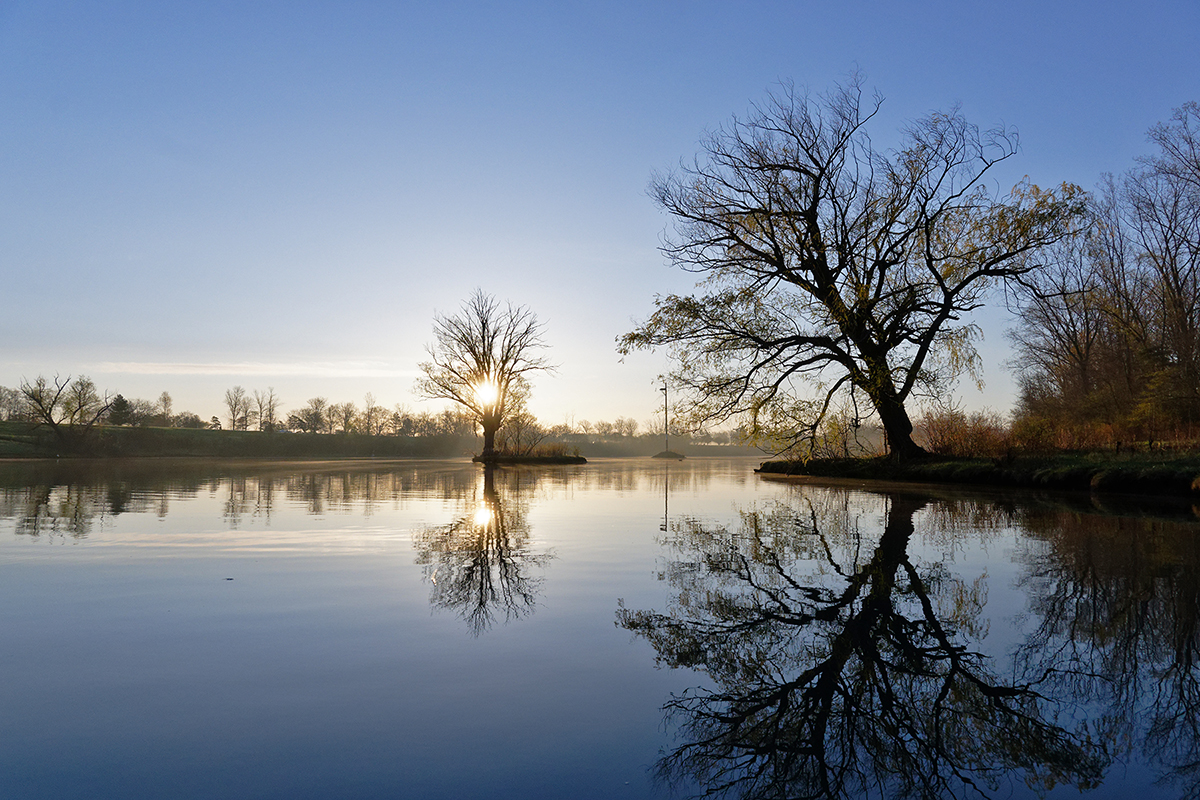
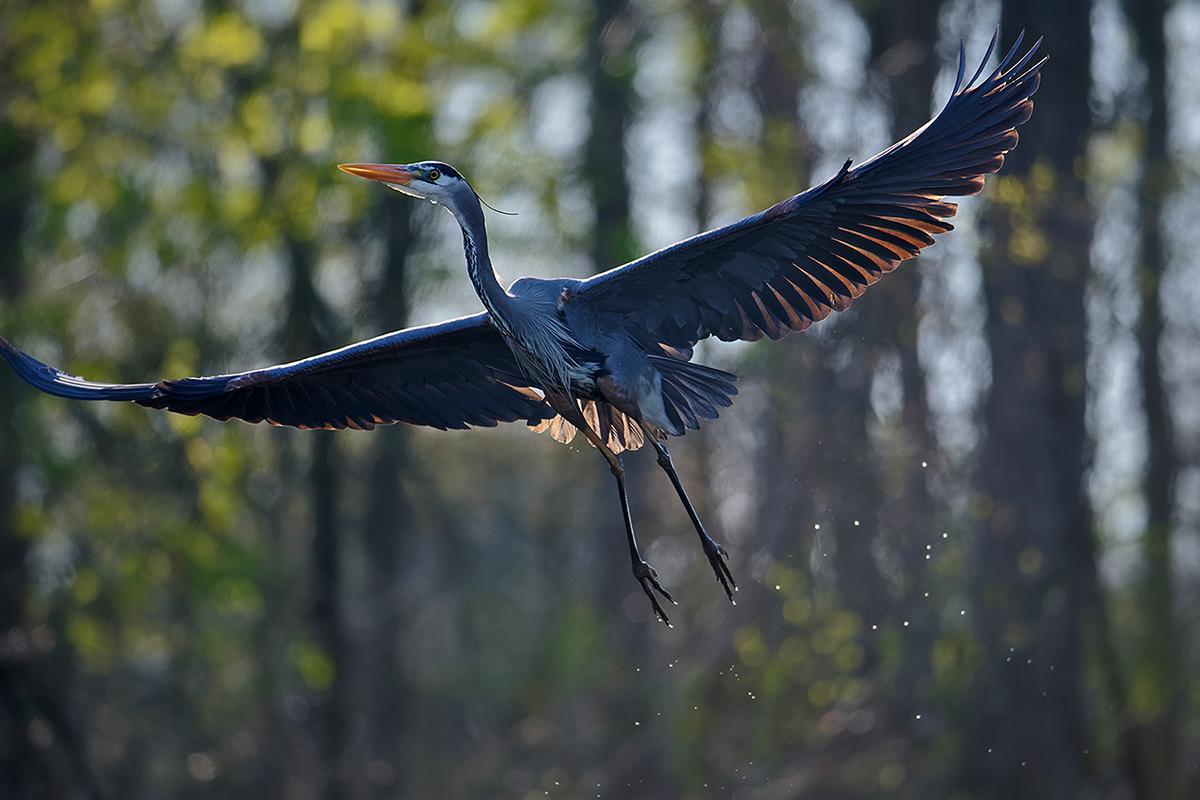
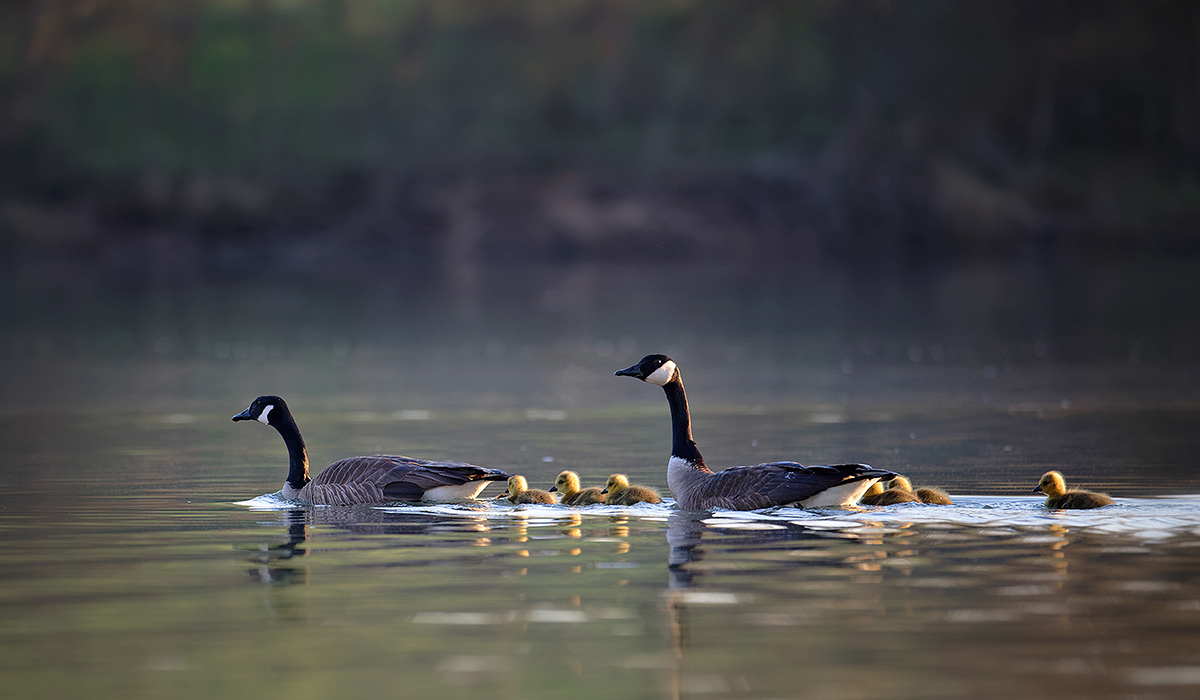
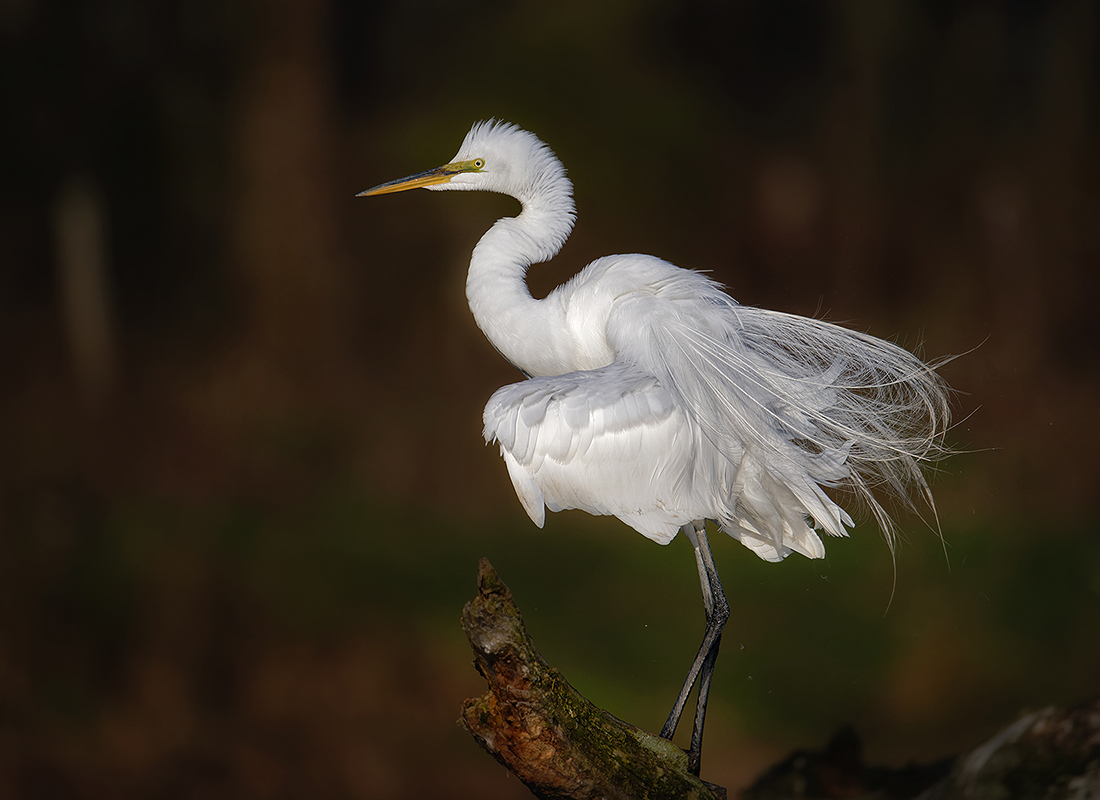
A 50 minute drive gets me to my favorite lagoon just as the sun is rising. I leave my van, my concerns, and my worries as I paddle silently along the edge wondering what's on the water today. Just me and the birds. I circle around the Osprey nest and park amongst some snags and tree branches. I know they can see me but I keep my movements to a bare minimum hoping they'll eventually ignore me. I'm still hoping for that close in diving shot that's eluded me for years now. About an hour into my wait I notice a Great Egret has landed on a branch across the lagoon about 100 yards away. I sit still for a minute or two and when it begins to preen I figure it may stay there for a bit. I know if I head directly for the bird I'll spook it so I turn and head upstream. As I make the turn I flush out a Great Blue Heron that has been sitting right behind me. I barely have time to point the camera but still fire off a burst hoping something might be in focus. As I head upstream, a family of Canada geese makes their way by me keeping a watchful eye. Those geese are so nobly protective of their young. My plan is to cross over at a diagonal and float slowly back downstream parallel to the Egret trying not to make eye contact. I keep my camera on my lap and use one wrist on the paddle to keep my direction true. As I'm floating down, closer and closer to the egret, I've got my eye on a grouping of trees in full foliage on the shore. Only when I have the egret placed between myself and those trees do I raise the camera and fire off my shots. With those shots in the bag I head back over to wait out the uncooperative Osprey. Hoping today will be the day.
I'm sure LRC's masking feature is a lot of fun too
sum1sgrampa wrote
mogul wrote
On1 AI brilliance can automate that effect.btw, nice images.
Maybe this will help
A 50 minute drive gets me to my favorite lagoon just as the sun is rising. I leave my van, my concerns, and my worries as I paddle silently along the edge wondering what's on the water today. Just me and the birds. I circle around the Osprey nest and park amongst some snags and tree branches. I know they can see me but I keep my movements to a bare minimum hoping they'll eventually ignore me. I'm still hoping for that close in diving shot that's eluded me for years now. About an hour into my wait I notice a Great Egret has landed on a branch across the lagoon about 100 yards away. I sit still for a minute or two and when it begins to preen I figure it may stay there for a bit. I know if I head directly for the bird I'll spook it so I turn and head upstream. As I make the turn I flush out a Great Blue Heron that has been sitting right behind me. I barely have time to point the camera but still fire off a burst hoping something might be in focus. As I head upstream, a family of Canada geese makes their way by me keeping a watchful eye. Those geese are so nobly protective of their young. My plan is to cross over at a diagonal and float slowly back downstream parallel to the Egret trying not to make eye contact. I keep my camera on my lap and use one wrist on the paddle to keep my direction true. As I'm floating down, closer and closer to the egret, I've got my eye on a grouping of trees in full foliage on the shore. Only when I have the egret placed between myself and those trees do I raise the camera and fire off my shots. With those shots in the bag I head back over to wait out the uncooperative Osprey. Hoping today will be the day.
I'm sure LRC's masking feature is a lot of fun too
 |
||
 |
||
 |
NIKON Z 9 NIKKOR Z DX 16-50mm f/3.5-6.3 VR lens 16mm f/6.3 1/2000s 640 ISO -1.3 EV
|
||
 |
||
|
NIKON Z 9 NIKKOR Z 400mm f/4.5 VR S lens 400mm f/4.5 1/3200s 500 ISO -1.3 EV
|
||
 |
||
|
NIKON Z 9 NIKKOR Z 400mm f/4.5 VR S lens 400mm f/4.5 1/800s 640 ISO -1.3 EV
|
||
 |
||
|
NIKON Z 9 NIKKOR Z 400mm f/4.5 VR S lens 400mm f/4.5 1/6400s 160 ISO -1.3 EV
Feb 10, 2024 at 09:09 AM
p.3 #8In search of dark backgrounds
johnohio wrote:
Congratulations Gary !! Well deserved honor !
John
Thank you John. Appreciate that
Congratulations Gary !! Well deserved honor !
John
Thank you John. Appreciate that
Feb 10, 2024 at 03:18 PM
p.3 #10In search of dark backgrounds
sum1sgrampa wrote:
Thank you.
Yes, I run the Raw files through DxO Pure Raw and then export into Photoshop. From there it's very basic editing; levels, shadow/highlight, possibly saturation. I do all those adjustments on their own layer so that I can be specific on what area of the photo gets adjusted and what doesn't. If I need sharpening I usually do that in Topaz AI. Sometimes noise reduction in Topaz also but I'm finding Topaz leaves some very funky artifacts on fur and things like talons so I have to be careful of when and when not to use it.
The...Show more →
i didn't mean it as a put down. if you want to be that way, that's ok.
LRG75 wrote
Awesome pictures!! Beginner question on your process you mention on these. Are you running them through DxO PureRaw and then Lightroom Classic?Yes, I run the Raw files through DxO Pure Raw and then export into Photoshop. From there it's very basic editing; levels, shadow/highlight, possibly saturation. I do all those adjustments on their own layer so that I can be specific on what area of the photo gets adjusted and what doesn't. If I need sharpening I usually do that in Topaz AI. Sometimes noise reduction in Topaz also but I'm finding Topaz leaves some very funky artifacts on fur and things like talons so I have to be careful of when and when not to use it.
The...Show more →
i didn't mean it as a put down. if you want to be that way, that's ok.
Feb 10, 2024 at 08:30 PM
p.3 #11In search of dark backgrounds
n.v.m. wrote:
Thank you.
Yes, I run the Raw files through DxO Pure Raw and then export into Photoshop. From there it's very basic editing; levels, shadow/highlight, possibly saturation. I do all those adjustments on their own layer so that I can be specific on what area of the photo gets adjusted and what doesn't. If I need sharpening I usually do that in Topaz AI. Sometimes noise reduction in Topaz also but I'm finding Topaz leaves some very funky artifacts on fur and things like talons so I have to be careful of when and when not to use it.
The biggest problem I'm having right now is DxO a lot of times will lighten the background way too much. I've been trying to find out if there's any way to adjust that but so far it seems you can't. If anyone reading this knows better I would appreciate the input.i didn't mean it as a put down. if you want to be that way, that's ok.
Pretty sure this is a simple misunderstanding all around. That long-winded paragraph was just my way of expressing how much I enjoy the process out in the field and that software will never replicate that experience. I didn't take it as a put down at all. My apologies for not being more clear. It's all good on my end.
Gary
sum1sgrampa wrote
LRG75 wrote
Awesome pictures!! Beginner question on your process you mention on these. Are you running them through DxO PureRaw and then Lightroom Classic?Yes, I run the Raw files through DxO Pure Raw and then export into Photoshop. From there it's very basic editing; levels, shadow/highlight, possibly saturation. I do all those adjustments on their own layer so that I can be specific on what area of the photo gets adjusted and what doesn't. If I need sharpening I usually do that in Topaz AI. Sometimes noise reduction in Topaz also but I'm finding Topaz leaves some very funky artifacts on fur and things like talons so I have to be careful of when and when not to use it.
The biggest problem I'm having right now is DxO a lot of times will lighten the background way too much. I've been trying to find out if there's any way to adjust that but so far it seems you can't. If anyone reading this knows better I would appreciate the input.
Pretty sure this is a simple misunderstanding all around. That long-winded paragraph was just my way of expressing how much I enjoy the process out in the field and that software will never replicate that experience. I didn't take it as a put down at all. My apologies for not being more clear. It's all good on my end.
Gary
Feb 11, 2024 at 07:51 AM
p.3 #12In search of dark backgrounds
kdacharya wrote:
congrats Gary. Nicely done
Thanks very much
congrats Gary. Nicely done
Thanks very much
Feb 11, 2024 at 07:51 AM
p.3 #13In search of dark backgrounds
Beautiful set Gary... well deserved thread of the week.
bruce
bruce
Feb 11, 2024 at 11:00 PM
p.3 #14In search of dark backgrounds
OwlsEyes wrote:
Beautiful set Gary... well deserved thread of the week.
bruce
Thank you Bruce I appreciate that
Beautiful set Gary... well deserved thread of the week.
bruce
Thank you Bruce I appreciate that
Feb 12, 2024 at 06:54 AM