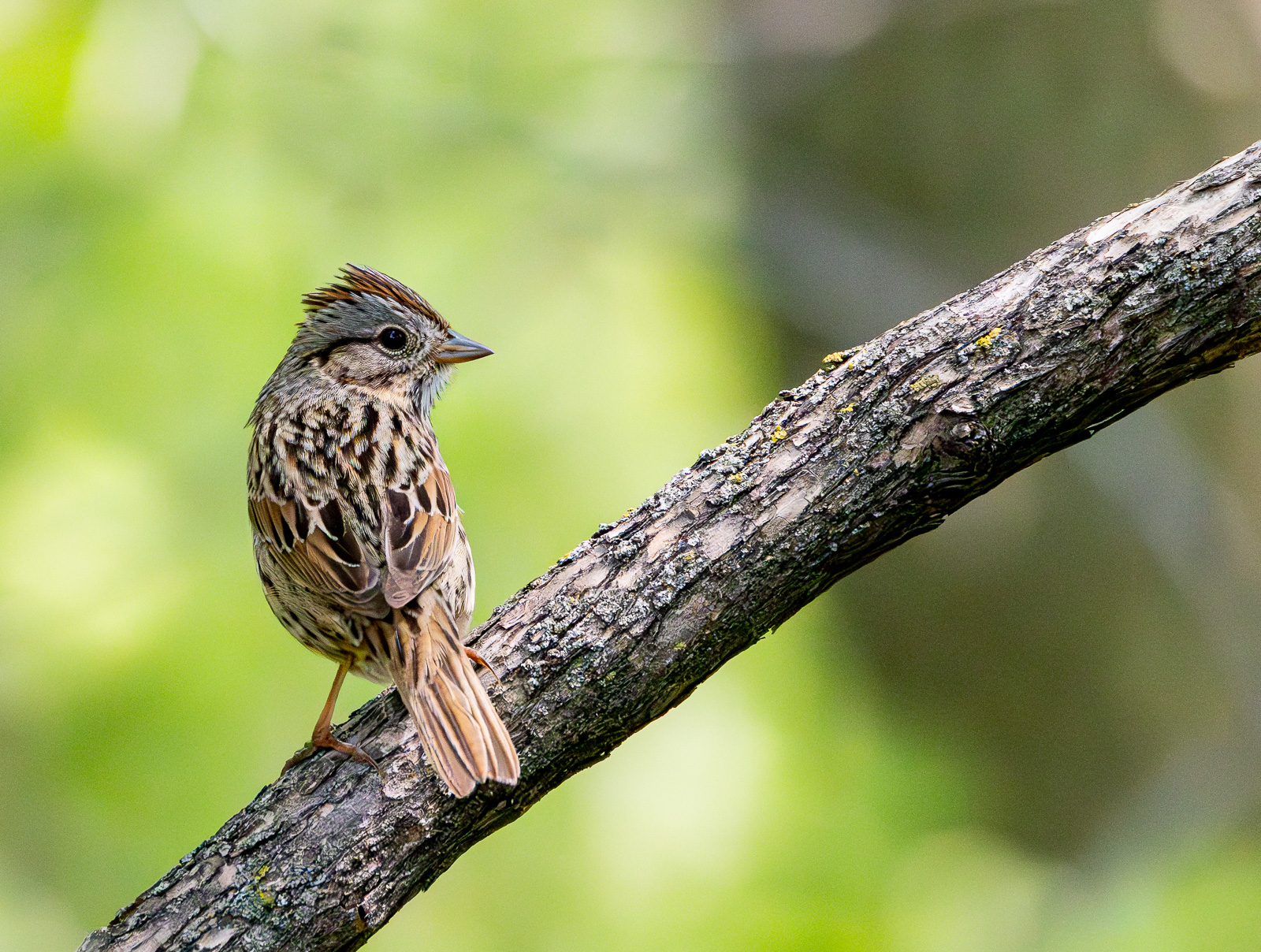
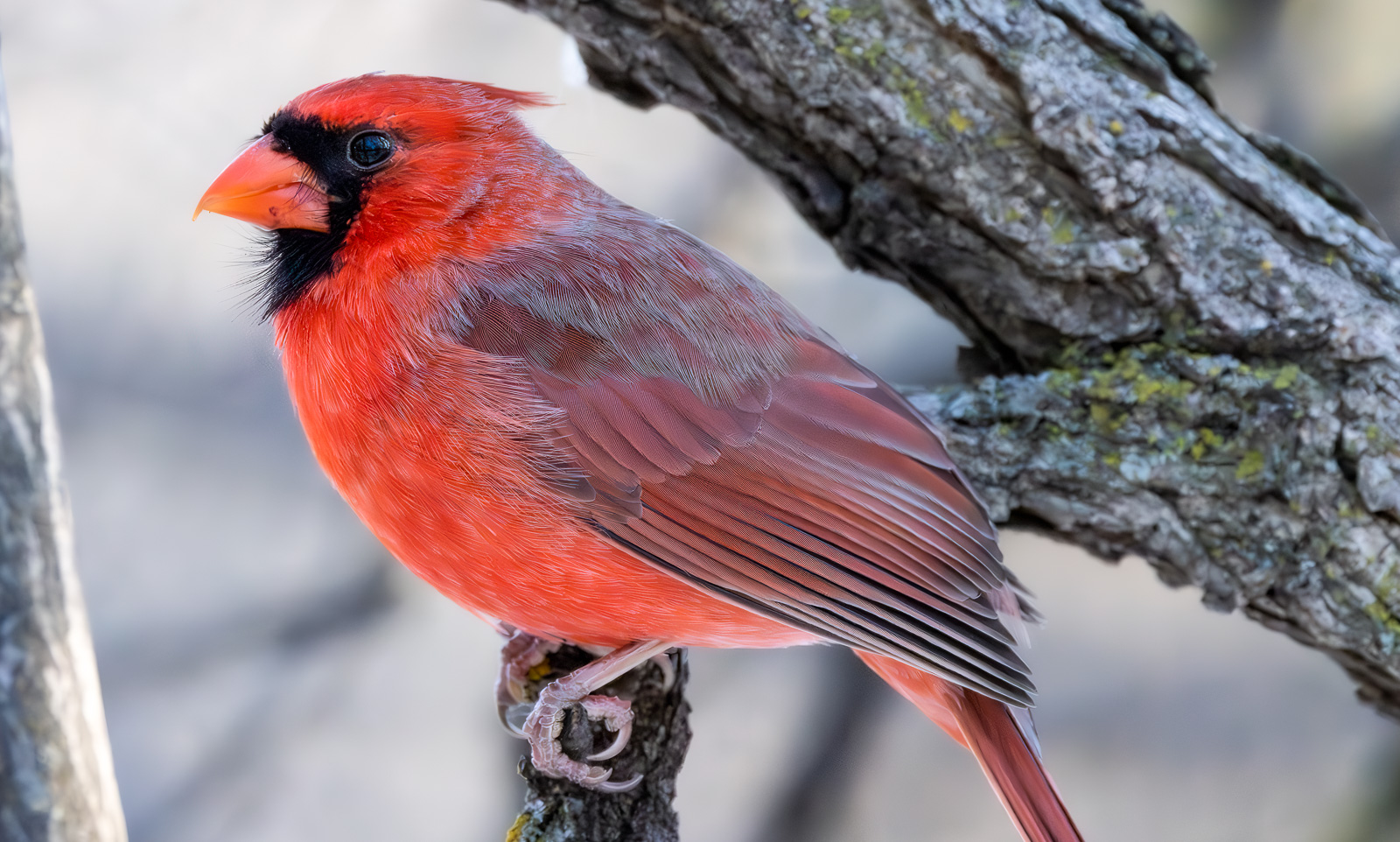
Adobe Denoise is great. I've run dozens of tests against Topaz and Adobe always wins. Sometimes by a small margin, depending on the image, but given that Adobe Denoise is basically free it's a no brainer. The only role left for Topaz is on old non-raw images. But even that may be short lived if Adobe migrates their denoise to non-raw images.
And little discussed - the Adobe sharpening on top of the denoise is also far better than Topaz. And even much better that Adobe's own "old" sharpening (ACR/LR and PS).
The DXO fans still claim denoise superiority, but from demos I've seen the difference is insignificant. So, again, if you already own Adobe, why waste money on Topaz or DXO?
It's the same in LR and under ACR in PS. The recommendation is to zero out all sharpen and of course old denoise settings before applying Denoise. Then resharpen. Unlike Topaz and maybe other denoise programs Adobe's adds no sharpening.
Whatever noise reduction is set on the original raw file is ignored when you Denoise, and does not show up in the resulting dng. However, the sharpening in the raw input file does carry forward to the output dng. So do all other adjustments you have on the raw input. So be careful if you have a default sharpening set for raw. Might not be good for the denoised dng.
One thing that I'm curious about: When you do the first Denoise, a 3 second pop-up says, "Loading Enhance Data". But only on the first time. Never again as you Denoise more images. If you close Adobe Software (Bridge/ACR or LR) and re-launch later you get the "Loading Enhance Data" again.
So what is "enhance data?" Sounds like some kind of profile of the noise, which would be ISO and/or sensor dependent. But if I first Denoise an ISO 6400 Canon raw image, and then do an ISO 800 Sony raw, I don't get the "enhance data" message on the Sony.
redcrown wrote:
Whatever noise reduction is set on the original raw file is ignored when you Denoise, and does not show up in the resulting dng. However, the sharpening in the raw input file does carry forward to the output dng. So do all other adjustments you have on the raw input. So be careful if you have a default sharpening set for raw. Might not be good for the denoised dng.
One thing that I'm curious about: When you do the first Denoise, a 3 second pop-up says, "Loading Enhance Data". But only on the first time. Never again as you Denoise more images. If you close Adobe Software (Bridge/ACR or LR) and re-launch later you get the "Loading Enhance Data" again.
So what is "enhance data?" Sounds like some kind of profile of the noise, which would be ISO and/or sensor dependent. But if I first Denoise an ISO 6400 Canon raw image, and then do an ISO 800 Sony raw, I don't get the "enhance data" message on the Sony. ...Show more →
Just a guess - it might be loading a big subroutine that is normally not active when you first start up Lightroom.
I love it and I don't care if others edge it out. I've watched many videos about it and comparisons to other AI apps. Some presenters showed across the same file areas of Adobe Denoise AI did better while DXO did better in other areas.
The general conclusion. If you own 3rd party apps use what works best for you. If you don't you may want to consider saving your money.
I have waited for years for it. Since the release I removed Topaz Photo AI, Topaz DeNoise AI, DXO PureRaw and ON1 NoNoise off my system. I only kept Topaz Sharpen AI which I only use as necessary. hat is the last bit that LrC/ACR could use.You can push Texture, Sharpening and Detail much more with LrC/PS than you could before.
The Photo Plan did not go up in pricing and I figure I'll save a few hundred a year in 3rd party apps. No more trying to decide which 3rd party app to upgrade every year and not more trying to decide which one to use while editing. If I had more specific requirements (like earning, etc) then I would likely have kept other apps.
20000 ISO with a pretty hefty crop. Next one is 16000.
Canon EOS R7RF100-500mm F4.5-7.1 L IS USM lens500mmf/7.11/5000s20000 ISO+1.0 EV
Canon EOS R5RF100-500mm F4.5-7.1 L IS USM + EXTENDER RF1.4x lens700mmf/10.01/1250s16000 ISO+0.3 EV
One thing I should add. It is good to have some noise. For printing it prevents posterization and helps with detail. For web presentations after applying Adobe Denoise AI I can use LrC masking for the background. I can reduce Texture and Sharpening, etc and basically wipe out all of the noise to get it silky smooth.
pjheller wrote:
Just wondering how people are finding/liking the new Denoise/Enhance in Photoshop 2024.
Is this is same program that is in LR? Any comparisons to Topaz Denoise (or others)?
For a first release Adobe's DeNoise product is impressive.
I still prefer and use DxO's DeepPRIME(XD) technology for my RAW conversion and then import the DNG for further work into Adobe's ACR & Photoshop. But both these noise mitigation tools are so good that it comes down to personal preference.
pjheller wrote:
I’m assuming that you would apply Denoise first and then make adjustments in ACR.
Hmm, I've always put sharpening towards the end of the development process. I definitely do noise reduction before sharpening. IMHO this makes a better image, sometimes significantly so. Haven't tried the new Denoise. Given the review here, am going to try it today.
One thing to be aware of with Adobe DeNoise is that if you use it after making photo content alterations, it can (and has) changed the content in those altered areas. I found this out with an image I shot on the Canon R5 at 1250 ISO. The more I worked on the photo, the more I decided to crop it. I ended up with a very heavy crop and visible noise. I ran it through LR DeNoise and noticed the altered content when comparing the DNG to the altered RAW file. The image had a number of distractions; some tricky to remove so I am disappointed with the changes DeNoise caused. My choices now are to:
a. Accept as is (DeNoise altering content)
b. Try Topaz DeNoise; my go-to tool before LR DeNoise
c Redo the photo: run it through LR DeNoise first then redo all the distraction cleanup and other enhancements
Basically, you need to consider your ISO and how heavy you will be cropping the image BEFORE making changes and decide whether LR DeNoise will be necessary.
Well, I am impressed by the Adobe Denoise, but...It takes a long time processing the file and then saves it as a large separate DNG file. For example, my Sony Raw ARW file is 24MB, Adobe saves it as a 101MB DNG file. Am I then to reopen the DNG file, continue Raw processing and then save it as a JPG file? Kinda klutzy. Do I save both my ARW and the DNG denoised files too?
Looking for advice. The process is slow too although it could be my machine or my processing. Any advice? I unload my AWR files from a shoot to an External and then process them. I have a lot of SSD storage in my computer so perhaps I should unload the files to one of the SSDs and do Denoise on them there. Then save off the ARW and DNR files to an external?
OMG, how big are the DNRs from cameras such as the A1 or A7CR? So, cool, but for now I will continue with Topaz Denoise and/or Photo AI.
An approach I use in making decisions it to think of:
a. must have
b. don't want
b. nice to have
c. (don't care; basically everything else)
If there is a "must have" feature/option that is not there or there is a "don't want" feature that is there, I stop my research and move on. The "nice to have" helps differentiate between products/services that pass the first test.
Regarding NR, the "must have" is that it gives a solid result and the price isn't exorbitant (which of course, depends on your own definition of that). Things like size and speed fall into the "nice to have" category FOR ME.
I did about a dozen photos on LR DeNoise and Topaz DeNoise AI; all the way from 1600 to 12,800 ISO. In 9 out of 10, LR DeNoise was noticeably better while they were pretty much the same on the tenth.
The "checkmark" goes to LR for cost (free in that I already have subscription to LR/PS). The "checkmark" goes to Topaz for speed and file type and size.
Based on my criteria, and that I I might denoise a few/several dozen photos from a big trip, I am willing to accept that LR takes minutes while Topaz takes seconds and that I will end up with a few/several dozen photos of "substantial" size.
As a side note, everything I have read, and seen here, suggests that the most important component for LR DeNoise is your GPU horsepower. My card is six years (or thereabouts) old and doesn't do well with this task. In fact, I turned off the use of GPU in LR and my DeNoise time went from 3-4 minutes to 2-3 minutes. Given the age of my computer, I have decided to live with this performance for another year or two and then replace the whole computer rather than try to replace the card now with one that will work with my current system and be usable in my next system.
Charlie San wrote:
Well, I am impressed by the Adobe Denoise, but...It takes a long time processing the file and then saves it as a large separate DNG file. For example, my Sony Raw ARW file is 24MB, Adobe saves it as a 101MB DNG file. Am I then to reopen the DNG file, continue Raw processing and then save it as a JPG file? Kinda klutzy. Do I save both my ARW and the DNG denoised files too?
You don't have to save the DNG because you can always convert the ARW again. It kind of depends on whether the DNG has a lot of edits applied that weren't applied to the ARW. Do you want to keep those?
My strategy is that I make all adjustments to the regular raw file, save the metadata settings (the edits) to the XMP sidecar file, zero out sharpening, run Denoise, tweak if necessary and export to desired output format.
But I did notice that some files with a number of AI masks applied did not survive the Denoise conversion exactly as in the original, so this isn't a 100% foolproof method. And IIRC, Adobe even warns that the Denoise conversion may affect edits.
It would also be possible to copy all the edits applied to the Denoise DNG and apply them to the original raw file, so that you have them if you decide to delete the DNG.
After I finish a project, I'll pull all the Denoise DNGs into a separate folder and run Adobe's DNG converter with lossy compression. This knocks my ~100MB 24MP files usually down to around 10-15MB. I keep these more or less for quick access if I want to re-export without going through the Denoise process again. I delete the original huge Denoise DNGs after a short period of time (I of course also keep the original camera raw file).
I compared the exports of the original Denoise DNG against the compressed DNG and you can see slight difference in edge transitions and blockiness in exported files once zoomed in 200% or more. The same file exported with the same Jpeg setting from both the DNG and compressed DNG is larger from the compressed DNG, implying it has more 'noise' that can't be compressed as efficiently as the conversion from the standard DNG.
EverLearning wrote:
One thing to be aware of with Adobe DeNoise is that if you use it after making photo content alterations, it can (and has) changed the content in those altered areas. I found this out with an image I shot on the Canon R5 at 1250 ISO. The more I worked on the photo, the more I decided to crop it. I ended up with a very heavy crop and visible noise. I ran it through LR DeNoise and noticed the altered content when comparing the DNG to the altered RAW file. The image had a number of distractions; some tricky to remove so I am disappointed with the changes DeNoise caused. My choices now are to:
a. Accept as is (DeNoise altering content)
b. Try Topaz DeNoise; my go-to tool before LR DeNoise
c Redo the photo: run it through LR DeNoise first then redo all the distraction cleanup and other enhancements
Basically, you need to consider your ISO and how heavy you will be cropping the image BEFORE making changes and decide whether LR DeNoise will be necessary....Show more →
As I mentioned in my comment just above, I have also seen this. I usually tweak any messed up adjustments so they look similar to the original raw file. The other approach is probably to the Denoise conversion at the beginning and then apply all required tweaks.
I think if I had a consistent batch of higher ISO images, I'd just run them through Denoise first, then apply adjustments.
Where I'm finding Denoise the most impactful so far is moderate ISO images in high contrast light where I'm opening up shadows a significant amount. Those shadow areas show the most noise, obviously, and after Denoise these areas look/feel visually similar to mid tone and highlight values in respect to noise, color, sharpness, etc.
EverLearning wrote:
One thing to be aware of with Adobe DeNoise is that if you use it after making photo content alterations, it can (and has) changed the content in those altered areas. I found this out with an image I shot on the Canon R5 at 1250 ISO. The more I worked on the photo, the more I decided to crop it. I ended up with a very heavy crop and visible noise. I ran it through LR DeNoise and noticed the altered content when comparing the DNG to the altered RAW file. The image had a number of distractions; some tricky to remove so I am disappointed with the changes DeNoise caused. My choices now are to:
a. Accept as is (DeNoise altering content)
b. Try Topaz DeNoise; my go-to tool before LR DeNoise
c Redo the photo: run it through LR DeNoise first then redo all the distraction cleanup and other enhancements
Basically, you need to consider your ISO and how heavy you will be cropping the image BEFORE making changes and decide whether LR DeNoise will be necessary....Show more →
I think Eric Chan does mention the order in that blog. Anthony Morganti has a video about it.
EverLearning wrote:
One thing to be aware of with Adobe DeNoise is that if you use it after making photo content alterations, it can (and has) changed the content in those altered areas. I found this out with an image I shot on the Canon R5 at 1250 ISO. The more I worked on the photo, the more I decided to crop it. I ended up with a very heavy crop and visible noise. I ran it through LR DeNoise and noticed the altered content when comparing the DNG to the altered RAW file. The image had a number of distractions; some tricky to remove so I am disappointed with the changes DeNoise caused. My choices now are to:
a. Accept as is (DeNoise altering content)
b. Try Topaz DeNoise; my go-to tool before LR DeNoise
c Redo the photo: run it through LR DeNoise first then redo all the distraction cleanup and other enhancements
Basically, you need to consider your ISO and how heavy you will be cropping the image BEFORE making changes and decide whether LR DeNoise will be necessary....Show more →
I've found this as well and came up with a simple method to do c) ie redo the photo.
Throw out the DNG
Make a virtual copy of the processed RAW file
Reset the virtual file (ie drop the post processing)
Apply Denoise to the virtual file you just reset
Copy the post processing from the processed raw file to the denoised DNG
Throw out the virtual copy
It may seem a little complicated to describe but it only takes a few moments (except to run another denoise)
I prefer to work on my raw files to see if they are keepers, then run denoise on those that survive. That way I have much less time waiting for denoise to run (30 secs or so for each file). Most don't seem to be affected but for those that are I gave up trying to find a common root cause and just use the steps above.