ruthenium
Online
• • • •
Upload & Sell: On
|
 p.2 #5 · DXO PureRAW3 vs PL 6: A Question p.2 #5 · DXO PureRAW3 vs PL 6: A Question | |
Blueshound wrote:
I'm now test-driving both PhotoRAW 3 and PhotoLab 6. My primary interest is in the differing implementations in Deep Prime XD and Deep Prime between the two, and whether or not PL 6 offers enough in control options and refinements to be worth paying the difference for.
For the moment, I'm accepting DXO's claims that their camera and lens profiles are superior, or at the very least not inferior to, for example, Adobe. I'm liking the profiles initially, but I'm way behind most people here who have greater experience with DXO.
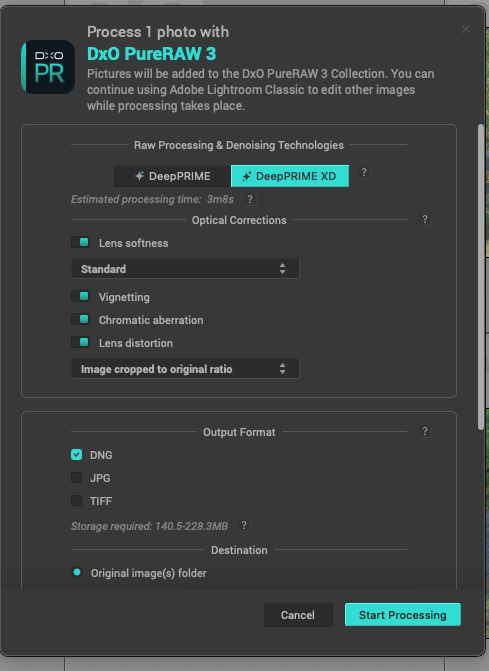
My initial concerns with both options has been whether I'd be giving up versatility in refining the degree of sharpening that's possible. I've been using Topaz Denoise AI and Sharpen AI since they were introduced, and I appreciate the ability to manipulate sharpening modes and degree. DXO's options are less clear, but they do have some. With PureRAW 3 you can turn off sharpening, and for example opt in for profile corrections only. You can also change the degree of sharpening by selecting Soft, Standard and two stronger options. Not the granular type of control that you have in Sharpen AI, but better than no options.
In using Sharpen AI, I would select a mode, then refine the degree of sharpening using the slider (usually less than the AUTO recommendation). What makes for a nice, crisp final result for the subject sometimes looks too "crunchy" with images that have fine, high frequency details. If I use Sharpen AI on a PS layer, I can then use Blend If to reduce the visibility of over-sharpened high frequency details, without affecting the apparent sharpening in the rest of the image. This is a great flexibility to have. I can't do this with the output from PR 3, as Blend If then alters all the adjustments in the higher frequencies (brighter tones).
With one image that I used as a test with PhotoRAW 3, Standard was too much, producing over-sharpening on cedar shrub needles, for example. I then did another version using Soft, which was much better in general.
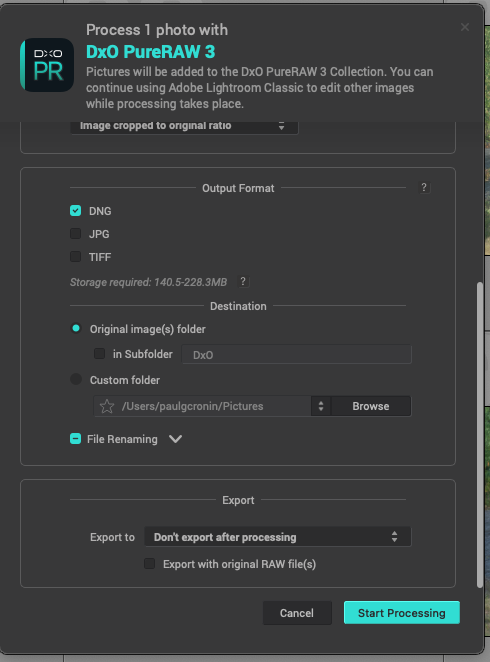
I then did a third test unchecking the sharpening option in PR 3, but allowing the other corrections. After bringing the output DNG into a base layer in PS CC, I then did a 2nd layer for Sharpen AI, where I refined the sharpness setting to suit myself.
Looking at all three in full res, the version using PR 3 without sharpening, and then sharpening independently in Sharpen AI, is the best overall. Other images may not behave the same way, this is just the first go.
I'm not posting those results here because the subtle differences wouldn't display well as imbedded images, hopefully you'll take my word for it.
I will try the same with the Detail tab in PL 6, once I figure out how the fine-tuning options work.
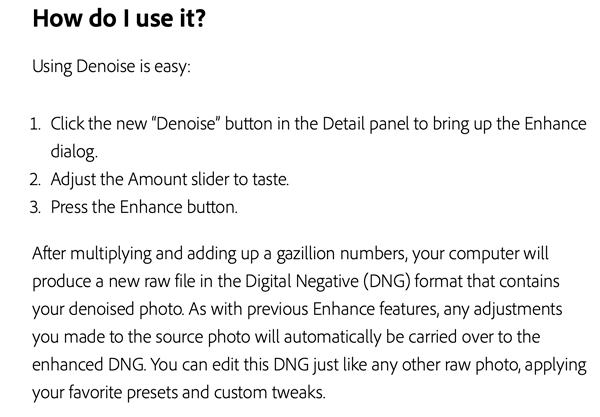
PS: I'm also trying Adobe's new Denoise AI tool in Camera RAW, but even with updating the driver for the Nvidia RTX A3000 GPU in my laptop, it still indicates 14 minutes for the same file. Too much to bother with. (It indicated 30 minutes before the driver update!)
Brian...Show more →
In DxO PL6, DeepPRIME denoising does not do sharpening. DeepPRIME XD does, by attempting recovery and refinement of fine detail. The latter may result in over-sharpened images and should be used with much caution (this should not be the default denoising method). It would not be unreasonable to move the Noise Model slider down to -50 when using DeepPRIME XD.
DxO PL6 does sharpening via the dedicated Lens Sharpness. The default value there recently changed from 0 to +1 and I don't like this, as my lenses are relatively sharp naturally and do not require excessive sharpening. Something to keep in mind when using DxO PL6: the Microcontrast slider in Contrast works to give the perception of increased sharpness. This may or may not be desirable. E.g., possibly beneficial on landscapes, but damaging to bokeh in the images where the background should be soft. In the latter case, it is best to apply microcontrast locally, via a mask.
Regarding times, DeepPRIME export from DxO PL6 takes 5 s per image on my recently added 16" MacBook Pro M2 Max.
|