This topic is in the 2022 archive. You can read it and like its posts here. It is read only.
Archive 2022XT5 color noise?
p.1 #1XT5 color noise?
Anybody else seeing this even at lower ISOs.
This is a raw file crop at ISO 800.
I got the above wrong. This is an ISO 400 crop.
Processed raw in ON1 to exaggerate what I am seeing in jpegs and normal processing.
Turning color noise all the way up doesnt remove it.
Only smooths it out.

ISO 400 raw file pushed.
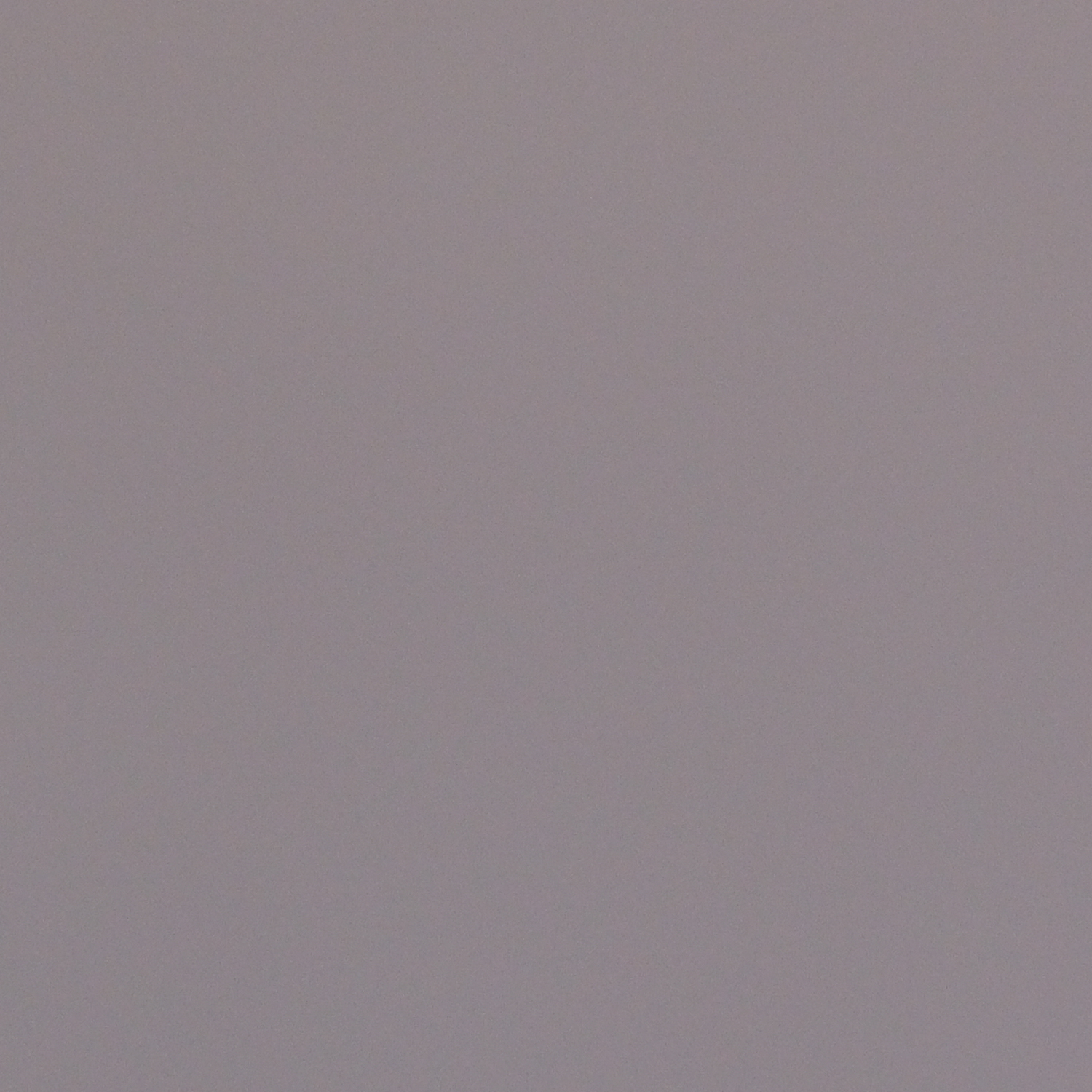
ISO 800 SOOC jpeg crop.
Edited on Dec 03, 2022 at 04:09 PM · View previous versions
This is a raw file crop at ISO 800.
I got the above wrong. This is an ISO 400 crop.
Processed raw in ON1 to exaggerate what I am seeing in jpegs and normal processing.
Turning color noise all the way up doesnt remove it.
Only smooths it out.
ISO 400 raw file pushed.
ISO 800 SOOC jpeg crop.
Edited on Dec 03, 2022 at 04:09 PM · View previous versions
Dec 03, 2022 at 10:31 AM
p.1 #2XT5 color noise?
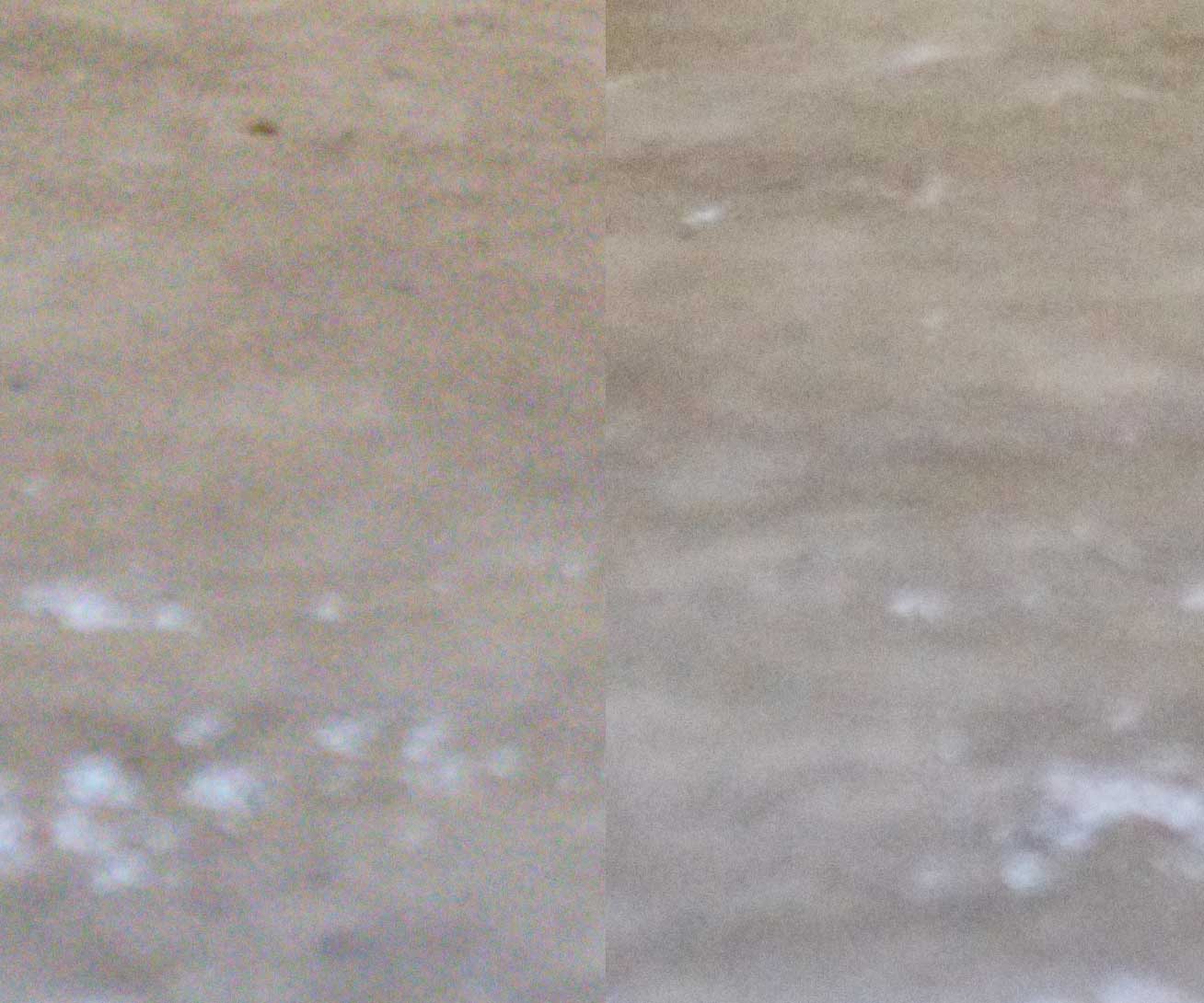
I don't have a shot of flat grey handy, but here is a section of an ISO 1250 RAW in Capture One. Zero noise reduction on left, color noise reduction on right. This seems completely normal to me. I suppose I could make it worse if I was trying to exaggerate it.
Dec 03, 2022 at 11:24 AM
p.1 #3XT5 color noise?
tammons wrote:
Anybody else seeing this even at lower ISOs.
This is a raw file crop at ISO 800.
Processed raw in ON1 to exaggerate what I am seeing in jpegs and normal processing.
Turning color noise all the way up doesnt remove it.
Only smooths it out.
Can you share an example of the "jpegs and normal processing?"
It is possible to make almost any file look bad if you try hard enough. ;-)
Anybody else seeing this even at lower ISOs.
This is a raw file crop at ISO 800.
Processed raw in ON1 to exaggerate what I am seeing in jpegs and normal processing.
Turning color noise all the way up doesnt remove it.
Only smooths it out.
Can you share an example of the "jpegs and normal processing?"
It is possible to make almost any file look bad if you try hard enough. ;-)
Dec 03, 2022 at 03:41 PM
p.1 #5XT5 color noise?
The SOOC jpg looks fine.
I think what you have illustrated is one of the ways that digital images eventually fail when you push them beyond the normal boundaries. I suppose it is good to understand that, but that doesn't mean it is a problem.
You can make digital files fail in a whole bunch of interesting ways. For example, you can take pictures with the lens cap on and then push the resulting "completely black" image far enough to reveal how noise manifests in zero-level luminosity when pushed to make it gray.
Even the best sensors eventually produce bad images if pushed far enough.
I think what you have illustrated is one of the ways that digital images eventually fail when you push them beyond the normal boundaries. I suppose it is good to understand that, but that doesn't mean it is a problem.
You can make digital files fail in a whole bunch of interesting ways. For example, you can take pictures with the lens cap on and then push the resulting "completely black" image far enough to reveal how noise manifests in zero-level luminosity when pushed to make it gray.
Even the best sensors eventually produce bad images if pushed far enough.
Dec 03, 2022 at 06:54 PM
p.1 #6XT5 color noise?
It is not that bad as long as you dont have to push the image or work it much.
Take that ISO 800 SOOC jpeg and put it in DXO and apply DXO Clearview Plus.
That's it.
You will see green and purple blobs.
The entire reason I posted this in the first place was I shot a moon image yesterday afternoon, and after my normal work procedure, the same procedure I have been using for several years with Olympus, Nikon etc, the background sky was so bad that I gave up.
This kind of blotchy low level color noise is a real PIA to fix.
Edited on Dec 04, 2022 at 07:30 AM · View previous versions
Take that ISO 800 SOOC jpeg and put it in DXO and apply DXO Clearview Plus.
That's it.
You will see green and purple blobs.
The entire reason I posted this in the first place was I shot a moon image yesterday afternoon, and after my normal work procedure, the same procedure I have been using for several years with Olympus, Nikon etc, the background sky was so bad that I gave up.
This kind of blotchy low level color noise is a real PIA to fix.
Edited on Dec 04, 2022 at 07:30 AM · View previous versions
Dec 03, 2022 at 07:17 PM
p.1 #7XT5 color noise?
Since there is virtually no visible color noise in the JPG, you might want to try a different raw converter.
Dec 04, 2022 at 02:02 AM
p.1 #8XT5 color noise?
But there is visible color noise in the JPG above.
Put it in DXO and apply DXO Clearview.
Tweak Vibrance and Saturation.
You will see green and purple low level noise.
Above is nothing special.
These are typical adjustments that I make to images.
I looked at all the test image jpegs from DPreview at ISO 125,400,800,12800, and this noise is there in the gray areas of the jpegs. ISO 125 is not as bad as the others, but it is there.
Gray should be gray, not gray and purple and green.
Put it in DXO and apply DXO Clearview.
Tweak Vibrance and Saturation.
You will see green and purple low level noise.
Above is nothing special.
These are typical adjustments that I make to images.
I looked at all the test image jpegs from DPreview at ISO 125,400,800,12800, and this noise is there in the gray areas of the jpegs. ISO 125 is not as bad as the others, but it is there.
Gray should be gray, not gray and purple and green.
Dec 04, 2022 at 07:29 AM
p.1 #9XT5 color noise?
How does the image look at your print sizes or the size you view on the monitor? Are the above 100% crops?
Dec 04, 2022 at 09:11 AM
p.1 #11XT5 color noise?
tammons wrote:
But there is visible color noise in the JPG above.
Put it in DXO and apply DXO Clearview.
Tweak Vibrance and Saturation.
You will see green and purple low level noise.
Above is nothing special.
These are typical adjustments that I make to images.
I looked at all the test image jpegs from DPreview at ISO 125,400,800,12800, and this noise is there in the gray areas of the jpegs. ISO 125 is not as bad as the others, but it is there.
Gray should be gray, not gray and purple and green.
Can we see one of your "tweaked" images? I have no clue of what "clearview" is since I don't use DXO.
Something tells me you are overdoing PP a ton.
But there is visible color noise in the JPG above.
Put it in DXO and apply DXO Clearview.
Tweak Vibrance and Saturation.
You will see green and purple low level noise.
Above is nothing special.
These are typical adjustments that I make to images.
I looked at all the test image jpegs from DPreview at ISO 125,400,800,12800, and this noise is there in the gray areas of the jpegs. ISO 125 is not as bad as the others, but it is there.
Gray should be gray, not gray and purple and green.
Can we see one of your "tweaked" images? I have no clue of what "clearview" is since I don't use DXO.
Something tells me you are overdoing PP a ton.
Dec 04, 2022 at 10:25 AM
RoamingScott
Offline
Activity
[X]
Details
p.1 #12XT5 color noise?
It would be valuable if you set your camera to RAW plus JPEG, and post 100% crops from both the raw file and the associated JPEG at various ISOs. Leave your jpeg setting on Provia since that is the least heavy handed film sim.
Dec 04, 2022 at 10:38 AM
p.1 #13XT5 color noise?
Not knowing what "Clearview Plus" is, I looked it up. It is apparently a DXO tool for diminishing the effects of atmospheric haze.
Let's assume that it is similar to the Adobe "Dehaze" tool in ACR and Lightroom. From what I can tell by using the dehaze tool, it is doing several things to images to try to make them look like the haze was not there:
1. It increases contrast, subtly at very low settings, but quite radically at higher settings.
2. To compensate for the color changes produced by haze it both intensifies colors and shifts the color balance.
3. It isn't enough to just increase contrast and shift colors, so in order to increase the visibility of muted details it appears that the 'dehaze' function applies some kind of large radius "sharpening," too. (aka "local area contrast enhancement")
Used subtly, this is a very effective tool for diminishing the effects of atmospheric haze. (It can be used for other purposes, too. Hint: experiment with slightly negative dehaze settings to produce a sort of "re-haze" effect.) However, if you push it quite far things rapidly get very strange. Depending upon whether you apply it to generally dark or light areas, you'll have to compensate for overall changes to luminosity.
But more challenging are the color shifts introduced by the process.
Haze affects color balance in a several ways. First, it de-saturates colors. Second, it alters the color balance since the haze itself has a color. As a by-product, it also decreases differences between colors. So a 'dehaze' function attempts to compensate for all of this (plus the other issues mentioned above) by shifting the overall color toward some presumption about what a less-hazy version of the scene might look like, by increasing color saturation, and by (it seems) affecting different colors in different ways.
Again, subtle dehaze effects can work wonders. Somewhat more aggressive dehaze can work if you know how to compensate for the issues this introduces. But extremely high dehaze settings do some radical things as they try to adjust the colors toward a theoretically less-hazy balance and then turn small luminosity differences into larger ones to try to amplify details.
All of this means that I still think that what is going on here for the most part (if not entirely) is that we are seeing what happens when we apply extreme settings to subjects that they weren't intended for and the image naturally breaks down. There are tons of analogs for this — we could apply absurdly aggressive NR settings, extreme sharpening values, or overdone color adjustments and find the limits of those processes, too, as we destroy the image quality.
Unless I have missed something, we also do not know what level of magnification of the original image we are looking at here. My guess is that it is a greater than 100% level and that we are looking very closely at a very tiny section of the image.
Of course, in the end, if the OP has another system that works fine for such things... he could just use that system.
Dan
Also: I've seen a similar effect when post-processing ostensibly gray areas from other cameras and brands, too.
Edited on Dec 04, 2022 at 04:08 PM · View previous versions
Let's assume that it is similar to the Adobe "Dehaze" tool in ACR and Lightroom. From what I can tell by using the dehaze tool, it is doing several things to images to try to make them look like the haze was not there:
1. It increases contrast, subtly at very low settings, but quite radically at higher settings.
2. To compensate for the color changes produced by haze it both intensifies colors and shifts the color balance.
3. It isn't enough to just increase contrast and shift colors, so in order to increase the visibility of muted details it appears that the 'dehaze' function applies some kind of large radius "sharpening," too. (aka "local area contrast enhancement")
Used subtly, this is a very effective tool for diminishing the effects of atmospheric haze. (It can be used for other purposes, too. Hint: experiment with slightly negative dehaze settings to produce a sort of "re-haze" effect.) However, if you push it quite far things rapidly get very strange. Depending upon whether you apply it to generally dark or light areas, you'll have to compensate for overall changes to luminosity.
But more challenging are the color shifts introduced by the process.
Haze affects color balance in a several ways. First, it de-saturates colors. Second, it alters the color balance since the haze itself has a color. As a by-product, it also decreases differences between colors. So a 'dehaze' function attempts to compensate for all of this (plus the other issues mentioned above) by shifting the overall color toward some presumption about what a less-hazy version of the scene might look like, by increasing color saturation, and by (it seems) affecting different colors in different ways.
Again, subtle dehaze effects can work wonders. Somewhat more aggressive dehaze can work if you know how to compensate for the issues this introduces. But extremely high dehaze settings do some radical things as they try to adjust the colors toward a theoretically less-hazy balance and then turn small luminosity differences into larger ones to try to amplify details.
All of this means that I still think that what is going on here for the most part (if not entirely) is that we are seeing what happens when we apply extreme settings to subjects that they weren't intended for and the image naturally breaks down. There are tons of analogs for this — we could apply absurdly aggressive NR settings, extreme sharpening values, or overdone color adjustments and find the limits of those processes, too, as we destroy the image quality.
Unless I have missed something, we also do not know what level of magnification of the original image we are looking at here. My guess is that it is a greater than 100% level and that we are looking very closely at a very tiny section of the image.
Of course, in the end, if the OP has another system that works fine for such things... he could just use that system.
Dan
Also: I've seen a similar effect when post-processing ostensibly gray areas from other cameras and brands, too.
Edited on Dec 04, 2022 at 04:08 PM · View previous versions
Dec 04, 2022 at 01:39 PM
p.1 #14XT5 color noise?
I've shot the XT4 and XT5 on the same scene, same settings, ISO 1600. Looking at the non NR raw files, I see slightly higher chroma noise in the XT5. Luminance noise is the same. The NR tool in Capture One cleans them up nicely.
And comparing the SOOC jpg images, the XT5 is cleaner than the XT4.
And comparing the SOOC jpg images, the XT5 is cleaner than the XT4.
Dec 04, 2022 at 03:41 PM
p.1 #15XT5 color noise?
tammons wrote:
It is not that bad as long as you dont have to push the image or work it much.
Take that ISO 800 SOOC jpeg and put it in DXO and apply DXO Clearview Plus.
That's it.
You will see green and purple blobs.
The entire reason I posted this in the first place was I shot a moon image yesterday afternoon, and after my normal work procedure, the same procedure I have been using for several years with Olympus, Nikon etc, the background sky was so bad that I gave up.
This kind of blotchy low level color noise is a real...Show more →
The default amount of Clearview plus is 50. This is WAY too much because well...it introduces ridiculous amounts of noise no matter the sensor. As does dehaze. Keeping Clearview below 20 is optimal from my experience. And running though deep prime or their latest iteration.
It is not that bad as long as you dont have to push the image or work it much.
Take that ISO 800 SOOC jpeg and put it in DXO and apply DXO Clearview Plus.
That's it.
You will see green and purple blobs.
The entire reason I posted this in the first place was I shot a moon image yesterday afternoon, and after my normal work procedure, the same procedure I have been using for several years with Olympus, Nikon etc, the background sky was so bad that I gave up.
This kind of blotchy low level color noise is a real...Show more →
The default amount of Clearview plus is 50. This is WAY too much because well...it introduces ridiculous amounts of noise no matter the sensor. As does dehaze. Keeping Clearview below 20 is optimal from my experience. And running though deep prime or their latest iteration.
Dec 10, 2022 at 05:32 PM