Arka wrote:
A few reactions to your question:
1. People have talked up Apple's legacy reputation with creatives in the past, but even in the present there are unique Mac capabilities that are nice for creatives. The image attached to this post depicts one of them. It's an image processing setup I often use with my Mac, iPad and Apple Pencil. Via Apple's Sidecar feature, I am able to use an iPad as a wireless second display and portable tablet solution. There's simply no Windows tablet equivalent that is as good (and I've tried most of them - Surface, Lenovo, Wacom...)
2. I haven't been following the processor wars of late, but when Apple's M1 chips came out (followed recently by M1 Pro and Max chips), there were few if any Windows computers that could perform at the level Macs could at equivalent power efficiency. My MacBook Pro M1 Max has excellent battery life and seemingly limitless compute power whether it's plugged in or not, and always seems to run cool. That allows you to do pretty sophisticated creative work (Photoshop, zBrush, Blender) without being plugged in or hearing the fans blasting furnace-level heat from the rear vents - a nice perk and a marked improvement over my older Intel Macs.
I've often wondered why the Mac laptops don't have touch screen capability ... since, they did well with touch capability in the I-Pad. Hearing of the sidecar, then kinda makes some sense (systemic capability), as to why they chose not to do so in the display. Which could also then quell some of my concerns about moving away from my current touch screen capability.
I've often asked if I could use a desktop unit (more power) to connect to a laptop (keyboard and display), to harness the power of the desktop, but in the form factor of the laptop. The answer has always been, nope ... no can do.
Conceptually, the sidecar then begs the question of whether or not the I-Pad can sidecar to the Mini or Studio, so that I can touch interface the CPU / programs via the I-Pad, instead of a separate keyboard and monitor? I don't mind being tethered, I just my preferred work location doesn't have a place for a free-standing monitor ... hence the laptop or touch screen interface.
Hmmm ... just read about Universal Control while researching Sidecar. Seems like it might be able to interconnect a laptop and other CPU after all. More tbd.
I've often wondered why the Mac laptops don't have touch screen capability ... since, they did well with touch capability in the I-Pad. Hearing of the sidecar, then kinda makes some sense (systemic capability), as to why they chose not to do so in the display. Which could also then quell some of my concerns about moving away from my current touch screen capability.
I've often asked if I could use a desktop unit (more power) to connect to a laptop (keyboard and display), to harness the power of the desktop, but in the form factor of the laptop. The answer has always been, nope ... no can do.
Conceptually, the sidecar then begs the question of whether or not the I-Pad can sidecar to the Mini or Studio, so that I can touch interface the CPU / programs via the I-Pad, instead of a separate keyboard and monitor? I don't mind being tethered, I just my preferred work location doesn't have a place for a free-standing monitor ... hence the laptop or touch screen interface.
Hmmm ... just read about Universal Control while researching Sidecar. Seems like it might be able to interconnect a laptop and other CPU after all. More tbd.
If you're used to the touch capability on a Windows system then I can see how that would be a frustrating thing to give up on a Mac, even with the Sidecar option. Sidecar should work with just about any Mac, but it that way limits your maximum screen size (for touch anyway) to 13". If you want touch on a Mac with a bigger screen, you could consider Wacom - I have a Wacom 24HD Touch that connects to this Mac, but I rarely use the touch functions.
I never warmed to the touch functionality on Windows or MacOS. In Windows, I found it to be poorly implemented in various iterations. MacOS is even worse as it makes no pretension of being designed for touch. More fundamentally, I find that touching a screen that is perpendicular to my desk felt ergonomically wrong. The Surface Studio was the one device that resolved some of my gripes with this, but that a device is underpowered and comes with a subpar stylus.
Sidecar eliminates ergonomic awkwardness by putting the touch and pen functionality into a separate wireless tablet I can lay flat on my desk, or set up as an inclined work surface. I also retain the ability to use the keyboard or mouse one my laptop as needed, or use a wireless keyboard. This approach eliminates the obligate keyboard and touchpad in front of the working display - an ergonomic glitch that bedevils all touch-enabled laptops except those that have detachable displays like the Surface Book or Porsche Design One (I still have the latter in my PC collection). But even this ostensibly innovative approach felt more a like Rube-Goldberg contraption than a real solution to me given the much reduced battery life of the detached tablet and inability to use the detached keyboard wirelessly to implement keyboard shortcuts and the like.
Also, I think it's worth noting that the Apple Pencil is the best stylus in the industry right now, bar none. Wacom, nTrig, Samsung S-pen... none of them are anywhere near as good.
My workstation is my lap and a recliner, so I have a bit different ergo setup. No place to put a 24" display, but an I-Pad for a place to park my layers, info, tools windows off the main display might have merit to give me all of my laptop display for the image, not the tools.
Helpful posts from those that have used the Sidecar functionality with an iPad. I've tried using a Wacom tablet with my Mac desktop in the past and never really got along with it. I'm primarily looking for more accurate control in PS when creating masks or doing other detailed edits. Currently, I'm using the Apple Magic Trackpad but maybe an iPad + Apple pen may be a better option alongside my Mac desktop and laptop? Any additional feedback from folks that have used the Sidecar feature?
amv8 wrote:
Helpful posts from those that have used the Sidecar functionality with an iPad. I've tried using a Wacom tablet with my Mac desktop in the past and never really got along with it. I'm primarily looking for more accurate control in PS when creating masks or doing other detailed edits. Currently, I'm using the Apple Magic Trackpad but maybe an iPad + Apple pen may be a better option alongside my Mac desktop and laptop? Any additional feedback from folks that have used the Sidecar feature?
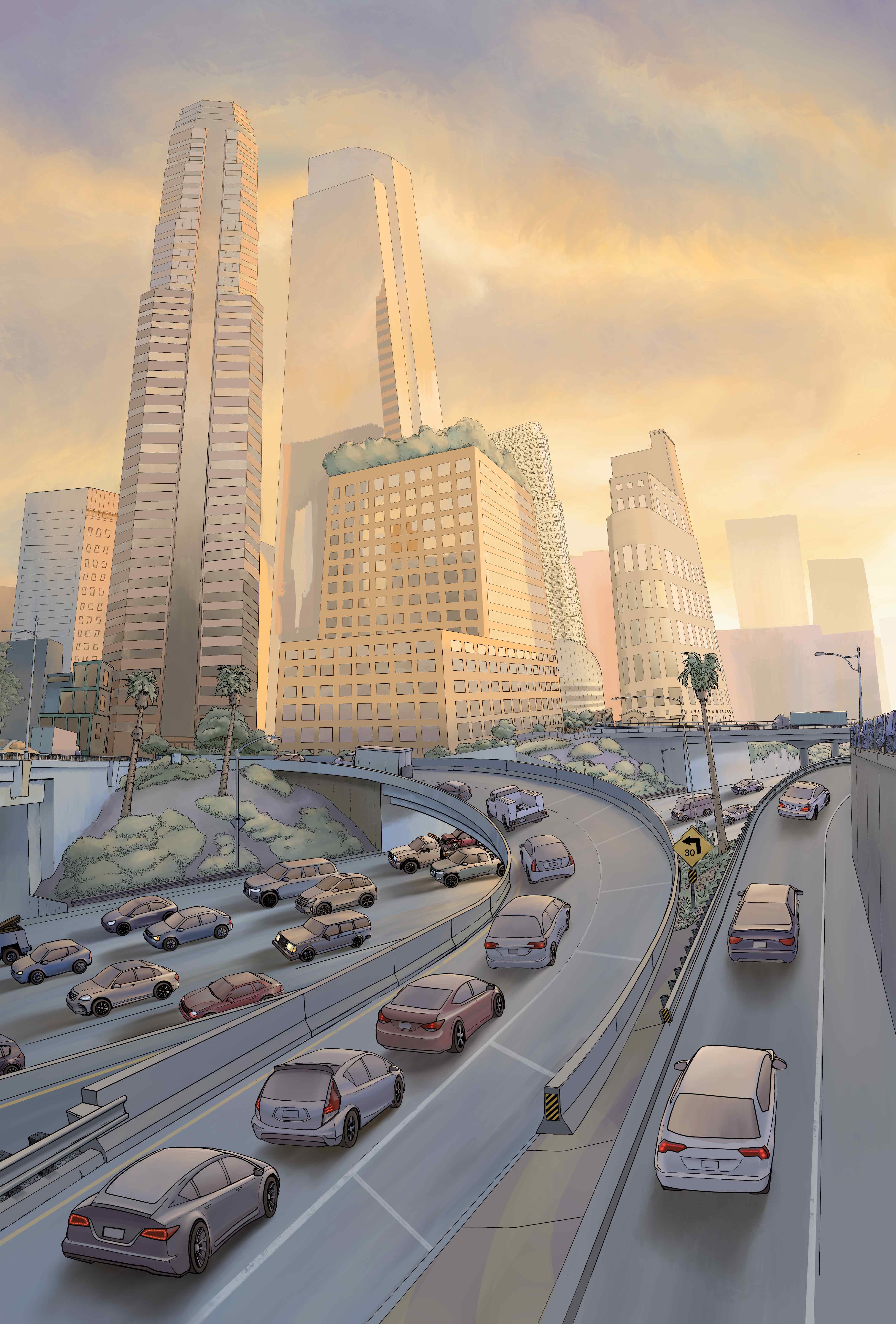
Speaking as a photographer and digital artist, I can tell you that there's really no meaningful comparison between a good trackpad (and Apple's are some of the best), and an Apple Pencil. When it comes to control, using a trackpad is like trying to drive a car with your nose rather than your hands... it's awkward and you're never going to get exactly what you want. An Apple Pencil behaves pretty much just like a pencil - pressure and tilt sensitive with instant feedback appearing on the same screen as the one you're editing on. It makes selective masking, even of an extremely complex variety, trivially easy by giving you absolute control. I really can't recommend it enough for that. I also use it to draw, both in Photoshop and iPadOS's Procreate software. Here's a scene from a graphic novel I'm working on. iPad + Apple Pencil makes it feel like I'm using a sketchbook and pen - it is truly outstanding and makes Wacom products (the current leading-edge in graphics tablets) feel clunky and over-designed.