p.1 #1 · Printing Software for multiple photos on one 8.5x11 Sheet
I need to print 3.5x3.5 photos (1x1) on 8.5x11 inch sheets and I don't have a lot of photo paper so I want to set up a template where I can have each photo pre-arranged on the sheet before I hit print. I re-sized the photos to 2"x2" using PS's Image>Resize & changed the WxH to 2x2 inches, but when I go to print, each image shows up as huge images on an 8.5x11 sheet in both PS and LR's printing software, and in Canon's Professional Printing software that's an add-on in LR.
I've also tried to crop them in Canon Pro Printing, but it doesn't really let you shrink a photo down where you can shrink all of the photos down. In fact, I can't shrink any of the photos down. I should be able to get all at least two or three photos on an 8.5x11" sheet, but I can't find a way to reduce their size. Also, why are they showing up on the sheet much bigger than 2x2" when that's the size I reduced them to?
Do I need some other software to create perhaps a template of four photos on one sheet?
Thanks.
p.1 #3 · Printing Software for multiple photos on one 8.5x11 Sheet
Bill, use LR for your printing and create a template holding multiple photos on one page. There might even be some canned templates already with Lightroom. I use LR for all my printing...miles ahead of PS.
p.1 #5 · Printing Software for multiple photos on one 8.5x11 Sheet
billsamuels wrote:
I don't see that in PS. I'm using PS 2022 and Image > Image Size or Canvas Size, and neither gives me this as an option.
It is interesting how many people buy the latest photo gear, yet never take photo courses, and those that want to post-process their images, yet never take Photoshop, etc., courses. Just saying, not necessarily applying to you.
In every version of Photoshop I have used, you can simply go 'File' in the Menu bar, then scroll down to 'Print'.
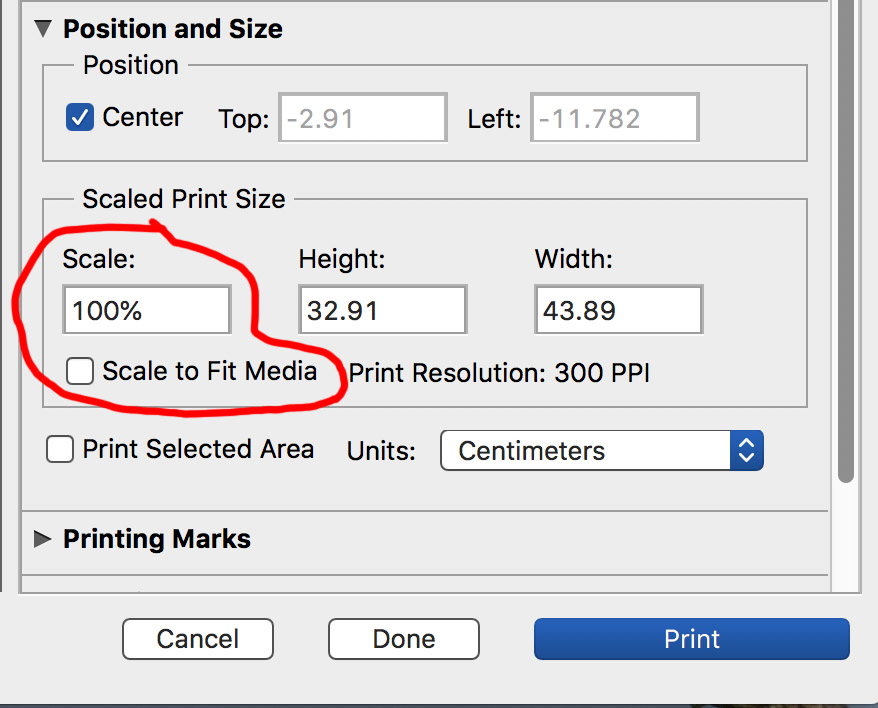
That brings up the Print Window shown below where you can change the printing layout sizes to whatever you want.