Craig Gillette wrote:
Yeah, convenience aside, I'm not sure I want Adobe to buy out one of the competitors. Develop their own competitive integrated alternative, sure.
Yes agree I went to DXO to get away from the pay monthly model at the moment we have several choices wouldn’t want Adobe to buy these companies up
I bought Photolab 5 instead of PureRAW. Not that much more at the moment. And it might give me additional benefits if necessary.
However, I have to say, having Capture One I find the “user interface” of Photolab 5 complicated and cumbersome. But well, this is very personal of course.
You can use DxO Photolab as a plugin for LR and you can export a DNG from Photolab back to LR with only the NR and sharpening and no other edits if you like. So it's essentially acting like PureRAW in that regard, but you get a full on RAW editor if you like.
I use both DxO PL and Topaz Denoise and IMO it's not so straight forward which I regard the best. I find them both amazing and it depends on subject sometimes.
What I often do with birds for example is use DxO Deep Prime to do the initial NR and choose the NR value that keeps best feather detail, at the expense of cleaning up the background as much as you might like. Then later in Photoshop I'll run Topaz DeNoise using low light mode as it's the only mode you can turn off sharpening fully, to clen up say skies and other areas and masking out the subject.
Often I find there's little difference in output, but IMO Topaz's Standard mode is not very good and Low Light is consistently the best but Clear will sometimes work well if the image is a tad soft. That works better on man-made structures though.
My main criticism of Topaz is sharpening can be too aggressive (not always) but I'll turn it off and let something else do the sharpening.
I have more recently given ON1 No Noise a twirl to and it's also bloody good. All these AI based NR systems seem to do incredible jobs at knowing what is noise and what is detail and can even fix detail that has been weakened by noise.
Pixel Perfect wrote:
I have more recently given ON1 No Noise a twirl to and it's also bloody good. All these AI based NR systems seem to do incredible jobs at knowing what is noise and what is detail and can even fix detail that has been weakened by noise.
Yes, the real story here is that we now have at hand an array of superb tools (DxO, Topaz, ON1) that makes what we had just 5-7 years ago look primitive by comparison.
DXO DeepPrime always seems more "transparent" to me when using the resulting DNG in Capture One than the DNG from Topaz. I've extensively tested DXO since a few years, and less Denoise (but I have the last version), and I see less shift in hue or lightness when using the DNG from DXO than from Denoise. It's almost like using a real raw file, without the noise. The DNG from Topaz always seems a little bit more suspect to me.
My workflow :
FastRawViewer for culling.
Culled files opened in DXO and exported in DNG
Importation of the DNG files in C1 and post processing
Export Jpeg.
I use DXO PL5 this way for years (DPL 2, 3 and 4 before of course), even before they specifically made a "denoise and optical corrections only" DNG.
I've tried On1 Nonoise Ai and it does a good job, but from my brief testing I saw a few more artefacts than with DXO.
I strongly encourage everyone to buy DPL5 instead of PureRaw. You will have indeed more control over sharpening (yes, DXO oversharpens by default) and denoising.
And if you don't have a lot of pictures to post process, it's a very nice software. I also prefer their color rendering, way more consistent from camera to camera than C1, when using the "neutral profile". They have a few nice simulations as well (simulations of another camera, ex Canon from a Sony files). Some film simulations are nice as well (mostly the default Astia and Provia), even if a few others are horrible.
Fred Miranda wrote:
DXO Pure Raw is definitely worth the money (even without any discount). There is nothing that comes close to what it does in terms of noise reduction. The resulting file is a DNG file.
Just make sure your camera is supported.
Fred, reading your comments on Pure Raw and its success with your M9 files, I tested it, and IMHO, it east Topaz DeNoise for breakfast.
DeNoise works miracle, but leaves very often small splotches of significant noise (also sharpened...) in unexpected places (i.e. a piece of a window, or part of a face...).
From my limited testing of PureRaw, it is much more reliable, so thanks!
Now, the 64 dollar issue: Topaz works on TIFFS, while Pure Raw outputs a DNG (which probably isn't a pure Raw, as it has DXO color science baked in. So the wonderful COBALT profiles do not work with it, because the DNG has a different color signature than the raw from the camera...
ilnonno wrote:
Now, the 64 dollar issue: Topaz works on TIFFS, while Pure Raw outputs a DNG (which probably isn't a pure Raw, as it has DXO color science baked in. So the wonderful COBALT profiles do not work with it, because the DNG has a different color signature than the raw from the camera...
How do you (if!) deal with this?
Thanks!
If I can, I will answer that question which is not asked to me.
I've post processed dozens of thousands of DNG files from DXO in C1 using various profiles, and I have of course also done a few comparisons of the color rendering between the raw files and the resulting DNG from DXO. I have yet to see a significant difference between the 2. There is no color profiles baked in the DNG. You can apply a color profile in DXO (EDIT : what I meant was : you can apply a color profile in C1 of course) on the DNG file.
Ayoul wrote:
If I can, I will answer that question which is not asked to me.
I've post processed dozens of thousands of DNG files from DXO in C1 using various profiles, and I have of course also done a few comparisons of the color rendering between the raw files and the resulting DNG from DXO. I have yet to see a significant difference between the 2. There is no color profiles baked in the DNG. You can apply a color profile in DXO on the DNG file.
Thanks Ayoul,
maybe it is different with C1.
I did process some files both through Pure Raw and Lightroom. When applying Cobalt profiles, the two images (Pure Raw & Lightroom) show significant differences.
The great people at COBALT explained me that Pure Raw ingraines its own colour rendition in the DNG, hence the difference.
I am sure you love C1 for its colours. I like it too much more than Lightroom, but Lightroom allows me much easier retouching, and has a functioning catalogue, so C1 never was an option, despite trying it almost every year.
But Lightroom kind of sucks with my A7 III raw files: using the COBALT profile instead renders gorgeous and realistic colours (and then I can also use the beautiful film emulations).
So, a certainly in colour signature between Pure Raw and Lightroom certainly exists...
ilnonno wrote:
Fred, reading your comments on Pure Raw and its success with your M9 files, I tested it, and IMHO, it east Topaz DeNoise for breakfast.
DeNoise works miracle, but leaves very often small splotches of significant noise (also sharpened...) in unexpected places (i.e. a piece of a window, or part of a face...).
From my limited testing of PureRaw, it is much more reliable, so thanks!
Now, the 64 dollar issue: Topaz works on TIFFS, while Pure Raw outputs a DNG (which probably isn't a pure Raw, as it has DXO color science baked in. So the wonderful COBALT profiles do not work with it, because the DNG has a different color signature than the raw from the camera...
True, sorry if I was not clear enough.
And that is also the whole point: using Lightroom with the appropriate profiles to output the best possible colour, and the head to Topaz for denoising. Something that I think is impossible with Pure Raw?
Zenon Char wrote:
You can now use a Raw with Topaz.
maybe it is different with C1.
I did process some files both through Pure Raw and Lightroom. When applying Cobalt profiles, the two images (Pure Raw & Lightroom) show significant differences.
The great people at COBALT explained me that Pure Raw ingraines its own colour rendition in the DNG, hence the difference.
I am sure you love C1 for its colours. I like it too much more than Lightroom, but Lightroom allows me much easier retouching, and has a functioning catalogue, so C1 never was an option, despite trying it almost every year.
But Lightroom kind of sucks with my A7 III raw files: using the COBALT profile instead renders gorgeous and realistic colours (and then I can also use the beautiful film emulations).
So, a certainly in colour signature between Pure Raw and Lightroom certainly exists... ...Show more →
I’m not fond of PureRaw messing with the colour. It should have an option not to like Topaz has.
ilnonno wrote:
Fred, reading your comments on Pure Raw and its success with your M9 files, I tested it, and IMHO, it east Topaz DeNoise for breakfast.
DeNoise works miracle, but leaves very often small splotches of significant noise (also sharpened...) in unexpected places (i.e. a piece of a window, or part of a face...).
From my limited testing of PureRaw, it is much more reliable, so thanks!
Now, the 64 dollar issue: Topaz works on TIFFS, while Pure Raw outputs a DNG (which probably isn't a pure Raw, as it has DXO color science baked in. So the wonderful COBALT profiles do not work with it, because the DNG has a different color signature than the raw from the camera...
Cobalt profiles (Standard, Neutral, Repro, Flat) work in DxO Photolab and I use these profiles on a regular basis. As I mentioned this above, my workflow involves producing TIFF files from Photolab, to feed to Topas DeNoise which I use as a JPG generator.
ilnonno wrote:
Fred, reading your comments on Pure Raw and its success with your M9 files, I tested it, and IMHO, it east Topaz DeNoise for breakfast.
DeNoise works miracle, but leaves very often small splotches of significant noise (also sharpened...) in unexpected places (i.e. a piece of a window, or part of a face...).
From my limited testing of PureRaw, it is much more reliable, so thanks!
Now, the 64 dollar issue: Topaz works on TIFFS, while Pure Raw outputs a DNG (which probably isn't a pure Raw, as it has DXO color science baked in. So the wonderful COBALT profiles do not work with it, because the DNG has a different color signature than the raw from the camera...
Hi,
Cobalt profiles still work with deep prime DNG files from the M9 or any other compatible camera. The reason is that it does not change the EXIF data where the camera maker and name are located.
Here is a sample using the Leica M9 at ISO 2,000 (which is just a mess without noise reduction)
I was still able to use the Cobalts GFX100 Nostalgic Neg profile on it.
j4nu wrote:
Thanks, I'll probably try the RAW option in Topaz, just to see how it compares. The thing is I'm shooting in lossless and it's 9 months or so since A1 release and Topaz still does not support it...
It’s a little cumbersome. I’d use it if I had it gave me access to Adobe and Camera profiles. It does for Sony nut not for Canon yet. I’ll wait until Topaz figures it out.
Craig Gillette wrote:
Yeah, convenience aside, I'm not sure I want Adobe to buy out one of the competitors. Develop their own competitive integrated alternative, sure.
I doubt they will but once in a while I tease the DXO fans about it. I know they don’t like it. Even if Adobe did there would be 2 left and there will be others in the future. In 5 years this won’t be a big deal. Tech always advances and gets easier. People quit the big ones and start new software. Look at Affinity. I was in print media. When PS first came out they told us a licence was $80,000.
zeitlos wrote:
I bought Photolab 5 instead of PureRAW. Not that much more at the moment. And it might give me additional benefits if necessary.
However, I have to say, having Capture One I find the “user interface” of Photolab 5 complicated and cumbersome. But well, this is very personal of course.
It is worth mentioning that DxO Photolab allows one to customize the workspace and save it. One can also build a custom "palette" with the personal selection of the preferred corrections. Then, there is no need to move between the tabs when using this custom palette. Your experience of finding the user interface of Photolab 5 as "complicated and cumbersome" was exactly my experience of trying Capture One several times - never liked it. I am sure however, that this reaction is merely due to the natural human feeling of discomfort when faced with an unfamiliar environment. I don't mean to criticize Capture One.
Two years ago I made a request for Noise Reduction Sensei at Adobe support. Simon Chen responded. I posted again when DeepPrime and NoNoise came out. They shut that one down and created new forum. I make another request and linked the first request.
One of the senior members at the Lightroom Queen encouraged me to do that.
maybe it is different with C1.
I did process some files both through Pure Raw and Lightroom. When applying Cobalt profiles, the two images (Pure Raw & Lightroom) show significant differences.
The great people at COBALT explained me that Pure Raw ingraines its own colour rendition in the DNG, hence the difference.
I am sure you love C1 for its colours. I like it too much more than Lightroom, but Lightroom allows me much easier retouching, and has a functioning catalogue, so C1 never was an option, despite trying it almost every year.
But Lightroom kind of sucks with my A7 III raw files: using the COBALT profile instead renders gorgeous and realistic colours (and then I can also use the beautiful film emulations).
So, a certainly in colour signature between Pure Raw and Lightroom certainly exists... ...Show more →
I just tried in LR with the neutral cobalt profile on a raw file and on the DNG file, and I can't see a différence. It's the same with a film preset / profile
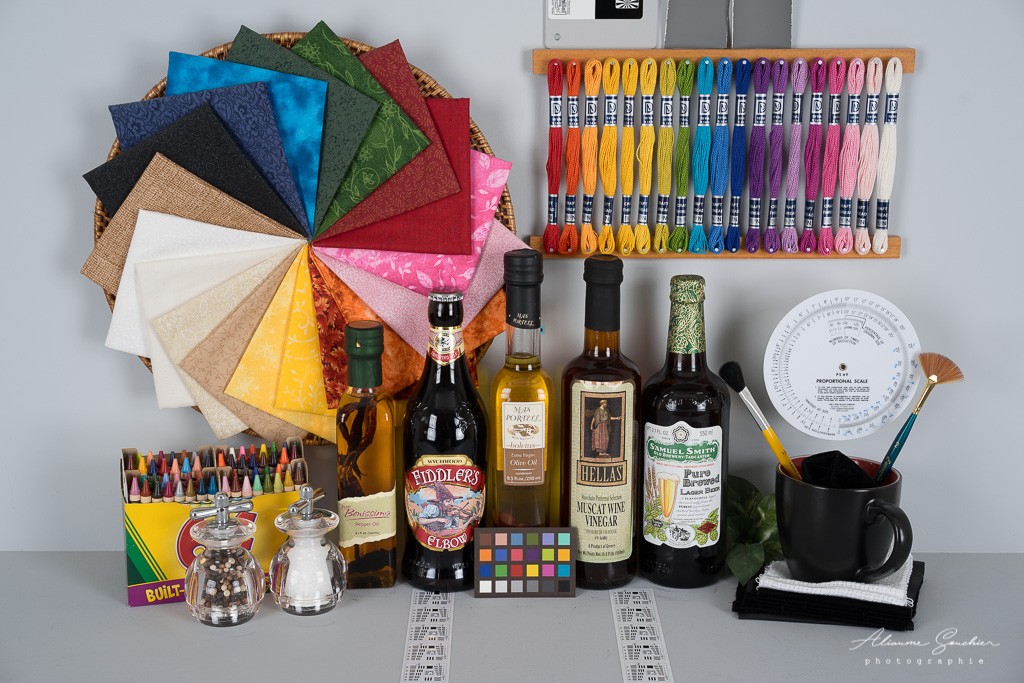
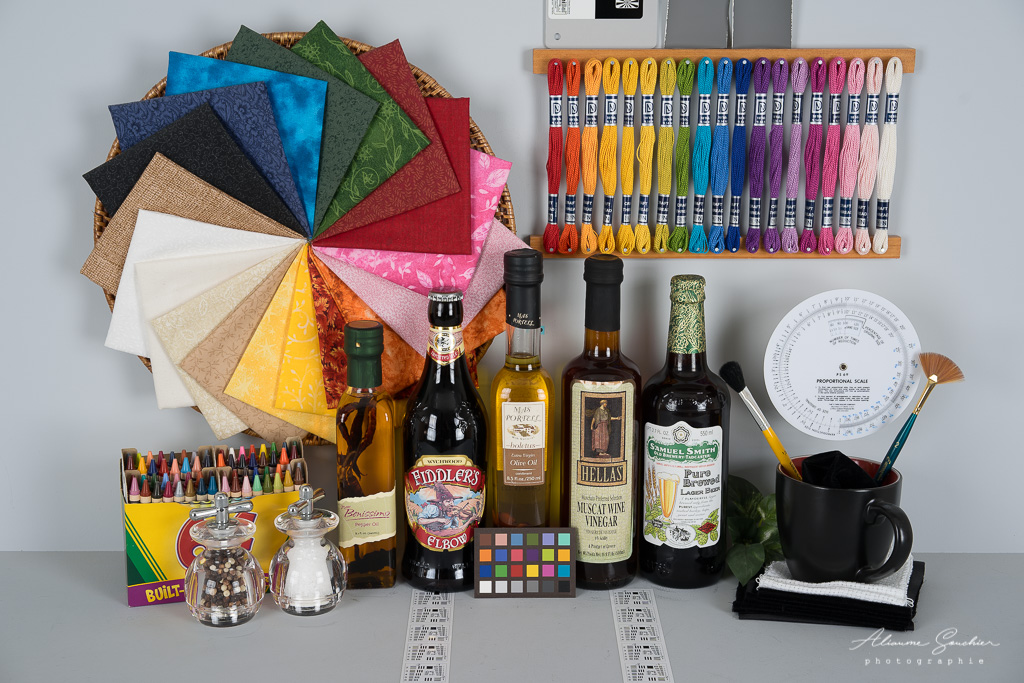
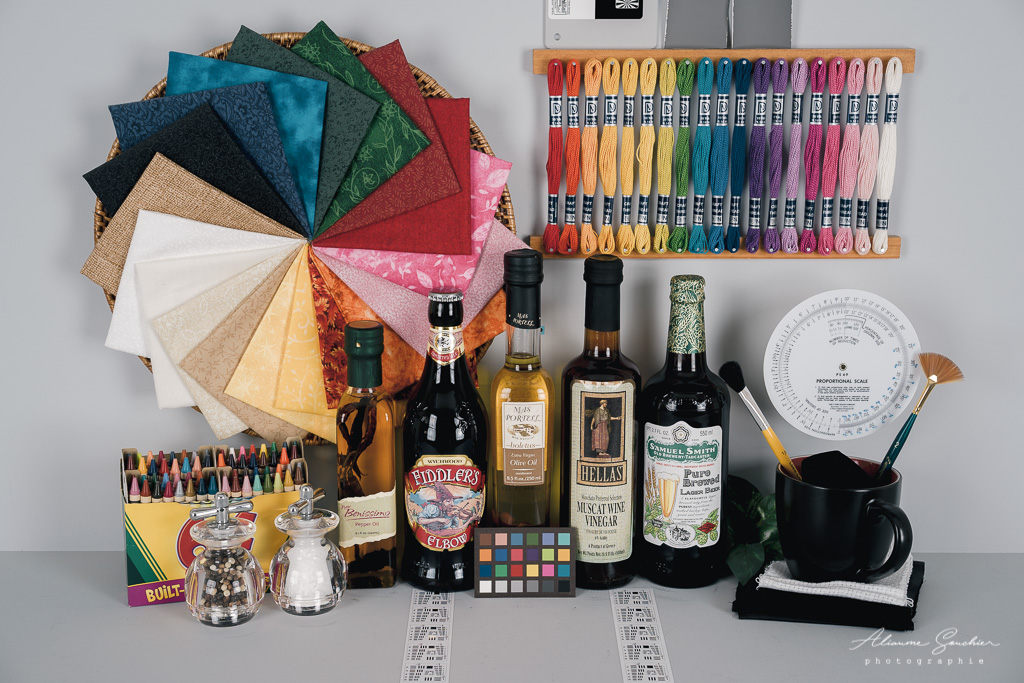
Raw neutral :
DNG neutral :
Raw film Fuji Pro800 :
DNG film Fuji Pro800 :
The raw is from a Sony A9.
The only difference I can think of is the white balance.
By default, the white balance between the raw and the DNG is of course unchanged, as you can see here, but there is a very slight difference on the values displayed by the 2 sliders in LR (blue/yellow and magenta/green). Be sure to compare the pictures with the default white balance and do not try to synchronise the white balance of your DNG and your raw file.
FYI, this was done with PL 5 and not PureRaw. It should not render very differently but who knows.
Maybe you can send me one of your raws, I will see if it shows a difference with my workflow.
Fred Miranda wrote:
Hi,
Cobalt profiles still work with deep prime DNG files from the M9 or any other compatible camera. The reason is that it does not change the EXIF data where the camera maker and name are located.
Here is a sample using the Leica M9 at ISO 2,000 (which is just a mess without noise reduction)
I was still able to use the Cobalts GFX100 Nostalgic Neg profile on it.
So it comes back from PureRaw and your Cobalt profile matches the original RAW file?
Perhaps it is PhotoLab vs Pure Raw?
PhotoLab (which I am testing now) allows the selection of the "proper" body profile (in my case A7 III), which "might" be similar enough to the Cobalt profile?
In any case: last time I tested DXO software was quite a few years ago, and it was clunky.
PhotoLab is frankly exceedingly good: a lot faster than Lightroom on my machine, with excellent brush support, and apparently lovely output. Damn Adobe...