Hello everyone I see DXO has a 50% off sale and I’m curious with Sony a1 RAW files if you see any anti noise difference between DXO and Topaz? I find DeNoise doesn’t do as good of a job with a1 files compared to my Nikon D850 files when I shot Nikon.
I bought DXO PureRaw for 50 percent off and it removes noise much better and easier than Topaz for me. I tried it in all kinds of high iso photos from cameras from 2005 to now. There’s no settings involved and the DNG output is really nice. Fred Miranda posted he uses it all the time now in the summer. It’s really pretty incredible and outputs a clean DNG with nearly mo settings to fiddle with. I’d recommend it!
I find DXO PureRaw and ON1 NoNoise AI 2022 both give similar superb results cleaning up high ISO A1 raw files.
I use both in combination with Capture One.
DXO Pure Raw is definitely worth the money (even without any discount). There is nothing that comes close to what it does in terms of noise reduction. The resulting file is a DNG file.
Just make sure your camera is supported.
Is that PureRaw or PhotoLab vs Topaz (the sharpening defaults are different from what I've read) ?
And more interestingly, how did the head part near the beak actually look, as the major color shifts significantly betwen the two imho...
My first impression (just bought Topaz the other day) is that Topaz does a better job than PhotoLab at sharpening (preserving / extracting detail) , but I guess it also means it can sometimes oversharpen by default. Also, I tried this on a photo with a lens that does not yet have a DxO profile, so no "super sharpening" mode was available .
I went for DxO as their software has all the features I need to make my photos very presentable on the web without spending too much time on it. Good UI, very good performance and features, and a good price. Also, very good lens corrections. And the noise reduction is perfect!
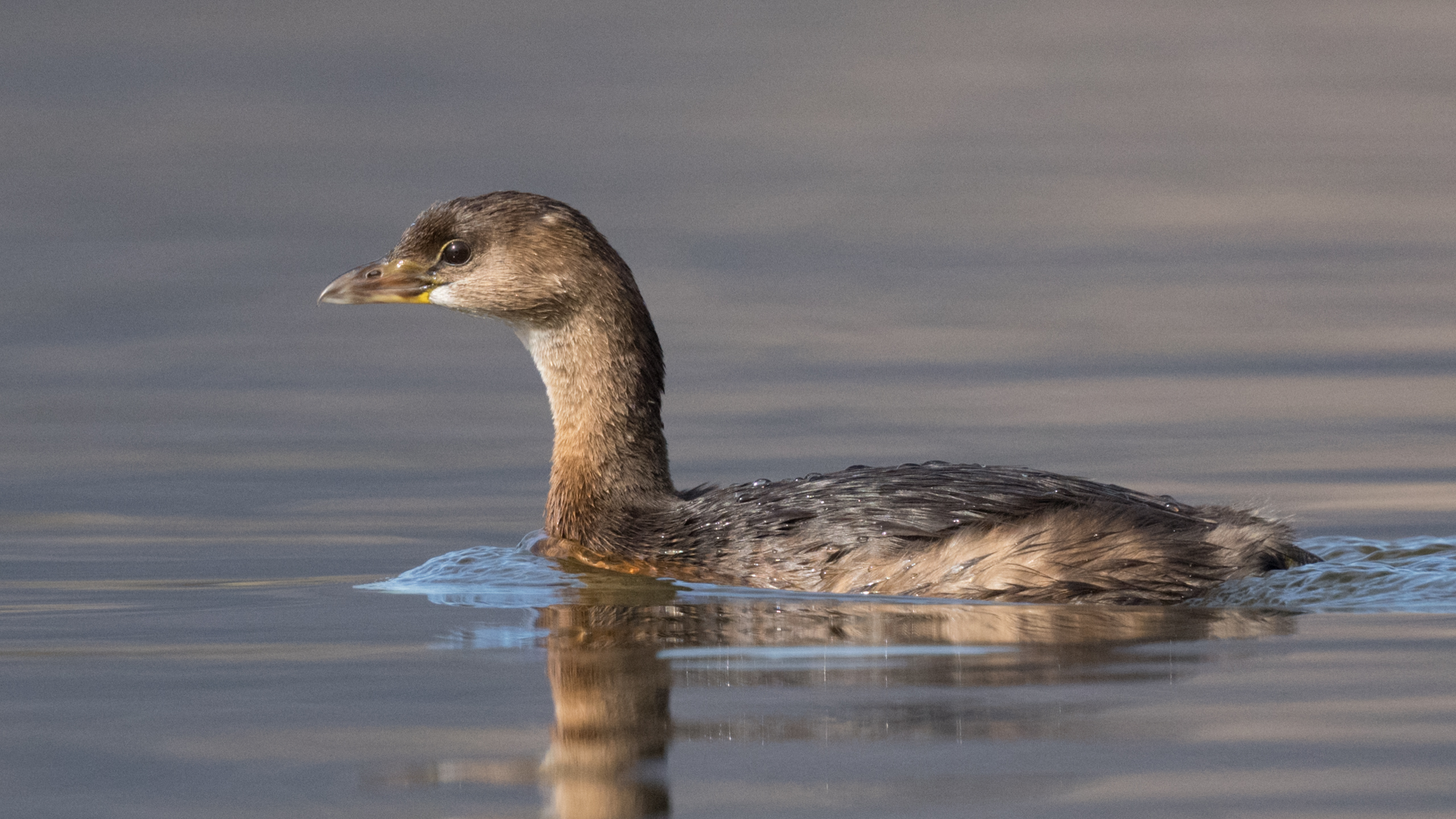
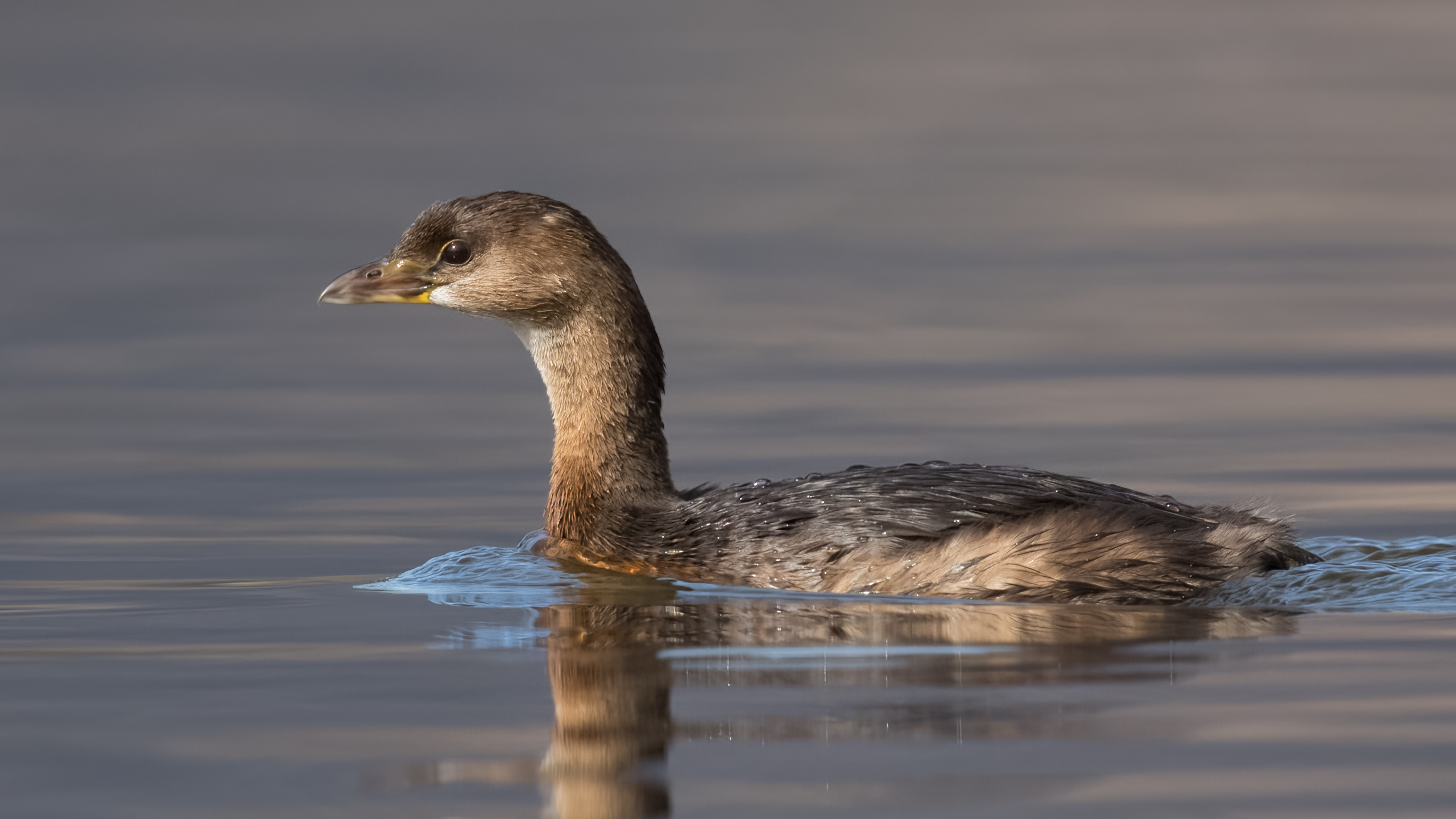
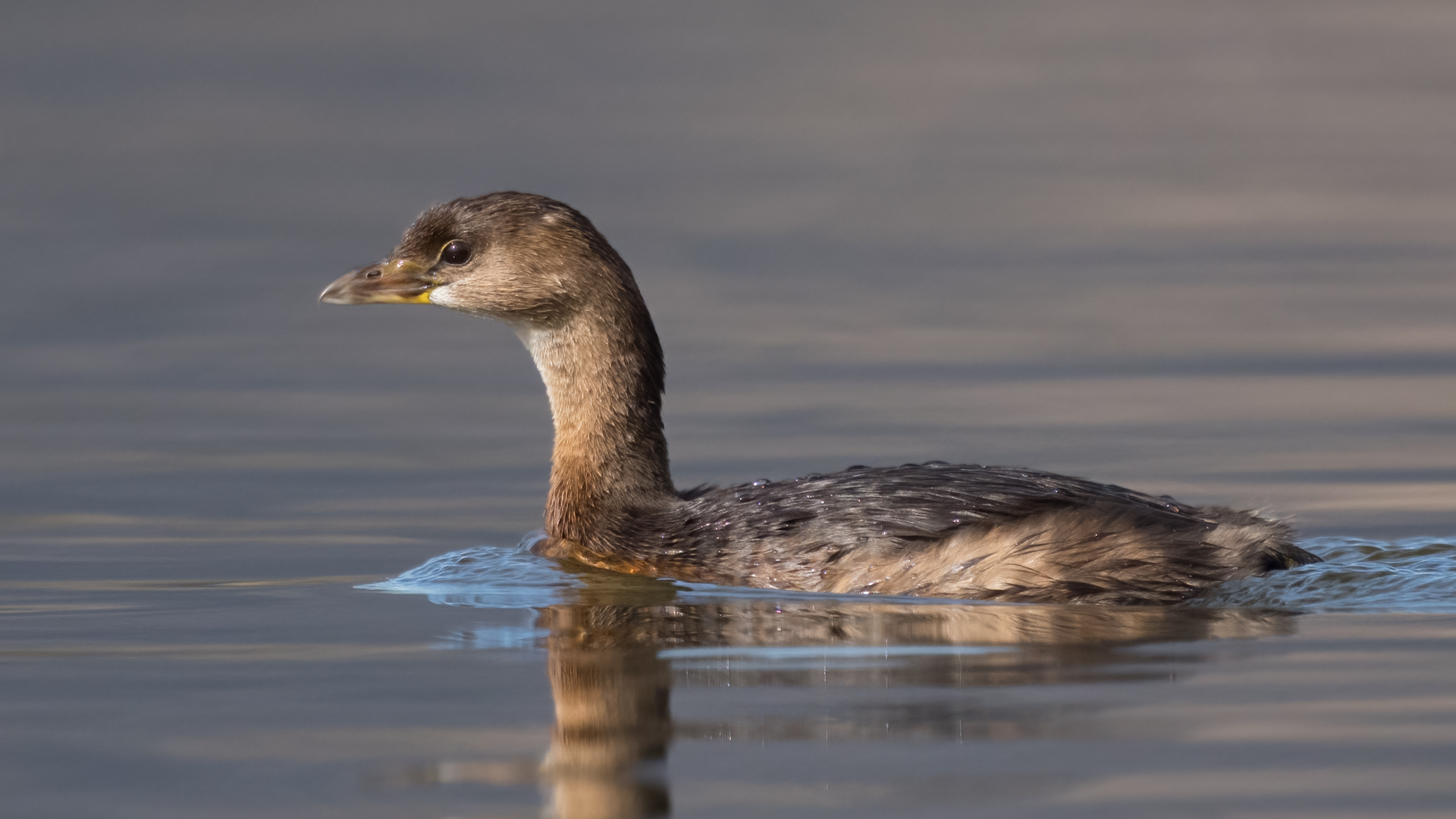
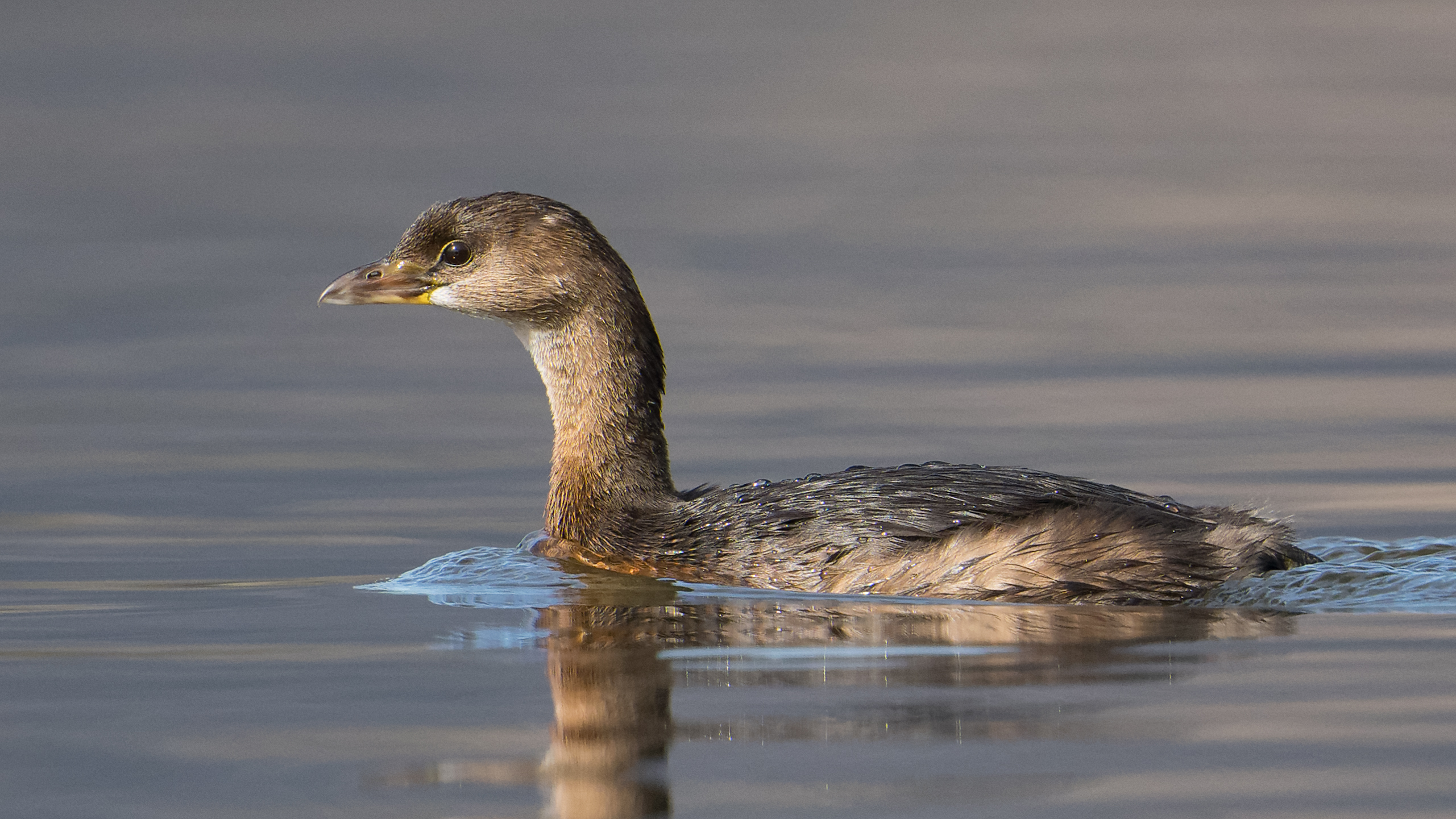
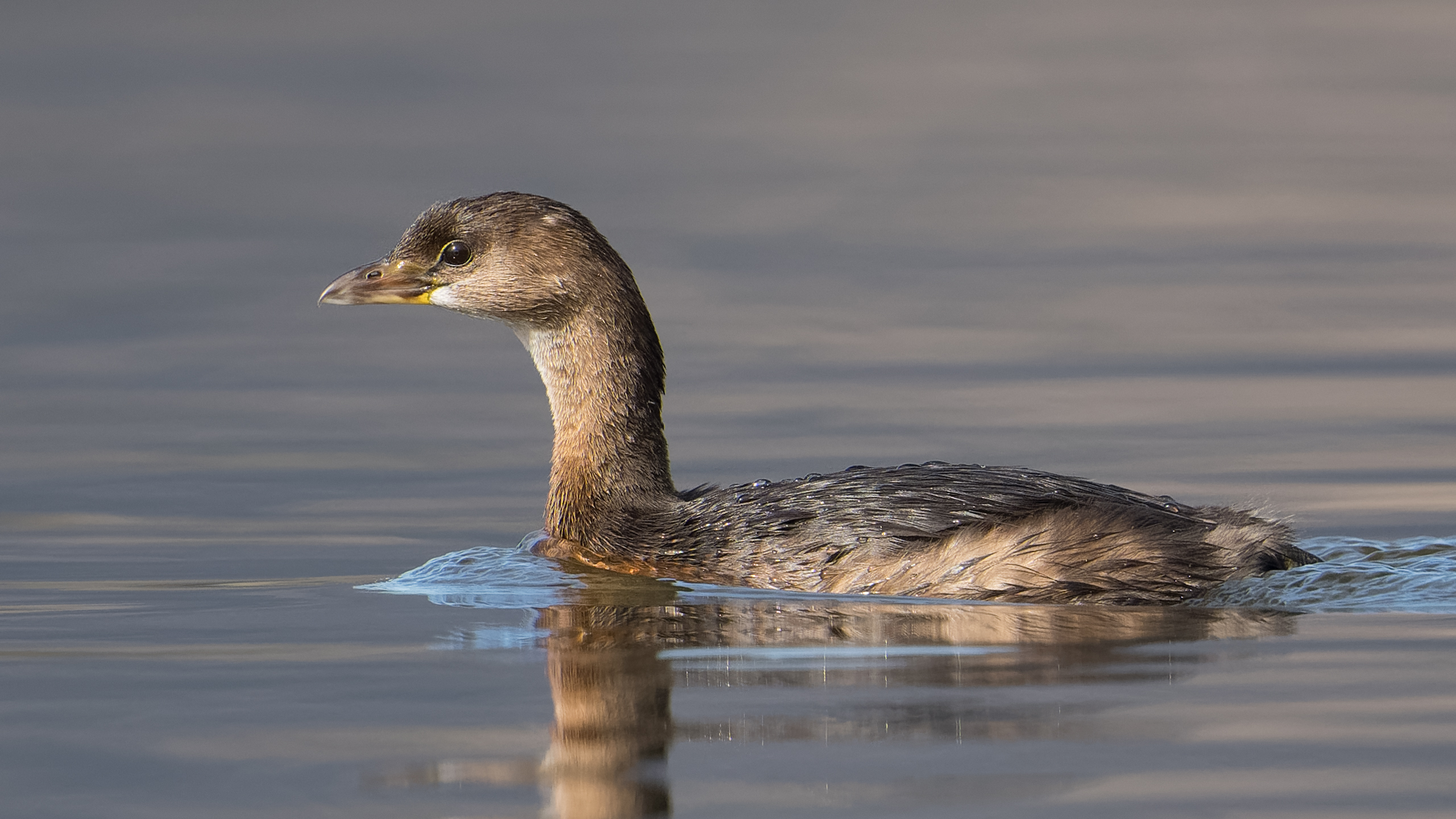
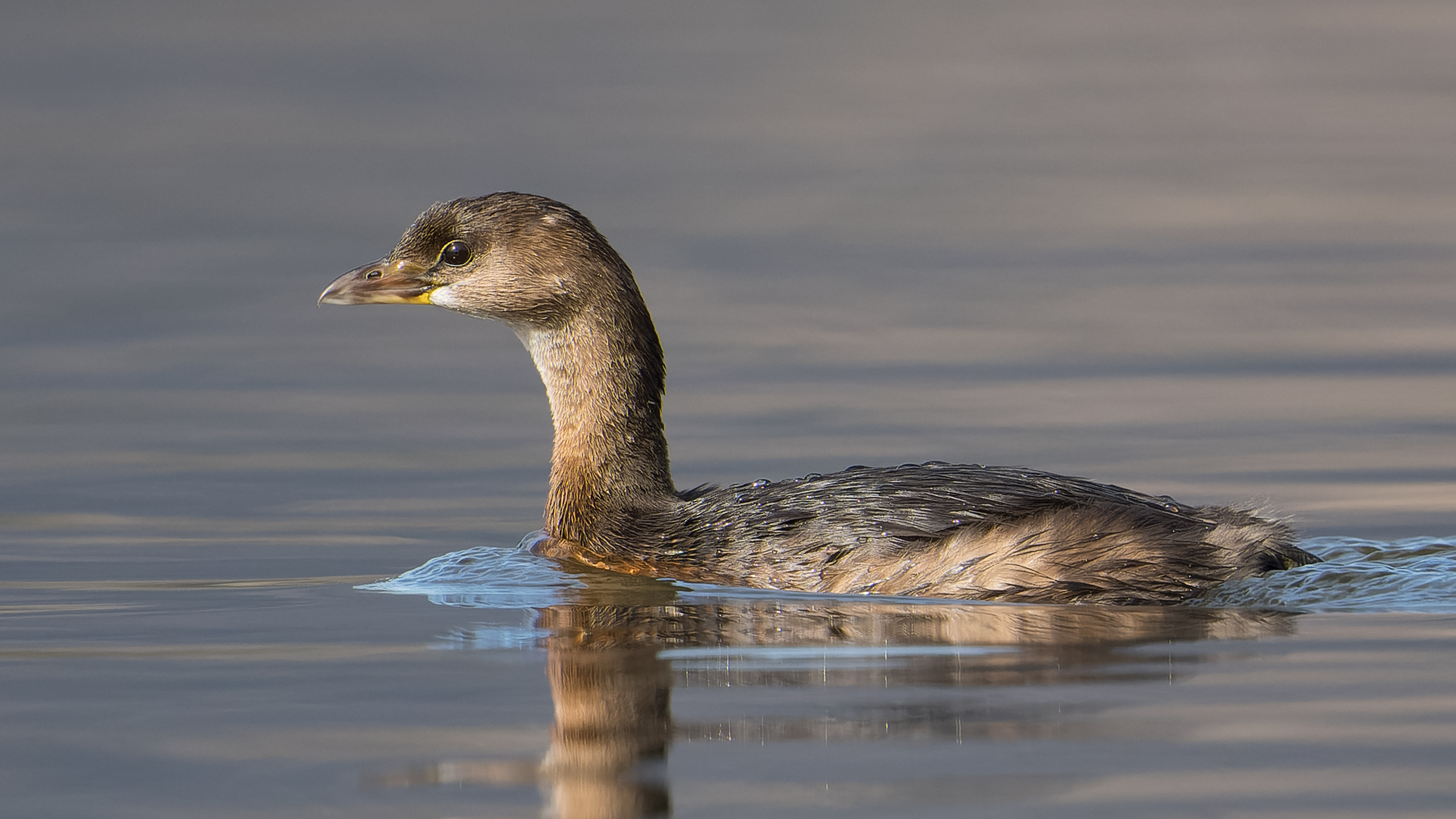
Looks to me like set 1 has more noise, which creates the impression that it is slightly sharper (while that is not necessarily the case).
Regardless of the results of this little "test" at web resolutions, I do think that the critical users whose opinions I have encountered (like Fred) consider DXO's noise reduction to be superb and prefer it to the others they have tried.
I processed an A1 file with DxO PureRAW and Topaz DeNoise AI for comparison. The image has been cropped to 2K resolution and presented here at that resolution, so what you are seeing is 1:1 pixel resolution. The original ARW file was opened in Topaz DeNoise using their RAW workflow, with the settings set to Auto. The DXO files were also opened using their RAW workflow, and since there are no processing settings, processed at DXO's settings. The ARW original and the DNG files produced by DXO and Topaz were unedited except for the crop and I applied +0.5 stop of exposure correction.
I find that both do an excellent job of reducing noise and retaining detail. I find that the DXO processing goes well beyond that and applies a lot of sharpening and contrast. Too much for my taste. It is easy to apply sharpening or contrast/clarity/texture and I prefer to do that myself rather than have it applied to the DNG file.
dclark wrote:
I processed an A1 file with DxO PureRAW and Topaz DeNoise AI for comparison. The image has been cropped to 2K resolution and presented here at that resolution, so what you are seeing is 1:1 pixel resolution. The original ARW file was opened in Topaz DeNoise using their RAW workflow, with the settings set to Auto. The DXO files were also opened using their RAW workflow, and since there are not processing settings, processed at DXO's settings. The ARW original and the DNG files produced by DXO and Topaz were unedited except for the crop and I applied +0.5 stop of exposure correction.
I find that both do an excellent job of reducing noise and retaining detail. I find that the DXO processing go well beyond that and applies a lot of sharpening and contrast. Too much for my taste. It is easy to apply sharpening or contrast/clarity/texture and I prefer to do that myself rather than have it applied to the DNG file.
Very nice comparison! I don't have DXO PureRAW, so I don't know what controls it offers in comparison to DXO PhotoLab 4. But in PhotoLab, you can adjust the sharpening and contrast to taste. PhotoLab is designed to give you more auto editing options than you may want, but they are all easily adjustable. And as I recall in Topaz, you can also adjust the sharpening away from the preset levels. So, perhaps the difference in sharpening and contrast in your sample is mainly a matter of where each program sets its presets and easily adjustable in either?
j4nu wrote:
Is that PureRaw or PhotoLab vs Topaz (the sharpening defaults are different from what I've read) ?
And more interestingly, how did the head part near the beak actually look, as the major color shifts significantly betwen the two imho...
My first impression (just bought Topaz the other day) is that Topaz does a better job than PhotoLab at sharpening (preserving / extracting detail) , but I guess it also means it can sometimes oversharpen by default. Also, I tried this on a photo with a lens that does not yet have a DxO profile, so no "super sharpening" mode was available ....Show more →
If you use the latest Topaz DeNoise, note that "Low Light - Auto" seems to work the best of the four available modes. "Clear" can over-sharpen, and may produce artefacts.


 (the sharpening defaults are different from what I've read) ?
 .
.