This topic is in the 2021 archive. You can read it and like its posts here. It is read only.
Archive 2021DxO PhotoLab 5 now with X-Trans support (beta)
p.1 #1DxO PhotoLab 5 now with X-Trans support (beta)
Exciting. Just installing to see how it works. Fingers crossed.
Oct 20, 2021 at 08:01 AM
p.1 #2DxO PhotoLab 5 now with X-Trans support (beta)
First impression: Seems stable, fast enough. Colors better than in LR, in particular skin tones. Auto AWB way better than in LR (which always gives me yellowish results no matter which camera). No film simulations (or I haven't found them). But if I wanted film simulations, I would do in-camera or with Fuji software.
Oct 20, 2021 at 09:15 AM
p.1 #3DxO PhotoLab 5 now with X-Trans support (beta)
This is very good news... it should help the Fuji X series catch up to (and hopefully pass) m4/3 in high-ISO noise performance once again. The m4/3 files respond beautifully to the DxO PureRAW processing, giving really nice, clean results at ISO 6400 and even 12800, but until now the only option for Fuji X-Trans has been Topaz DeNoise A!, which I found to be very disappointing.
Initial test shows a nice improvement at ISO 3200 - I will have to look and see if I have anything shot at higher ISO that I actually kept.

DxO Deep Prime Noise Reduction
Initial test shows a nice improvement at ISO 3200 - I will have to look and see if I have anything shot at higher ISO that I actually kept.
DxO Deep Prime Noise Reduction
Oct 20, 2021 at 11:16 AM
p.1 #4DxO PhotoLab 5 now with X-Trans support (beta)
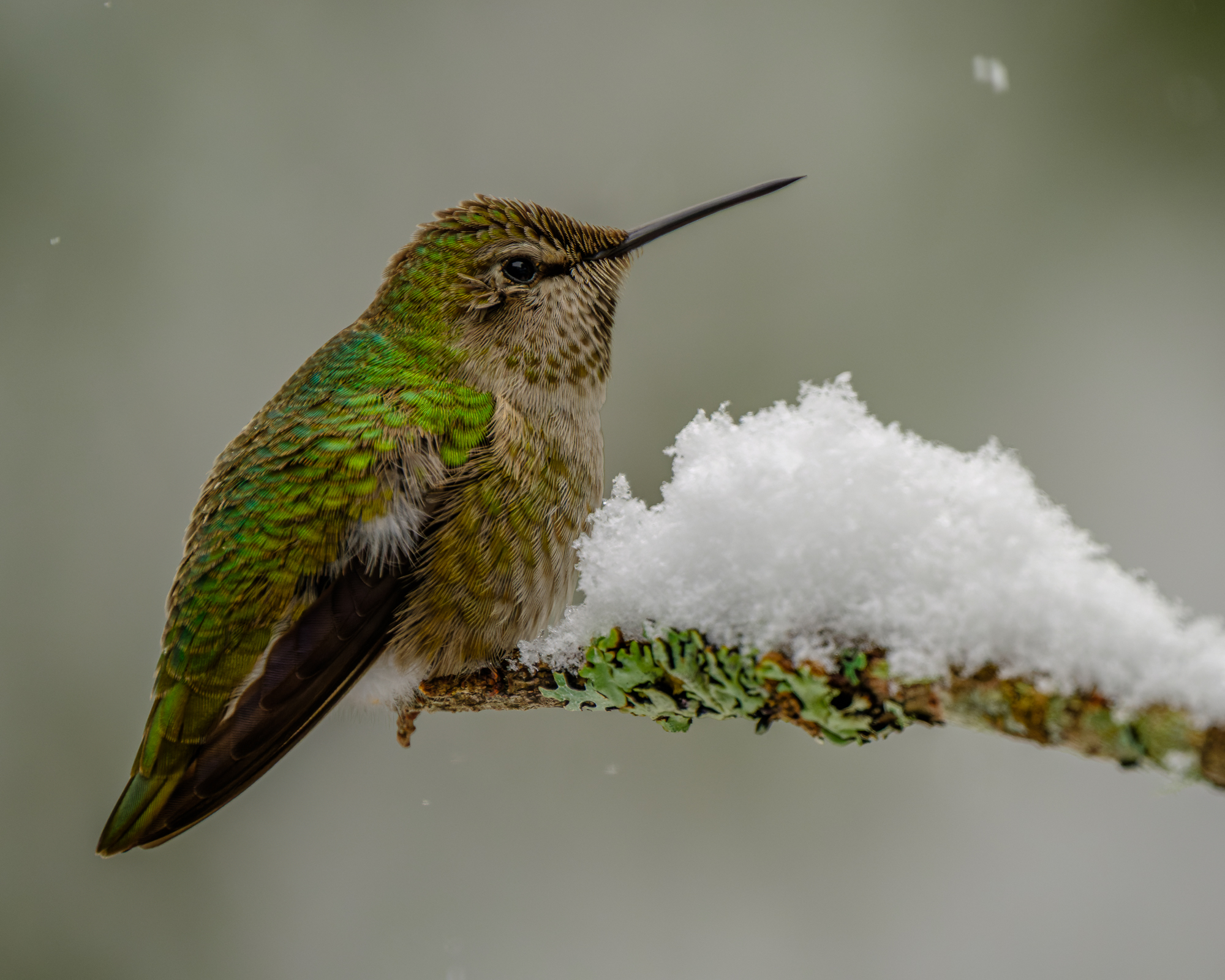
A re-worked X-H1 file, using DxO Photolab5 and PureRAW noise reduction... still room for improvement, but much better than the results from LR.
 |
||
 |
||
|
Oct 20, 2021 at 12:35 PM
p.1 #5DxO PhotoLab 5 now with X-Trans support (beta)
DxO seems to not suffer from the same demosaicing artifacts that LR does... this file was processed using PureRAW and exported to LR, when the identical adjustments (including default sharpening settings) were made to both file (viewing at 200%).

X-T3 + XF 100-400mm f4.5-5.6, 400mm, 1/1250@f8, ISO 400
X-T3 + XF 100-400mm f4.5-5.6, 400mm, 1/1250@f8, ISO 400
Oct 20, 2021 at 01:16 PM
p.1 #6DxO PhotoLab 5 now with X-Trans support (beta)
The raw conversion part is very good with excellent colors and sharpness. Speed on my PC is also good, but could be improved further (in particular previews building in a folde with many images). Of course, may also be my computer (i7 6700K, GTX1080, 16GB RAM, SSD). Curious why there are no "auto exposure" modes for Fuji.
Oct 21, 2021 at 04:53 AM
p.1 #7DxO PhotoLab 5 now with X-Trans support (beta)
Any reason why I would prefer this over Capture One ?
Oct 21, 2021 at 05:31 AM
p.1 #8DxO PhotoLab 5 now with X-Trans support (beta)
Question: does their film pack also support Fuji X? As I mainly use Capture (and less and less LR), I do not need another converter.
EDIT: Answer is yes according to dpreview article. Not that I don't have enough film presets, but yet I will try out the demo.
EDIT: Answer is yes according to dpreview article. Not that I don't have enough film presets, but yet I will try out the demo.
Oct 21, 2021 at 05:39 AM
p.1 #9DxO PhotoLab 5 now with X-Trans support (beta)
Sauseschritt wrote:
Any reason why I would prefer this over Capture One ?
Subjective, but I find colors are better reproduced with DoX PhotoLab. Raw devlopment seems better than in LR, on par with C1. Operation is vastly different from LR and C1 - which has made it diufficult for me to switch. And since Fuji wasn't supported, it was a no go. But now I am takign another look - and like what I see.
Any reason why I would prefer this over Capture One ?
Subjective, but I find colors are better reproduced with DoX PhotoLab. Raw devlopment seems better than in LR, on par with C1. Operation is vastly different from LR and C1 - which has made it diufficult for me to switch. And since Fuji wasn't supported, it was a no go. But now I am takign another look - and like what I see.
Oct 21, 2021 at 06:50 AM
p.1 #10DxO PhotoLab 5 now with X-Trans support (beta)
Sauseschritt wrote:
Any reason why I would prefer this over Capture One ?
For those times you might need to shoot at high ISO's - the DxO noise reduction is better than anything else I've seen.
Any reason why I would prefer this over Capture One ?
For those times you might need to shoot at high ISO's - the DxO noise reduction is better than anything else I've seen.
Oct 21, 2021 at 04:56 PM
p.1 #11DxO PhotoLab 5 now with X-Trans support (beta)
The new DxO PhotoLab 5 release is amazing. An older Fuji X100T photo. I didn't like any of my attempts to process the RAW with LRC or C1. Now I'm happy.
JPG
https://photos.smugmug.com/Travel/North-America/New-York/i-xrqsTFr/0/42a00509/X2/DSCF0907-X2.jpg
DxP PL5 processed
https://photos.smugmug.com/Travel/North-America/New-York/i-GdN85h7/0/52b544d4/X2/DSCF0907_DxO-X2.jpg
JPG
https://photos.smugmug.com/Travel/North-America/New-York/i-xrqsTFr/0/42a00509/X2/DSCF0907-X2.jpg
DxP PL5 processed
https://photos.smugmug.com/Travel/North-America/New-York/i-GdN85h7/0/52b544d4/X2/DSCF0907_DxO-X2.jpg
Oct 23, 2021 at 04:51 AM
p.1 #12DxO PhotoLab 5 now with X-Trans support (beta)
In the processed image above I used in DxO PL5 the rendering setting "Neutral color, factory tonality". I noticed that it leads sometimes to strong shifts from orange to red as can be seen on the hood of the white car at the right bottom corner. Here now the standard setting "Camera default rendering".
https://photos.smugmug.com/Travel/North-America/New-York/i-NbBDr3v/0/fd364fb1/X2/DSCF0907_DxO-1-X2.jpg
https://photos.smugmug.com/Travel/North-America/New-York/i-NbBDr3v/0/fd364fb1/X2/DSCF0907_DxO-1-X2.jpg
Oct 23, 2021 at 07:14 AM
p.1 #13DxO PhotoLab 5 now with X-Trans support (beta)
molson wrote:
This is very good news... it should help the Fuji X series catch up to (and hopefully pass) m4/3 in high-ISO noise performance once again. The m4/3 files respond beautifully to the DxO PureRAW processing, giving really nice, clean results at ISO 6400 and even 12800, but until now the only option for Fuji X-Trans has been Topaz DeNoise A!, which I found to be very disappointing.
Initial test shows a nice improvement at ISO 3200 - I will have to look and see if I have anything shot at higher ISO that I actually kept.
That's really amazing.
This is very good news... it should help the Fuji X series catch up to (and hopefully pass) m4/3 in high-ISO noise performance once again. The m4/3 files respond beautifully to the DxO PureRAW processing, giving really nice, clean results at ISO 6400 and even 12800, but until now the only option for Fuji X-Trans has been Topaz DeNoise A!, which I found to be very disappointing.
Initial test shows a nice improvement at ISO 3200 - I will have to look and see if I have anything shot at higher ISO that I actually kept.
That's really amazing.
Oct 23, 2021 at 12:21 PM
p.1 #14DxO PhotoLab 5 now with X-Trans support (beta)
and the DxO PL5 RAW conversion doesn't have the mushy impression of LRC irrespective of sharpening. Again X100T, F8 with wide-angle converter.
https://photos.smugmug.com/Photography/Color-experience/i-JP4Gr92/0/d777bf21/X5/Screen%20Shot%202021-10-23%20at%2023.02.12-X5.jpg
https://photos.smugmug.com/Photography/Color-experience/i-JP4Gr92/0/d777bf21/X5/Screen%20Shot%202021-10-23%20at%2023.02.12-X5.jpg
Oct 23, 2021 at 03:16 PM
p.1 #15DxO PhotoLab 5 now with X-Trans support (beta)
Please note that DxO PhotoLab and DxO PureRAW are two different apps. Both have excellent DeepPRIME noise reduction. However, PhotoLab has the advantage that it has an LrC plugin. Therefore I prefer it to PureRAW. Also, PureRAW does not support Fuji files yet, AFAIK.
My workflow is based on Adobe software. However, if necessary, I use Iridient's X-Transformer. Has anyone done a comparison between DxO PhotoLab's and Iridient's demosaicing of Fuji files? Ideally, I would replace Iridient's tool with DxO, as I like DeepPRIME on m43 and Fuji APS-C files.
My workflow is based on Adobe software. However, if necessary, I use Iridient's X-Transformer. Has anyone done a comparison between DxO PhotoLab's and Iridient's demosaicing of Fuji files? Ideally, I would replace Iridient's tool with DxO, as I like DeepPRIME on m43 and Fuji APS-C files.
Oct 24, 2021 at 09:25 PM
p.1 #16DxO PhotoLab 5 now with X-Trans support (beta)
We already knew that Lightroom is behind pretty much every other RAW converter for XTrans files, so I would compare to other software: CaptureOne, Iridient, PhotoNinja.
I did buy DxO PhotoLab 5 Elite and FilmPack 6 Elite because the upgrade bundle came to $113 total or something like that. Mostly got PL5 for the noise reduction.
But I cannot say I prefer it over CaptureOne or PhotoNinja specifically in the tonality department. The colors are more accurate or more interesting from those other two, and there is some weird color noise / artifacting at times with the DxO conversions that is just not present with my other RAW converters. It's also pretty bad by default at removing chromatic aberrations and purple fringing. There's loads of it shown with my 18-55mm f/2.8 lens, for example, whereas it cannot be seen at all when doing the same conversions in CaptureOne without doing anything special.
In CaptureOne 20 I generally select "Linear Response" curve with Generic [X-T2] profile. I love the Linear Response curve, and it's the starting point for almost all of my RAW conversions.
In DxO PhotoLab 5 I settled on applying "Neutral Color, Realistic Tonality, Gamma 2.2" as my starting point. But it does have some odd color shifts for some images. I have done a bunch processing of test food photographs, and it's immediately apparent when food colors are off (like the greens or the reds). Both the greens and the reds were off with Neutral Color, Realistic Tonality, Gamma 2.2 as well as some other profiles I played with, and I had to do some careful modification of white balance/tint and hue tweaking here and there. At the same time using CaptureOne with Linear Response is effortlessly better in the color department. Subjectively for me.
In summary:
- I'm impressed with the noise reduction of PL5
- I like the Neutral Color rendering as well as some other options in the Film Pack 6
- I have difficulty with some hues needing extra tweaking
- The default distortion correction profile is too strong (for 18-55mm f/2.8), I would keep it at something like 50% strength, or even off for some images
- The purple fringing / chromatic aberration / odd color artifacts -- I feel like the corrections could be better and hope they will improve with subsequent updates.
- Much extra sharpening needs to be dialed in with PL5 versus CaptureOne or Iridient, or PhotoNinja. Increasing the Lens Sharpness value to, say, 0.4 helps. Lens Sharpness settings are only available for Fuji native lenses, but not for manual lenses like Mitakon 35mm f/0.95. Some extra post-sharpening is needed without the Lens Sharpness settings to be more comparable to the other programs by default.
I did buy DxO PhotoLab 5 Elite and FilmPack 6 Elite because the upgrade bundle came to $113 total or something like that. Mostly got PL5 for the noise reduction.
But I cannot say I prefer it over CaptureOne or PhotoNinja specifically in the tonality department. The colors are more accurate or more interesting from those other two, and there is some weird color noise / artifacting at times with the DxO conversions that is just not present with my other RAW converters. It's also pretty bad by default at removing chromatic aberrations and purple fringing. There's loads of it shown with my 18-55mm f/2.8 lens, for example, whereas it cannot be seen at all when doing the same conversions in CaptureOne without doing anything special.
In CaptureOne 20 I generally select "Linear Response" curve with Generic [X-T2] profile. I love the Linear Response curve, and it's the starting point for almost all of my RAW conversions.
In DxO PhotoLab 5 I settled on applying "Neutral Color, Realistic Tonality, Gamma 2.2" as my starting point. But it does have some odd color shifts for some images. I have done a bunch processing of test food photographs, and it's immediately apparent when food colors are off (like the greens or the reds). Both the greens and the reds were off with Neutral Color, Realistic Tonality, Gamma 2.2 as well as some other profiles I played with, and I had to do some careful modification of white balance/tint and hue tweaking here and there. At the same time using CaptureOne with Linear Response is effortlessly better in the color department. Subjectively for me.
In summary:
- I'm impressed with the noise reduction of PL5
- I like the Neutral Color rendering as well as some other options in the Film Pack 6
- I have difficulty with some hues needing extra tweaking
- The default distortion correction profile is too strong (for 18-55mm f/2.8), I would keep it at something like 50% strength, or even off for some images
- The purple fringing / chromatic aberration / odd color artifacts -- I feel like the corrections could be better and hope they will improve with subsequent updates.
- Much extra sharpening needs to be dialed in with PL5 versus CaptureOne or Iridient, or PhotoNinja. Increasing the Lens Sharpness value to, say, 0.4 helps. Lens Sharpness settings are only available for Fuji native lenses, but not for manual lenses like Mitakon 35mm f/0.95. Some extra post-sharpening is needed without the Lens Sharpness settings to be more comparable to the other programs by default.
Oct 25, 2021 at 05:04 PM
p.1 #17DxO PhotoLab 5 now with X-Trans support (beta)
This is a great thread--I really appreciate those of you who have shared your experiences with the rest of us.
Oct 28, 2021 at 02:13 PM