rdeloe
Offline
• • • •
Upload & Sell: Off
|
I've been diving deep into these Cobalt profiles during the last few days. Colour is new for me because up to now I’ve really only worked in black and white (except for family snapshots). I use Lightroom so the colour channels have just been a way to adjust tone.
Lately I’m starting to get more serious about colour, and I do not like the starting points that Adobe provides with its standard profiles. I shoot Fuji GFX, but I don’t particularly like Adobe’s versions of Fuji’s “film simulations” either.
I bought into these Cobalt Profiles in the hope that they would provide a better starting point for colour photography than what’s available to me in Lightroom. I bought a couple Cobalt film simulation packs out of curiosity and sentimentality.
My understanding (and Giuseppe can correct me if I’m wrong) is that the basic pack you buy for your camera, which provides Flat, Modular, Neutral, Repro and Standard, and the optional Smart pack (which provides Vivid, Landscape, Monochrome, etc., and versions of these) are like the base Adobe profiles in that they are starting point interpretations of the RAW data. You can tell because the “Amount” slider for these camera profiles is greyed out. Like “Adobe Color” and “Adobe Standard”, there is no “amount” – they’re fixed interpretation of the RAW data.
The film simulations are different. They build off of these base profiles. You can always tell you’re using a film simulation rather than a base profile because film simulations have “Amount” sliders. The amount slider is greyed out for the base profiles.
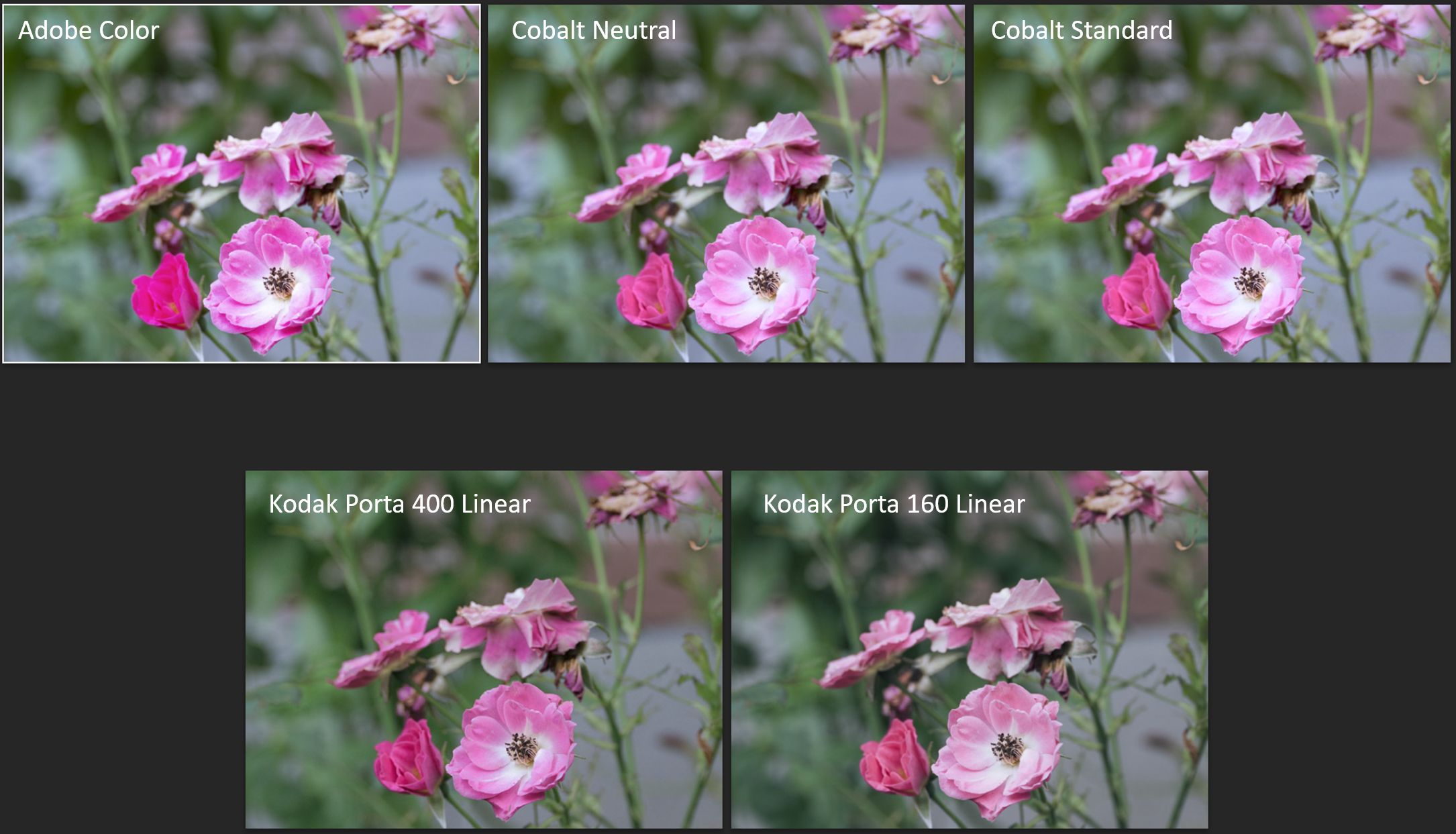
If you shove the amount slider for a film simulation all the way to 0, you’ll see the base profile on which it is based. For example, I have the two Kodak film packs. I quite like what Kodak Porta 160 (Linear) does with a lot of pictures. When using that emulation, sliding the Amount slider all the way to 0 creates an image that seems identical to what you get with Cobalt Repro.
One way to think of the film simulations is that they’re a bit like the recipe in your camera that creates a JPEG. Yes, you can still adjust a JPEG in post, but the “cooking” that was done to produce the JPEG takes a lot of options off the table. The Cobalt film simulations make a lot of deep adjustments that, to varying extents, also reduce your latitude for making your own adjustments – some more than others. The Kodachrome profiles, in particular, push files the hardest. This seems to be the tradeoff necessary to get the “look” of the profile. Of course, you’re still using RAW files with these film simulations, so you get way more adjustment room than a JPEG! But you still get less than with the base profiles.
Interestingly, one thing that’s off the table with the film emulation profiles I’ve tried is the black and white points. With any standard profile in Lightroom, and with the Cobalt base profiles, if you hold down the Alt key (Windows) while dragging the Blacks slider left (or Whites slider right) you can see when and where you’re reaching pure black or pure white in your image. With the film simulations where I’ve tried this, It looks like you can never hit pure black or pure white. This seems to be part of the recipe.
Anyway, long story short, I think the Cobalt base profiles generally provide a better starting point than the ones provided by Adobe. I definitely prefer all Cobalt standard and neutral profiles to the Adobe Color, Standard and Neutral profiles. That alone is worth the price for me. The Monochrome profile in the Smart pack isn’t better than Adobe Monochrome, which is excellent in my view. However, if you need a black and white starting point that pulls back just a bit on both ends of the histogram, then Cobalt’s Monochrome is a good choice. The other monochrome profiles in the Smart pack are less obviously useful to me, but we’ll see.
This is quite long already, but there’s one more thing to consider about film emulations. After testing the Cobalt Kodachrome profiles for a couple days, I sat down with a collection of Kodachrome 64 slides. For reasons I don’t fully understand, when I decided to learn photography I chose Kodachrome 64 as my film despite cheaper options being available. I shot enough Kodachrome to fill a binder before I switched to black and white film.
After examining these old slides closely, I can say that the Kodachrome look is definitely there in the Cobalt profiles, but nobody should expect that a film emulation profile for digital files will consistently and reliably produce that film’s look. It definitely works better for some files rather than others. That’s not a criticism of the Cobalt profiles. Think of it this way: as a long-time black and white photographer, I know instinctively when a picture will not work in black and white, so I don’t make those pictures. Nobody who used Kodachrome 64 expected to be able to get good results with every possible scene. That’s a good way to think about these film profiles too: use them on images for which they’re suited.
|

 Archive 2021 · Cobalt Profiles