This topic is in the 2020 archive. You can read it and like its posts here. It is read only.
Archive 2020R5 Image Quality from Lightroom
p.1 #1R5 Image Quality from Lightroom
Hi,
I have done extensive testing with my R5 since getting it and I’m finding that all images, even those at ISO100 have a fine high frequency grain/noise when opened and processed in Lightroom. Also, very fine details like distant branches have jagged edges to them.
I have since opened the files in Canon DPP and the results for my use (primarily landscape) is visibly superior with no noise and higher sharpness. It’s like a veil has been lifted on the files. No jaggies either.
So do you think that maybe Adobe rushed their profiles out for the R5? Anybody else here seeing this?
Scott
Nov 09, 2020 at 03:53 AM
p.1 #2R5 Image Quality from Lightroom
I get great results from DxO PL4, which is a real relief after disappointments with LR.
Nov 09, 2020 at 04:05 AM
p.1 #3R5 Image Quality from Lightroom
Capture One Pro also gives excellent results with R5 files (er, well, also just about any camera's files - ).
).Nov 09, 2020 at 05:05 AM
p.1 #4R5 Image Quality from Lightroom
Try disabling lens profile - especially distortion. There was a thread where it produced criss cross noise pattern after sharpening ultra high ISO files from R5 and disabling it helped with that.
... so one has to pay monthly ransom to get camera compatibility AND gets worse quality files. Great times indeed.
... so one has to pay monthly ransom to get camera compatibility AND gets worse quality files. Great times indeed.
Nov 09, 2020 at 07:01 AM
p.1 #5R5 Image Quality from Lightroom
scott_sauer wrote:
Hi,
I have done extensive testing with my R5 since getting it and I’m finding that all images, even those at ISO100 have a fine high frequency grain/noise when opened and processed in Lightroom....
So do you think that maybe Adobe rushed their profiles out for the R5? Anybody else here seeing this?
I feel the same. I've taken lots of pictures with the R5 by now under different light conditions and even though I know that some of my lenses are pushed to the edge of their capabilities by the R5 (e.g. EF 85mm f/1.2 L II) I'm surprised by the amount of grain and noise at ISO100. If I compared that to pictures of my previous camera (5D Mark IV) there is no doubt that in Lightroom the handling of the R5 Raw files is far from good (not talking about perfect).
Adobe has not yet released camera specific profiles (and it doesn't look like they will given the fact that many of the .CR3 file camera haven't received camera specific profiles in nearly a year). The update to LRC 10.0 has slightly adjusted the underexposure in LRC with R5 raw files but it did not add camera specific profiles.
I'm using the Color Fidelity R5 profiles but even with those camera profiles there is more noise in the R5 pictures than there should be.
Nov 09, 2020 at 07:52 AM
p.1 #6R5 Image Quality from Lightroom
That is unusual as I have been posting 10,000 to 12,800 ISO files using LR and people have asked me what I’m using for NR. I tested C1 for the 4th time a few weeks ago and posted a 10,000 ISO comparison on another thread.
Nov 09, 2020 at 08:38 AM
p.1 #7R5 Image Quality from Lightroom
cpe1991 wrote:
I get great results from DxO PL4, which is a real relief after disappointments with LR.
I have PL3 and while prime is good but I’m not very happy with DXO. Adobe always gets beat up everyone. They have never done anything to me. In fact they were very accommodating with giving me a COVID break.
Last year I kept getting email after email to update to PL3 so I finally did. Two weeks later BF sales came out and DXO told me too bad. This year they conveniently waited until they made you pay for an upgrade (PL4) so you could use the software. Even C1 pro released RAW support within 3 weeks of the R5 release.
Good software but DXO business practices have turned me off. I’ll use Topaz for the tougher jobs. It’s too bad as DXO was going to be my replacement if Adobe ever ticks me off. Looks like that may be C1 Pro now.
Nov 09, 2020 at 08:48 AM
p.1 #8R5 Image Quality from Lightroom
Zenon Char wrote:
That is unusual as I have been posting 10,000 to 12,800 ISO files using LR and people have asked me what I’m using for NR. I tested C1 for the 4th time a few weeks ago and posted a 10,000 ISO comparison on another thread.
For me it's not so much about high ISO quality (I think the camera does a great job at higher ISO) but I think there should be less noise in ISO 100/200. The handling of R5 raw files is not very good and the Adobe profiles (and we are not talking about camera specific profiles here as they don't exist from Adobe) don't render color very nicely imho. Color Fidelity does a better job but unfortunately the latest updates (LRC 10.0, PS 22.0.0) introduce a severe bug as the camera profiles are no longer handed over correctly when you right click a picture in LRC and choose "Edit in Photoshop...". Adobe has acknowledge this bug and unfortunately the way the new Color Fidelity profiles for the R5 work (a base profile needs to be present) doesn't make things easier.
Anyway...I had several occasions by now when a I was edited an ISO100 R5 Raw in LRC and checked the actual ISO number because so much grain/noise was visible.
Nov 09, 2020 at 09:21 AM
p.1 #9R5 Image Quality from Lightroom
Zenon Char wrote:
That is unusual as I have been posting 10,000 to 12,800 ISO files using LR and people have asked me what I’m using for NR. I tested C1 for the 4th time a few weeks ago and posted a 10,000 ISO comparison on another thread.
I should have been more specific. C1 Pro is excellent software. $400 CND and then the annual upgrade which is another $200. I don’t have to get the upgrade but I know myself so I will. $600 in the first year. C1 Pro has a little more tonality but I don’t see a $600 difference for my purposes.
Nov 09, 2020 at 09:22 AM
p.1 #10R5 Image Quality from Lightroom
scott_sauer wrote:
Hi,
I have done extensive testing with my R5 since getting it and I’m finding that all images, even those at ISO100 have a fine high frequency grain/noise when opened and processed in Lightroom. Also, very fine details like distant branches have jagged edges to them.
I have since opened the files in Canon DPP and the results for my use (primarily landscape) is visibly superior with no noise and higher sharpness. It’s like a veil has been lifted on the files. No jaggies either.
So do you think that maybe Adobe rushed their profiles out for the R5? Anybody else here...Show more →
Just guessing here since I don't have the R5, but I'd imagine that you simply need to optimize your default settings to match the specific performance of the R5. As a photographer who has used a number of cameras, including both Canon and other brands, I've certainly learned this lesson. The Adobe products always work very well for me, but the settings that worked for my 5D are different from those for my 5DsR, and both are different from what works on my Fujifilm XPro2.
It sounds like there could be several settings to modify here:
1. The amount of sharpening may be too high.
2. The sharpening radius may be larger than necessary.
3. The details slider may need to be turned down, potentially all the way.
4. The mask slider may need to be raised, at least on images with large solid areas.
Once you find settings that work better for you, set the application to automatically use those as the default when you open files from that camera.
Honestly, all the raw conversion programs are doing largely the same things to your files. The interfaces and the default settings are different, and too many photographers misinterpret that to mean that one or another is better at conversions. Once you learn the various interfaces and find your best settings, any one of them will do a fine job.
Nov 09, 2020 at 10:01 AM
AmbientMike
Offline
Activity
[X]
Details
p.1 #11R5 Image Quality from Lightroom
DPP is excellent. Probably the main reason I kept using it as my main processor is that it looks like lcd and the image looks great as you open it. As opposed to looking like junk in DxO after opening, and then you had to get it back. I hated that. Although I got better at it as I used DxO more. However nr has been a problem on more than one occasion in DPP. Although I've had some issues on some images in the current software I'm using and may use it more
I probably screwed up the test but DPP seemed sharper than DxO on the 1 image I tried. I'd already run up sharpening a good amount in DxO, and the DPP file looked sharper. Even though, looking back at it, I probably could have used a better setting in DPP.
The open source raw processors are usually if not always half a stop or so slower. I remember opening a 6400 file in RT or darktable, it had been brightened a stop and looked pretty bad. Usually I don't worry too much about 1/2 stop underexposed at 6400 in DPP. I tried these about 3-4 years ago using DPP 3 I think, and whatever version of DxO. Not that I deleted any of these raw processors after trying they had different advantages I thought
Edited on Nov 09, 2020 at 10:29 AM · View previous versions
Nov 09, 2020 at 10:11 AM
p.1 #12R5 Image Quality from Lightroom
Zenon Char wrote:
I have PL3 and while prime is good but I’m not very happy with DXO. Adobe always gets beat up everyone. They have never done anything to me. In fact they were very accommodating with giving me a COVID break.
Last year I kept getting email after email to update to PL3 so I finally did. Two weeks later BF sales came out and DXO told me too bad. This year they conveniently waited until they made you pay for an upgrade (PL4) so you could use the software. Even C1 pro released RAW support within 3 weeks of...Show more →
PL3 doesn't work with R5, and DeepPRIME in PL4 is even better than PRIME for high noise. I also used the latest Topaz Denoise and Sharpen, which I bought a few days after buying the R5 to process files converted with Adobe. Being able to switch to PL4 was a real improvement ion quality, speed and workflow for me, but YMMV.
cpe1991 wrote
I get great results from DxO PL4, which is a real relief after disappointments with LR.Last year I kept getting email after email to update to PL3 so I finally did. Two weeks later BF sales came out and DXO told me too bad. This year they conveniently waited until they made you pay for an upgrade (PL4) so you could use the software. Even C1 pro released RAW support within 3 weeks of...Show more →
PL3 doesn't work with R5, and DeepPRIME in PL4 is even better than PRIME for high noise. I also used the latest Topaz Denoise and Sharpen, which I bought a few days after buying the R5 to process files converted with Adobe. Being able to switch to PL4 was a real improvement ion quality, speed and workflow for me, but YMMV.
Nov 09, 2020 at 10:14 AM
p.1 #13R5 Image Quality from Lightroom
woodstock69 wrote:
For me it's not so much about high ISO quality (I think the camera does a great job at higher ISO) but I think there should be less noise in ISO 100/200. The handling of R5 raw files is not very good and the Adobe profiles (and we are not talking about camera specific profiles here as they don't exist from Adobe) don't render color very nicely imho. Color Fidelity does a better job but unfortunately the latest updates (LRC 10.0, PS 22.0.0) introduce a severe bug as the camera profiles are no longer handed over correctly when you right...Show more →
I see. The only 100 ISO file I have is the one I used to set up my ISO Adaptive Preset. I'll take a look at that file. I mostly shoot with a RF 100-500 so 100 ISO is non existent for me I didn't think that the R5 or 6 was going to get Canon profiles so months before I started testing out Adobe Colour months before that with my R in preparation. Not sure what is going on between Canon and Adobe. There is just speculation. Finger pointing from both sides so until there are some facts I blame both 50/50.
I have Colour fidelity but I'm finding the R5 Adobe Colour profiles are pretty decent. If I was a portrait photographer that may be different. If I was I'd probably have C1 Pro as well. Most of what I shoot is not colour critical. As long as it is pleasing.
I'll check it out and take some shots with my 24-105 at 100. As for DPP is DLO enabled? DLO will make a difference in landscape shots depending on who wide a lens and its IQ rating.
Zenon Char wrote
That is unusual as I have been posting 10,000 to 12,800 ISO files using LR and people have asked me what I’m using for NR. I tested C1 for the 4th time a few weeks ago and posted a 10,000 ISO comparison on another thread.I see. The only 100 ISO file I have is the one I used to set up my ISO Adaptive Preset. I'll take a look at that file. I mostly shoot with a RF 100-500 so 100 ISO is non existent for me
I didn't think that the R5 or 6 was going to get Canon profiles so months before I started testing out Adobe Colour months before that with my R in preparation. Not sure what is going on between Canon and Adobe. There is just speculation. Finger pointing from both sides so until there are some facts I blame both 50/50. I have Colour fidelity but I'm finding the R5 Adobe Colour profiles are pretty decent. If I was a portrait photographer that may be different. If I was I'd probably have C1 Pro as well. Most of what I shoot is not colour critical. As long as it is pleasing.
I'll check it out and take some shots with my 24-105 at 100. As for DPP is DLO enabled? DLO will make a difference in landscape shots depending on who wide a lens and its IQ rating.
Nov 09, 2020 at 10:22 AM
p.1 #14R5 Image Quality from Lightroom
cpe1991 wrote:
I have PL3 and while prime is good but I’m not very happy with DXO. Adobe always gets beat up everyone. They have never done anything to me. In fact they were very accommodating with giving me a COVID break.
Last year I kept getting email after email to update to PL3 so I finally did. Two weeks later BF sales came out and DXO told me too bad. This year they conveniently waited until they made you pay for an upgrade (PL4) so you could use the software. Even C1 pro released RAW support within 3 weeks of the R5 release.
Good software but DXO business practices have turned me off. I’ll use Topaz for the tougher jobs. It’s too bad as DXO was going to be my replacement if Adobe ever ticks me off. Looks like that may be C1 Pro now.PL3 doesn't work with R5, and DeepPRIME in PL4 is even better than PRIME for high noise. I also used the latest Topaz Denoise and Sharpen, which I bought a few days after buying the R5 to process files converted with Adobe. Being able to switch to PL4 was a real improvement ion quality, speed and workflow for me, but YMMV.
I know it doesn't. When I paid for PL3 last year I expected to use it for the entire year, not get cutoff months before the next version came out, have to wait and to pay to be able to use it again. I don't care how good it is, DXO won't be getting any of my money at this point. Too bad as it was another useful tool. What LR can't handle Topaz will.
Zenon Char wrote
cpe1991 wrote
I get great results from DxO PL4, which is a real relief after disappointments with LR.Last year I kept getting email after email to update to PL3 so I finally did. Two weeks later BF sales came out and DXO told me too bad. This year they conveniently waited until they made you pay for an upgrade (PL4) so you could use the software. Even C1 pro released RAW support within 3 weeks of the R5 release.
Good software but DXO business practices have turned me off. I’ll use Topaz for the tougher jobs. It’s too bad as DXO was going to be my replacement if Adobe ever ticks me off. Looks like that may be C1 Pro now.
I know it doesn't. When I paid for PL3 last year I expected to use it for the entire year, not get cutoff months before the next version came out, have to wait and to pay to be able to use it again. I don't care how good it is, DXO won't be getting any of my money at this point. Too bad as it was another useful tool. What LR can't handle Topaz will.
Nov 09, 2020 at 10:27 AM
AmbientMike
Offline
Activity
[X]
Details
p.1 #15R5 Image Quality from Lightroom
Raw processors have different algorithms. "Just happened" open an image of a lily, one of my first ones testing DPP vs DxO. DPP handled the highlights better. Granted, it was the 1st image I tried, not familiar with DxO, but after 20min or so it still didn't look as good as 1-2min DPP image However it did get easier as I used DxO more, and it is quality software. But I felt DPP looked better most of the time. So I use it.
For all the money spent on lenses etc on here, I feel like raw processor might make a bigger difference. At far less cost. So I'd recommend trying different ones.
For all the money spent on lenses etc on here, I feel like raw processor might make a bigger difference. At far less cost. So I'd recommend trying different ones.
Nov 09, 2020 at 10:27 AM
p.1 #16R5 Image Quality from Lightroom
I just got a notification. Another update for PS. Maybe that bug was corrected.
Nov 09, 2020 at 10:29 AM
p.1 #17R5 Image Quality from Lightroom
Zenon Char wrote:
I mostly shoot with a RF 100-500 so 100 ISO is non existent for me
Hahaha...
Zenon Char wrote:
Not sure what is going on between Canon and Adobe. There is just speculation. Finger pointing from both sides so until there are some facts I blame both 50/50.
Yeah, who knows. Clearly the customer is the loser in this scenario. The 1DX Mark III hasn't received any custom profiles yet so I don't expect Adobe to release any custom profiles for Canon cameras in the future.
Zenon Char wrote:
... but I'm finding the R5 Adobe Colour profiles are pretty decent. If I was a portrait photographer that may be different.
No, I'm really a long time Adobe supporter and customer but the colour rendition is not good. Especially not for such an expensive camera. If I do important stuff I make my own custom profiles with Colorchecker Passport (for portrait work).
Nov 09, 2020 at 11:03 AM
p.1 #18R5 Image Quality from Lightroom
Zenon Char wrote:
I just got a notification. Another update for PS. Maybe that bug was corrected.
Hmm...even a manual search does not show any updates. Latest version here for PS is 22.0.0 which was released 6 days ago. LRC is 10.0 and there was a Camera Raw update a couple of days ago (13.0.2).
What version are you getting for PS?
Nov 09, 2020 at 11:04 AM
p.1 #19R5 Image Quality from Lightroom
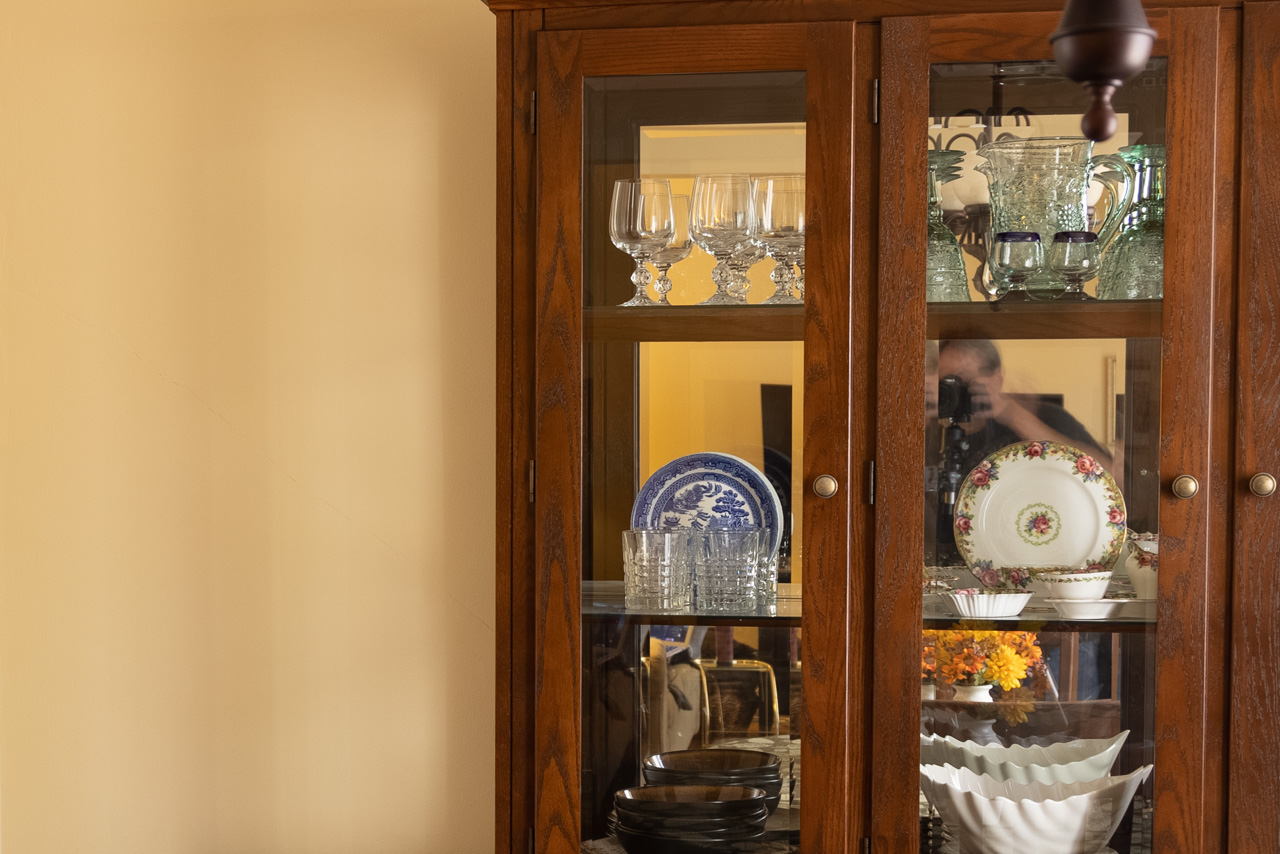
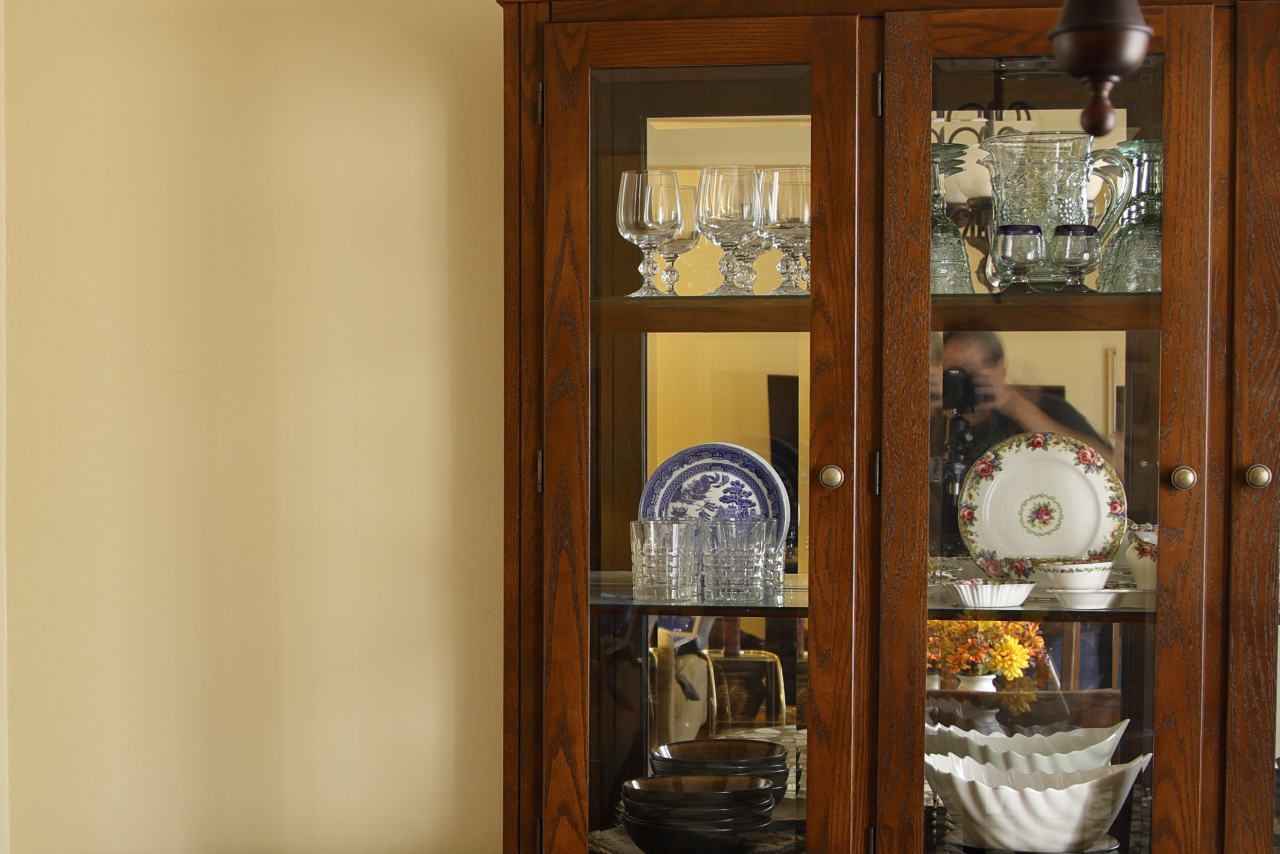
This is just a random shot I used to set up my ISO Adaptive preset for LR. A whole bunch of settings auto apply when I import. Texture, Clarity, Dehaze, Sharpening and NR based in ISO. Then I apply Auto to get the basic editing started. With my settings colour and contrast becomes more rich.
I put everything back to zero and set sharpening to the default of 40 because DPP applied sharpening as well. No NR for both files.
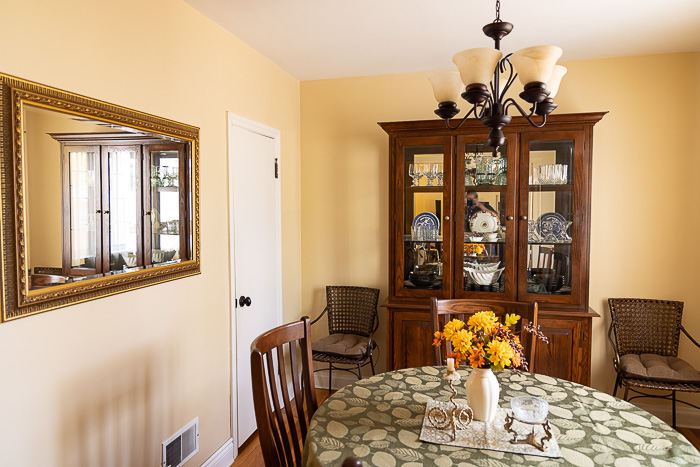
ISO 100. LR is the 1st file exported without export sharpening. DPP exported using DPP export process. 3rd file cropped from.
I put everything back to zero and set sharpening to the default of 40 because DPP applied sharpening as well. No NR for both files.
ISO 100. LR is the 1st file exported without export sharpening. DPP exported using DPP export process. 3rd file cropped from.
Nov 09, 2020 at 11:42 AM
p.1 #20R5 Image Quality from Lightroom
I'm not seeing any awful noise with LR compared to to DPP at 100% on my 5K screen.
Nov 09, 2020 at 11:44 AM