This topic is in the 2020 archive. You can read it and like its posts here. It is read only.
Archive 2020Topaz DeNoise A1
p.2 #1Topaz DeNoise A1
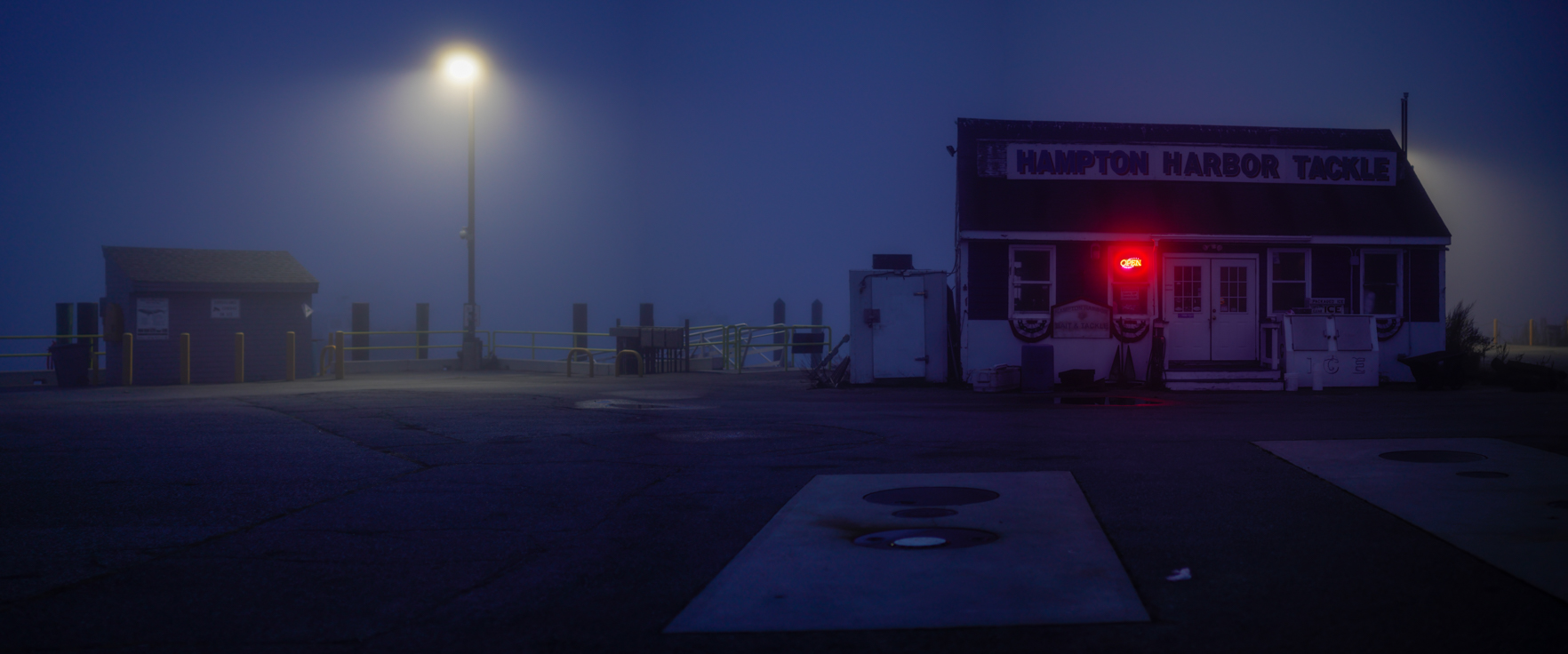
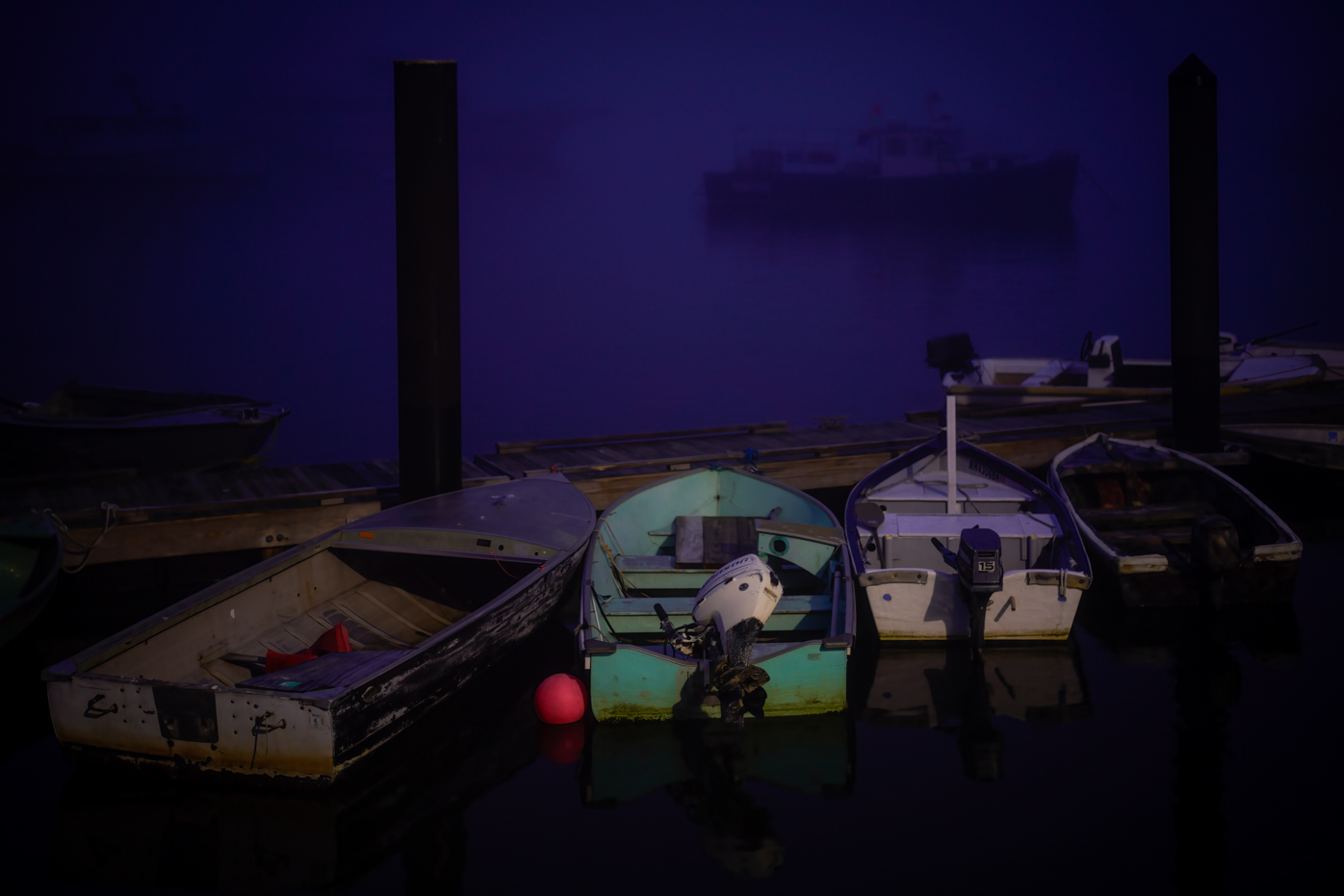
I just bought it finally. Been meaning to try it out. Took the CV50 1.2 out for some test shots this evening to see how Denoise would handle fog. May be hard to tell on these test shots but I'm pretty impressed so far looking at the full sized files. Very encouraging


Oct 21, 2020 at 07:27 PM
p.2 #2Topaz DeNoise A1
Well . . .
Firstly, in my experience, Denoise AI is a wonderful piece of software, and more than worth the cost of entry, as IMO is Sharpen AI. Having said that, no such app will be ideal with every single image, but it works well with most.
Editing is, for me, key to final output. I sometimes may wind up having done pretty extensive pixel-pushing, and don't want the qualitative result of that to be limited by artifacts introduced by editing noise. additionally, noise is often much more difficult to reduce or remove after being modified by significant tonal or color adjustments. You also want your RAW developer of choice to perform the demosaic function prior to running Denoise. For this to happen, I do only very basic changes in LR or ACR, and then send to Photoshop. At this point the next layer would be to run Denoise AI (installed in PS as a plugin) to lessen noise. In the background PS gives Denoise an uncompressed TIFF file, which is subsequently round-tripped back to the PS layer. (I have no idea whether the resulting layer is less malleable than the unconverted RAW file, but I've never seen a visible disadvantage to this approach.)
The exception may be if you work with 32 bit RAW files, which is a completely different conversation.
I also am very careful not to allow LR or ACR to do any sharpening or NR in the intital RAW development step, whether or not I intend to use Denoise AI. Currently I'm feeling that both Denoise AI and Sharpen AI perform these functions better. (If you don't take the time to fine-tune the settings in both these apps, rather than simply accepting the AUTO setting, your results may vary.)
Brian
Oct 23, 2020 at 07:06 AM
p.2 #3Topaz DeNoise A1
From personal experience, I have found sometimes Topaz products damage the colors of a raw file (Sony cameras). The problem seems related to mishandling color profiles. So I never start with a Topaz software applied to a raw file. Things might have improved after recent updates. I haven't checked on that yet. Moreover, Topaz Sharpen and Gigapixel frequently induce artifacts in the image or, in some areas of the image. Denoise can sometimes remove these artifacts to a large extent. The noise reduction that is built into Topaz Sharpen and Gigapixel on the other hand cannot. Because of this, I now use Denoise only after the other software which pushes it to the last stage in my post processing.
When I bought the topaz bundle software last December, Topaz's policy was lifetime free updates. Topaz later changed their policy. Now, it is only one year free updates which means after one year, I will not get any software updates unless I pay for the software upgrade. To me, it now sounds partially like a yearly subscription and I am not sure I want to pay a yearly fee. That means if I upgrade my camera to a newer model, Denoise may not even open raw files from the new camera. This happened to me with DXO Optics Pro. The software didn't open raw files from my A7r iii unless I paid for the upgrade.
When I bought the topaz bundle software last December, Topaz's policy was lifetime free updates. Topaz later changed their policy. Now, it is only one year free updates which means after one year, I will not get any software updates unless I pay for the software upgrade. To me, it now sounds partially like a yearly subscription and I am not sure I want to pay a yearly fee. That means if I upgrade my camera to a newer model, Denoise may not even open raw files from the new camera. This happened to me with DXO Optics Pro. The software didn't open raw files from my A7r iii unless I paid for the upgrade.
Oct 23, 2020 at 07:36 AM
p.2 #4Topaz DeNoise A1
I just downloaded the free trial of Topaz Denoise and Sharpen AI to use on a 5 year old Canon 5DIII file I had. Shot at 1600 iso in a dark church, I didn't feel like I could in good conscience sell a print larger than 4"x6". And that's with the best sharpen/NR I could achieve in LR
My understanding of their instruction to use Denoise before other processing was based on their stated resaon: You don't want to have to remove noise created by sharpeing in your raw processor (LR< ACR, etc.).
So I did everything else in LR as usual, then removed all sharpening and NR in LR before sending to Denoise. I was STUNNED at the result. The one thing I noticed is that the result still contained a little color noise even though I had that dialed up a lot in Denoise. SO, I started from LR again and applied a little Color Noise reduction (18-30) BEFORE sending to Topaz Denoise. You can see the results below, which includes a little sharpening in Topas Sharpen AI (Low Light setting). Phenomonal! I didn't try LR NR after Denoise just because I wanted to see whao AI could do, so I haven't compared those two.
These are the Canon raw file, converted to dng, processed for everthing except sharpen and Luminance noise (color NR at 30) vs. the same file processed as above with Topaz. Both about 66% cropped in; not quite 1:1

LR processed with no sharpen (color NR at 30)
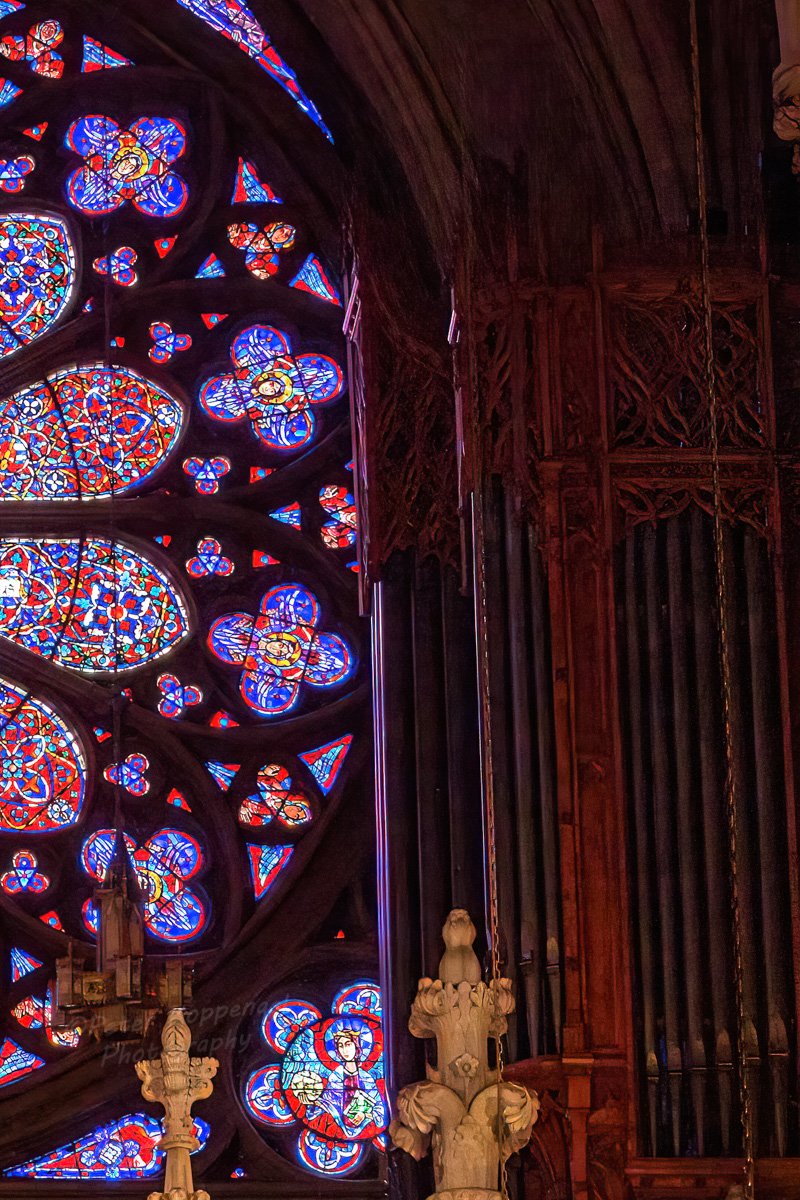
LR processed with LR Color noise (~30) and Topaz Denoise (Low Light) and Sharpen AI
My understanding of their instruction to use Denoise before other processing was based on their stated resaon: You don't want to have to remove noise created by sharpeing in your raw processor (LR< ACR, etc.).
So I did everything else in LR as usual, then removed all sharpening and NR in LR before sending to Denoise. I was STUNNED at the result. The one thing I noticed is that the result still contained a little color noise even though I had that dialed up a lot in Denoise. SO, I started from LR again and applied a little Color Noise reduction (18-30) BEFORE sending to Topaz Denoise. You can see the results below, which includes a little sharpening in Topas Sharpen AI (Low Light setting). Phenomonal! I didn't try LR NR after Denoise just because I wanted to see whao AI could do, so I haven't compared those two.
These are the Canon raw file, converted to dng, processed for everthing except sharpen and Luminance noise (color NR at 30) vs. the same file processed as above with Topaz. Both about 66% cropped in; not quite 1:1
LR processed with no sharpen (color NR at 30)
LR processed with LR Color noise (~30) and Topaz Denoise (Low Light) and Sharpen AI
Jan 10, 2021 at 04:15 PM
p.2 #5Topaz DeNoise A1
Peterk78 wrote:
SO, I started from LR again and applied a little Color Noise reduction (18-30) BEFORE sending to Topaz Denoise.
I end up doing it that way too, when there's more color noise than usual.
Topaz NR is a great tool. Well worth its price.
SO, I started from LR again and applied a little Color Noise reduction (18-30) BEFORE sending to Topaz Denoise.
I end up doing it that way too, when there's more color noise than usual.
Topaz NR is a great tool. Well worth its price.
Jan 10, 2021 at 05:13 PM
p.2 #6Topaz DeNoise A1
Ontario55 wrote:
What are others using if not Topz Denoise A1?
DxO PhotoLab 4. It's new DeepPrime noise reduction seems even better than Topaz, and it's a non-destructive step in the RAW workflow.
What are others using if not Topz Denoise A1?
DxO PhotoLab 4. It's new DeepPrime noise reduction seems even better than Topaz, and it's a non-destructive step in the RAW workflow.
Jan 10, 2021 at 07:56 PM

p.2 #7Topaz DeNoise A1
Could you share some examples? I'd be interested in seeing the differences you spotted.
Jay Ford wrote:
DxO PhotoLab 4. It's new DeepPrime noise reduction seems even better than Topaz, and it's a non-destructive step in the RAW workflow.
Jay Ford wrote:
Ontario55 wrote
What are others using if not Topz Denoise A1?Jan 10, 2021 at 08:34 PM
p.2 #8Topaz DeNoise A1
Surfnsun wrote:
Could you share some examples? I'd be interested in seeing the differences you spotted.
DxO PhotoLab 4. It's new DeepPrime noise reduction seems even better than Topaz, and it's a non-destructive step in the RAW workflow.
All right, somewhat extreme. ISO 12,800 pushed in post a little over a stop to get 1/200th in available light.
Versions are: ACR Default Sharpening and 30 Noise reduction, previous ACR +Topaz AI at around 60, no sharpening, DxO with DeepPrime. 100%.
Topaz tends to leave noise in surprising places, especially edges. Under her wrist near her bracelet, for example.
"https://www.dropbox.com/s/yx6jirnxujzb2kt/0576-ACR_NO-ACR_Topaz-DXO_DeepPrime.jpg?dl=0"
Though I'm not able to make a dropbox link to save my life on FM.
Could you share some examples? I'd be interested in seeing the differences you spotted.
Jay Ford wrote
Ontario55 wrote
What are others using if not Topz Denoise A1?All right, somewhat extreme. ISO 12,800 pushed in post a little over a stop to get 1/200th in available light.
Versions are: ACR Default Sharpening and 30 Noise reduction, previous ACR +Topaz AI at around 60, no sharpening, DxO with DeepPrime. 100%.
Topaz tends to leave noise in surprising places, especially edges. Under her wrist near her bracelet, for example.
"https://www.dropbox.com/s/yx6jirnxujzb2kt/0576-ACR_NO-ACR_Topaz-DXO_DeepPrime.jpg?dl=0"
Though I'm not able to make a dropbox link to save my life on FM.
Jan 10, 2021 at 10:30 PM
p.2 #9Topaz DeNoise A1
I'm a huge fan of Topaz Sharpen AI (for photos has absolutely rescued them, for others made OK photos suddenly printable, and for others no better than LR sharpening).
For those that use both Sharpen AI and Denoise AI, which order do you use them if you want to use them in combination?
For those that use both Sharpen AI and Denoise AI, which order do you use them if you want to use them in combination?
Jan 12, 2021 at 10:08 AM
p.2 #10Topaz DeNoise A1
jchapell wrote:
I'm a huge fan of Topaz Sharpen AI (for photos has absolutely rescued them, for others made OK photos suddenly printable, and for others no better than LR sharpening).
For those that use both Sharpen AI and Denoise AI, which order do you use them if you want to use them in combination?
I remove chroma noise in ACR and then use Denoise AI to remove remaining noise. If it's a good image without any blur, I will sharpen it with Denoise and then I'm done. If I'm going to fix a blurred image with Sharpen AI, I set the Denoise sharpening to zero.
I find Sharpen AI produces artifacts if you use it with the graphics processor option (GPU). It works fine with the CPU but is very slow so consequently, I only use Sharpen AI for de-blurring to rescue an image, typically where it has motion blur, which it does remarkably.
Jan 12, 2021 at 10:30 AM
p.2 #11Topaz DeNoise A1
I have downloaded trials of all the Topaz products at one time or another. I had no problems whatsoever deleting the ones I didn't want - AppCleaner on iMac. I do use the kept products as standalones, however. As others have suggested, doing a trial run is a very good way to test whether the program meets your expectations and needs, plus seeing if others' work flows and opinions are relevant to your use.
Jan 12, 2021 at 10:49 AM
p.2 #12Topaz DeNoise A1
1) Use it as a plugin from your editor. ( check with topaz to verify its compatible with your editor. )
I use it with LR & PS. No problemO with compatibility.
2) Use it after you processed your mage.
3) Take the free Trial version of Topaz D-Noise for a ride, and formulate your own opinion.
4) I am quite happy with D-Noise as many others here have also posted.
I use it with LR & PS. No problemO with compatibility.
2) Use it after you processed your mage.
3) Take the free Trial version of Topaz D-Noise for a ride, and formulate your own opinion.
4) I am quite happy with D-Noise as many others here have also posted.
Jan 12, 2021 at 11:28 AM
p.2 #13Topaz DeNoise A1
Below is an image from late 2016 (I've been looking through archives lately as no current travel = little to no shooting for me). From memory, this was ISO 800 on a Sony A7RII & FE 55/1.8. It was taken at Disney World during one of the special evening events, possibly Mickey's Very Merry Christmas Party.
If you follow the link to Flickr, please read the accompanying description of how it was processed, primarily using Topaz Denoise AI & Sharpen AI. The upload to Flickr was resized to 4K (2160px on the height dimension). The link is probably better than the version shown below.
Brian
https://www.flickr.com/photos/blueshound/50834764373/in/dateposted-public/
 Evening In Walt Disney World by Brian Gammon, on Flickr
If you follow the link to Flickr, please read the accompanying description of how it was processed, primarily using Topaz Denoise AI & Sharpen AI. The upload to Flickr was resized to 4K (2160px on the height dimension). The link is probably better than the version shown below.
Brian
https://www.flickr.com/photos/blueshound/50834764373/in/dateposted-public/
Evening In Walt Disney World by Brian Gammon, on FlickrJan 14, 2021 at 05:16 PM
p.2 #14Topaz DeNoise A1
somersettr wrote:
For those that use both Sharpen AI and Denoise AI, which order do you use them if you want to use them in combination?I remove chroma noise in ACR and then use Denoise AI to remove remaining noise. If it's a good image without any blur, I will sharpen it with Denoise and then I'm done. If I'm going to fix a blurred image with Sharpen AI, I set the Denoise sharpening to zero.
I find Sharpen AI produces artifacts if you use it with the graphics processor option (GPU). It works fine with the CPU but is very slow so consequently, I only use Sharpen AI for de-blurring to rescue an image, typically where it has motion blur, which it does remarkably.
I need to update this post. Just yesterday, Topaz contacted me to say that the problem with Sharpen AI where the GPU produces vertical stripe artifacts in the image has been resolved in version 2.2.2 (actually solved in 2.2.1 I believe). They extended my licence for a month so that I could get the fix. I have since downloaded it and can confirm that the problem has been fixed.
jchapell wrote
I'm a huge fan of Topaz Sharpen AI (for photos has absolutely rescued them, for others made OK photos suddenly printable, and for others no better than LR sharpening).For those that use both Sharpen AI and Denoise AI, which order do you use them if you want to use them in combination?
I find Sharpen AI produces artifacts if you use it with the graphics processor option (GPU). It works fine with the CPU but is very slow so consequently, I only use Sharpen AI for de-blurring to rescue an image, typically where it has motion blur, which it does remarkably.
I need to update this post. Just yesterday, Topaz contacted me to say that the problem with Sharpen AI where the GPU produces vertical stripe artifacts in the image has been resolved in version 2.2.2 (actually solved in 2.2.1 I believe). They extended my licence for a month so that I could get the fix. I have since downloaded it and can confirm that the problem has been fixed.
Jan 15, 2021 at 05:09 AM
p.2 #16Topaz DeNoise A1
The most recent update is definitely an improvement in speed and seems to take advantage of the GPU more than the last version did. If your have not updated I would do it now.
May 25, 2021 at 06:57 AM
p.2 #17Topaz DeNoise A1
pjheller wrote:
My understanding is Topaz recommends Denoise be used as the first step before any other edits.
That's what topaz recommends and it makes sense to do noise reduction first from a image quality/processing viewpoint (e.g. why increase noise with LR sliders only to hammer it back down at the end). But in practice I've found it doesn't work that well (maybe topaz's demosaicing algorithms are not that good) and I've had problems with colors in files that were denoised and pushed hard.
But from a workflow standpoint, I find it vastly better to do it as a last step. First I often don't know if I need NR until I have an output size in mind. A file might be fine for regular size prints but only need denoise when someone wants something extra large, maybe years after you originally shot the image.
Second, you may want to try a variety of denoising algorithms. If denoise is the first step you have to redo all of your processing to see how the image looks in the end. Much easier to take a finished image and just run 5 different denoise algorithms and then pick the best or mix and match. Also the algorithms keep improving so even if you stick to just topaz, you may want to rerun at a future date.
May 25, 2021 at 08:08 AM
p.2 #18Topaz DeNoise A1
I have not used DeNoise but have switched to DXO DeepPrime. It's incredible.
May 25, 2021 at 09:44 AM
p.2 #19Topaz DeNoise A1
onthebeam wrote:
I have not used DeNoise but have switched to DXO DeepPrime. It's incredible.
How's the processing time on DeepPrime?
I have not used DeNoise but have switched to DXO DeepPrime. It's incredible.
How's the processing time on DeepPrime?
May 25, 2021 at 09:46 AM
p.2 #20Topaz DeNoise A1
It is improved over the earlier version. I'm dealing with huge 61MP files from the A7R4. I process in PhotoLab4 which includes DeepPrime as part of it. I then export to Photoshop and 2 minutes is typical for everything. Smaller files from any other Sony camera would of course go faster.
May 25, 2021 at 10:40 AM