This topic is in the 2019 archive. You can read it and like its posts here. It is read only.
Archive 2019Any thoughts on use of Topaz DeNoise AI?
p.2 #1Any thoughts on use of Topaz DeNoise AI?
dshao1 wrote:
Edit: I use C1, not LR. My workflow process is admittedly not the most efficient as I use C1, Denoise and Sharpen as separate, standalone, steps.How to you get the image back and forth between C1 and Denoise/Sharpen? Do you save the processed image from C1 as a tiff or something? and then open it in Denoise/Sharpen?Hi, Topaz recommends using their products first, so I use Denoise/Sharpen and then save as a DNG file for import into C1. (If I find the pictures processed through Denoise/Sharpen to be good enough for my needs, I will end my processing there.)
I use DNG vs. TIFF just because I also use SonyPixelShift2DNG on occasion and just like to keep my file formats the same when possible.
Absolutely run it before you do post processing! I have done both ways, and it makes a noticeable difference when it's run first. I don't know the underlying reasons why, but I can tell a difference.
Minatureman13 wrote
dshao1 wrote
I’m definitely no expert at Post Processing, but I’ve been satisfied using both Denoise AI and Sharpen AI. I purchased both packages.Edit: I use C1, not LR. My workflow process is admittedly not the most efficient as I use C1, Denoise and Sharpen as separate, standalone, steps.
I use DNG vs. TIFF just because I also use SonyPixelShift2DNG on occasion and just like to keep my file formats the same when possible.
Absolutely run it before you do post processing! I have done both ways, and it makes a noticeable difference when it's run first. I don't know the underlying reasons why, but I can tell a difference.
Nov 12, 2019 at 12:08 PM
p.2 #2Any thoughts on use of Topaz DeNoise AI?
Interesting. I got good results by doing basic processing first in Lightroom and then sending it to topaz. Be amazing if I can tweek even better results
Nov 12, 2019 at 12:13 PM
p.2 #3Any thoughts on use of Topaz DeNoise AI?
If you run it first, won't it demosaic the file? I understand that Topaz's demosaicing may be better for controlling noise, but what about all of the other things you can control in RAW before its process/demosaiced - color, exposure, contrast, clarity, etc.?
DNG is just a file format. That Topaz can resave a processed file to DNG doesn't mean that it's still raw. I doubt it is still RAW.
Topaz's demosaicing may also set or change the white point.
DNG is just a file format. That Topaz can resave a processed file to DNG doesn't mean that it's still raw. I doubt it is still RAW.
Topaz's demosaicing may also set or change the white point.
Nov 12, 2019 at 12:38 PM
p.2 #4Any thoughts on use of Topaz DeNoise AI?
httivals wrote:
If you run it first, won't it demosaic the file? I understand that Topaz's demosaicing may be better for controlling noise, but what about all of the other things you can control in RAW before its process/demosaiced - color, exposure, contrast, clarity, etc.?
DNG is just a file format. That Topaz can resave a processed file to DNG doesn't mean that it's still raw. I doubt it is still RAW...
I believe you're right. The DNG out of Topaz appears to be TIFF-like, but in a DNG container.
I just starting using Topaz but so far here's what seems to give good results:
I do my normal processing in LR, -except- for sharpening and noise reduction, which I set to zero. I then send the image to Topaz, apply NR as needed, then back to LR for sharpening, if needed.
Nov 12, 2019 at 12:48 PM
p.2 #5Any thoughts on use of Topaz DeNoise AI?
mike1812 wrote:
Edit: I use C1, not LR. My workflow process is admittedly not the most efficient as I use C1, Denoise and Sharpen as separate, standalone, steps.How to you get the image back and forth between C1 and Denoise/Sharpen? Do you save the processed image from C1 as a tiff or something? and then open it in Denoise/Sharpen?Hi, Topaz recommends using their products first, so I use Denoise/Sharpen and then save as a DNG file for import into C1. (If I find the pictures processed through Denoise/Sharpen to be good enough for my needs, I will end my processing there.)
I use DNG vs. TIFF just because I also use SonyPixelShift2DNG on occasion and just like to keep my file formats the same when possible.Absolutely run it before you do post processing! I have done both ways, and it makes a noticeable difference when it's run first. I don't know the underlying reasons why, but I can tell a difference.
Interesting. I am just starting to learn to use this app. Since the Denoise AI only supports png, tiff and jpeg, do you change the raw files to png first for the Denoise AI to work on, then send the denoised png back to LR or other program for further editing?
dshao1 wrote
Minatureman13 wrote
dshao1 wrote
I’m definitely no expert at Post Processing, but I’ve been satisfied using both Denoise AI and Sharpen AI. I purchased both packages.Edit: I use C1, not LR. My workflow process is admittedly not the most efficient as I use C1, Denoise and Sharpen as separate, standalone, steps.
I use DNG vs. TIFF just because I also use SonyPixelShift2DNG on occasion and just like to keep my file formats the same when possible.
Interesting. I am just starting to learn to use this app. Since the Denoise AI only supports png, tiff and jpeg, do you change the raw files to png first for the Denoise AI to work on, then send the denoised png back to LR or other program for further editing?
Nov 12, 2019 at 12:58 PM
p.2 #6Any thoughts on use of Topaz DeNoise AI?
kdrk888 wrote:
Edit: I use C1, not LR. My workflow process is admittedly not the most efficient as I use C1, Denoise and Sharpen as separate, standalone, steps.How to you get the image back and forth between C1 and Denoise/Sharpen? Do you save the processed image from C1 as a tiff or something? and then open it in Denoise/Sharpen?Hi, Topaz recommends using their products first, so I use Denoise/Sharpen and then save as a DNG file for import into C1. (If I find the pictures processed through Denoise/Sharpen to be good enough for my needs, I will end my processing there.)
I use DNG vs. TIFF just because I also use SonyPixelShift2DNG on occasion and just like to keep my file formats the same when possible.Absolutely run it before you do post processing! I have done both ways, and it makes a noticeable difference when it's run first. I don't know the underlying reasons why, but I can tell a difference.Interesting. I am just starting to learn to use this app. Since the Denoise AI only supports png, tiff and jpeg, do you change the raw files to png first for the Denoise AI to work on, then send the denoised png back to LR or other program for further editing?
Hi, I've been able to open .ARW files in both Denoise AI and Sharpen AI on my Mac. I think Topaz may have added the ability to read Sony's RAW file format through an update?
mike1812 wrote
dshao1 wrote
Minatureman13 wrote
dshao1 wrote
I’m definitely no expert at Post Processing, but I’ve been satisfied using both Denoise AI and Sharpen AI. I purchased both packages.Edit: I use C1, not LR. My workflow process is admittedly not the most efficient as I use C1, Denoise and Sharpen as separate, standalone, steps.
I use DNG vs. TIFF just because I also use SonyPixelShift2DNG on occasion and just like to keep my file formats the same when possible.
Hi, I've been able to open .ARW files in both Denoise AI and Sharpen AI on my Mac. I think Topaz may have added the ability to read Sony's RAW file format through an update?
Nov 12, 2019 at 01:29 PM
p.2 #7Any thoughts on use of Topaz DeNoise AI?
I've always heard good things about Topaz and want to try it, but I'm entirely confused by what the "right" workflow would be, given that I use LR CC/Cloud.
Is it Topaz>DNG>Import to LR ?
The whole "roundtrip to LR CC" befuddles me.
Is it Topaz>DNG>Import to LR ?
The whole "roundtrip to LR CC" befuddles me.
Nov 12, 2019 at 02:47 PM
p.2 #8Any thoughts on use of Topaz DeNoise AI?
The workflow I use with Topaz Sharpen, which works well, is like Mike Evangelist's workflow, and it yields fantastic results:
1. I do my normal processing in Capture one -except- for sharpening and noise reduction. (I have kept these at minimal amounts rather than "0" like Mike does, but I will experiment with setting them to zero.)
2. I then send the image to Topaz Sharpen, and apply sharpening and noise reduction. (I use the Noise Reduction slider in Topaz Sharpen rather than the separate program. I always set the Noise Reduction slider to "80," rather than the typically lower, recommended automatic amounts.)
3. I then do further photoshop adjustments and print.
4. I do not resharpen for different print output sizes.
I recommend starting somewhere like where Mike and I are and trying other options from there. It's great software.
Nov 12, 2019 at 03:03 PM
p.2 #9Any thoughts on use of Topaz DeNoise AI?
jon m wrote:
The whole "roundtrip to LR CC" befuddles me.
It's harder to explain than it is to do...
In Lightroom, you configure Topaz as an external editor. Then when you select an image in Lightroom and invoke that editor, it will create a duplicate file, with the edits you've already made in LR and open the file in Topaz. When you're satisfied with your edits in Topaz, you click 'apply' and the file will be saved and added into your LR library, next to the original. You can then save/export the completed file using Lightroom's standard tools.

Setting up an external editor in Lightroom

Invoking the editor
The whole "roundtrip to LR CC" befuddles me.
It's harder to explain than it is to do...
In Lightroom, you configure Topaz as an external editor. Then when you select an image in Lightroom and invoke that editor, it will create a duplicate file, with the edits you've already made in LR and open the file in Topaz. When you're satisfied with your edits in Topaz, you click 'apply' and the file will be saved and added into your LR library, next to the original. You can then save/export the completed file using Lightroom's standard tools.
Setting up an external editor in Lightroom
Invoking the editor
Nov 12, 2019 at 03:27 PM
p.2 #10Any thoughts on use of Topaz DeNoise AI?
Very nice instructions, thank you.
So now I have to describe my problem as "trip from LR CC (I use the cloud version), to LR Classic", I think....
So now I have to describe my problem as "trip from LR CC (I use the cloud version), to LR Classic", I think....
Nov 12, 2019 at 03:46 PM
p.2 #11Any thoughts on use of Topaz DeNoise AI?
Like above, I usually import my files into LR, and then run Denoise AI by going to photo-->Edit In--->Denoise AI and "Edit a Copy with LR Adjustments". This is before doing anything else. I then process everything on the copy in LR after Denoise AI has done it's thing and the changes are saved to that copy in LR. I always like having one unadulterated file in LR so if I decide to process the original image differently later I still have an unadulterated starting point.
Nov 12, 2019 at 09:13 PM
p.2 #12Any thoughts on use of Topaz DeNoise AI?
httivals wrote:
....
Topaz's demosaicing may also set or change the white point.
I've run DenoiseAI several ways. When I run it first (prior to C1) and save as a .DNG file into the C1 Capture folder, there is a serious color temperature shift which takes more effort to balance. EDIT1 - see my post#14. This only occurs when using DenoiseAI as a standalone program.
When saved as 16-bit tiff from DenoiseAI, the white point is indeed changed but closer to the color temp of the embedded .jpg of the .ARW file. EDIT2- this no longer occurs when I right-click inside C1 and choose "Edit with" and select Denoise.
For high ISO images (like 12800), running Denoise AI first is the best method (followed by AI Clear). But sometimes after the *-topaz-clear.tiff files are processed in C1, the resulting .jpg can still benefit from another pass with AI Clear (as mentioned above) - but it depends on how aggressive I was with clarity and/or structure settings in C1 so iterative processing is unfortunately common.
For lower ISO images (2500 and below), I've found running DenoiseAI on a C1-generated .jpg is ok, but it requires playing with the noise and sharpness settings in DenoiseAI to avoid artifacts. The auto- settings are merely recommended values.
The only downside of DenoiseAI is that it is a CPU/GPU hog due to the computational load (it only uses GPUs that have >2GB of dedicated VRAM and few laptops have that much VRAM). So its slowest when using it prior to other software. In contrast, running DenoiseAI on a .jpg file is much faster! So in addition to photo-gear GAS, we are doomed to computer-GAS too

Edited on Nov 13, 2019 at 09:22 PM · View previous versions
....
Topaz's demosaicing may also set or change the white point.
I've run DenoiseAI several ways. When I run it first (prior to C1) and save as a .DNG file into the C1 Capture folder, there is a serious color temperature shift which takes more effort to balance. EDIT1 - see my post#14. This only occurs when using DenoiseAI as a standalone program.
When saved as 16-bit tiff from DenoiseAI, the white point is indeed changed but closer to the color temp of the embedded .jpg of the .ARW file. EDIT2- this no longer occurs when I right-click inside C1 and choose "Edit with" and select Denoise.
For high ISO images (like 12800), running Denoise AI first is the best method (followed by AI Clear). But sometimes after the *-topaz-clear.tiff files are processed in C1, the resulting .jpg can still benefit from another pass with AI Clear (as mentioned above) - but it depends on how aggressive I was with clarity and/or structure settings in C1 so iterative processing is unfortunately common.
For lower ISO images (2500 and below), I've found running DenoiseAI on a C1-generated .jpg is ok, but it requires playing with the noise and sharpness settings in DenoiseAI to avoid artifacts. The auto- settings are merely recommended values.
The only downside of DenoiseAI is that it is a CPU/GPU hog due to the computational load (it only uses GPUs that have >2GB of dedicated VRAM and few laptops have that much VRAM). So its slowest when using it prior to other software. In contrast, running DenoiseAI on a .jpg file is much faster! So in addition to photo-gear GAS, we are doomed to computer-GAS too
Edited on Nov 13, 2019 at 09:22 PM · View previous versions
Nov 12, 2019 at 10:45 PM
p.2 #13Any thoughts on use of Topaz DeNoise AI?
I tried the trial version and found it no better than Neat Image, which I have been using as a CS6 plug-in for years.
Nov 13, 2019 at 12:57 AM
p.2 #14Any thoughts on use of Topaz DeNoise AI?
For most of the images I've tried so far, there's not huge differences between what I can achieve with Lightroom's noise reduction, and what Topaz does. But for some images, Topaz just seems to be magic.
Here's a test shot that I was playing with, and I couldn't believe how well it worked. (these are all 100% crops)
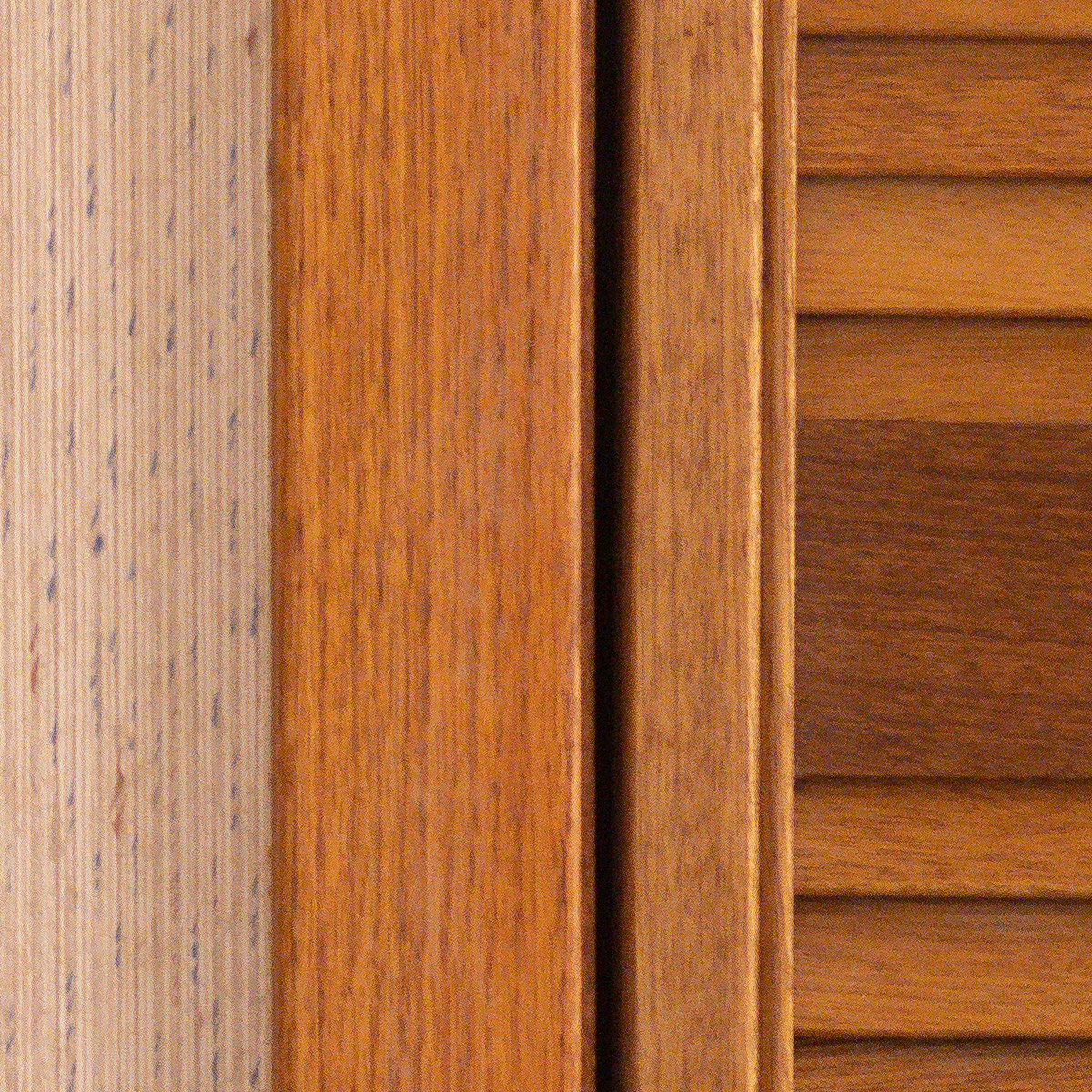
My standard processing, but NO noise reduction
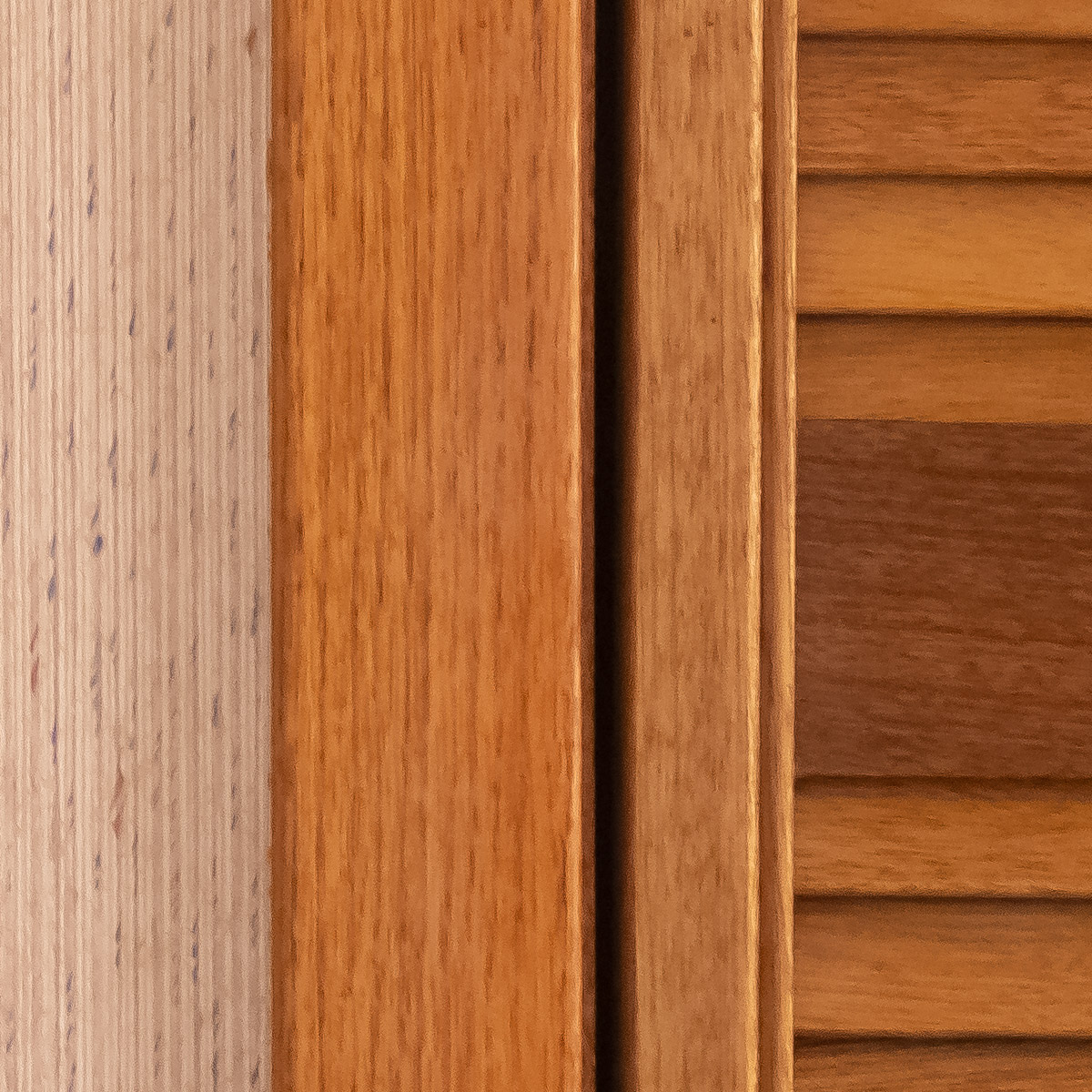
My typical Lightroom noise reduction settings
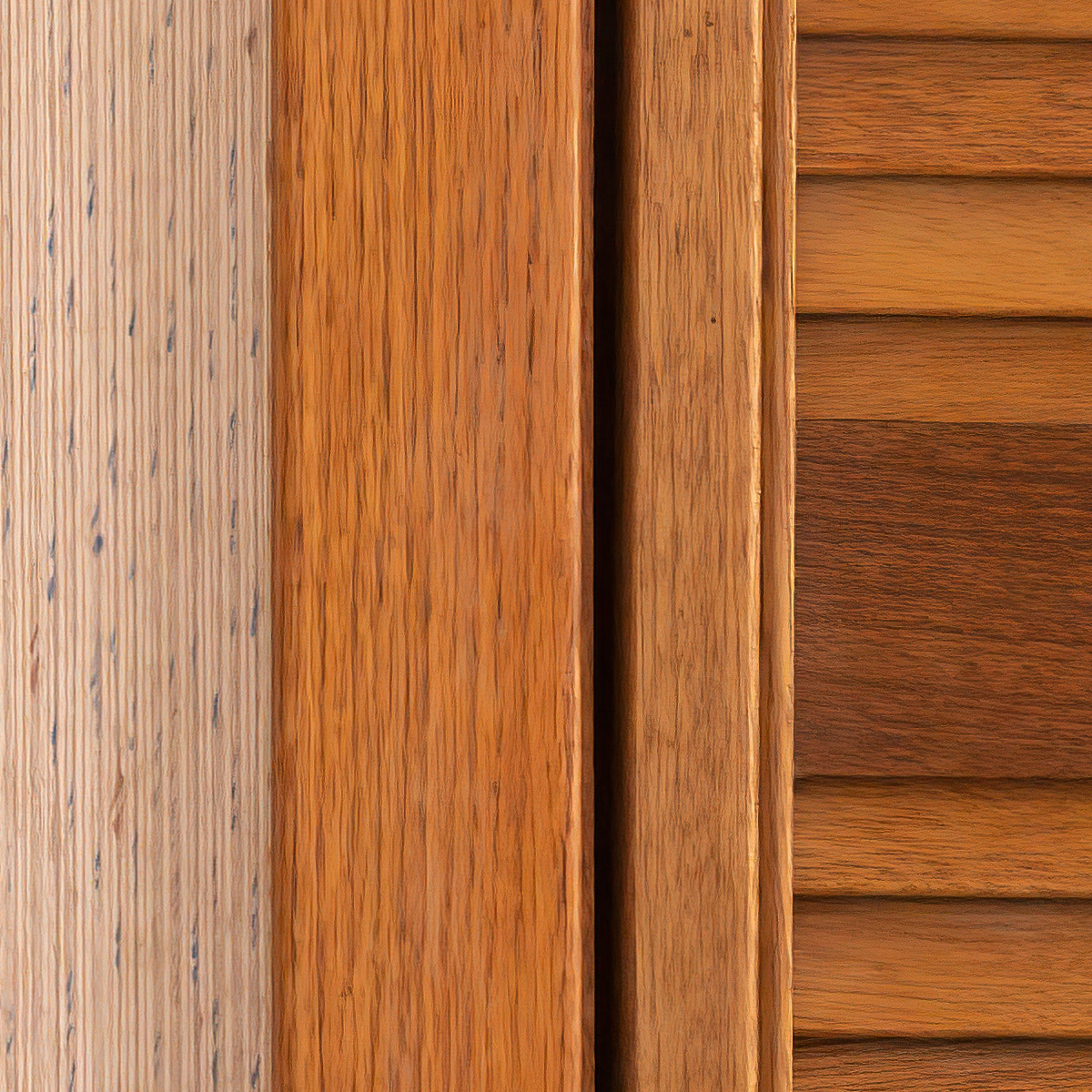
Round-tripped from Lightroom, through Topaz (AI Clear option)
Here's a test shot that I was playing with, and I couldn't believe how well it worked. (these are all 100% crops)
My standard processing, but NO noise reduction
My typical Lightroom noise reduction settings
Round-tripped from Lightroom, through Topaz (AI Clear option)
Nov 13, 2019 at 08:12 AM
p.2 #15Any thoughts on use of Topaz DeNoise AI?
Tip: much of the noise is most visible in the BG. So select the BG and be most aggressive with NR there then use less NR on your bird.
Nov 13, 2019 at 08:19 AM
p.2 #16Any thoughts on use of Topaz DeNoise AI?
After spending a little time poking around I don't see anything straightforward in terms of using LR (cloud/cc, not classic) with external editors. (There's no way to add external editors in Preferences or the menu, for instance).
So if I want to use something like Denoise or Nik, I think I have to use those before whatever I want to do in LR. Does anyone have experience with that?
I realize I should probably make the leap to LR classic/desktop (I don't edit on mobile), but I need the cloud storage.
So if I want to use something like Denoise or Nik, I think I have to use those before whatever I want to do in LR. Does anyone have experience with that?
I realize I should probably make the leap to LR classic/desktop (I don't edit on mobile), but I need the cloud storage.
Nov 13, 2019 at 10:27 AM
p.2 #17Any thoughts on use of Topaz DeNoise AI?
Can anyone explain how Clear AI differs from DeNoise AI? It's not obvious to me which of these options to use when. Is there a publicly stated difference in operation for each of these algorithms which would allow one to choose between them in advance, or is picking one over the other more a matter of trial and error?
Nov 13, 2019 at 10:27 AM
p.2 #18Any thoughts on use of Topaz DeNoise AI?
lunar module wrote:
Can anyone explain how Clear AI differs from DeNoise AI? It's not obvious to me which of these options to use when. Is there a publicly stated difference in operation for each of these algorithms which would allow one to choose between them in advance, or is picking one over the other more a matter of trial and error?
I'd like to know that too. The Topaz site seems to say that the Denoise AI is better/more advanced, but most of the time I find the results from AI Clear to be more pleasing. (I always check both for each image)
Nov 13, 2019 at 10:38 AM
p.2 #19Any thoughts on use of Topaz DeNoise AI?
jon m wrote:
After spending a little time poking around I don't see anything straightforward in terms of using LR (cloud/cc, not classic) with external editors. (There's no way to add external editors in Preferences or the menu, for instance).
So if I want to use something like Denoise or Nik, I think I have to use those before whatever I want to do in LR. Does anyone have experience with that?
I realize I should probably make the leap to LR classic/desktop (I don't edit on mobile), but I need the cloud storage.
When you say "cloud/cc, not classic" not sure what you mean. LR Classic is a creative cloud app, just like the "new" version of LIghtroom. You can use either or both with any CC photo subscription.
The way to add external editors in LR Classic CC is to open Preferences, click on External Editor tab, and under the Additional External Editor area, click on the Choose button. Navigate to wherever your downloaded external editor plug in is located on your hard drive, and click it. It will now be available to you as an external editor within LR.
To invoke the external editor, you open the image you wish to edit, go to the Photo menu, select Edit In, and your external editor will be in the list of options. Select it and your editor will open automatically.
Nov 13, 2019 at 10:42 AM
p.2 #20Any thoughts on use of Topaz DeNoise AI?
I don't use "classic", I just use the "new" version (which I think is either called "CC", or when you do "About", says Version 3). This version stores your photos in the Adobe cloud (not sure if that's possible in Classic, but I'd be more inclined to learn Classic if I could do that).
In the new version there's no way to add in an external editor.
In the new version there's no way to add in an external editor.
Nov 13, 2019 at 10:49 AM