tsinsf wrote:
... LR has way more things that it can do than Bridge, but is also way more complicated. If you want, give LR a try and if it seems to come easy, continue with it. If not, use Bridge. The photo editing possibilities in LR are pretty much all present in Adobe Camera Raw, just formatted a bit different.
Lightroom Classic is not at all that complicated. Once you understand you can not move, rename, relocate or otherwise manipulate an image outside of Lightroom once it has been added to a catalog and expect Lightroom to know what has been done. Lightroom is a more complete management system, Bridge is a file browser that incorporates some additional capabilities.
From a DAM (Digital Asset Management) standpoint, Bridge can only share information about what is live and currently accessible to your workstation while Lightroom can share information about all images that have been imported to your current catalog if the storage device is currently available or not. Lightroom will remember where images in a catalog were last stored, Bridge only knows about images you point it to.
Other than that, Bridge is an effective Browser and batch processing tool with the proper utilities that was used quite heavily by photographers before the advent of Lightroom.
Additionally ... "The photo editing possibilities in LR are pretty much all present in Adobe Camera Raw," ... The Develop module in Lightroom and the Photoshop Camera RAW plugin are EXACTLY (not pretty much) the same. Images processed in either using the exact same slider settings will render identically in either application (If you have Prophoto RGB set as default in Photoshop) ... only the GUI for the two options is different, the underlying code that makes things happen is exactly the same for both options.
tsinsf wrote:
It takes a particular kind of mind to easily master LR, and not everybody has that kind of mind.
That's a pretty condescending point of view toward Bridge users, your buddy included. I will speculate that most of us who value the speed and simplicity of Bridge have access to numerous other DAM/PP solutions. We use Bridge for it's advantages, which are significant. Re-read Peter's post if you need to.
As for myself, I have LR (and its catalog) along with C1 (and its catalog) and I use both apps regularly. I find not having to spend time on the importing process is a real plus when I just want to sit down and go straight to work on a particular image or series. Bridge (as well as sessions in Capture One) makes this a piece of cake. Since I have all my images organized with a folder and date system, it's a simple matter to use Bridge to quickly bring up files from my archives when I need to.
There's more to add but I'm already late for a meeting; I think I've covered most of what I wanted to say.
I think Adobe does a poor job of putting out information on what LR can do. There are very few people or places that train the entire LR process/workflow. I would argue that if you are looking at LR as an image processor more so than a catalogue system, you're doing it all wrong!
If you are struggling with LR, or any other option for managing images, do yourself a favor and buy Jared Platt's LR Workflow course, it's the best $149 you'll spend! I'll admit, he seems to take image backup to the extreme, but if you are a working pro, you simply can't risk loss, and his system is extremely thorough!
I don't know him and get nothing for referring his training, I just think this course is the best I've ever taken, and I've taken a lot of courses! In this course he doesn't just tell you what to do, he actually shows you his entire workflow, with the products he uses, and they exact way he uses them. I would not recommend this for casual photographers because I think there is so much that would not apply, but for a working pro, it's a great workflow.
Beni wrote:
Heck yeah. I never bought into the whole catalogue thing. I also far prefer ACR to LR for raw developing.
Isn't ACR and LR the same thing? LR has all the same base options as ACR. Depends on what you are doing. I wouldn't edit 500 event files using ACR/PS. If I need advanced editing options then I use ACR/PS or I transfer a file from LR to PS. A tool for each situation.
Been a Photoshop user for 25 years.. I always use Bridge. My PS/Bridge/ACR workflow was well established for my personal efficiency well before Lightroom was invented. I've never changed it and still like it.
Actually to answer the question I have never used Bridge. PS from 2005 and added LR in 2011. I was pretty good at remembering where my files were during the PS years. I also used Canon's DPP with PS.
Yes I use it often. it is especially useful for my Fugi files, which my PS CS 6 and ACR do not recognize. I batch convert the RAFs in DNG Converter, open them all in Bridge, select which ones I want to work on, and then open that DNG in ACR----it does recognize the DNGs, and automatically applies the "cooked in " lens corrections supplied by Fuji. For filing and cataloging I use a manual system, listing files by date and content but use an Excel spread sheet to list and find what file I am looking for (using the Excel "find" feature). Works for me, but I am not a pro, but an 82 year old amateur.
Dave in NJ
I think that there are a lot of misunderstanding here about what Bridge is and is not. Bridge was originally designed, believe it or not as a BRIDGE between apps, hence the name. Sort of a central place where you could view files and open them in whatever application was appropriate for them. In fact, through Bridge Preferences, you can also specify what application you want Bridge to open a file in, and it can be any app, not just an Adobe app and it can be the app that YOU want, not just the default app for that file type. For instance, you might not want all your tiffs opening in the latest version of Ps, but the one just before. Or you might want your MOV files to open in Resolve instead of Premiere or whatever. And just because you use Lr doesn't mean that Bridge won't benefit you but know that Bridge does not have cataloging capabilities like other apps. If you think it's a pile of bloatware, then you haven't used it to it's fullest extent, but most of us haven't. And even though many of the things it does are available directly through Photoshop, it's simply a LOT easier and faster to get them done through Bridge - things like PhotoMerge, or one of my favorite features, using the Output Tab in Bridge in conjunction with the Viewer function to choose a selected number of jpeg thumbnails and then build a very quick HTML web gallery to be uploaded via Transmit to a client viewing portion of my web site. Can you do that in other apps? Sure, but it's just so easy and convenient in Bridge and it just works. And, as a file viewer, it renders so many different types of files. Or, you can drag the thumbnail of the file viewed in Bridge directly to the application icon in the application bar in the Mac OS to open in any app, if you haven't set the specific app version for that file type. Lots of different way to make it work. But hell, I don't really care if you use it or not. For ME, it's a must have, use all day long sort of app that streamlines everything I do from Capture One to Ps to Resolve to InDesign to finishing the job and getting paid sooner. It's one of those apps that makes everything I do in images faster and more efficient.
Peter Figen wrote:
or one of my favorite features, using the Output Tab in Bridge in conjunction with the Viewer function to choose a selected number of jpeg thumbnails and then build a very quick HTML web gallery to be uploaded via Transmit to a client viewing portion of my web site.
I've dabbled with Bridge and find it has some interesting features but I don't use it a lot. I am intrigued by what you are saying here. I tried to replicate your process in my copy of Bridge (2019). But, I can't find an option to create a web gallery. The only option my output workspace gives is to create things list contact sheets of interactive PDFs.
Can you give a pointer as to where to find the HTML option?
I do not install Lightroom it does not support layered photoshop documents without layer support how can one combine and composite images together. Lightroom is only good for cataloging and developing camera image files IMO.
Am I the only one who prefers working with raw files in ACR to LR? I find the interface better, quicker and easier in ACR and I've used LR from version 1 to the present day.
Nick Birkett wrote:
I've dabbled with Bridge and find it has some interesting features but I don't use it a lot. I am intrigued by what you are saying here. I tried to replicate your process in my copy of Bridge (2019). But, I can't find an option to create a web gallery. The only option my output workspace gives is to create things list contact sheets of interactive PDFs.
Can you give a pointer as to where to find the HTML option?
Answering my own question: Adobe removed the web creation capability with the 2017 version of Bridge:
The Adobe Output Module (AOM) plug-in (explained in this article) is no longer supported and the functionality to create web galleries has been discontinued in the latest version of Bridge.
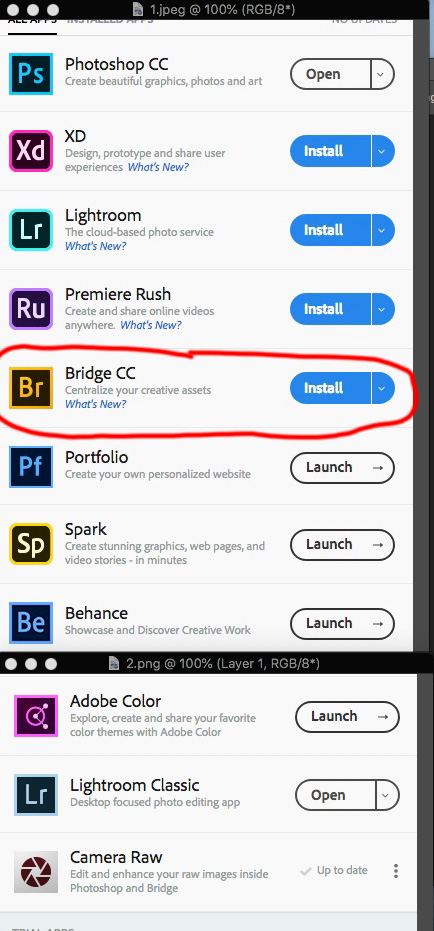
And to address another comment: Bridge is still available for free (no need for a paid Adobe CC subscription). But, to download it, you have to create an Adobe account and use the CC downloader.
I forced myself to use LR for about 2 years, thinking that I needed to embrace the new way. But I went back to Bridge about a year ago, and I'm happy I did. It's just more logical to me. And I love using ACR.
Mr Mouse wrote:
I do not install Lightroom it does not support layered photoshop documents without layer support how can one combine and composite images together. Lightroom is only good for cataloging and developing camera image files IMO.
Bridge doesn't do this either...LR goes WAY beyond a catalog and basic photo editor..