p.70 #5 · Portrait and People Image Thread using Sony
Hodie wrote:
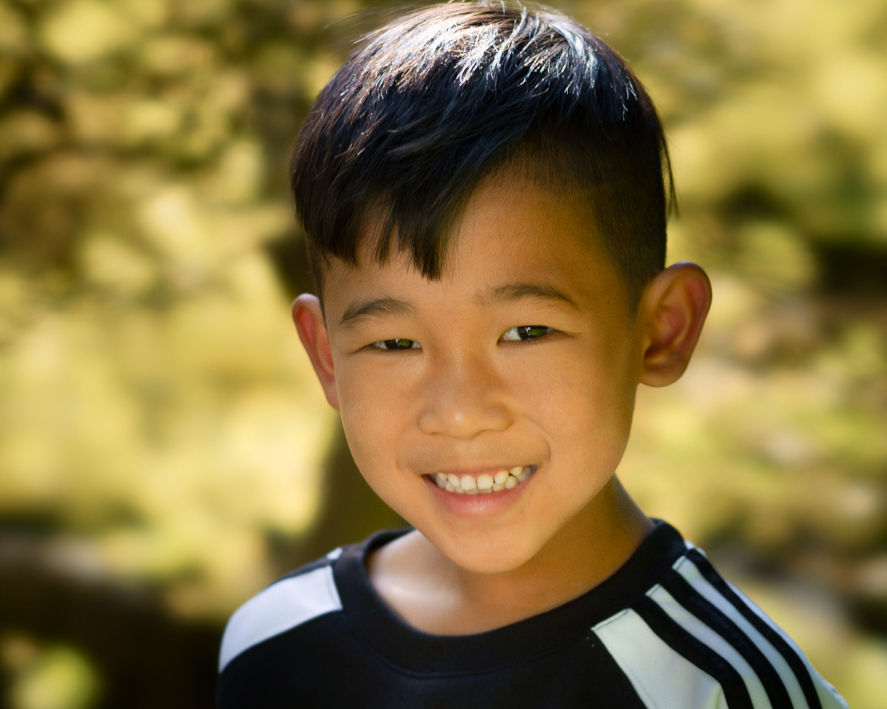
Thanks, Gabriel! I don't mind at all. That's why I put the unedited up there. Do you mind sharing what steps you took?
So it was a quick step of creating a hue/saturation layer in Photoshop then I removed any green saturation and tweaked the yellow towards more skin color to even out with the rest of the skin. Used a brush to go over the parts I wanted to focus on.
Hope that helps. It could be done better of course but just a quick thought I had on how to approach it.
p.70 #6 · Portrait and People Image Thread using Sony
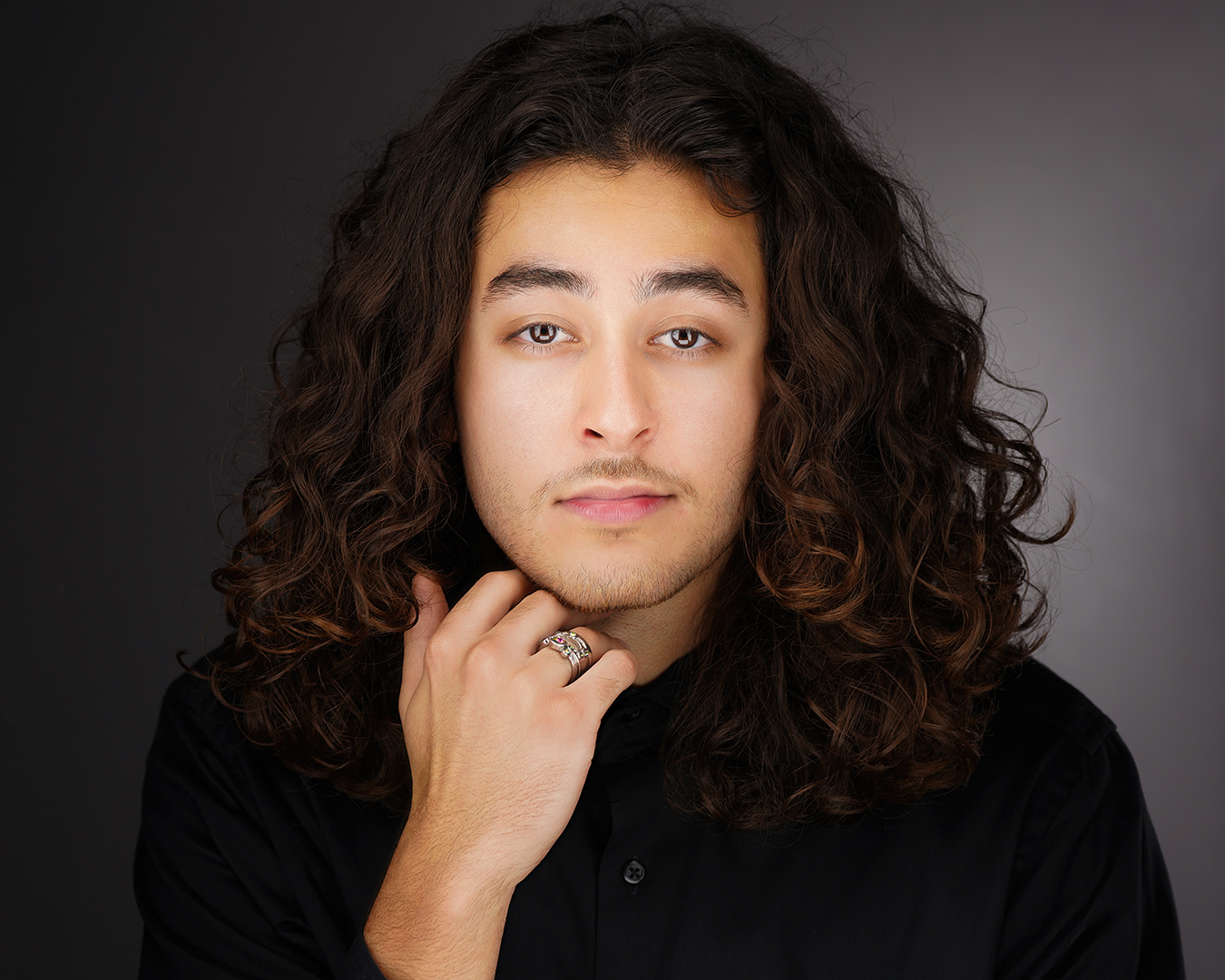
Picked the last photo of a Headshot session this morning and did a quick mini edit to post (from the JPG).
PS When I post here to share a photo I do it trying to share some work and offer some advice if requested. That is why I sometimes add a BTS shot.
Offering CC to me or ANYONE that is not asking for it, I consider it bad manners. I don't know it all but when I want CC I will be happy to make it clear.
Then again, the ones that like to do that are usually in my ignored list anyway...
p.70 #7 · Portrait and People Image Thread using Sony
GabrielPhoto wrote:
So it was a quick step of creating a hue/saturation layer in Photoshop then I removed any green saturation and tweaked the yellow towards more skin color to even out with the rest of the skin. Used a brush to go over the parts I wanted to focus on.
Hope that helps. It could be done better of course but just a quick thought I had on how to approach it.
Awesome, thanks for sharing! I think my problem is I have trouble seeing the problem areas. This whole exercise has shown me to pay closer attention to skin color, contamination, and how it can differ in the shadow and highlight areas.
p.70 #8 · Portrait and People Image Thread using Sony
Hodie wrote:
Awesome, thanks for sharing! I think my problem is I have trouble seeing the problem areas. This whole exercise has shown me to pay closer attention to skin color, contamination, and how it can differ in the shadow and highlight areas.
You are welcome and don't worry, our brains are good at adapting to things so it can ignore stuff like that unless you train it to notice.
Also, monitor calibration is key too if you have not done it.
In any case, you will see how it will become more and more noticeable as you keep working at it.
p.70 #9 · Portrait and People Image Thread using Sony
Since you're OK with an edit - here's my 5 minute version -
Going from the bottom layer up -
Added a little smart sharpening
General/global curves - just a bump up
Selective exposure masked for just him - he was quite underexposed compared to the BG
Selective hue saturation just on him - (-14 hue shift to help skin tone) (+22 lightness to brighten)
One more Hue/Sat adjustment layer to further desaturate and lighten yellows globally
One more Curves to give it a little pop and contrast. (S curve)
Each of these can be fine tuned further - Some of this edit is to my own eye/style which leans towards brighter and punchier - so YMMV. But the skin tone color seems decent without even going to fine tuned selective color adjustments.
Being in bright Norcal sun a lot myself I'm always shooting under greenery in shade so I always try to make sure to shoot one ColorChecker frame in each unique location to create a profile from - it really helps - but this isn't bad to work with, and the A7RIV has super dynamic range in the RAWs.
p.70 #11 · Portrait and People Image Thread using Sony
KE_Photo wrote:
Very nice! Great skin tone. The lighting works great so I'll bite my tongue on the catch lights. ha ha.
Thanks and yeah, just like the eyelighter, the catch light for this setup has pretty unique results. So far, every customer loves it but I am sure someone will want a different look for which I got plenty of other setups just in case
p.70 #12 · Portrait and People Image Thread using Sony
p.70 #9 - a few responses: hair is awash with LoCA, worse than before (contrast boost); macro contrast is now so strong there is not even the suggestion of detail in black content (t-shirt) nor bright areas of hair. Yellow (which was not bad in original) is now a queasy lemon tone. Facial skin is too bright and looks front lit by a torch, and is unnatural. Too much contrast automatically boosts saturation, with all too predictable results.
It all shows we see very (very) differently. The whole bright face fashion is .. just that, fashion. Being so artificial it won't age well, but it certainly has visual impact!
Balance and subtlety are the hallmarks of sound portraiture. It is why portrait lenses are designed with low contrast in mind, and why they are often not so suitable for landscapes - where you do need high contrast. In fact, the lens plays a much larger role in portraits than is commonly believed. Some very good examples of a whole lot of CZ lenses:
p.70 #13 · Portrait and People Image Thread using Sony
philip_pj wrote:
p.70 #9 - a few responses:
Just wondering why the laundry list of technical critique for a casual shot - a jpg, made into a screenshot of an example for changing skin tone color contamination in Photoshop - then the low resolution version PNG screenshot was posted in a forum and viewed in a browser. Not exactly the formula for a master portrait image. The observations are fine, but a bit off point.
It all shows we see very (very) differently.
Agreed! Precisely what I noted as YMMV in the little tutorial screenshot all one needs to do is move a hue/sat slider 1/8 of an inch for vastly different results suited to personal taste. One doesn't even have to use the same stack of layers I showed - it's just a very quick example of how something might be approached on a very basic, unrefined level. All I used was the "auto mask select subject " feature - very sloppy too! Copy/Invert the mask on another layer and shift the BG color /brightness - or do a zillion other things....paint in or our any amount of adjustment on a fine tuned level down to the pixel in the masks - it's wide open.
Balance and subtlety are the hallmarks of sound portraiture.
Agreed but while the Photoshop technique demo wasn't really much about portraiture - there are no set rules or formulas. There are many styles of portraiture, and many styles of editing/finishing. Subject matter and usage should also influence the direction. A baby, business exec, and rock musician don't all get the same lens, camera settings, lighting and finishing work, in my view. YMMV.
p.70 #15 · Portrait and People Image Thread using Sony
philip_pj wrote:
It all shows we see very (very) differently. The whole bright face fashion is .. just that, fashion. Being so artificial it won't age well, but it certainly has visual impact!