fredmiranda.com
Login

Moderated by: Fred Miranda
FM Forum Rules
Landscape Posting Guidelines
  

FM Forums | Landscape Photographer | Join Upload & Sell


Archive 2018 · Spirit Falling


Mark Metternich
Offline
• • • • • •
Upload & Sell: On
p.1 #1 · Spirit Falling


The Pacific Northwest is literally exploding with epic photographic potential. Many consider Oregon and Washington to be one of, if not the, most diverse region of landscapes in the world. There is nothing better than taking a week and crisscrossing the astonishing NW to the very best locations at peak seasons and peak weather conditions. Can you tell I'm getting excited about the Spring photo season?! I am sure many of you are too.

Sony A7R2
Canon 70-200 f/4 w Hoya circular polarizer
150mm
f/9
1/5th
50 ISO
Single shot
cropped to 4x5 for IG...


Techy stuff for the techie:

The above image is a close-up (zoom) of these same waterfalls:

"Spirit of The Northwest"
"Spirit Dreams"

Once my private client was busy with the shot I set him up for (he needed help to get to the location, help with optimizing camera settings, compositional suggestions/fine tuning and taught how to shoot with a lot of waterfall spray/mist in the air and keep the lens dry) I quickly browsed for some new takes to suggest to him. This was a quick test shot I had thought about (seen in my mind's eye) countless years in a row, but I never executed it. I tried various shutter speeds but 1/5th seemed to produce the texture I liked the most. I ran back to show him, and after he was done, he successfully tried his own takes on it.

The post-processing was very easy. Most of it was done in Lightroom Raw (Develop Tab) with NO capture (raw) sharpening applied (this is now the best suggestion for preventing sharpening artifacting, to everyone who makes prints - do not Raw sharpen. Instead, keep your master file artifact free. Then on a COPY of your Tiff, PSD or whatever, you can do it in Photoshop using the “Camera Raw Filter” on a layer carefully easing it in our out of areas or using some masking techniques, then you can upsize (or downsize). You will get the exact same results (if you know what you are doing).

The image was shot ISO expansion Low (50) so it literally had NO color noise at all! That always makes for awesome and potentially HUGE and detailed prints because when you remove color noise (Color Noise Slider in Raw) what many people do not know is what remains is fine tonal discrepancies in the pixels that the color was removed from! That sentence might be worth reading again. This causes a type of artifacting in the image that looks a bit like grain. This "graininess" seriously hinders optimal capture/pre-sharpening and after you upsize using the best algorithms (Lanczos) the various sharpening for output techniques used to create a masterful fine art enlargement, retaining all the detail possible, is also hindered significantly.

Once it was done in Lightroom Raw, I imported it into Photoshop as a Raw "Smart Object" (a free intro Video about Raw Smart Objects is on youtube here:

&t=12s" target="_blank" rel="nofollow">Smart Objects


This allowed me to take advantage of critical Layers and Masking in Photoshop but still remain in 32-bit lossless RAW (instead of 16 bit Tiff or PSD)! This is now helping us photographers get the image a lot farther down the processing chain and remain lossless processing!

Once I exhausted Photoshop Raw “Smart Objects” (for fine-tuned tonal and color corrections) I finally "rasterized" the image (turned it into a 16 bit Tiff) and did a few more small subtle tweaks. It was sized down using Photoshops best algorithm for downsizing (Bicubic - “for smooth gradients”) and then I used the Camera Raw Filter to sharpen it (Radius to the left Detail to the right for the finest deconvolution sharpening. I still use the Photoshop "Save for Web" option because I like how it ensures the web version of the image is in Srgb, strips the metadata, and embeds the Srgb profile into the Jpeg (all automatically) so that browsers know how to try to interpret it...

The only other interesting thing I did was a cool technique I innovated (and I send it out - with a few other freebies - free to everyone who buys any of my Video Tutorials or is on my mailing list) that involves extracting all the hidden dust sensor spots, specks and so forth from the file in a way that is really so much better than anything I have ever seen. Often I will do that work in Raw with the Spot Removal Tool, which does a fairly decent job most of the time. But when you have lines like water texture, it does not do too well there. Also, there are almost always a ton of hidden specks and artifacts you can barely see, or not see at all. This method guarantees you get everything.

The gist of the technique is basically that I create an extra duplicated layer and add way too much "Clarity" (mid-tone contrast) to it (this reveals all of the hidden stuff). Then I use the Quick Mask and a hard brush to paint on them. I delete the layer but keep the selection made by using Quick Mask and then I use "Content Aware" Delete and everything I did not see, is now beautifully gone! This helps so much when you make a lot of enlargements (as I do) because often these things can easily start to show up there.

Hope it helps someone!

Thank you for looking. All the best to you and yours, and Great Light to you!


Apr 04, 2018 at 09:10 AM
guidostow
Offline
• • • •
Upload & Sell: Off
p.1 #2 · Spirit Falling


Mark you just keep hitting these things out of the county!
Really beautiful image!


Apr 04, 2018 at 09:26 AM
Rajan Parrikar
Offline
• • • • •
Upload & Sell: On
p.1 #3 · Spirit Falling


Lovely!


Apr 04, 2018 at 10:53 AM
Lobohowler
Offline
• •
Upload & Sell: On
p.1 #4 · Spirit Falling


Fantastic image. I also really appreciate your taking time in your posts to give information both in capturing and post-processing the image.


Apr 04, 2018 at 11:13 AM
prefrosh01
Offline

Upload & Sell: Off
p.1 #5 · Spirit Falling


Stunning image!


Apr 04, 2018 at 11:26 AM
Mark Metternich
Offline
• • • • • •
Upload & Sell: On
p.1 #6 · Spirit Falling


guidostow wrote:
Mark you just keep hitting these things out of the county!
Really beautiful image!


Thanks Brother! It is my job. But I really do appreciate you taking time to comment and encourage me. Really appreciated. Let me know if there is anything I can do for you.


Apr 05, 2018 at 08:41 AM
guidostow
Offline
• • • •
Upload & Sell: Off
p.1 #7 · Spirit Falling


Mark Metternich wrote:
Thanks Brother! It is my job. But I really do appreciate you taking time to comment and encourage me. Really appreciated. Let me know if there is anything I can do for you.


Completely appreciate your willingness to share your beautiful work and your wisdom!

Now if you could do something about the NE weather...


Apr 05, 2018 at 09:11 AM
lighthound
Offline
• • • • • •
Upload & Sell: Off
p.1 #8 · Spirit Falling


Beautiful shot Mark. I like the simplicity of this one with the vertical water lines and the diagonal of the rock structure.

I could have sworn just a short time ago you had mentioned that you did some RAW sharpening in LR with (Radius =0 / Detail = 100) BEFORE you took it over to PS. Is this a new method you're describing above or did I miss something?

Good stuff as always Mark!

Dave


Apr 05, 2018 at 12:46 PM
Chuck Eklund
Offline
• • •
Upload & Sell: On
p.1 #9 · Spirit Falling


Wow, that image is just plain fun to look at. Amazing.


Apr 05, 2018 at 12:46 PM
Mark Metternich
Offline
• • • • • •
Upload & Sell: On
p.1 #10 · Spirit Falling


lighthound wrote:
Beautiful shot Mark. I like the simplicity of this one with the vertical water lines and the diagonal of the rock structure.

I could have sworn just a short time ago you had mentioned that you did some RAW sharpening in LR with (Radius =0 / Detail = 100) BEFORE you took it over to PS. Is this a new method you're describing above or did I miss something?

Good stuff as always Mark!

Dave


Hi Dave.

Thank you very much for the feedback and compliment.

RAW SHARPENING... Robert Park (IMO maybe the most incredible print master on the planet) and I did a 2-day "The Ultimate Mastering Fine Art Printmaking Workshop" in January, and during that time we both merged our knowledge (and both learned from each other - I'm sure myself more than him) and even though I believed I have completely mastered every link in the entire processing chain to make a complete masterful print, actually I learned a hand full critical improvements to workflow that are revolutionary and ingenious, that honestly I believe few on the planet may know. When added up, these new, cutting edge processes/techniques are very potent for another large step forward in complete print mastery! I can not even begin to go into all the details (our extensive/exhaustive class was basically 2-8/10 hour days!) but I will tell you (and whoever reads this) that Raw Sharpening is a powerful, yet double edged sword. Very few people (like under 5-10%) know to use it masterfully, and are instead creating an artifacting in the master image that later (after masterful upsizing) hinders sharpening substantially. I was trusting people to be able to do what honestly, few can. Part of it is monitor issues (it can not be seen on 4K and 5K monitors - so people with new monitors are overdoing it) it needs to be done on a non-laptop, under 4K monitor that views detail well. Even with my Mac Thunderbolt 27 inch (which sees detail for print wonderfully) and my Dell Ultrasharp (Wide Gamut) there is a very big difference in how they view images, especially detail... I actually sent back my brand new super iMac.

Also, one needs to not only be on a good monitor for seeing detail, but at 100% viewing distance they need to be extremely savvy on how they get the Deconvolution Sharpening (radius to the left, detail to the right) into the various types of details in the image. Smooth surfaces can not take any, mid range frequencies can take less than high frequency (super fine detail) and even the radius and detail can be slightly adjusted for mid frequency details, and then of course the really fine details can handle the radius to the left and detail to the right (super fine Deconvolution). Also lens fall off on edges need to be reduced, and things in the far distance of a landscape can handle less (if any) Capture Sharpening (because they are far away, they lack some detail). Then of course manual masking must be done to keep it totally out of smooth surfaces like sky and long exposure water effects, or out of focus areas. Also, how much color noise was removed from the image, and what ISO it was shot at and the overall exposure quality of the image plays into this heavily.

So you can see that this is a comprehensive technique/subject. The HUGE plus is that DECONVOLUTION when working correctly actually reduces lens blur!!! Yes, when working properly. It is actually reducing the transition/feather (blur) of pixels at micro edges! It is nothing like Unsharp Mask in how it treats pixels (in fact almost the opposite). So the HUGE plus is that if done masterfully before sizing an enlargement you will literally get upwards to 10% MORE QUALITY DETAIL in the enlargement than if you never do it! It is an improvement that can not be made up after the upsize! 10% more detail is substantial! That is like comparing an average Canon lens with a uber sharp Leica! And BTW the best upsizing algorithm is not what about 95% of people think it is. And in itself adds (retains) another maybe 5% more detail. So just with two (of many) techniques you are heading toward 15% more detail in an enlargement.

So you might be able to see here that, the techniques are awesome but they take amazing care. What Robert said that he is finding is that the people who buy my Video Tutorials "THE ULTIMATE SHARPENING WORKFLOW FOR FINE ART PRINTING" and "MASTERING FINE ART PRINTING AND COLOR MANAGEMENT" are doing the right techniques, but because of the issues I described above, most times they are overdoing it. Thus do not do it in Raw.

There is also the issue of image size. I know that not a lot of people make 40", 50", 60", 70", 80"... 96"+ images... (a lot of people hire me to process their images for print for them). But here is something I had not seen in my large images: the larger you go the more chance that after the upsize this capture sharpening might cause that grainy artifacting, limiting output sharpening (sharpening the image after resizing it up). I am running some rigorous tests right now and still believe the techniques can not be improved, but how you do your noise reduction and capture sharpening in your master file is critical.

So, what we are now advising is to keep your original master file free of sharpening! Unless you use Raw Smart Objects in Photoshop Layers, and a lot of adjustment layers in Photoshop (after Lightroom Raw processing) and you keep all those layers saved as your master (so you can correct things any time you re open the image) it is better to CAPTURE SHARPEN YOUR TIFF, PSD OR PSB (non compressed file). This means, make a copy of your non sharpened finished master file. Bring it into Photoshop and use the "Camera Raw Filter" and access the same Deconvolution sharpening there as is in Lightroom or Camera Raw, and then apply the effect on the image as a Layer or two and then very carefully go through the image brushing (or masking) in the effect (at 100% viewing distance - on a non 4 or 5K monitor) or out. Essentially and visually you will get the same results as if done in Raw (and I am double testing this now again as Alex Noriega said he has seen a difference, but I have not - even at 12,000% viewing distance.

So in short. Leave your master file completely unsharpened. The depending on how big you make a copy of that file for print, brush the capture sharpening into the image using Photoshop Layers with super care. Then you are never risking hurting your precious master file...

As you might be able to see, this is just one issue of so many awesome huge improvements technology is allowing us as photographers to massively step up our print presentation! And you also might see how the vast majority of people making prints are not getting anywhere near the quality they could be getting out of their images... And THAT is why I am so overwhelmingly happy about partnering up with Robert Park (I believe he EXCEEDS Jeff Schewe and the late-great Bruce Fraser and even Dan Margulis's phenomenal knowledge of everything printmaking, color management and post processing for print) for our workshop. I literally have not believed in anything in my career so much! I have no idea where Roberts life and my own will go in the next year or more, so I am trying to get every photographer I really care about, who wants to make great to incredible prints to this workshop. And honestly it has nothing to do with money. If I was rich, I'd do the exact same thing for free. The people who attended the last one in January (20 people limit) were absolutely overjoyed and blown away by what they learned. Even two total beginners (who I thought might really struggle with all this detailed information) attended and later told me it was the best thing they had ever done. We even had Lab owners / super advanced printers in this class who were in complete awe. I honestly think there is nothing like it anywhere. Everyone gets all the teaching as MP4 video after the class too. The next one is July 21-22.

So all that to say that Robert and I are totally obsessed with everything there is to know or learn about print mastery and we both love to help people shave off years of trial and error, and countless dollars on sub-par printing.

Feel free (anyone) to ask any other questions or message me. I am a super busy person putting in like 14 hours a day working on other peoples prints, mine, Skype lessons and making more Video Tutorials (when I am not traveling doing workshops) and almost never have any time to write lengthy replies like this, or even talk with people. But I always go out of my way in this area because I believe in it so much. I took a walk last night for about an hour (getting in shape for my May NW Tours) and I talked with a person who found me online for the whole hour about how he can master his own unique workflow for quality and sharpening for sports photography. He was a bit shocked I'd give my time away like that, but this is my passion.

BTW, here is that photo again of myself with Robert (it is an iPhone shot) next to his 80" (on the left) and 106" Lumachrome HD prints in the Carnevale Gallery  
(Caesars Palace, 3570 Las Vegas Boulevard South, Space# 20 - Appian Way, Las Vegas, NV 89109). These were shot with the D810 and a Tamron lens! You can go up to the print (our entire class did) and with your best glasses, put your nose to the print and still see perfect detail. It is breathtaking!!!! The pride people feel when they have created a masterpiece of one of their favorite images for themselves or others is just wonderful. That expresses just a little of my passion to help others...

Lastly (and I will say it a million times - so that people can benefit from it - and I get paid NOTHING to do so) Lumachrome HD is by far the best supergloss paper in the world today (and quite affordable). It is a proprietary paper and innovation of Robert Park and ONLY he prints it! It obviously beats Fuji Flex (Chromogenic - Silver Halide - Laser prints) in 3 dementiality, color gamut, detail, contrast ratio and archivalness. For those who may not know, Fujiflex has been the best supergloss in the world for about 20 years or so. Lumachrome is also MUCH better than metal and any other form of super gloss.

Hope it helps someone.

All the best to you and yours!
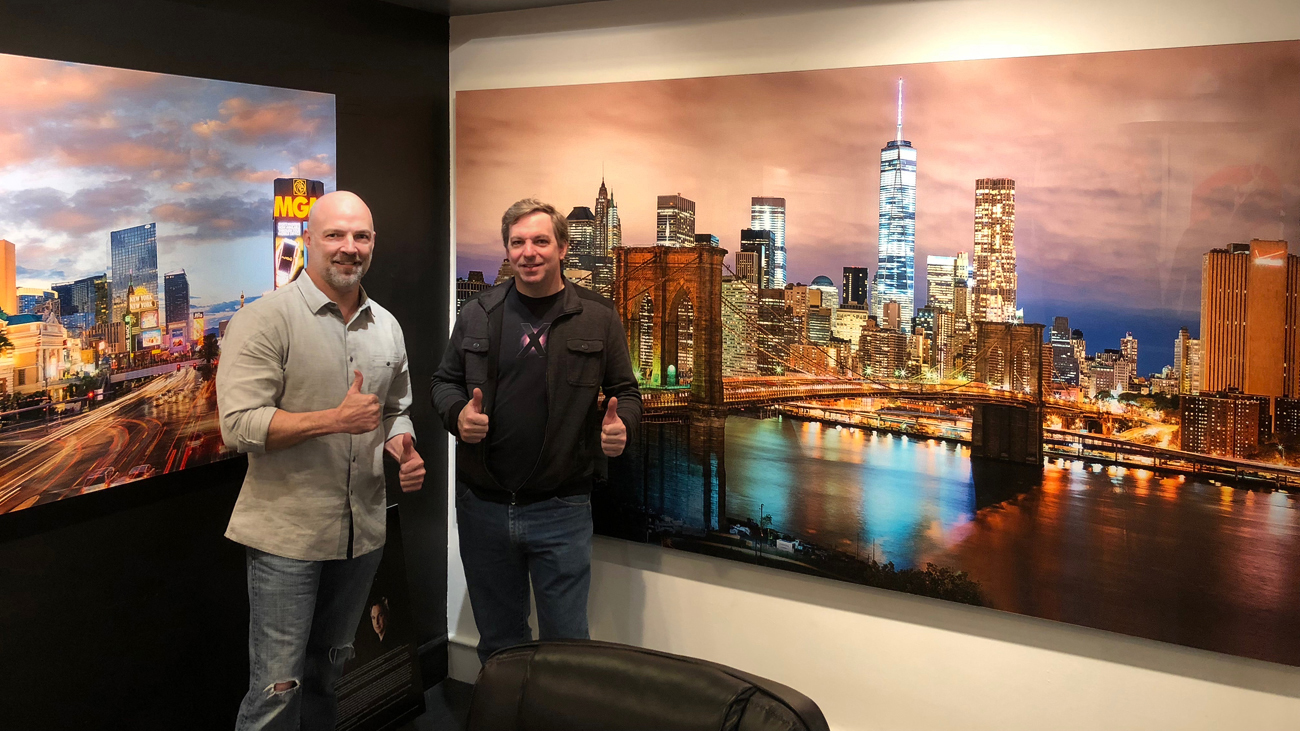


A dumb guy on the left on a guru genius on the right! :)
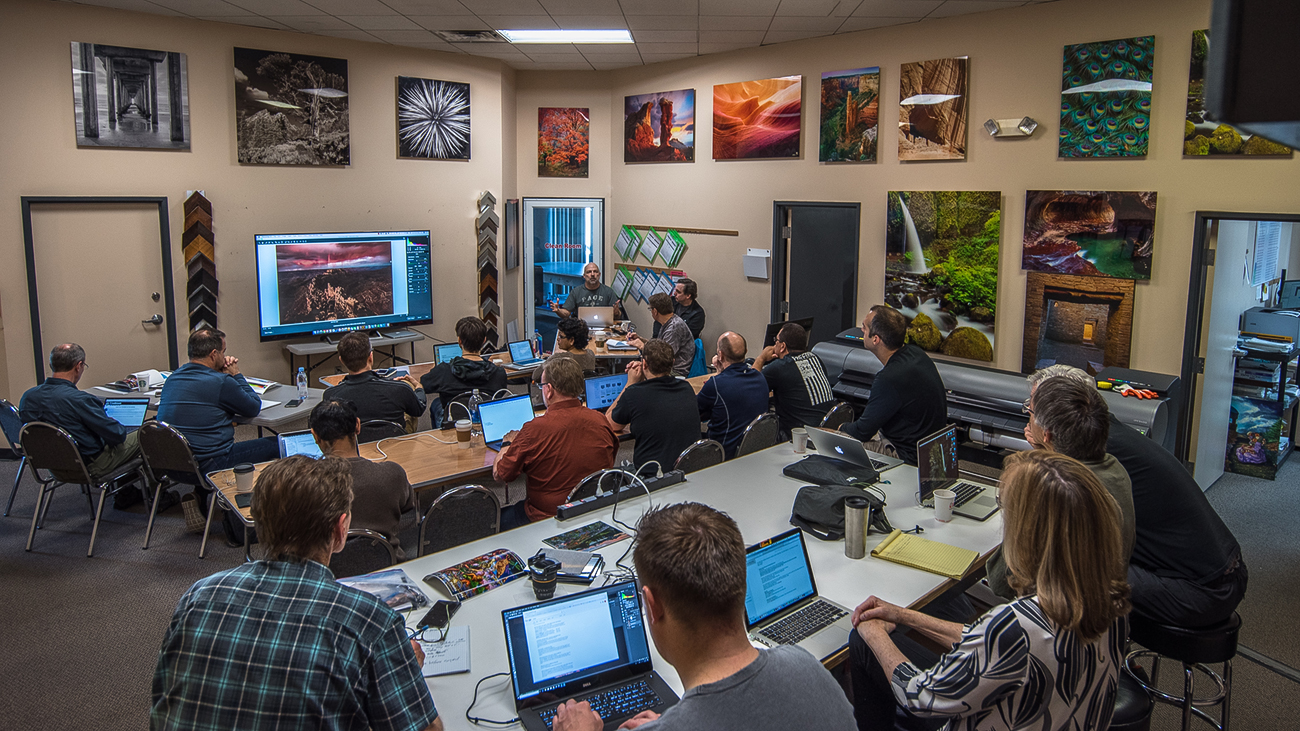


Nerding out on everything masting fine art printing.


Edited on Apr 06, 2018 at 08:13 AM · View previous versions


Apr 06, 2018 at 07:40 AM
Danpbphoto
Offline
• • • • • • •
Upload & Sell: On
p.1 #11 · Spirit Falling


Just fantastic Mark. I too, appreciate you taking the time to share your thoughts and techniques with others. It can only add to one's thought process in how "the greats" process their photographic compositions. And that process begins outside the camera!
Dan


Apr 06, 2018 at 08:04 AM
lighthound
Offline
• • • • • •
Upload & Sell: Off
p.1 #12 · Spirit Falling


Now THAT's what I call a reply! >Mind-blown< But in a good way.
Super information Mark! Thanks for taking the time to go into the details like this. The sharing of information like this is very much appreciated.
Good people like you are what makes Fred's site such a valuable asset to our community.

Dave


Apr 06, 2018 at 08:39 AM
JohnBrew
Offline
• •
Upload & Sell: Off
p.1 #13 · Spirit Falling


Utterly fascinating. Both the image and the explanation on printing. The workshop sounds interesting. Any chance it is on the East Coast?


Apr 06, 2018 at 04:06 PM
Mark Metternich
Offline
• • • • • •
Upload & Sell: On
p.1 #14 · Spirit Falling


Thank you everyone! thank you for taking precious time to respond here.

I'll get to each comment eventually. Now juggling family and the Photography business has me busier than ever in my life! As I am sure many can relate to!

JohnBrew wrote:
Utterly fascinating. Both the image and the explanation on printing. The workshop sounds interesting. Any chance it is on the East Coast?


Hi John.

Thank you very much for responding. Tickets to Vegas are really cheap and we have found hotels and cart rentals that are cheap too. We try to make it work out for people. Sometimes people double up on a hotel, or help each other with transportation... Let me know what I can do for you. It is really a once in a lifetime experience. And as I said, as much as Robert and I LOVE doing this, we both dont know exactly where are lives are leading so this could be a last opportunity. But who knows...

For those who don't do the workshop, I teach the fundamentals via Skype Private lessons. I do this all the time. About 2-3 hours can cover a lot. But it is nothing like the 20 hours of intensive training and inspiration of the class. That is priceless...


Apr 07, 2018 at 09:07 AM
deke4774
Offline
• •
Upload & Sell: On
p.1 #15 · Spirit Falling


A terrific image and a great insight to your work. Thank you for sharing.


Apr 07, 2018 at 10:20 AM
JohnBrew
Offline
• •
Upload & Sell: Off
p.1 #16 · Spirit Falling


Mark Metternich wrote:
Thank you everyone! thank you for taking precious time to respond here.

I'll get to each comment eventually. Now juggling family and the Photography business has me busier than ever in my life! As I am sure many can relate to!

Hi John.

Thank you very much for responding. Tickets to Vegas are really cheap and we have found hotels and cart rentals that are cheap too. We try to make it work out for people. Sometimes people double up on a hotel, or help each other with transportation... Let me know what I can do for you. It is really a
...Show more
Thanks for the reply, Mark. I ordered your video and finally got it to play (Windows 10 has been hell lately! Have a MacBook Pro ordered and hope it's better).
As to Vegas, I'd rather eat nails than go there again. The whole scene is just such a turnoff for me. Maybe down the road we can get together at some other venue...
Best,
John


Apr 10, 2018 at 02:55 PM
Fred Miranda
Offline
Admin
Upload & Sell: On
p.1 #17 · Spirit Falling


Striking image!


Apr 11, 2018 at 12:19 AM
srimmey
Offline
• •
Upload & Sell: Off
p.1 #18 · Spirit Falling


I love the motion of the water splashing off the rocks. Sound to me like you tried to make some digital "flats". Now all you need is a library of 5000+ "darks" for every camera you shoot with at every ISO, 5 degrees apart between 0 DEG F to 60 DEG F and you will be a true astrophotographer dabbling in daytime photography!


Apr 15, 2018 at 10:36 PM


FM Forums | Landscape Photographer | Join Upload & Sell


Welcome back
Log in to your account