This topic is in the 2017 archive. You can read it and like its posts here. It is read only.
Archive 2017Stitching or Merging Images. Your Panoramas are Welcome!

p.29 #1Stitching or Merging Images. Your Panoramas are Welcome!
scottsoutter wrote:
@lighthound@ - that's pretty badass !
Thanks! And that was handheld to boot.
@lighthound@ - that's pretty badass !
Thanks! And that was handheld to boot.
Nov 24, 2020 at 05:14 PM
p.29 #2Stitching or Merging Images. Your Panoramas are Welcome!
lighthound wrote:
Thanks! And that was handheld to boot.
Beary nice.
scottsoutter wrote
@lighthound@@@ - that's pretty badass !Beary nice.
Nov 24, 2020 at 05:27 PM
p.29 #3Stitching or Merging Images. Your Panoramas are Welcome!
A couple oldies, grouped in LR, then stitched in PS. I believe they were both 9 shot portrait, maybe up to 12. They are huge files, well over 100MB each, just linking here to some I have out on the net.
https://photos.smugmug.com/Landscapes/Oregon/Crater-Lake-National-Park/i-sMgTw4k/0/2573c484/XL/crater_lake_winter_pano4_bw2-XL.jpg
https://photos.smugmug.com/Landscapes/Oregon/Crater-Lake-National-Park/i-DCXzgv2/0/e1620809/XL/crater_lake_lodge_winter_pano_srgb-XL.jpg
This winter is looking like we may get epic snow at Crater Lake (Cascades in general), so might be time for another trip in early January for a new set.
--Jeff
Nov 24, 2020 at 08:07 PM
p.29 #4Stitching or Merging Images. Your Panoramas are Welcome!
A few panos unearthed from my travels
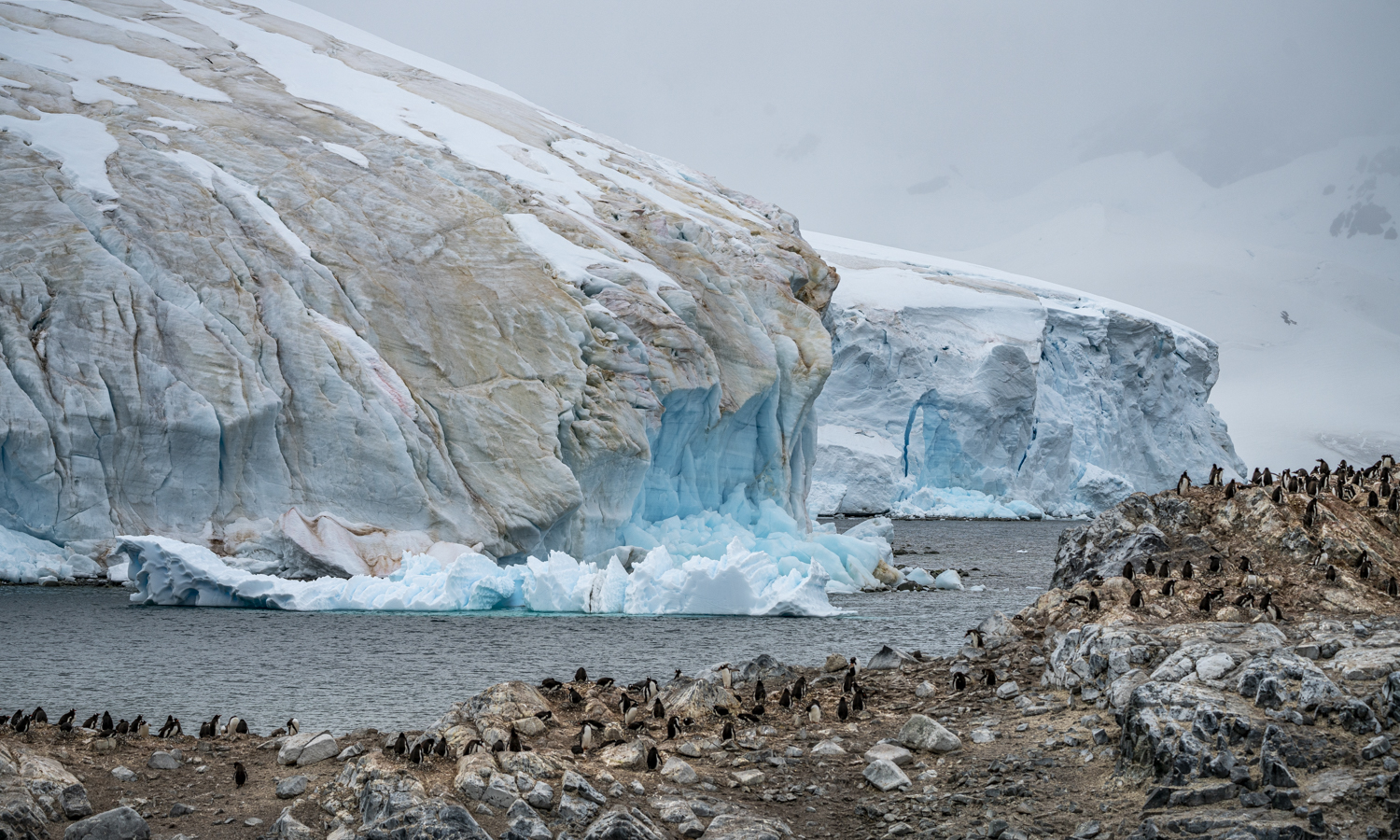
Antartica Peninsula Glacier
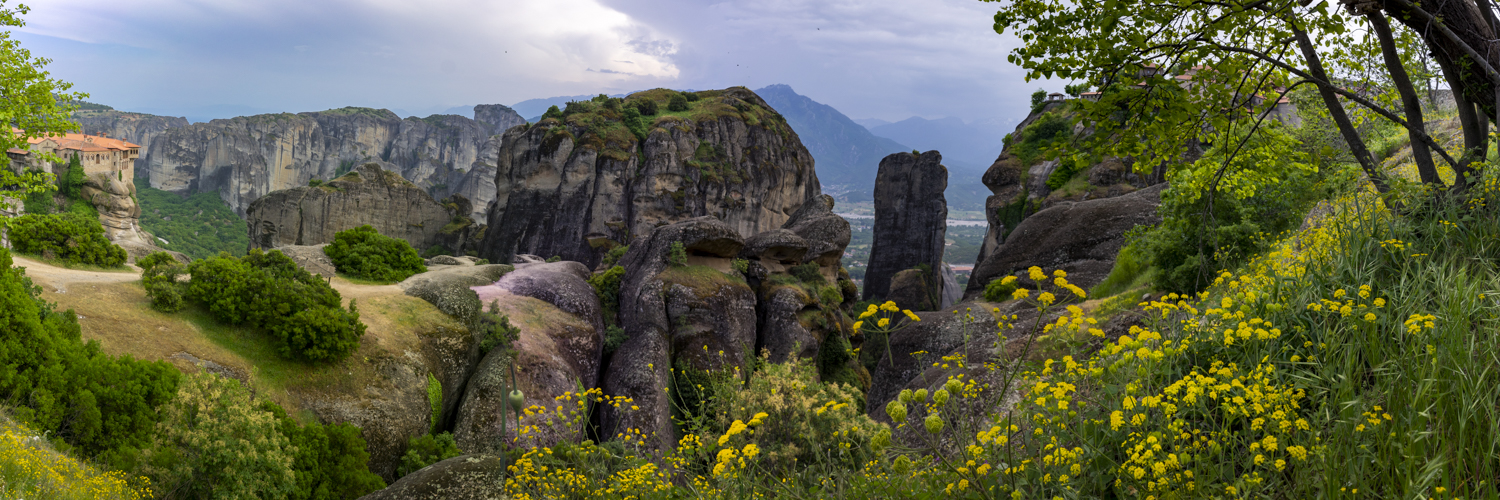
Metora Greece
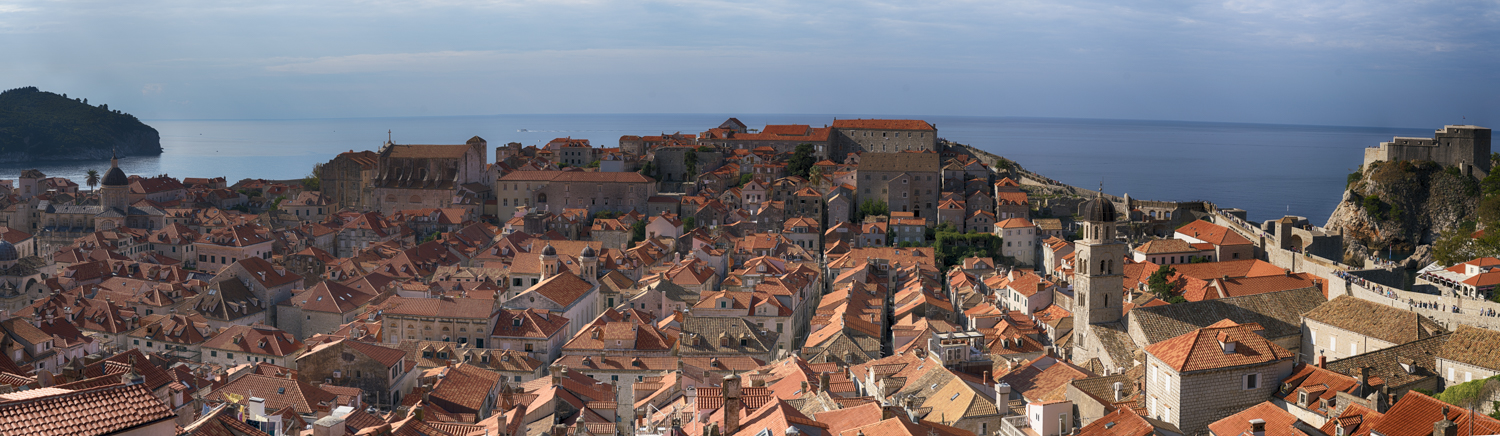
Dubrovnik Croatia
Antartica Peninsula Glacier
Metora Greece
Dubrovnik Croatia
Jan 03, 2021 at 09:50 AM
p.29 #5Stitching or Merging Images. Your Panoramas are Welcome!
Shorncliffe Jetty, Brisbane Australia, a few weeks ago.
Nikon Z7 with a Mamiya 50mm f/4.5 M ULD medium format lens. Sitting in between the Z7 and the 50mm lens was a Cambo Actus G. 9 images stitched. About a degree of tilt from memory, 20mm shift left and right, about 10 mm rear rise and about 5 mm rear fall, f/11, 1.3 seconds, ISO64.
https://www.steveverrall.com/wp-content/uploads/2021/03/Shorncliffe-Jetty.jpg
Edited on Mar 04, 2021 at 03:49 PM · View previous versions
Jan 04, 2021 at 11:47 PM
p.29 #6Stitching or Merging Images. Your Panoramas are Welcome!
Bump.... here's a two shot, hand held pano of a recent sunset on Waikanae Beach, NZ. The low lying clouds were the subject, but after merging I really liked the total effect of the lighting....
 Low Lying Clouds by David Hamments, on Flickr
Cheers and good light,
David
Low Lying Clouds by David Hamments, on FlickrCheers and good light,
David
Jan 11, 2021 at 01:46 PM
p.29 #7Stitching or Merging Images. Your Panoramas are Welcome!
I love shooting panos! Here's one from a few years ago I took from the top of the dome at St. Paul's Cathedral.
20 frames, handheld, Sony a6300.
 London Skyline by Rob Lyons, on Flickr
20 frames, handheld, Sony a6300.
London Skyline by Rob Lyons, on FlickrJan 12, 2021 at 11:33 AM
p.29 #8Stitching or Merging Images. Your Panoramas are Welcome!
Starting at 3:30 and going to about 4:40........ could this be the ultimate panoramic image/project ?
Feb 06, 2021 at 06:12 AM
p.29 #9Stitching or Merging Images. Your Panoramas are Welcome!
A couple from the same set as my moonset shots back in October. All shot with 70-200mm f/2.8L IS. Many vertical frames for each, later cropped for composition. I was pleased with how well LR stitched the image with the boat. I expected to have more artifacts from the moving water, but really only had to touch up one or two spots.

Sunrise Derelict (1/4 size) by Andrew Macaluso, on Flickr

Misty Lighthouse Sunrise by Andrew Macaluso, on Flickr
Sunrise Derelict (1/4 size) by Andrew Macaluso, on Flickr
Misty Lighthouse Sunrise by Andrew Macaluso, on Flickr
Feb 08, 2021 at 01:58 PM
p.29 #10Stitching or Merging Images. Your Panoramas are Welcome!

_DSC4472 - Dubai Downtown pano by Alex DROP, on Flickr
Edited on Feb 27, 2021 at 11:51 AM · View previous versions
Feb 22, 2021 at 06:55 AM
p.29 #11Stitching or Merging Images. Your Panoramas are Welcome!
I have been "playing with" the Voigtlander 90mm f3.5 APO-Lanthar SLII F-mount lens on my Nikon Df. Here is a A 4-shot vertical pano stitch. Each component image was a focus-stacked pair before stitching the pano.
I posted a single frame image of the same scene on the Nikon Df thread. It's a very interesting lens.
 Ninepipes Winter Sunset - pano 1x2.25 by Doug Stevens, on Flickr
Nikon Df ISO 100; f11, 1/125 Sec.
Cheers
Doug
I posted a single frame image of the same scene on the Nikon Df thread. It's a very interesting lens.
Ninepipes Winter Sunset - pano 1x2.25 by Doug Stevens, on FlickrNikon Df ISO 100; f11, 1/125 Sec.
Cheers
Doug
Feb 26, 2021 at 02:31 PM
p.29 #12Stitching or Merging Images. Your Panoramas are Welcome!
Hey folks: I do not know how to properly do a "Photomerge" in Photoshop. And I started this thread.
I created a Photomerge but I do not see how to make one that is rectangular; i.e. all four sides are straight lines.
In PSCC, what option after "File", "Photomerge" ?
Thanks
Good Light
Robert
I created a Photomerge but I do not see how to make one that is rectangular; i.e. all four sides are straight lines.
In PSCC, what option after "File", "Photomerge" ?
Thanks
Good Light
Robert
Feb 28, 2021 at 08:05 PM
p.29 #13Stitching or Merging Images. Your Panoramas are Welcome!
bs kite wrote:
Hey folks: I do not know how to properly do a "Photomerge" in Photoshop. And I started this thread.
I created a Photomerge but I do not see how to make one that is rectangular; i.e. all four sides are straight lines.
In PSCC, what option after "File", "Photomerge" ?
Thanks
Good Light
Robert
I use "Reposition".
It lines up the chips where they fall ... then I crop accordingly. I prefer that to the other modes.
Feb 28, 2021 at 08:08 PM
p.29 #14Stitching or Merging Images. Your Panoramas are Welcome!
Many of these images are spectacular! They are all inspiring. I am going to begin thinking pano when I go out.
I just went back and read the first few posts that were posted right after I started this thread. I needed a question answered. However, I did not see the answer after quickly scanning the posts. Sorry if you posted the answer and I missed it.
In Photoshop (I have PSCC) what is the last step to make the pano have straight sides; i.e. rectangular. That step/option would come after "File" and then "Photomerge".
Thank you
Robert
Feb 28, 2021 at 08:17 PM
p.29 #15Stitching or Merging Images. Your Panoramas are Welcome!
I use Cropping.
bs kite wrote:
Many of these images are spectacular! They are all inspiring. I am going to begin thinking pano when I go out.
I just went back and read the first few posts that were posted right after I started this thread. I needed a question answered. However, I did not see the answer after quickly scanning the posts. Sorry if you posted the answer and I missed it.
In Photoshop (I have PSCC) what is the last step to make the pano have straight sides; i.e. rectangular. That step/option would come after "File" and then "Photomerge".
Thank you
Robert
Mar 01, 2021 at 05:20 AM
p.29 #16Stitching or Merging Images. Your Panoramas are Welcome!
Thanks for response.
In the end, maybe that is what has to be done anyway. I do not see an option where PS renders a pano that has straight sides (again... a rectangle).
The trouble with the test pano I did, is that it was done inside and I would be cropping out important elements from the pano.
Still hoping someone *might* post an alternate option.
NightOwl Cat wrote:
I use Cropping.
I just went back and read the first few posts that were posted right after I started this thread. I needed a question answered. However, I did not see the answer after quickly scanning the posts. Sorry if you posted the answer and I missed it.
In Photoshop (I have PSCC) what is the last step to make the pano have straight sides; i.e. rectangular. That step/option would come after "File" and then "Photomerge".
Thank you
Robert
In the end, maybe that is what has to be done anyway. I do not see an option where PS renders a pano that has straight sides (again... a rectangle).
The trouble with the test pano I did, is that it was done inside and I would be cropping out important elements from the pano.
Still hoping someone *might* post an alternate option.
NightOwl Cat wrote:
I use Cropping.
bs kite wrote
Many of these images are spectacular! They are all inspiring. I am going to begin thinking pano when I go out.I just went back and read the first few posts that were posted right after I started this thread. I needed a question answered. However, I did not see the answer after quickly scanning the posts. Sorry if you posted the answer and I missed it.
In Photoshop (I have PSCC) what is the last step to make the pano have straight sides; i.e. rectangular. That step/option would come after "File" and then "Photomerge".
Thank you
Robert
Mar 01, 2021 at 06:30 AM
p.29 #17Stitching or Merging Images. Your Panoramas are Welcome!
Here's an 11 shot stitch with the Laowa 15mm shift lens, at maximum shift, every 15 degrees from left 90 degrees to right 90 degrees.
http://www.jordansteele.com/2021/huntington_dawn.jpg
http://www.jordansteele.com/2021/huntington_dawn.jpg
Mar 01, 2021 at 11:20 AM
p.29 #18Stitching or Merging Images. Your Panoramas are Welcome!
shoot far wider than you think you need.
bs kite wrote:
Thanks for response.
In the end, maybe that is what has to be done anyway. I do not see an option where PS renders a pano that has straight sides (again... a rectangle).
The trouble with the test pano I did, is that it was done inside and I would be cropping out important elements from the pano.
Still hoping someone *might* post an alternate option.
I just went back and read the first few posts that were posted right after I started this thread. I needed a question answered. However, I did not see the answer after quickly scanning the posts. Sorry if you posted the answer and I missed it.
In Photoshop (I have PSCC) what is the last step to make the pano have straight sides; i.e. rectangular. That step/option would come after "File" and then "Photomerge".
Thank you
Robert
bs kite wrote:
Thanks for response.
In the end, maybe that is what has to be done anyway. I do not see an option where PS renders a pano that has straight sides (again... a rectangle).
The trouble with the test pano I did, is that it was done inside and I would be cropping out important elements from the pano.
Still hoping someone *might* post an alternate option.
NightOwl Cat wrote
I use Cropping.bs kite wrote
Many of these images are spectacular! They are all inspiring. I am going to begin thinking pano when I go out.I just went back and read the first few posts that were posted right after I started this thread. I needed a question answered. However, I did not see the answer after quickly scanning the posts. Sorry if you posted the answer and I missed it.
In Photoshop (I have PSCC) what is the last step to make the pano have straight sides; i.e. rectangular. That step/option would come after "File" and then "Photomerge".
Thank you
Robert
Mar 02, 2021 at 03:15 AM
p.29 #19Stitching or Merging Images. Your Panoramas are Welcome!
Thank you. That has to be the answer . 
NightOwl Cat wrote:
shoot far wider than you think you need.
In the end, maybe that is what has to be done anyway. I do not see an option where PS renders a pano that has straight sides (again... a rectangle).
The trouble with the test pano I did, is that it was done inside and I would be cropping out important elements from the pano.
Still hoping someone *might* post an alternate option.
I just went back and read the first few posts that were posted right after I started this thread. I needed a question answered. However, I did not see the answer after quickly scanning the posts. Sorry if you posted the answer and I missed it.
In Photoshop (I have PSCC) what is the last step to make the pano have straight sides; i.e. rectangular. That step/option would come after "File" and then "Photomerge".
Thank you
Robert
NightOwl Cat wrote:
shoot far wider than you think you need.
bs kite wrote
Thanks for response.In the end, maybe that is what has to be done anyway. I do not see an option where PS renders a pano that has straight sides (again... a rectangle).
The trouble with the test pano I did, is that it was done inside and I would be cropping out important elements from the pano.
Still hoping someone *might* post an alternate option.
NightOwl Cat wrote
I use Cropping.bs kite wrote
Many of these images are spectacular! They are all inspiring. I am going to begin thinking pano when I go out.I just went back and read the first few posts that were posted right after I started this thread. I needed a question answered. However, I did not see the answer after quickly scanning the posts. Sorry if you posted the answer and I missed it.
In Photoshop (I have PSCC) what is the last step to make the pano have straight sides; i.e. rectangular. That step/option would come after "File" and then "Photomerge".
Thank you
Robert
Mar 02, 2021 at 04:40 AM
p.29 #20Stitching or Merging Images. Your Panoramas are Welcome!
Since I can't travel so I dig up old photos ...
Antalya, Turkey. Taken with a forgotten camera, Nikon D40 and 18-55 non-VR kit lens.
 20070409_DSC_1306-Pano by Wilfred Wong, on Flickr
 20070410_DSC_0012-Pano by Wilfred Wong, on Flickr
Antalya, Turkey. Taken with a forgotten camera, Nikon D40 and 18-55 non-VR kit lens.
20070409_DSC_1306-Pano by Wilfred Wong, on Flickr20070410_DSC_0012-Pano by Wilfred Wong, on FlickrMar 07, 2021 at 11:33 AM