This topic is in the 2017 archive. You can read it and like its posts here. It is read only.
Archive 2017Tamron 100-400
p.2 #1Tamron 100-400
Pixel Perfect wrote:
....and hopefully the rumors are correct about the Canon 200-600 being f/5.6.
Just curious, have you heard anything recently about this lens?
....and hopefully the rumors are correct about the Canon 200-600 being f/5.6.
Just curious, have you heard anything recently about this lens?
Nov 08, 2017 at 10:50 PM
p.2 #3Tamron 100-400
Colin F wrote:
Just curious, have you heard anything recently about this lens?
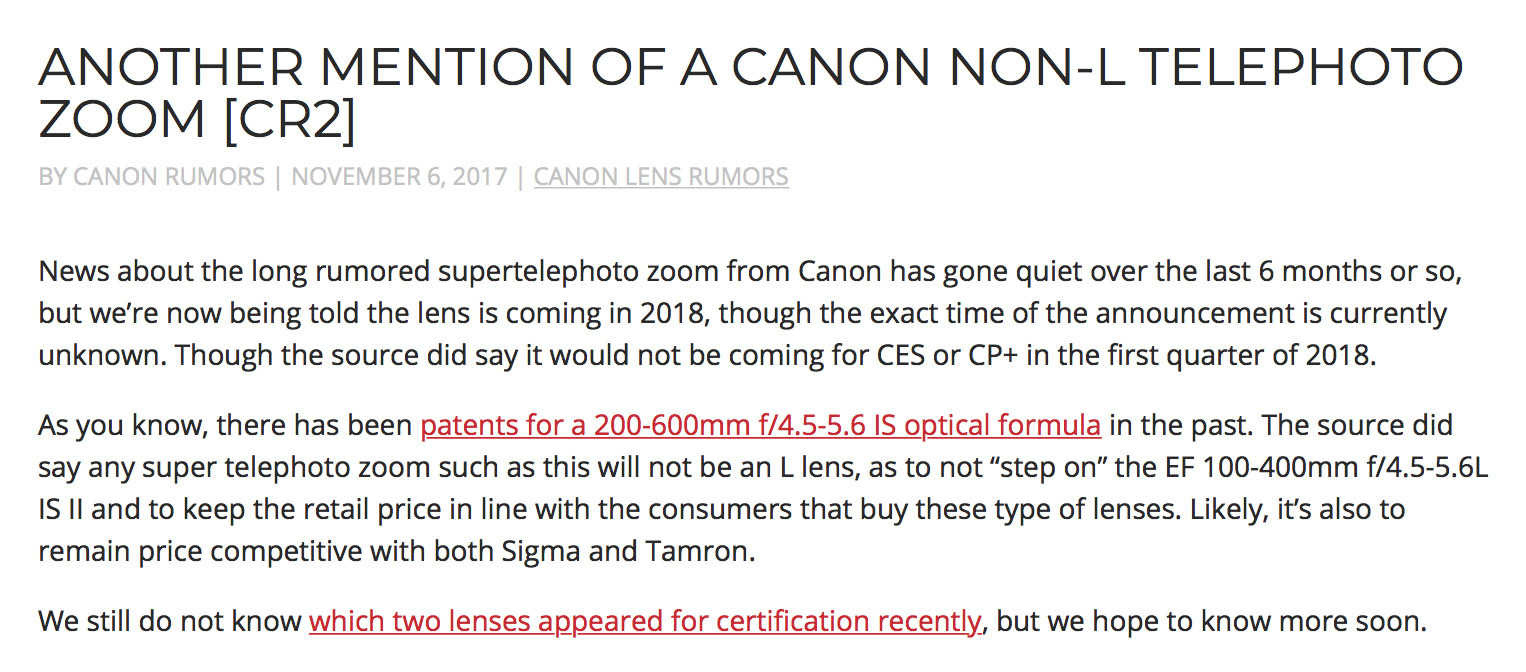
This was posted 2 days ago... http://www.canonrumors.com/another-mention-of-a-canon-non-l-telephoto-zoom-cr2/
What I think is happening now is that there is some sort of non-L telephoto lens coming BUT it has nothing to do with the patent that they keep referring to. That means it most likely will not be a 200-600/5.6 lens.
On the CR forum someone actually read the patent and had this to say:
"The referenced Japanese patent application 2015-212724 mainly talks about video use and the ability of the lens design to enable minimal variation of aberrations when focusing, while keeping the lens compact and internally zooming/focusing. It adds no image stabilisation. The lens design is based on all the large front facing elements being spherically ground for the largest image height. But that still isn't covering a full 24x36mm sensor. The examples show back focus that either wouldn't fit an EF or EF-S mount and the one that would is large enough to comfortably fit both B4 and PL mount.
That patent is not a design for a budget birders. I would bet it being a lens in a box-shaped housing for broadcast cameras on heavy tripods, commonly seen covering major sports events. Wouldn't surprise me a bit if the price tag of a lens built under protection of that pattern ends up costing $50'000."
I've mentioned this before that that patent showed a lens that didn't even change length with zooming....that was no budget non-L lens patent.
Pixel Perfect wrote
....and hopefully the rumors are correct about the Canon 200-600 being f/5.6.This was posted 2 days ago... http://www.canonrumors.com/another-mention-of-a-canon-non-l-telephoto-zoom-cr2/
What I think is happening now is that there is some sort of non-L telephoto lens coming BUT it has nothing to do with the patent that they keep referring to. That means it most likely will not be a 200-600/5.6 lens.
On the CR forum someone actually read the patent and had this to say:
"The referenced Japanese patent application 2015-212724 mainly talks about video use and the ability of the lens design to enable minimal variation of aberrations when focusing, while keeping the lens compact and internally zooming/focusing. It adds no image stabilisation. The lens design is based on all the large front facing elements being spherically ground for the largest image height. But that still isn't covering a full 24x36mm sensor. The examples show back focus that either wouldn't fit an EF or EF-S mount and the one that would is large enough to comfortably fit both B4 and PL mount.
That patent is not a design for a budget birders. I would bet it being a lens in a box-shaped housing for broadcast cameras on heavy tripods, commonly seen covering major sports events. Wouldn't surprise me a bit if the price tag of a lens built under protection of that pattern ends up costing $50'000."
I've mentioned this before that that patent showed a lens that didn't even change length with zooming....that was no budget non-L lens patent.
Nov 08, 2017 at 10:59 PM
p.2 #4Tamron 100-400
Also, any Canon patents, be they recent or old, can have nothing to do with any next lens or camera that comes out.
Nov 08, 2017 at 11:03 PM
p.2 #5Tamron 100-400
arbitrage wrote:
Compared to the Sigma it is 4.5 vs 5.0 at 100mm. It has a 0.277x vs 0.263x MM value. It has the option to buy a tripod collar (with built in arca swiss) that may not be needed but still is there if you want it. B&H has the sigma now for $699 with free UV filter and free Sigma dock so that is a plus for the Sigma.
The tripod collar is important for sure.
Arbitrage...what is that .277 vs .263? I'm not familiar with that spec.
--
Bill
Nov 09, 2017 at 10:19 AM
p.2 #6Tamron 100-400
wsalopek wrote:
The tripod collar is important for sure.
Arbitrage...what is that .277 vs .263? I'm not familiar with that spec.
--
Bill
Those are the maximum magnification values. So how big your subject can be at minimum focus distance. A true 1:1 macro would be 1.0x. The Canon 100-400II is 0.31x. Sometimes they are expressed as the ratio instead. The 0.277x is 1:3.6.
arbitrage wrote
Compared to the Sigma it is 4.5 vs 5.0 at 100mm. It has a 0.277x vs 0.263x MM value. It has the option to buy a tripod collar (with built in arca swiss) that may not be needed but still is there if you want it. B&H has the sigma now for $699 with free UV filter and free Sigma dock so that is a plus for the Sigma.Arbitrage...what is that .277 vs .263? I'm not familiar with that spec.
--
Bill
Those are the maximum magnification values. So how big your subject can be at minimum focus distance. A true 1:1 macro would be 1.0x. The Canon 100-400II is 0.31x. Sometimes they are expressed as the ratio instead. The 0.277x is 1:3.6.
Nov 09, 2017 at 11:31 AM
p.2 #8Tamron 100-400
The Tamron 150-600 G2 is a really good value. Very sharp under most conditions. Tamron has really stepped up their game in the past year.
Nov 11, 2017 at 12:58 PM
p.2 #10Tamron 100-400
Talk about 17 minutes of boring info, most of which has already been posted elsewhere.
And the images mentioned in the link, are you supposed to be able to view those tiny images any larger?
And the images mentioned in the link, are you supposed to be able to view those tiny images any larger?
Nov 13, 2017 at 10:02 PM
p.2 #11Tamron 100-400
Imagemaster wrote:
Talk about 17 minutes of boring info, most of which has already been posted elsewhere.
And the images mentioned in the link, are you supposed to be able to view those tiny images any larger?
It sets a new level of banality. I want my 17 minutes back.
EBH
Talk about 17 minutes of boring info, most of which has already been posted elsewhere.
And the images mentioned in the link, are you supposed to be able to view those tiny images any larger?
It sets a new level of banality. I want my 17 minutes back.
EBH
Nov 13, 2017 at 10:34 PM
Guest
Offline
Guest
Details
p.2 #12Tamron 100-400
Imagemaster wrote:
Talk about 17 minutes of boring info, most of which has already been posted elsewhere.
And the images mentioned in the link, are you supposed to be able to view those tiny images any larger?
Right, I can't imagine it would've taken more effort to just write a review instead of conceiving, filming and editing a long video. I wonder who all these video reviews are done for - has the (perceived) new generation lost the talent of reading comprehension?
(That said, Mr. Abbott does write pretty interesting reviews, so I guess we just have to wait for one).
Nov 14, 2017 at 01:16 AM
p.2 #13Tamron 100-400
Snopchenko wrote:
And the images mentioned in the link, are you supposed to be able to view those tiny images any larger?Right, I can't imagine it would've taken more effort to just write a review instead of conceiving, filming and editing a long video. I wonder who all these video reviews are done for - has the (perceived) new generation lost the talent of reading comprehension?
(That said, Mr. Abbott does write pretty interesting reviews, so I guess we just have to wait for one).
It's all about clicks/eyeballs and the profits of Facebook, Google and the little people who hope to profit along with them ;-(
Imagemaster wrote
Talk about 17 minutes of boring info, most of which has already been posted elsewhere.And the images mentioned in the link, are you supposed to be able to view those tiny images any larger?
(That said, Mr. Abbott does write pretty interesting reviews, so I guess we just have to wait for one).
It's all about clicks/eyeballs and the profits of Facebook, Google and the little people who hope to profit along with them ;-(
Nov 14, 2017 at 09:00 AM
p.2 #14Tamron 100-400
But I'd think a 5-7 minute review would get more clicks...I hesitate to invest 12 to 15+ minutes in a video.
Nov 14, 2017 at 09:08 AM
p.2 #15Tamron 100-400
I can't believe some of you guys actually watched all of that video.  I watched 1 min when he told us what he was covering in the video and then closed it. D. Abbott does do very thorough reviews usually over multiple videos so eventually I'm sure he'll have some good comparisons to the competitors lenses.
Nov 14, 2017 at 10:24 AM
p.2 #16Tamron 100-400
arbitrage wrote:
I can't believe some of you guys actually watched all of that video.
I didn't. I simply click and drag the red button on the progress bar ahead to a few positions to see if the video gets any more interesting. It didn't.
When a video is playing, you can fast forward quickly by pressing 1 to skip to 10% of the video progression, 2 for 20%, 3 for 30%, and so on.
YouTube provides other keyboard shortcuts as well. Pressing the left or right directional arrows on the keyboard will move the video backward or forward by five seconds. Additionally, if you select the playback bar using the tab key, you can press the spacebar to start and stop the video.
Nov 14, 2017 at 11:13 AM
p.2 #17Tamron 100-400
When a video is playing, you can fast forward quickly by pressing 1 to skip to 10% of the video progression, 2 for 20%, 3 for 30%, and so on.
YouTube provides other keyboard shortcuts as well. Pressing the left or right directional arrows on the keyboard will move the video backward or forward by five seconds. Additionally, if you select the playback bar using the tab key, you can press the spacebar to start and stop the video.
Thanks...didn't know about the 1,2,3 or the FF/rewind.
--
Bill
Nov 14, 2017 at 11:18 AM
p.2 #18Tamron 100-400
Guess B&H and/or other retailers did not see the arrival today.

Nov 17, 2017 at 04:05 PM
p.2 #19Tamron 100-400
I noticed that lens manufacturers are labeling their products as "Designed in Japan." I'm guessing that means - as it does in the USA - "Made in China." Sure there's some excellent stuff coming out of China these days (Apple's gear comes to mind), but I guess I'm bigoted.
Would like to hear from someone who gets one, particularly if they own/have used the Canon 100-400. I have a love/hate relationship with mine, and often want something lighter easier to manipulate. Still the loss of a stop at the long end could be important.
Both Tamron and Sigma are targeting the long focal length of late. I'm guessing they won't be as good as the Canikon offerings, but the price delta lets a lot of people into that realm.
Nov 18, 2017 at 10:41 AM
p.2 #20Tamron 100-400
OntheRez wrote:
I noticed that lens manufacturers are labeling their products as "Designed in Japan." I'm guessing that means - as it does in the USA - "Made in China." Sure there's some excellent stuff coming out of China these days (Apple's gear comes to mind), but I guess I'm bigoted.
Would like to hear from someone who gets one, particularly if they own/have used the Canon 100-400. I have a love/hate relationship with mine, and often want something lighter easier to manipulate. Still the loss of a stop at the long end could be important.
Both Tamron and Sigma are targeting the long...Show more →
What does "Made in USA" (or pick any other country) mean these days? Absolutely nothing ... if it's from a big company it usually comes from the cheapest possible slave factory, final assembly is in the country that provides the biggest subsidies or trade protectionist measures, and fiscally many products are produced "in the Netherlands" because that is the number one tax haven for multinationals and the incorporated 0.1% these days.
Fortunately optics still requires some expertise and cannot be assembled in any non-name sweatshop, so it's probably best to trust the big brands in protecting their legacy (especially for expensive products) and make sure you get a decent warranty. I have no reservations in general about "Made in China", have seen some excellent (and innovative) products from that country as well as horrible crap from the US and Japan.
Why do you say "loss of a stop at the long end"? Officially the Sigma and Tamron alternatives lose just 1/3 stop at the long end (f/6.3 vs. f/5.6), negligible except for those who worry if their AF will still work (with TC added?).
We already know that the Sigma 100-400 is optically very close to the Canon 100-400II, in some ways better and in some ways slightly behind. There are bigger differences in IS performance, AF speed, weather sealing etc. which may or may not matter. For less than half the price of the Canon, the Sigma is very close depending on type of use and certainly much lighter. I hope the Tamron is significantly better than Canon for closeups, in that case I will happily trade my 100-400II doorstop for the new Tamron.
Nov 18, 2017 at 12:15 PM