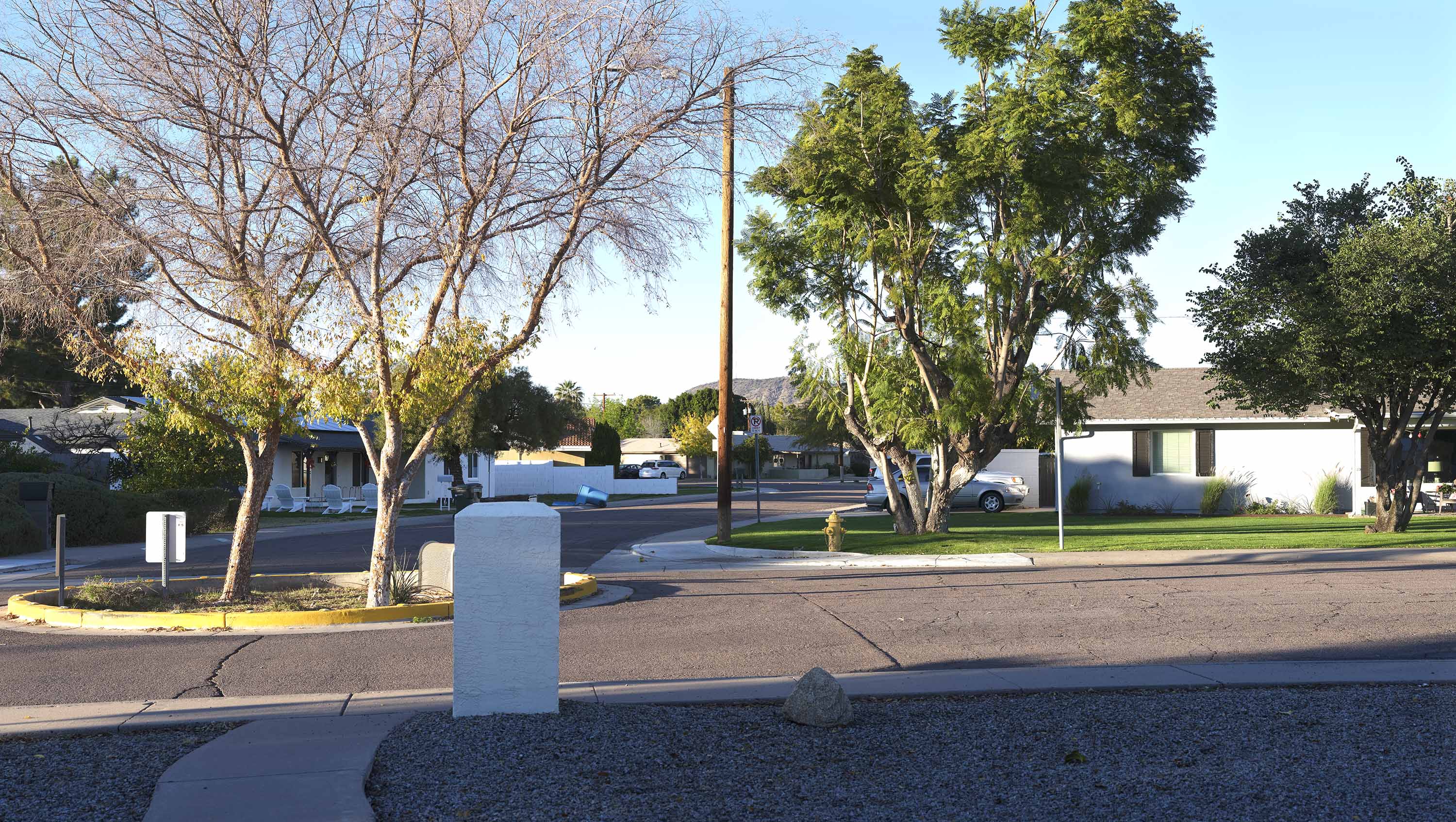
Just got the Nikon 105/1.4, but I'm limited to manual focus and shooting wide open since I only have a dumb adapter at this point. Expecting the Steelsring smart adapter to arrive next week. Still, I had to try it out. This is literally just sticking my nose out the door. Shot in 35mm mode.
I don't think anyone expects this lens (or any DSLR lens) to underperform on the gfx body in 35mm mode.
Great to have another data point, but folks are really only interested in performance across the 44x33mm frame. Someone correct me if I'm wrong.
sputnik wrote:
Just got the Nikon 105/1.4, but I'm limited to manual focus and shooting wide open since I only have a dumb adapter at this point. Expecting the Steelsring smart adapter to arrive next week. Still, I had to try it out. This is literally just sticking my nose out the door. Shot in 35mm mode.
thrice wrote:
I don't think anyone expects this lens (or any DSLR lens) to underperform on the gfx body in 35mm mode.
Great to have another data point, but folks are really only interested in performance across the 44x33mm frame. Someone correct me if I'm wrong.
I don't have an example handy but I have the lens and use it on my GFX 50s. It doesn't cover the whole 44 X 33 sensor, but at portrait distances and shot in 4 X 5 it covers quite well. A bit more vignetting than on 35mm of course, but shot this way no black corners. I wouldn't want to put anything with details in the corners but even just a little way out from the corners it is pretty good. So, as a portrait lens I think it is an interesting option, but I certainly wouldn't use it if I needed critical performance across the whole 44 X 33 frame.
I had Sigma 105mm f1.4 but it was in Sony mount so I sold it. I wish I had bought for the canon mount but at the time there was no good AF adapter for the GFX. I just got my Fringer Pro and it seems much better than my old TechArt in the AF department.
I also have a brand new Sigma 40mm f1.4 but again in FE mount. Can't sell it either as no body wants that focal length and maybe due to weight too. Would have loved to try it on the GFX.
thrice wrote:
I don't think anyone expects this lens (or any DSLR lens) to underperform on the gfx body in 35mm mode.
Great to have another data point, but folks are really only interested in performance across the 44x33mm frame. Someone correct me if I'm wrong.
The post was not meant to be a statement about performance so much as a prequel to the arrival of the Steelsring adapter. Hard to find much info on that one. But you are probably right in your assesment. My experience so far has been that for uncropped use 645-lenses give the best performance while still being reasonably light and afordable.
bobby350z wrote:
I had Sigma 105mm f1.4 but it was in Sony mount so I sold it. I wish I had bought for the canon mount but at the time there was no good AF adapter for the GFX. I just got my Fringer Pro and it seems much better than my old TechArt in the AF department.
I also have a brand new Sigma 40mm f1.4 but again in FE mount. Can't sell it either as no body wants that focal length and maybe due to weight too. Would have loved to try it on the GFX.
You can always try Keh or mpb, their quotes can be surprisingly good sometimes. Will post 105mm samples soon, and when I have my 40mm back in a few weeks.
Steve Spencer wrote:
I don't have an example handy but I have the lens and use it on my GFX 50s. It doesn't cover the whole 44 X 33 sensor, but at portrait distances and shot in 4 X 5 it covers quite well. A bit more vignetting than on 35mm of course, but shot this way no black corners. I wouldn't want to put anything with details in the corners but even just a little way out from the corners it is pretty good. So, as a portrait lens I think it is an interesting option, but I certainly wouldn't use it if I needed critical performance across the whole 44 X 33 frame....Show more →
I’m on the same page as you on this, hence the crop mode. (Which I find people don’t talk enough about. On a 100s it gives you around 60 mp). But then again a lot of people took me for a fool when I was among the first to ask about adapting 35mm lenses to the 44 X 33 sensor.
Just yesterday I got a Fotodiox Pro Fusion EF to GFX adapter and thought I should share some of my findings with the forum. The reason I went with this adapter is because I like that it is flocked and also I was able to find one on ebay for about $200 less than a new one. The only lenses I am planning on using with it are the Canon TS-E lenses so I only need a smart adapter to control aperture. So far I've tried it with the TS-E 50L and 24 TS-E II.
My first test was a comparison between the TS-E 50 and the GF45. I was able to adjust the TS-E aperture with the camera using the adapter, but I don't think the aperture displayed on the LCD is correct. The reason is because I took the same shot with the GF 45mm. Both lenses were set to f/11. In order to get the exposures to match, the shutter speed for the TS-E 50 was set to 1/10 and for the GF 45mm it was set at 1/30. Another thing is the aperture won't go any smaller than f/22, based on what the LCD says. The minimum aperture of the TS-E 50 is f/32.
The only other quirk I noticed is that the GFX100s focus check does not work with the adapter attached. At first this was worrisome, but as far as I know the focus check may not work on any lens other than a Fuji GF. I did some digging around and figured out that the lcd viewfinder can be zoomed manually to check focus. I actually like that way better so now I'm not that disappointed the automatic focus check doesn't work with the adapter.
Since the first test I was able to update the firmware, I think. I'm not really familiar with how .bin files work, but based on the instructions all you have to do is download the firmware .bin file, connect the Fotodiox to the computer, and put the .bin firmware file inside the Fotodiox device folder. I was expecting to have to run something, but the instructions don't state that. Assuming I did that correctly then the Fotodiox firmware is now up to date??
After updating the firmware I decided to try tethering with Capture One to my Macbook Pro–this is my normal method for photographing architecture. I plugged the usb into the camera and the computer then I turned the camera on. The LCD reported the lens was set to f/0, hmmmm…what's the deal here. So I turned the camera off and on again with the same result. The next thing I tried was to unplug the usb from the camera and then plug it back in while the camera was on. Strange, but after doing that I now have control over the aperture again. I was able to control the aperture from Capture One as well. I tried the 50 first then the 24. The 24 behaved the same way in regards to reporting f/0 and no aperture control when the usb was connected before the camera was turned on. If I connected the usb with the camera already on then it worked just fine.
When looking at the files in Capture One I noticed some CA in the files. By default in Capture One the Lens Profile was set to Manufacturer Profile and the Chromatic Aberration checkbox was checked. The lens profile was the problem in regards to the CA. The CA cleaned up very nicely after clicking the Analyze option in Capture One.
After seeing all this I decided to open the files in ACR to see how it behaves there. Before updating the firmware the TS-E 50 was being reported as the Canon 50mm 1.8 lens profile. When this was the setting I turned off lens profiling, but left CA correction checked. The file came out clean.
After updating the firmware the TS-E 50 was being reported as the Canon TS-E 50mm. That surprised me because I did not know the TS-E lenses were profiled in ACR. The files looked great.
Anyway, that's all I got on this for now. I did order the Fringer EF-GFX Pro so I'm looking forward to seeing if that one has less quirks than the Fotodiox.
diggles wrote:
Just yesterday I got a Fotodiox Pro Fusion EF to GFX adapter and thought I should share some of my findings with the forum. The reason I went with this adapter is because I like that it is flocked and also I was able to find one on ebay for about $200 less than a new one. The only lenses I am planning on using with it are the Canon TS-E lenses so I only need a smart adapter to control aperture. So far I've tried it with the TS-E 50L and 24 TS-E II.
My first test was a comparison between the TS-E 50 and the GF45. I was able to adjust the TS-E aperture with the camera using the adapter, but I don't think the aperture displayed on the LCD is correct. The reason is because I took the same shot with the GF 45mm. Both lenses were set to f/11. In order to get the exposures to match, the shutter speed for the TS-E 50 was set to 1/10 and for the GF 45mm it was set at 1/30. Another thing is the aperture won't go any smaller than f/22, based on what the LCD says. The minimum aperture of the TS-E 50 is f/32.
The only other quirk I noticed is that the GFX100s focus check does not work with the adapter attached. At first this was worrisome, but as far as I know the focus check may not work on any lens other than a Fuji GF. I did some digging around and figured out that the lcd viewfinder can be zoomed manually to check focus. I actually like that way better so now I'm not that disappointed the automatic focus check doesn't work with the adapter.
Since the first test I was able to update the firmware, I think. I'm not really familiar with how .bin files work, but based on the instructions all you have to do is download the firmware .bin file, connect the Fotodiox to the computer, and put the .bin firmware file inside the Fotodiox device folder. I was expecting to have to run something, but the instructions don't state that. Assuming I did that correctly then the Fotodiox firmware is now up to date??
After updating the firmware I decided to try tethering with Capture One to my Macbook Pro–this is my normal method for photographing architecture. I plugged the usb into the camera and the computer then I turned the camera on. The LCD reported the lens was set to f/0, hmmmm…what's the deal here. So I turned the camera off and on again with the same result. The next thing I tried was to unplug the usb from the camera and then plug it back in while the camera was on. Strange, but after doing that I now have control over the aperture again. I was able to control the aperture from Capture One as well. I tried the 50 first then the 24. The 24 behaved the same way in regards to reporting f/0 and no aperture control when the usb was connected before the camera was turned on. If I connected the usb with the camera already on then it worked just fine.
When looking at the files in Capture One I noticed some CA in the files. By default in Capture One the Lens Profile was set to Manufacturer Profile and the Chromatic Aberration checkbox was checked. The lens profile was the problem in regards to the CA. The CA cleaned up very nicely after clicking the Analyze option in Capture One.
After seeing all this I decided to open the files in ACR to see how it behaves there. Before updating the firmware the TS-E 50 was being reported as the Canon 50mm 1.8 lens profile. When this was the setting I turned off lens profiling, but left CA correction checked. The file came out clean.
After updating the firmware the TS-E 50 was being reported as the Canon TS-E 50mm. That surprised me because I did not know the TS-E lenses were profiled in ACR. The files looked great.
Anyway, that's all I got on this for now. I did order the Fringer EF-GFX Pro so I'm looking forward to seeing if that one has less quirks than the Fotodiox. ...Show more →
Good to have some one else using the TSE lenses. I have 24mm TSE II and 90mm TSE II. And thinking of getting the 50mm TSE.
BTW - I should have bought your 250mm f4. I hesitated and sent you a msg on getDPI but getDPI was having problems that day. Anyways, at least my wife is happy with no new big box showing up.
bobby350z wrote:
Good to have some one else using the TSE lenses. I have 24mm TSE II and 90mm TSE II. And thinking of getting the 50mm TSE.
BTW - I should have bought your 250mm f4. I hesitated and sent you a msg on getDPI but getDPI was having problems that day. Anyways, at least my wife is happy with no new big box showing up.
The 50mm TSE is performing very nicely, it was very comparable to the GF 45mm in terms of IQ, plus it has shift. I need to retest though because I think I was shooting at f/16+ when I thought the lens was set at f/11.
I'm waiting on a 90mm TSE II, it arrives next week. I've heard great things about that one as well, and the 135mm too, oh geez, it never ends, lol!
That's funny about the big boxes showing up, my wife can definitely relate.
I Searched this thread just yesterday for TS-E info and didn't get much; tonite we have more.
I've owned a TS-E 50mm 2.8L Macro since this summer, but for some reason it disappointed me on an a7R4A (don't remember why or which adapter I used) and set it aside to sell.. Now I'm glad I didn't see it for a while, as I started thinking of it when evaluating rotated mutiframe panos shot with the the Fuji 80/1.7.. These, shot with 5 horizontal frames or 3 verticals and printed 23" high and as wide as they fit (and rerezing to 600dpi in PSCC before sending to the printer), look breathtakingly beautiful even if I say so myself. 😊 Here's the vertical-frame version.. That's my front-porch view in north-central Phoenix.
The Viltrox EF-to-G electronic adapter (from B&H, used, $140 delivered) arrived today and I played with it and the TS-E50 in my office this evening; everything seemed to work well.. I'll shoot it in daytime tomorrow and will post more.
Fuji/Hasselblad H- or HC-series lenses--anyone know if the autofocus works with the Fuji 'H-Mount Adapter G'? Here... https://fujifilm-x.com/en-us/support/compatibility/accessories/list-of-compatible-h-mount-lenses/
...on Fuji's site the text on top reads 'They don’t work in AF mode. Use them with MF mode.' But the 'Autofocus' feature is checked in that column for the GFX bodies for ALL lenses and converters.
Does anyone know if autofocus works in H- and HC-series lenses on GFX bodies? Or Not?
Jeffrey Behr wrote: Fuji/Hasselblad H- or HC-series lenses--anyone know if the autofocus works with the Fuji 'H-Mount Adapter G'? Here... https://fujifilm-x.com/en-us/support/compatibility/accessories/list-of-compatible-h-mount-lenses/
...on Fuji's site the text on top reads 'They don’t work in AF mode. Use them with MF mode.' But the 'Autofocus' feature is checked in that column for the GFX bodies for ALL lenses and converters.
Does anyone know if autofocus works in H- and HC-series lenses on GFX bodies? Or Not?
When I use the adapter with my 24mm TS-E II it correctly allows me to use the f/3.5–f/22 range of the lens. I also compared the TS-E 24mm and the native Fuji GF 23mm at f/11 for both lenses. I was able to use the same shutter speed on both to achieve matching exposures.
This tells me that, when using the TS-E 50mm, the f/stop being reported by the adapter is incorrect.
sputnik wrote:
Autofocus is not working I’m afraid.
sputnik, TYVM for your prompt reply.. I have, like many of us, an incorrigible urge to try other lenses on my '100S.. Fortunately, I can easily afford what I've tried (mostly Pentax or Contax/Zeiss 645s, and my friend benefits from the 'trickle down'), but unfortunately I've yet to find a combination that pleases me overall.. Even tho I LOVE my Fuji 32-64 (and the short end of that is plenty short enough), 100-200, and 80/1.7, the length just longer than 64 appears to me to me to be the only one conducive to alternate lenses..
I've just ordered a Hasselblad HC 80/2.8 and a new Fuji adapter; maybe that'll please me.
And another thought from my feeble mind--since these lenses were designed for a larger sensor, using them on the '100S's miniMF sensor uses only the best part and not all of the lens's optics.
I opened a ticket with Fotodiox about the issues I am seeing with the TS-E 50mm and this is how they replied…
"We have always have had issues with the TS-E lenses with the Fusion adapters, and this adapter has had the same. as for the firmware you can jump right to 1.04 no need to install 1.03"