p.7 #1 · Easy ETTR technique using the Zebra pattern
Yeah, I know to reduce highlights and exposure.
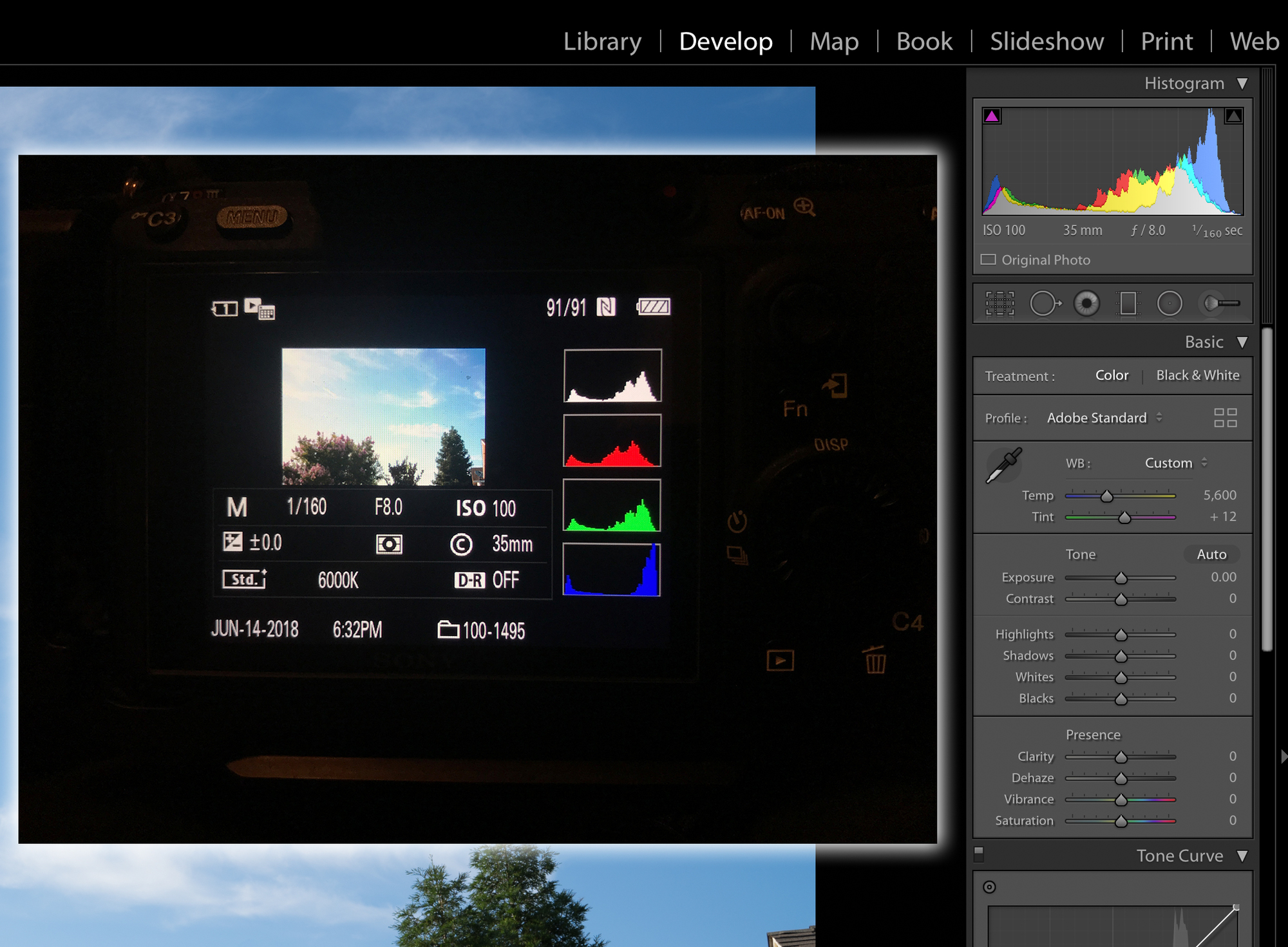
But when Lightroom is showing the red blinkies and histogram is up against the right wall, the highlights aren't really blown out and data lost?
This is the part I wasn't sure about. When I did ETTR back in the Canon days, I shot to get the histogram more on the right side but not where the curve is pushing up against the right wall like it does on the Sony when I do that technique. I was always told that if LRs histogram is showing data up against the edge than I already clipped and lost info.
Fred Miranda wrote:
It's called ETTR. Some of your images will be 'intentionally' overexposed but the highlights should still be preserved. There will be a need to edit your images by reducing "highlights" and/or "exposure" in post depending on the scene. The difference is that your shadows will be much cleaner.
p.7 #2 · Easy ETTR technique using the Zebra pattern
seurot wrote:
Yeah, I know to reduce highlights and exposure.
But when Lightroom is showing the red blinkies and histogram is up against the right wall, the highlights aren't really blown out and data lost?
This is the part I wasn't sure about. When I did ETTR back in the Canon days, I shot to get the histogram more on the right side but not where the curve is pushing up against the right wall like it does on the Sony when I do that technique. I was always told that if LRs histogram is showing data up against the edge than I already clipped and lost info.
In scenes where you have highlight clipping (red triangle in LR), just move the sliders back until the highlights are back to normal. (no clipping, gray triangle)
The highlight data is still there as long as you are shooting RAW.
p.7 #3 · Easy ETTR technique using the Zebra pattern
Fred Miranda wrote:
The highlight data is still there as long as you are shooting RAW.
Thanks Fred! This was what I didn't know before. I always thought that once LR shows clipping, data has been lost already since it's only seeing my raw file, and not showing blinkies from the JPEG like in camera.
p.7 #4 · Easy ETTR technique using the Zebra pattern
Appreciate the additional discussion on this topic - I’d be grateful if someone reviewed the settings that I’m using that I shared earlier in the thread and get their thoughts on what I may be doing wrong. Again, with those settings (and the +2 EV approach) I’m able to process the images to successfully recover the highlights, but at the cost of greatly under exposing the overall image. Thank you.
p.7 #5 · Easy ETTR technique using the Zebra pattern
dukester82 wrote:
Appreciate the additional discussion on this topic - I’d be grateful if someone reviewed the settings that I’m using that I shared earlier in the thread and get their thoughts on what I may be doing wrong. Again, with those settings (and the +2 EV approach) I’m able to process the images to successfully recover the highlights, but at the cost of greatly under exposing the overall image. Thank you.
What metering mode are you using? You probably want to use Highlight if your camera has it, or Multi if it does not.
Are you working with RAW files? (Required.) White balance and Creative Style only affect the jpg copy in the camera (which is ruined by ETTR), so how they are set doesn't matter.
Other people may have their own approach, but I suggest you don't touch the Highlight or Shadows levers at all, or at least not until later in the process, and then for creative purposes. Instead, in post, first center the histogram using the exposure compensation, then set the maximum white point and minimum black point. Then, edit to taste.
I only use ETTR when it's needed -- high contrast scenes and when I'm concerned about noisy shadows. The incremental benefit isn't worth the effort for undemanding situations.
p.7 #6 · Easy ETTR technique using the Zebra pattern
Thank you for your input - greatly appreciated. Confirming that I was using multi metering and shooting in compressed RAW. I’m going to take your advice and not use ETTR aside from high contrast situations, and in those specific instances use uncompressed raw and probably not go as aggressive as +2EV on the exposure compensation after eliminating zebras. Thanks again.
Best,
Ryan
Parariss wrote:
What metering mode are you using? You probably want to use Highlight if your camera has it, or Multi if it does not.
Are you working with RAW files? (Required.) White balance and Creative Style only affect the jpg copy in the camera (which is ruined by ETTR), so how they are set doesn't matter.
Other people may have their own approach, but I suggest you don't touch the Highlight or Shadows levers at all, or at least not until later in the process, and then for creative purposes. Instead, in post, first center the histogram using the exposure compensation, then set the maximum white point and minimum black point. Then, edit to taste.
I only use ETTR when it's needed -- high contrast scenes and when I'm concerned about noisy shadows. The incremental benefit isn't worth the effort for undemanding situations. ...Show more →
p.7 #7 · Easy ETTR technique using the Zebra pattern
Thanks Fred. I got it.
it's actually not as complicated. dial the exposure until you see the zebra and back it down until it's gone and add 6 clicks(2stops) on your ISO and that's it.(if you have enough light you can use the shutterspeed to add 2 stops)
p.7 #8 · Easy ETTR technique using the Zebra pattern
With the A7RIII & A7III you can set the Zebra to 107+ or 108+ and you'll have a very close RAW highlight warning meaning if you see the Zebra you have one or more clipped channels.
p.7 #10 · Easy ETTR technique using the Zebra pattern
Fred Miranda wrote:
For those looking for an easy way to expose to the right (ETTR) and improve S/N ratio and with that, cleaner shadows, I have found a very easy way using your A7RII zebra function. It probably works similarly with the A7R and other models but the settings presented here are for the A7RII only.
In the past I have used the "blinkies" in playback mode or live histogram to determine when highlights get clipped but with zebras it's way easier to preview and get more consistent results.
By trial and error I have determined the amount of highlight latitude between the RAW and JPEG (Which zebras are probably based on), and can calculate a safe exposure setting based on zebras to get the most S/N ratio without sacrificing any highlight detail.
Camera settings:
Set Zebra to "100+" to display any overexposure. (similar to highlight "blinkies" alert)
Set Metering Mode to: Multi.
Shoot in RAW mode.
ISO 100 or higher
Creative Style set to standard with default settings
How to ETTR?
Expose until you get no Zebra strip pattern on the highlights areas. Then add "2EV" to get your ETTR exposure. That's it!!!
+2.3EV is the max but I found that +2EV is safe preserving 100% of highlights.
Yes, an additional 2EV (after no zebra stripes) is a safe setting and you have successfully exposure your image to the right. (ETTR)
When bringing your RAW image to LR or CaptureOne, reduce the exposure back to normal and/or recover the highlights.
PS: Sometimes, to get no zebra pattern in the highlights areas you may need to actually underexpose your shot. That is perfectly normal as with ETTR we are exposing to the right of the histogram as much as the scene allows.
___________
How about bracketing when the scene exceeds the camera DR?
I would recommend bracketing mode: (-2, 0, +2) for most scenes. You can shoot at continuous bracketing and silent shutter as the drop in resolution precision won't matter as we are increasing DR and S/N ratio in a very big way.
Expose until you get no Zebra strip pattern on the highlights areas.
Change the exposure by Adding +4EV to the scene.
The camera will reduce 2EV for the first bracket exposure ("-2" setting) which is actually our ETTR setting.
So, the camera bracketing script will run the following settings automatically:
-2 (no zebra + 2EV) ** That is our ETTR setting which saves all highlight data
0 (no zebra + 4EV) That is our initial exposure with no zebra + 4EV as described above.
+2 (no zebra + 6EV) Extra 2EV for the deepest shadows.
Tip: When shooting in manual mode, set your camera Exposure Step to "0.5EV" instead of "0.3EV". It's just easier to turn 2 vs 3 notches to the left on the shutter speed dial for every full EV.
For example, if you need to add +4EV, you would need to turn 8 notches to the left on the shutter speed dial. (instead of 12)
In aperture mode, you can either use the top dial or the exposure compensation slider (Add EV compensation to the functions button)
I hope many of you find this helpful. Here is an example showing this technique:
All the best,
Fred...Show more →
Shouldn't they ISO be strictly set to base ISO and not "ISO 100 or higher"?
p.7 #12 · Easy ETTR technique using the Zebra pattern
I can't find enough info on setting custom Zebras. You have a lower Limit, which seems to pick up the non-custom setting value. There is also Standard + Range +/- 1-10. I have not found where these are defined.
p.7 #13 · Easy ETTR technique using the Zebra pattern
Fred Miranda wrote:
At ISO 100, one would get the highest dynamic range but ETTR is not only restricted to this ISO setting.
How does this work if you ETTR by raising ISO? Just curious as most people encourage others to expose to the left when adjusting ISO because the a7iii and a7riii are supposedly "ISO-less" (apart from the dual gain design). Jim Kasson has made some posts on this.
p.7 #14 · Easy ETTR technique using the Zebra pattern
You answered your own question. If the cameras are ISOless you gain no further dynamic range by shifting the ISO, but you may permanently clip highlights.
phototiimo wrote:
How does this work if you ETTR by raising ISO? Just curious as most people encourage others to expose to the left when adjusting ISO because the a7iii and a7riii are supposedly "ISO-less" (apart from the dual gain design). Jim Kasson has made some posts on this.
p.7 #15 · Easy ETTR technique using the Zebra pattern
thrice wrote:
You answered your own question. If the cameras are ISOless you gain no further dynamic range by shifting the ISO, but you may permanently clip highlights.
Then why do so many encourage a7iii series owners to ETTR?
*edit* I mean specifically in the case of using ISO adjustments to ETTR. In case that wasn't clear...
p.7 #16 · Easy ETTR technique using the Zebra pattern
phototiimo wrote:
Then why do so many encourage a7iii series owners to ETTR?
From the very first post in the very first line... "For those looking for an easy way to expose to the right (ETTR) and improve S/N ratio and with that, cleaner shadows... "
p.7 #18 · Easy ETTR technique using the Zebra pattern
Fred Miranda wrote:
At ISO 100, one would get the highest dynamic range but ETTR is not only restricted to this ISO setting.
I agree that ETTR should be practiced to get the best possible SNR even if it is not possible to get to base ISO, but if base ISO cannot be achieved due to the limitations on light and other shooting requirements (min shutter speed and f/#) then the strategy to get the best SNR is changed. To get the best possible SNR we want as many photoelectrons as possible. That means as much light on the sensor as possible without exceeding the photoelectron capacity of any pixels (i.e. any pixels for which we can't accept blown highlights). ETTR is the method of achieving that. If we can get enough light on the sensor to get to saturating pixels it is necessary to be at base ISO to keep from saturating the ADC before the pixels are saturated. If the light level is low, minimum shutter speed is high, and DOF requires a large f/#, it may not be possible to get enough light on the sensor to get to the maximum capacity of the pixels. The usual ETTR/bracketing strategy is not possible, since it is not possible to increase the number of photoelectrons in the shadows.
What is the ETTR/bracketing strategy when base ISO cannot be achieved? The only remaining parameter that can be varied is the ISO. How should ISO be set? The best practice is the usual ETTR method, increase ISO without saturating the ADC. With an ideal "ISO-less" camera this does not yield any real improvement. Since the ideal ISO-less camera has not been produced, there is some improvement, although with the best cameras it is very small. I believe it is not wise to push too hard since the gain is small and the risk of blown pixels is unrecoverable. Is it useful to bracket by increasing the ISO to get better SNR in shadows? Again the gain is very small for the best cameras but there is some improvement. Usually I don't bother.
There is an exception. It is useful to study the input referenced noise curve for your camera (http://www.photonstophotos.net/index.htm). That tells you a bit about how close your camera is to ISO-less, but more importantly it tells you if the camera has more than one analog gain (actually a change in capacitance at the sense node). For example, the A7R2 and A7R3 change gain at ISO 640. So with those cameras it is helpful to get to 640. For example, if your base frame is at ISO 400, getting a second frame at ISO 640 will get a frame with improved SNR in the shadows. Capturing a third frame at higher ISO is probably a waste of time.
p.7 #19 · Easy ETTR technique using the Zebra pattern
nobody23 wrote:
@Fred@@
With the 3rd Gen of Sony cameras we got 'Highlight' metering.
Renders your post #1 obsolete or what do you think?
Yes, this thread was posted before "Highlight" metering was available. After the A7R III, I use that instead. However, this zebra technique would work on newer bodies as well.
Here are some references for you:
p.7 #20 · Easy ETTR technique using the Zebra pattern
RnRau wrote:
From the very first post in the very first line... "For those looking for an easy way to expose to the right (ETTR) and improve S/N ratio and with that, cleaner shadows... "
I'm aware of this. I mean specifically in the case of using ISO adjustments to ETTR.