p.4 #2 · Easy ETTR technique using the Zebra pattern
about C1: I have tried it with a white wall at ISO 2000 (it's evening here and also a rainy day), I can recover the structure of the wall easily. I tested HDR-Highlight (100%) and also Exposure (-2EV). It looks like +2.3 EV could work too, but I would not count on it. +2 EV seems perfect.
p.4 #3 · Easy ETTR technique using the Zebra pattern
sebbe wrote:
about C1: I have tried it with a white wall at ISO 2000 (it's evening here and also a rainy day), I can recover the structure of the wall easily. I tested HDR-Highlight (100%) and also Exposure (-2EV). It looks like +2.3 EV could work too, but I would not count on it. +2 EV seems perfect.
That's my findings in Lightroom as well. We can push it to +2.3EV but to be on the safe side, I usually don't pass +2EV.
p.4 #4 · Easy ETTR technique using the Zebra pattern
virtualrain wrote:
Anyone tried this with Capture One Pro? Does it work equally as well?
with any converter you need to account for :
1) hidden expocorrections applied
2) brightness increase through LUT if present in camera profile
3) brightness increase through tone curve
so with C1 - which camera profile and which curve ? OEM supplied profiles and film curve are totally different from for example a simple hand made matrix profile and linear scientific curve... very different.
p.4 #6 · Easy ETTR technique using the Zebra pattern
Tried it at iso 100. Indeed at the first signs of zebra, the histogram is a full stop away from even touching the left side, and there is a full 2 stops of room. i will try this during sunset shooting where ther is info in red and blue channel.
p.4 #7 · Easy ETTR technique using the Zebra pattern
@exdeejjjaaaa: Sorry, you are right. But I was assuming that most will use an auto curve of a generic equivalent profile.
I was using my dcamprof-made ICC-profile for the 85GM+A7RII (curve: Auto). It was made with a non-linear lut-curve (analogue to the generic a7RII profile).
Here's an example, I made today. It worked fine. And I like the very good detail in the trees on the lower right side. thanks to this "ETTR"-method there is more information in the dark parts.
p.4 #8 · Easy ETTR technique using the Zebra pattern
Just to make it clear: All shots were handheld. The first three are JPGs out of RAW (with C1). And I did not put much effort into post processing the "recovered" one. I also missed to use the lens corrections in C1.
p.4 #9 · Easy ETTR technique using the Zebra pattern
sebbe wrote:
Just to make it clear: All shots were handheld. The first three are JPGs out of RAW (with C1). And I did not put much effort into post processing the "recovered" one. I also missed to use the lens corrections in C1.
Very cool... the recovered image looks way more interesting than the default exposure. More contrast, less haze, and just more character.
p.4 #10 · Easy ETTR technique using the Zebra pattern
sebbe wrote:
@exdeejjjaaaa@: Sorry, you are right. But I was assuming that most will use an auto curve of a generic equivalent profile.
I was using my dcamprof-made ICC-profile for the 85GM+A7RII (curve: Auto). It was made with a non-linear lut-curve (analogue to the generic a7RII profile).
Here's an example, I made today. It worked fine. And I like the very good detail in the trees on the lower right side. thanks to this "ETTR"-method there is more information in the dark parts.
That's a great example of before and after. I should do that.
Basically, using this technique, you can easily ETTR and gain about 2-stops DR which translates to much cleaner shadows.
p.4 #11 · Easy ETTR technique using the Zebra pattern
virtualrain wrote:
Very cool... the recovered image looks way more interesting than the default exposure. More contrast, less haze, and just more character.
Well, I made no correction on the first and a lot on the last. So, it's obvious to have more character (as long as I do the process right. ). ETTR helps you to avoid clipping, but most cameras do that anyway, as you can see at the given example. So why ETTR at all? When you can add some more light to a picture (in this case it was +2.67EV), you will have more color information in the darker areas, which leads to less grain and more detail in those areas.
p.4 #12 · Easy ETTR technique using the Zebra pattern
Fred Miranda wrote:
That's a great example of before and after. I should do that.
Basically, using this technique, you can easily ETTR and gain about 2-stops DR which translates to much cleaner shadows.
I was quite lazy and conservative with ETTR and +EV, because I wanted to be on the save side and not clipping anything. To be honest, this will not work with a whole shooting, because it would be horrible to process all the shots afterwards. but for single shots this may be a very good method.
Fred, thanks for this idea. I will test that further on with other situations. Let's see what kevindar finds out with sunsets.
p.4 #13 · Easy ETTR technique using the Zebra pattern
[most will use an auto curve of a generic equivalent profile.
just a note : there is a custom (non ICC standard tags - they called it 'private' tags) tag that can be inserted in icc/icm camera profile for C1 telling C1 which curve shall be used when user selects "auto" in C1 UI
the tag name is 'P1FC' and the content is the file name of the curve to be selected...
p.4 #14 · Easy ETTR technique using the Zebra pattern
Thanks for this technique, I didn't realize the highlight latitude available. Its really quite easy and seems foolproof. Only downside I see is that initial previews look pretty bad.
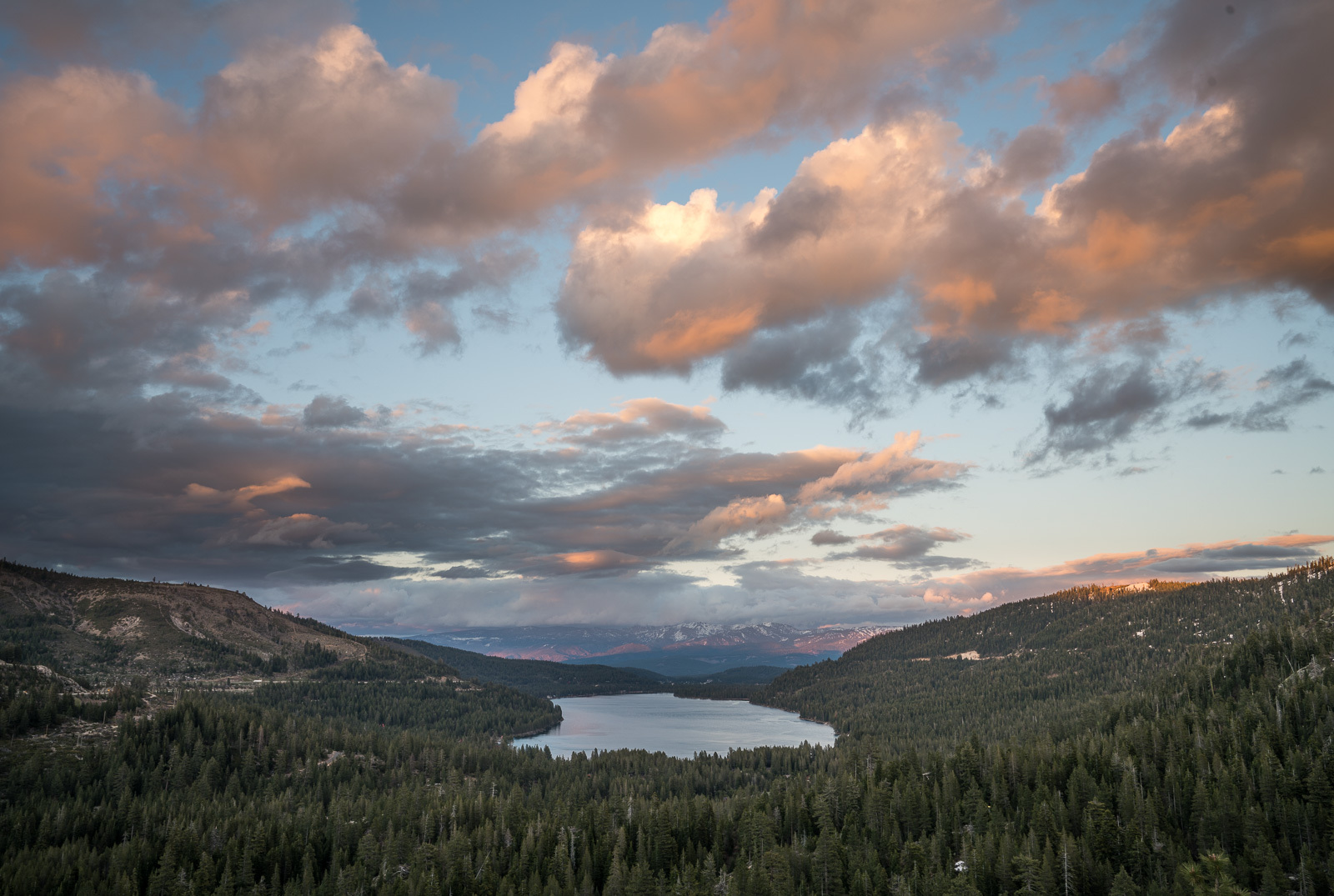
Shot from last night with 2 stops over zebras in the sky. Processing was quick and dirty as its not really a keeper, just what I was able to get with this technique. Shadows are really clean for a single exposure.
p.4 #16 · Easy ETTR technique using the Zebra pattern
Chris, with the Smooth Reflections app, just expose to the highlights, meaning no zebra patterns.
Even though we get RAW output, for some reason can't use ETTR with this app. However the shadows are so clean with SR, you wouldn't need ETTR anyways.
Schlotkins wrote:
Fred:
Just to confirm with the Smooth app you expose where you don't see any zebras with 0 EV correct?
p.4 #19 · Easy ETTR technique using the Zebra pattern
Fred Miranda wrote:
Chris, with the Smooth Reflections app, just expose to the highlights, meaning no zebra patterns.
Even though we get RAW output, for some reason can't use ETTR with this app. However the shadows are so clean with SR, you wouldn't need ETTR anyways.
Thanks Fred. I wonder how many shots it takes with the smooth reflections app to make up for the highlight room lose in terms of total dynamic range.
Chris
p.4 #20 · Easy ETTR technique using the Zebra pattern
Schlotkins wrote:
Thanks Fred. I wonder how many shots it takes with the smooth reflections app to make up for the highlight room lose in terms of total dynamic range.
Chris
S/R ratio increases by the square root of the number of images. So, only 4 images "mean stacked" already doubles SNR.
So, if we lose 2 stops in the highlights using the app, any number of images after 8, already gives us advantage regardless of any highlight loss.


 I also missed to use the lens corrections in C1.
 ). ETTR helps you to avoid clipping, but most cameras do that anyway, as you can see at the given example. So why ETTR at all? When you can add some more light to a picture (in this case it was +2.67EV), you will have more color information in the darker areas, which leads to less grain and more detail in those areas.