Matt Anderson
Offline
• • •
Upload & Sell: Off
|
One day a year, sometimes two, the weather creates a unique condition on one of my favorite lakes. After a super cold Winter, with few thaws, Devils lake in WI takes on a super clear and glassy surface. Usually in March, the weather will drastically change from 0°F to 50-60°F in a day or two. The warm bright sun will shine down on leaves which have littered the South shore of the lake. The darker opacity of the leaves colors creates these little thermal ovens that melt through the surface so quickly. The sun also melts the entire surface ice just as quickly, creating a rather dangerous situation to explore out on. Next, you need an extreme cold period to freeze everything right back up, entombing the leaves below the surface. This particular leaf is nearly six inches below the surface. Most of the time, the leaf gets obscured in a murky white cavern below, with opaque walls and ceiling, and nothing of gem like interest. Other times the leaf will be torn, or less than interesting. But, once in a while you get lucky, and find a perfect specimen.
For this particular shot, I used a D800E and IMHO, the best deal of a lens money can buy, a tack sharp Nikon 60mm AF-D Micro ( you can get these for $260! ) I bracketed -2, 0,+2 and focused over a course of 12 positions to get the entire image and DR captured with 36 exposures. All blended, stacked, and processed to what you see here. Additionally I added some alternate compositions. A neat trick to find alternative compositions is open your image in photoshop, adjust the window to the aspect of the composition your looking for. And use the rotate view tool in conjunction with the scrubby zoom tool have your way with the image. Spinning and zooming all over, you find so many possibilities. To do this quickly, with the rotate view tool selected , click and rotate the image, hold down the space bar to switch the normal hand tool to scroll around quickly, next, to zoom in and out quickly, use Command Space bar on Mac ( make sure scrubby zoom is turned on) to quickly navigate around your image. With some practice, you'll very quickly zoom in and out, rotate, and scroll across your high resolution image into compositions you never dreamed of.
I've added some of those alternate compositions.
Lastly, here is a heavily watermarked full resolution image of the file saved as a jpeg for you to download and check out some of the cool details within, if you like.

Frozen in Ice #1 - 1200px just doesn't do this justice
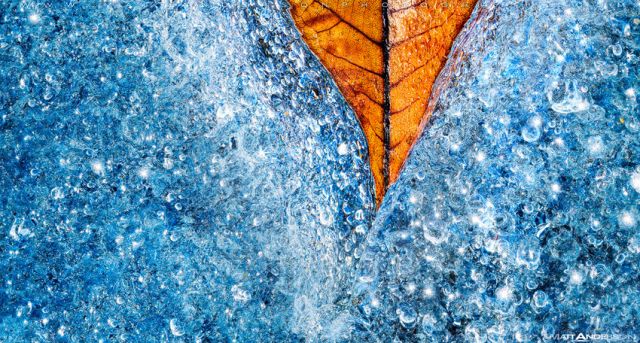
Frozen in Ice #2 - Same base image, a different crop
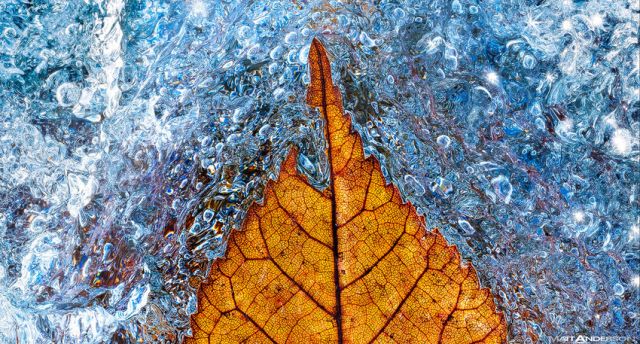
Frozen in Ice #3 - Same base image, a different crop
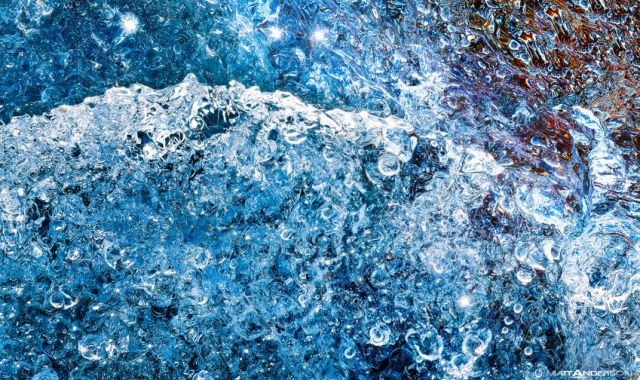
Frozen wave in Ice - Same base image, a different crop
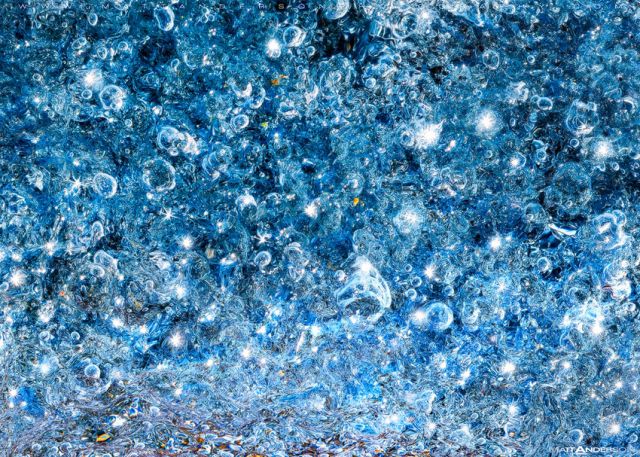
Frozen Galaxy in Ice - Same base image, a different crop
|


