p.118 #1 · Sony A7 and A7r Full Frame with Canon Lenses
Beni wrote:
I find the zebra pretty useless for stills, it's way too sensitive even at the lowest setting when you're shooting raw and it's horrifically distracting.
With zebras, just as with focus peaking, even though it's not perfect it has its uses.
The A7 cameras are regarded as being "ISOless" in that the read noise is so low there's no practical difference between amplifying the signal in camera (by raising the ISO setting) and bumping up the exposure during RAW conversion. Except that raising ISO risks blowing the highlights, for no real benefit. A good strategy would thus be to shoot RAW, leave the camera set to the lowest ISO and fix all exposures in post.
In reality however, the sensor may well be ISOless but the camera is not. What I mean is that if you do leave the camera set to ISO100 at all times but want to make use of a key advantage of EVFs, the ability to preview white balance, pictures styles, DoF etc, you can't. In poor light you'll see nothing in the viewfinder, making it very difficult to compose and focus your shots!
So you want to raise the ISO enough so you can see what you're shooting, but not too much that you risk clipping any highlights in the scene. This is where zebras come in really handy. Use the most conservative zebra setting you can (80% or something like that) set your creative controls (aperture and shutter-speed) to whatever values you want/need and then spin the ISO up (I suggest using the wheel on the back) until you see the zebras in the viewfinder. Then you'll be able to see what you're doing whilst keeping several stops of headroom in reserve.
I've recently switched my main body from a 5D mkIII to an A7R and this is one of the many areas I've had to retrain myself, no more pushing the ISO right up the very limit of clipping to try and reduce shadow noise!
p.118 #2 · Sony A7 and A7r Full Frame with Canon Lenses
Matt Grum wrote:
With zebras, just as with focus peaking, even though it's not perfect it has its uses.
The A7 cameras are regarded as being "ISOless" in that the read noise is so low there's no practical difference between amplifying the signal in camera (by raising the ISO setting) and bumping up the exposure during RAW conversion. Except that raising ISO risks blowing the highlights, for no real benefit. A good strategy would thus be to shoot RAW, leave the camera set to the lowest ISO and fix all exposures in post.
In reality however, the sensor may well be ISOless but the camera is not. What I mean is that if you do leave the camera set to ISO100 at all times, in poor light you'll see nothing in the viewfinder, making it very difficult to compose and focus your shots!
So you want to raise the ISO enough so you can see what you're shooting, but not too much that you risk clipping any highlights in the scene. This is where zebras come in really handy. Use the most conservative zebra setting you can (80% or something like that) set your creative controls (aperture and shutter-speed) to whatever values you want/need and then spin the ISO up (I suggest using the wheel on the back) until you see the zebras in the viewfinder. Then you'll be able to see what you're doing whilst keeping several stops of headroom in reserve.
I've recently switched my main body from a 5D mkIII to an A7R and this is one of the many areas I've had to retrain myself, no more pushing the ISO right up the very limit of clipping to try and reduce shadow noise! ...Show more →
That's very interesting! I am mostly shooting below ISO 640, so this could potentially be very useful for me. I will check it out how it works!
p.118 #3 · Sony A7 and A7r Full Frame with Canon Lenses
Rickuz wrote:
Robin, you are entitled to express your opinion.
My opinion is that you have no idea what you are talking about. High resolution and dynamic range (especially without Canon's trademarked shadow banding) is like bread and butter for landscape photography (and all kinds of static photography work.)
The "Exmor Tartan" shadow noise banding on the A7R is worse than anything I was ever able to produce on the Canon bodies - perhaps Canon should sue Sony for trademark infringement?
p.118 #4 · Sony A7 and A7r Full Frame with Canon Lenses
Post some examples? I'm not familiar with the reference you're making. But I've only been shooting the a7R since December. I've never seen anything like what I see in my 5D II.
molson wrote:
The "Exmor Tartan" shadow noise banding on the A7R is worse than anything I was ever able to produce on the Canon bodies - perhaps Canon should sue Sony for trademark infringement?
p.118 #7 · Sony A7 and A7r Full Frame with Canon Lenses
Matt Grum wrote:
So you want to raise the ISO enough so you can see what you're shooting, but not too much that you risk clipping any highlights in the scene. This is where zebras come in really handy. Use the most conservative zebra setting you can (80% or something like that) set your creative controls (aperture and shutter-speed) to whatever values you want/need and then spin the ISO up (I suggest using the wheel on the back) until you see the zebras in the viewfinder. Then you'll be able to see what you're doing whilst keeping several stops of headroom in reserve.
I tried to verify your suggestion on my A7R with MF lens today, but it didn't work. The zebra was independent from the ISO number. It didn't change the pattern or amount when I increased or decreased the ISO number.
p.118 #8 · Sony A7 and A7r Full Frame with Canon Lenses
tsdevine wrote:
Post some examples? I'm not familiar with the reference you're making. But I've only been shooting the a7R since December. I've never seen anything like what I see in my 5D II.
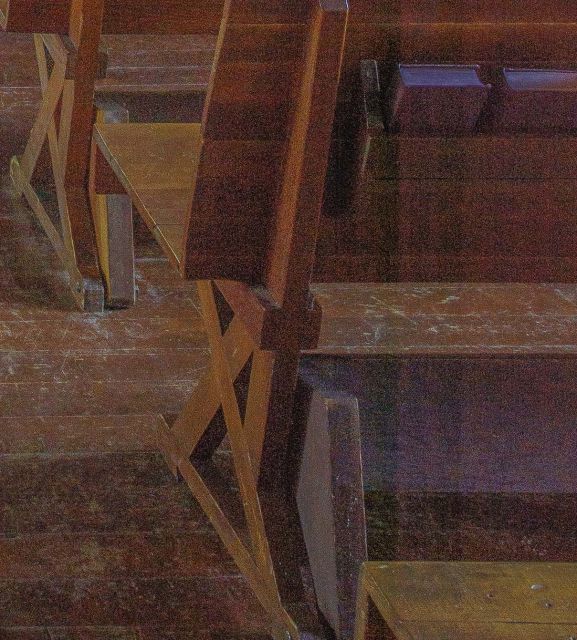
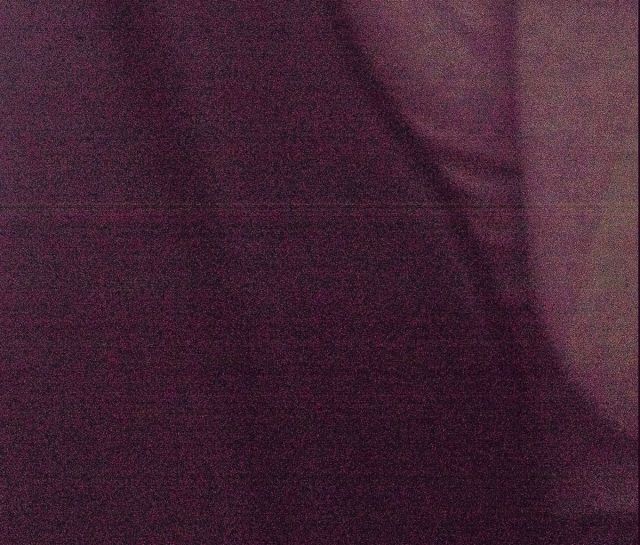
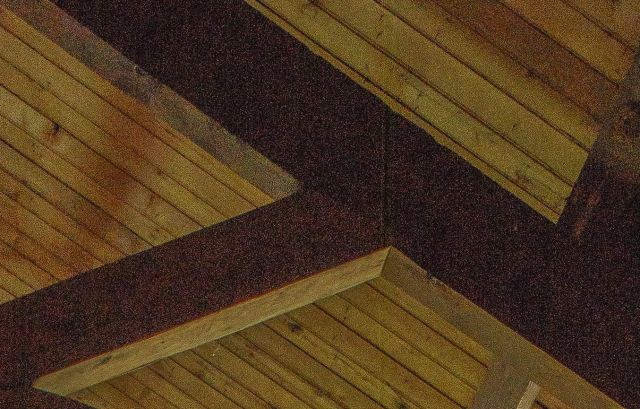
Just try opening up the exposure 2 or 3 stops on an A7R file - the banding pattern is quite obvious even at ISO 100. In the example below I pulled up the exposure 2.5 stops in LR.
p.118 #11 · Sony A7 and A7r Full Frame with Canon Lenses
artd wrote:
Looks to me more like an internal reflection from a Metabones III adapter. I've not seen any banding in A7r files no matter how far I push the files.
It's visible in images shot with native Sony FE lenses too, so it's obviously not the adapter...
p.118 #13 · Sony A7 and A7r Full Frame with Canon Lenses
I've pushed mine to +2, maybe more, at least a few times...just haven't seen that. I do a lot of waterfall shooting, and there's no comparison in the shadows between my 5D II and the a7R. Granted the 5D III (and maybe the 6D even more) have improved things somewhat.
But the shadows (at least on my a7R) are liberating when working in tough lighting.
p.118 #14 · Sony A7 and A7r Full Frame with Canon Lenses
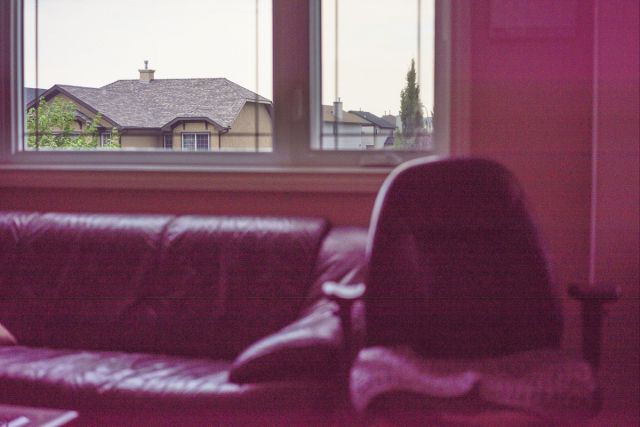
In the full frame image of the interior above, the strong vertical lines appear to be a result of some sort of sensor overload from the bright light coming through the windows at the edges of the image. The bands line up exactly with the windows.
The banding in the other image is something I've seen with my Leicas, about which there has been much inconclusive speculation. Some of it centered on memory card brand/model/type, or insufficient internal shielding allowing RF interference with data transfer between card and camera.
p.118 #15 · Sony A7 and A7r Full Frame with Canon Lenses
rscheffler wrote:
In the full frame image of the interior above, the strong vertical lines appear to be a result of some sort of sensor overload from the bright light coming through the windows at the edges of the image. The bands line up exactly with the windows.
p.118 #16 · Sony A7 and A7r Full Frame with Canon Lenses
I can find similar banding in some of my D800E files (but it's much, much harder to make it visible) so maybe this is just a Sony sensor manufacturing issue?
It would be very ironic if I have to stick with Canon to avoid shadow banding...
p.118 #19 · Sony A7 and A7r Full Frame with Canon Lenses
molson wrote:
No windows or other bright lights here...
But that the spot where your banding occurred was lined up with the bright light source in the window. Does this happen with every image you push like this regardless of what the lighting is like? I've tried to replicate this with my A7r files and I just can't find it, even pushing as far as possible and moving fill light to +100. The closest I've seen to something like this was the flare that can occur with a Metabones III adapter which looks like linear bands.
If this is happening with your native mount lenses too it might be a different issue (although hard to tell, as your FE banding example looks different than the church photo, and it's a close crop.) And if this is happening in every image, as opposed to just a handful, it might be worth investigating to make sure you don't have a faulty sensor or something....
p.118 #20 · Sony A7 and A7r Full Frame with Canon Lenses
artd wrote:
But that the spot where your banding occurred was lined up with the bright light source in the window. Does this happen with every image you push like this regardless of what the lighting is like? I've tried to replicate this with my A7r files and I just can't find it, even pushing as far as possible and moving fill light to +100. The closest I've seen to something like this was the flare that can occur with a Metabones III adapter which looks like linear bands.
If this is happening with your native mount lenses too it might be a different issue (although hard to tell, as your FE banding example looks different than the church photo, and it's a close crop.) And if this is happening in every image, as opposed to just a handful, it might be worth investigating to make sure you don't have a faulty sensor or something.... ...Show more →
I was using a Metabones IV adapter, and the second example from the church is from a spot nowhere near the windows and not in line with any bright objects in the frame. The SD card was a Sandisk Extreme SD-HC 45MB/s
The example taken with the Sony 35mm FE lens probably looks different because it's a crop from a horizontal image - the others are from vertical images. The banding is the same, and it's all over the entire frame, as in this example I just snapped a few minutes ago - with a different lens and a different type and brand of SD card (Lexar Professional 32GB SD-HC 600x)


 , maybe special ordered from canon.