I have been using Lightroom since version 2 and have always been able to use the scroll wheel to move between expanded images in the Library module and the Forward and Backward buttons to move between expanded images zoomed in to 1:1 or between images in the Develop module.
When I upgraded from Lightroom 3 to LR 4 I lost the ability to use the Forward and Backward buttons as described. It is not a matter of setting my MX1100's software to assign those buttons to those tasks. Not only does it not work, I never had to do that in previous versions of Lightroom.
I have not been able to find an answer yet in many months of occasional searching the net for it or in any Adobe literature.
Does anyone here know how to fix this? Any help will be greatly appreciated as this puts a real crimp in my work flow.
mshi wrote:
Use keyboard left/right arrow keys or mouse wheel instead.
Thanks for the reply mshi. In Library module with the image at 100% the wheel scrolls up and down within the image not between images. I could use keystrokes but I prefer the mouse buttons
xenor wrote:
Thanks for the reply mshi. In Library module with the image at 100% the wheel scrolls up and down within the image not between images. I could use keystrokes but I prefer the mouse buttons
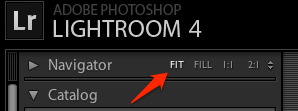
The mouse wheel wont allow you to switch image if you're in 1:1. You need to either zoom out or select FIT to do your way.
mshi wrote:
The mouse wheel wont allow you to switch image if you're in 1:1. You need to either zoom out or select FIT to do your way.
Exactly. Sometimes I like to be able to make a quick comparison between similar sections of adjacent images at 1:1 and the mouse button solution allows for a quicker more precise comparison as opposed to zooming out, changing and going back. What is FIT?
Well, it turns out FIT is what I've always used. Somehow I just lost the functionality. I am surprised I seem to be the only one that used the mouse that way.
If you are trying to compare 1:1 images right next to each other you use the x/y selection at the bottom. The mouse wheel to scroll through images can be done by using Fit and pressing space to zoom and when you want to scroll release space and the image goes back to fit.This is with LR 5 beta
Thanks Charlie. That will work well for comparing 1:1 images side by side which isn't exactly what I used to do but it is a good workaround. Any idea how to mouse quickly between adjacent images in the Develop module (without opening the image bar at eh bottom and selecting one, that is)?