How do you deal with changing light over a long period? He recommends manual mode but if I want to do a sunrise to sunset including night at either end, it's not going to cut it. Is the only solution to stand over the camera and change with the light? Doesn't that give you a jump in brightness as you change?
Beni wrote:
How do you deal with changing light over a long period? He recommends manual mode but if I want to do a sunrise to sunset including night at either end, it's not going to cut it. Is the only solution to stand over the camera and change with the light? Doesn't that give you a jump in brightness as you change?
I believe he also mentions using AV mode for sunrise, sunsets!
Problem with that is that Av will try and turn night into day which is why he doesn't like it I assume. Add to that if the sun comes anywhere into the frame which it would do at one point, you're royally screwed.
Beni wrote:
Problem with that is that Av will try and turn night into day which is why he doesn't like it I assume. Add to that if the sun comes anywhere into the frame which it would do at one point, you're royally screwed.
Beni wrote:
Problem with that is that Av will try and turn night into day which is why he doesn't like it I assume. Add to that if the sun comes anywhere into the frame which it would do at one point, you're royally screwed.
It won't be perfect but if you're doing all day time lapse you are bound to have light change, nothing you can do about it unless you want to go change the settings.
I've shot timelapse from evening to mid morning, around sunrise (i wasn't directly shooting at the sun or anything) i change the setting so that i don't have overblown skies. it does look natural because thats what you experience as well..going from dark night to bright daylight.
Beni wrote:
How do you deal with changing light over a long period? He recommends manual mode but if I want to do a sunrise to sunset including night at either end, it's not going to cut it. Is the only solution to stand over the camera and change with the light? Doesn't that give you a jump in brightness as you change?
In my experience, this is best dealt with Av mode and the occasional adjustment of EC and ISO. This works while there's some daylight. When you reach full night (assuming day->night transition), you go full manual. Then you set the last and first frame around an EC/ISO change as anchors, match them, and let software do the interpretation between.
If you have a 1-series camera and there's an evenly lit object in the picture, you link spot metering to AF point and use EC to get the right overall exposure, in Av mode.
In general, Manual is too much hassle to really use, except for starry nights / nature sequences.
Av mode can sometimes induce a flicker effect when assembling the time-lapse. This can be reduced in some software packages. Another option to look up for day/night transitions is called bulb ramping. This can be done with a Promote remote, or Magic Lantern firmware. Another option is to manually adjust the images -- here's a LRTimelapse video that explains how to do ramping without an external device:
Mr Joe wrote:
Av mode can sometimes induce a flicker effect when assembling the time-lapse. This can be reduced in some software packages. Another option to look up for day/night transitions is called bulb ramping. This can be done with a Promote remote, or Magic Lantern firmware. Another option is to manually adjust the images -- here's a LRTimelapse video that explains how to do ramping without an external device:
Manual exposure doesn't prevent flicker, contrary to popular belief. Aim your camera at a white, constantly lit wall, and take a 1000 frame sequence and check for yourself. Even with the meter out of the equation, at any aperture other than wide open, the blades have certain tolerance and will not expose evenly. And in most cases you're not shooting a white, evenly lit wall, which will add to flicker (moving clouds, etc).
Bramping has the same problem like any settings adjustment - it requires two anchor points per adjustment, and that adds up pretty quickly. Doing a gradual ramp with Av (esp. if you use centerweighed metering and not matrix) is oh so much easier in most cases.
Like in most things, manual gives you the most control but you'll pay for it with time in post processing. I calculate about 1h per 1s of final movie, and Manual mode has the potential to blow it beyond that.
He talks about shooting more images and that the main downside is storage and post-production but one thing he does not mention is the wear and tear on the camera's shutter. One need's to factor the cost of replacing the shutter since it's a real possibility if you shoot timelapses.
He talks about shooting more images and that the main downside is storage and post-production but one thing he does not mention is the wear and tear on the camera's shutter. One need's to factor the cost of replacing the shutter since it's a real possibility if you shoot timelapses.
Absolutely...
The few I've tried added a couple thousand clicks to my camera. The good thing is that even the oldest DSLR's have many times the resolution of the HD format. So even an older / obsolete DSLR works good for most time-lapse applications.
Sneakyracer wrote:
He talks about shooting more images and that the main downside is storage and post-production but one thing he does not mention is the wear and tear on the camera's shutter. One need's to factor the cost of replacing the shutter since it's a real possibility if you shoot timelapses.
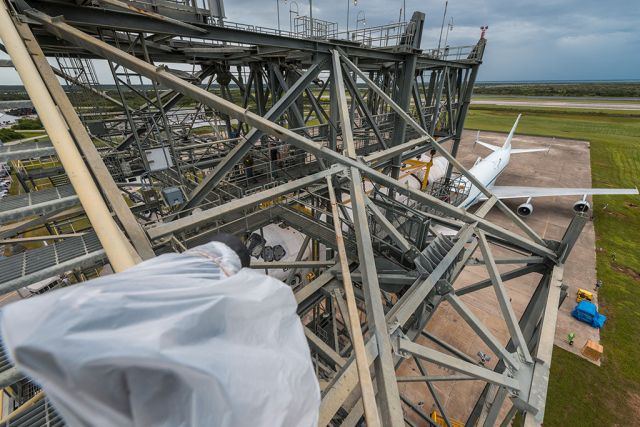
In our NASA time lapses, we have shot literally millions of frames on about a dozen bodies, over the course of three years. One shutter failed. I think that's a very low cost, low failure rate. In contrast, we had three bodies and about 5 lenses die due to weather. And that despite the cameras always being protected against weather. Water is a bitch, and always finds a way...
I know people get fixated on shutter wear, but at the end of the day, it actually turns out to be the least of your worries - both financially and from a redundancy standpoint.
Thanks again for turning me on to the world of time lapse. I made my first one yesterday. Over a period of 3 hours, I took 1106 photos---one every 10 seconds. The time period was about 6:00am (just before sunrise) until 9:00am.
I followed the tips presented in the video series; and as mentioned above, ran into a few issues with lighting. I shot in RAW and everything in manual using a Nikon V1. Things went well for the first 10 minutes or so until the sun came up; then as expected, I started to get overexposed images. Over the next 2+ hours, I reset the f-stop and aperture every 20 minutes or so in an attempt to manage exposure.
As you might imagine, this became a bit of a nightmare in post when I tried to blend the images from slightly over-exposed to the new settings. I took groups of 100 or so images and adjusted the exposure in ACR in an attempt to make the blending appear seamless. In the end, I did not achieve that goal and just accepted the obvious light changes. I'm not sure
I still have a lot of experimentation ahead of me; but for a first attempt, I'm generally pleased with the result. I'm not sure aperture-priority or shutter-priority would have been any easier, but I'm going to do some experimentation.
I should mention I also took another series of photos over the same period using My GoPro Hero2. If you don't know, it only takes photos in JPG-format in auto-everything mode and its default ultra-wide angle view. Anyway, I'm not sure I don't like the result better.
That's why I say - don't use manual exposure unless you're shooting at night.
But yes, as you pointed out, there's a huge learning curve and regardless of which approach you take you will spend a lot of time. Better practice in your back yard than on location!