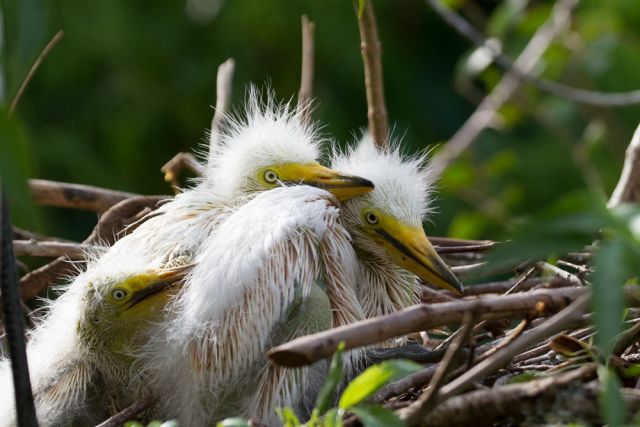
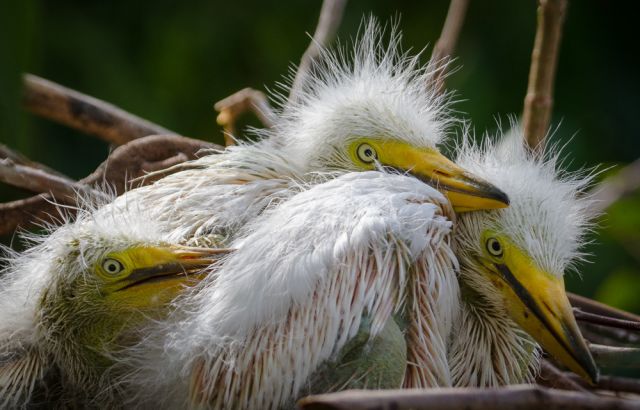
The last shot is a great compositionally. There are some hairs/feathers in the eyes of the middle bird that are a bit distracting. I don't know if you're keen on photoshop, but I would suggest just cleaning the eye up a bit. I think it would enhance the image significantly.
odnanref wrote:
The last shot is a great compositionally. There are some hairs/feathers in the eyes of the middle bird that are a bit distracting. I don't know if you're keen on photoshop, but I would suggest just cleaning the eye up a bit. I think it would enhance the image significantly.
thanks for your input
I think I will clone out some if it goes to print
Scott
Nice photo, but there is one improvement that I can recommend based on a similar experience. I once took a bunch of shots of a British Starling and the one I wanted to print was lacking in one thing. A catch light in the eye. So, I placed one in Photoshop and it made a world of difference. The result was the difference between a live bird, vs. a dead bird, in my humble opinion.
Without catch light http://farm9.staticflickr.com/8543/8705172797_cfabc542f6_b.jpg
AuntiPode wrote:
Back in the day, I used to add a catchlight to eyes in transparencies (color slides) with a needle. So much easier with photoshop.
Momma took my Kodachrome away, but I still have a Carrousel Projector with a boat load of slides.
Kodachrome II (Dynamite Reds, ASA 25), Ektachrome (Used for Carribean) and AgfaChrome (beautiful browns for Fall). Slides were the answer to the butcher at the drug store when trying to print with proper white-balance.
Kodachrome II was my first love, the one no other film ever equaled. Agfachrome with the sophisticated european beauty I couldn't afford. And Anscochrome 500 was the hot rod film next store I could tinker with in my kitchen and process myself. So much water under the bridge since then....