I went through all of the comments and worked up the image again last night, but got tired and forgot to upload my current version. Maybe I will remember tonight.
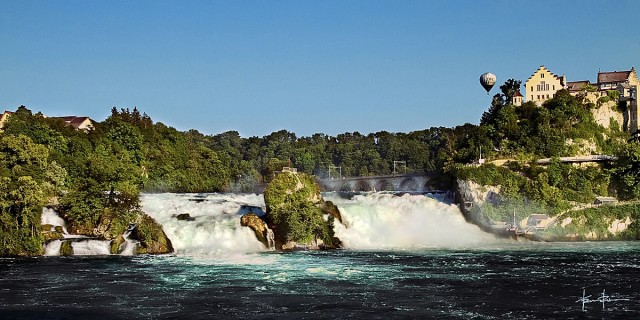
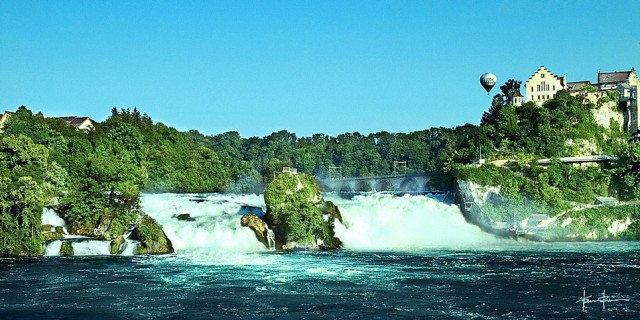
Almass, that one looks off on my calibrated screen, the water is much too dark and close to black, the actual water was very much the teal green, the trees look much more yellowed out, as if there was some sort of vintage look applied, same for the buildings at the top right.
Another color balancing technique is to set black, middle gray, and white points. I used a curves adjustment layer and set the darkest area of the balloon to rgb 8/8/8, a neutral rock (just a guess) to rgb 90/90/90, and a diffuse highlight to rgb 245/245/245. This establishes a baseline from which to make more creative adjustments. http://img.photobucket.com/albums/v732/glenngaryglenross/New%20Album/rheinfalls_web1.jpg
Travis Rhoads wrote:
I went through all of the comments and worked up the image again last night, but got tired and forgot to upload my current version. Maybe I will remember tonight.
Almass, that one looks off on my calibrated screen, the water is much too dark and close to black, the actual water was very much the teal green, the trees look much more yellowed out, as if there was some sort of vintage look applied, same for the buildings at the top right.