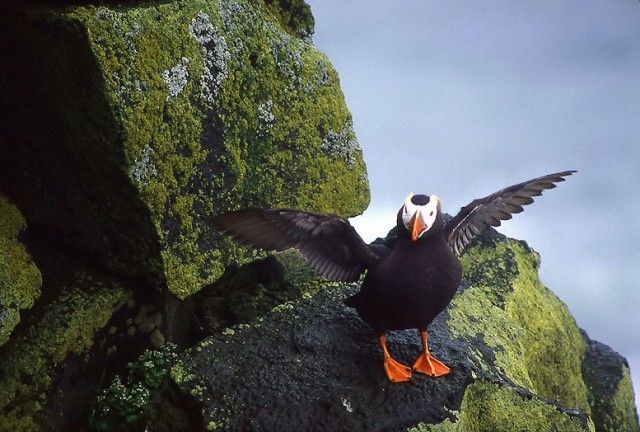
Another from the Pribilof Islands.
These birds are slightly larger than the horned puffins. Not really small- or large- but certainly solid and substantial. They have to be, since they live at sea all winter and during summer nesting they crash-land into the cliff rocks daily .
Good swimmers and fast fliers, but not-so-good at takeoffs and landings.
Charlie Shugart wrote:
Another from the Pribilof Islands.
These birds are slightly larger than the horned puffins. Not really small- or large- but certainly solid and substantial. They have to be, since they live at sea all winter and during summer nesting they crash-land into the cliff rocks daily .
Good swimmers and fast fliers, but not-so-good at takeoffs and landings.
Great capture Charlie. I don't know if this was a large crop but a tad bit of NR works wonders.
Ted: I presume NR means noise reduction. This was not a crop, but I often get noise introduced during my slide scanning and later when I sharpen because I also get softness when I scan (even with sharp slides). Trouble is, when I try for noise reduction, I get softness re-introduced.
Please (Ted or anyone else) tell me the solution... in simple terms .
Charlie
More great puffin stuff Charlie...love em. But again it looks like you ventured a wee bit close to a gravitationally induced injury....glad to know these are slides and you were probably more nimble back then.
Eric
Thank you Ken and Eric.
Yes, ya gotta love puffins.
Almost all my posts are scans from slides. I'm on my second scanner now, and don't know how to tell if my problems are with the scanners or not.
When I first decided to Photoshop my slides (about three years ago), I had them scanned professionally. The same basic problems existed back then, so.... ?
Then, too, my PP skills and techniques are basic at best, so.... ?
But what the hell- I'm enjoying the whole thing, and getting a little better at the PP.
Oh, yes, Eric, I was a whole LOT nimbler back then .
Charlie
Charlie Shugart wrote:
Thanks Ted, Rob, Alan, Paul and Birdie.
Ted: I presume NR means noise reduction. This was not a crop, but I often get noise introduced during my slide scanning and later when I sharpen because I also get softness when I scan (even with sharp slides). Trouble is, when I try for noise reduction, I get softness re-introduced.
Please (Ted or anyone else) tell me the solution... in simple terms .
Charlie
Charlie:
after scanning a slide or any image, I would enlarge the image 150% or greater and check the image for noise. There are many NR programs, I use Neat Image. There is no simple answer Charlie but if you sharpen before NR you will get extra noise not softness. You can get softness if you use too much NR.
Send me the original file after scanning and I will work with it...reposting it and giving you the step by steps I do.
after scanning a slide or any image, I would enlarge the image 150% or greater and check the image for noise. There are many NR programs, I use Neat Image. There is no simple answer Charlie but if you sharpen before NR you will get extra noise not softness. You can get softness if you use too much NR.
Send me the original file after scanning and I will work with it...reposting it and giving you the step by steps I do.
Better yet get a big boy/girl digital SLR.
Ted
Ted- I'm committed to scanning a lifetime of slides of the 50 US states, all the Canadian provinces and territories, and 50+ foreign countries through which I've traveled. Most of the slides I've only seen by holding them up to a light, or on a table-top slide viewer.
Oh, BTW, sharpening is the LAST thing I do when processing.
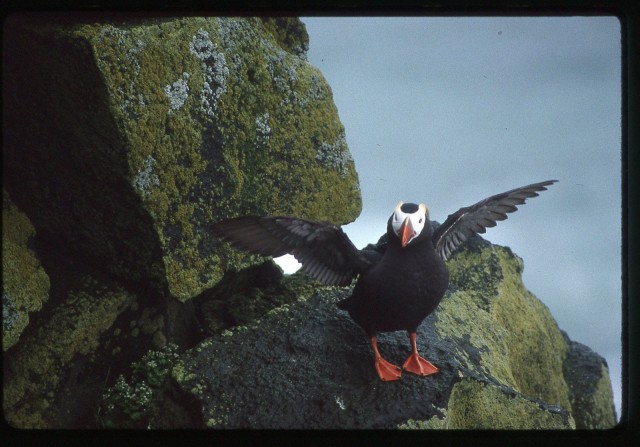
Here's my original scan of the tufted puffin. All I did was make it less that Fred's 350 (whatever) so I could post it.
I appreciate your time and effort in helping me with this, Ted.
Charlie
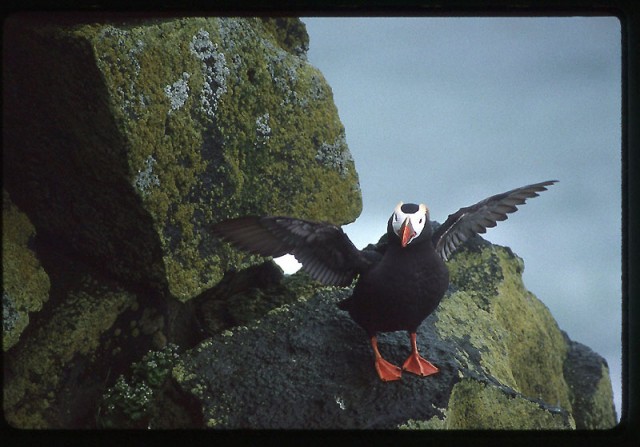
Ted- here's my version of the same huge thing I posted above.
1. I sized it to 800 on the long axis.
2. Went to filter<noise<despeckle.
3. Went to Edit<fade despeckle and moved the slider to 50% because 100% threw everything WAY out of focus.
4. Did 50% sharpening.
5. Did 50% edge sharpening (which introduced a couple of edge problems on the bird's left wing that I'm ignoring for now).
6. Enlarged to 500% and lassoed the bird's face and beak- just inside the edge of its head (bad sharpening things happen otherwise).
7. Then I sharpened (50%) and edge sharpened (50%) the lassoed part.
Back to 100% and I was done.
Normally I would probably done some brightness/contrast work (contrast can increase noise- so I have to be careful with it).
That's the basic procedure I often follow when processing, although normally I do the noise/despeckle adjustment just before I sharpen.
Okay- here's the revised version. Give it to me, man. I'm not tough, but I can take it anyway .
Charlie
Just took a look to compare my last version with my first:
The sky looks better now, but everything around the bird is really soft focus. Hmmm.
It's a very nice shot Charlie. One thing I do occasionally after a little overall noise reduction to improve the subject, is to select the subject, (lasso or one of the other selection tools), and sharpen it. Then I invert the selection and work on the noise on the rest of the shot. That way you are not softening the subject.
Ron


 .
.
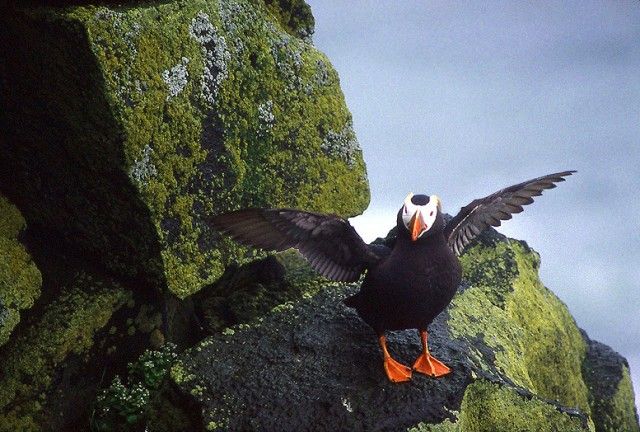
 I don't know if this was a large crop but a tad bit of NR works wonders.