Doesn't seem like this feature is often used, I know I don't use it a ton. But I do find myself sometimes wishing I had, after the fact. This thread is intended to let people show Pixel Shift samples, techniques, opinions, etc. It's not meant purely to be an image thread, nor is it intended to be a pure discussion thread.
I suspect there won't be many participants in this thread, but who knows, maybe I'll be surprised.
I'll start. Here is a shot I took last Sunday with my a7R V and Sigma 14-24mm f/2.8 DG DN Art. I shot using the 16 image Pixel Shift mode, shooting at f/6.3. Tripod mounted and on a timer.
The individual pixel shift images were processed through PixelShift to DNG as for some reason, Imaging Edge Desktop just keeps crashing on my M1 MBP when I try to open the application. Luckily there was no movement in the shot, so I didn't really need to use the Sony software.
Then I processed it via Lightroom, brought it into Photoshop where I did quite a bit of color and curves adjustments and then sharpened via Topaz Sharpen AI.
Here is a small version of the image, fairly worthless for assessing a pixel shift image.
I don't post many "new" threads, mainly comment on existing. Usually my threads turn into critiques of what I did, where I did it, why I did it....with a mix of "this doesn't interest me, but I'll comment anyway"....and a small amount of "this interest me" replies.
That is quite an impressive image!!! I can see why you recommend the sigma often for wide angle. Looks like an ideal situation for shooting pixel shift. Large stable building with solid foundation and a static subject.
I've seen Tony Northrup often uses pixel shift to evaluate the sharpness of lenses. Part of me is tempted to try that, and part of me thinks I'm better off just going out and finding something interesting to shoot and not focus on gear. At some point if 240MP reveals an otherwise unknown flaw I'm not sure that helps.
I wanted some high resolution architectural images and took some pixel shift and some using a pano with a more tele lens. I liked the pano results I don't think I even bothered to "develop" the pixel shift. I think one thing I like about a pano is that it is more resistant to movement. Some of the images were on university quad with people doing stuff. The link below is the pano from the quad, other than 1 person who appears 3 times, no motion artifacts. Also the Sand dunes from the Nat park in CO. No pixel shifts to share, but I feel inspired to try it out.
Now I'm curious. Have you ever compared a pixel shift image with a regular 61meg image uprezed to the same size as the pixel shift one? That might be enlightening. Thanks for the post, Tim!
I only tried panos maybe once or twice, probably more than 10 years ago. I had a T&S lens briefly and I played with shifting and then shifting the camera to compensate....something like that. I haven't tried it since using that lens.
I do a lot of waterfall photography, where 1 to 3 second exposures beg for calmness. I haven't tried any pixel shifts where there was a crazy amount of movement. But I did do some waterfall shots right after I got the camera. I'll have to dig them up and post here.
Those panos are gorgeous.
tschopp wrote:
That is quite an impressive image!!! I can see why you recommend the sigma often for wide angle. Looks like an ideal situation for shooting pixel shift. Large stable building with solid foundation and a static subject.
I've seen Tony Northrup often uses pixel shift to evaluate the sharpness of lenses. Part of me is tempted to try that, and part of me thinks I'm better off just going out and finding something interesting to shoot and not focus on gear. At some point if 240MP reveals an otherwise unknown flaw I'm not sure that helps.
I wanted some high resolution architectural images and took some pixel shift and some using a pano with a more tele lens. I liked the pano results I don't think I even bothered to "develop" the pixel shift. I think one thing I like about a pano is that it is more resistant to movement. Some of the images were on university quad with people doing stuff. The link below is the pano from the quad, other than 1 person who appears 3 times, no motion artifacts. Also the Sand dunes from the Nat park in CO. No pixel shifts to share, but I feel inspired to try it out.
Here are my attempts...note that the correction of alignment changed for some reason between my pixel shift processing and the processing of a single file. Also, I had a tough time matching color and exposure.
So I think you can kind of get close, but I think you get more false detail. You also get into how much to sharpen, and when, how much noise reduction to do, and when. With time and effort you could probably do more than what I was able to do here. I think these look pretty good at first blush, at least the Gigapixel one, but it still seems "off" for lack of a better term.
Photoshop enlargement of a single shot, sharpened in Topaz
Now I'm curious. Have you ever compared a pixel shift image with a regular 61meg image uprezed to the same size as the pixel shift one? That might be enlightening. Thanks for the post, Tim!
Here is a shot I took back in late 2022, another 16 shot pixel shift processed through Sony Imaging Edge Desktop with the motion correction setting enabled. Processed in Lightroom, then Photoshop, and Topaz Sharpen AI similar to the above.
This was shot with the Sigma 28mm f/1.4 DG HSM Art at f/16.
One thing I forgot to mention. Both the 4 and 16 shot (I believe) sample all 3 colors at a single location, so you in theory should see a reduction in noise and it bypasses the demosaicing step. So in theory, you should see better color resolution and less noise in a pixel shift shot than trying to uprez a normal shot from the camera. Between some extra noise, and the interpolation of color during the demosaic process, uprezzing sort of aggravates both as further interpolation is occurring.
In any case, I haven't shot many pixel shift shots. And it's really not much effort to shoot. There are plenty of cases where I probably could have taken advantage of it.
Granted, many would argue that 60 MP is enough to begin with. But I have quite a few very high resolving lenses, and it's fun to squeeze as much out of them as possible.
I also like that each shot that makes up the set can be processed as a standalone image.
tschopp wrote:
That is quite an impressive image!!! I can see why you recommend the sigma often for wide angle. Looks like an ideal situation for shooting pixel shift. Large stable building with solid foundation and a static subject.
I've seen Tony Northrup often uses pixel shift to evaluate the sharpness of lenses. Part of me is tempted to try that, and part of me thinks I'm better off just going out and finding something interesting to shoot and not focus on gear. At some point if 240MP reveals an otherwise unknown flaw I'm not sure that helps.
I wanted some high resolution architectural images and took some pixel shift and some using a pano with a more tele lens. I liked the pano results I don't think I even bothered to "develop" the pixel shift. I think one thing I like about a pano is that it is more resistant to movement. Some of the images were on university quad with people doing stuff. The link below is the pano from the quad, other than 1 person who appears 3 times, no motion artifacts. Also the Sand dunes from the Nat park in CO. No pixel shifts to share, but I feel inspired to try it out.
tsdevine wrote:
Here are my attempts...note that the correction of alignment changed for some reason between my pixel shift processing and the processing of a single file. Also, I had a tough time matching color and exposure.
So I think you can kind of get close, but I think you get more false detail. You also get into how much to sharpen, and when, how much noise reduction to do, and when. With time and effort you could probably do more than what I was able to do here. I think these look pretty good at first blush, at least the Gigapixel one, but it still seems "off" for lack of a better term.
Photoshop enlargement of a single shot, sharpened in Topaz
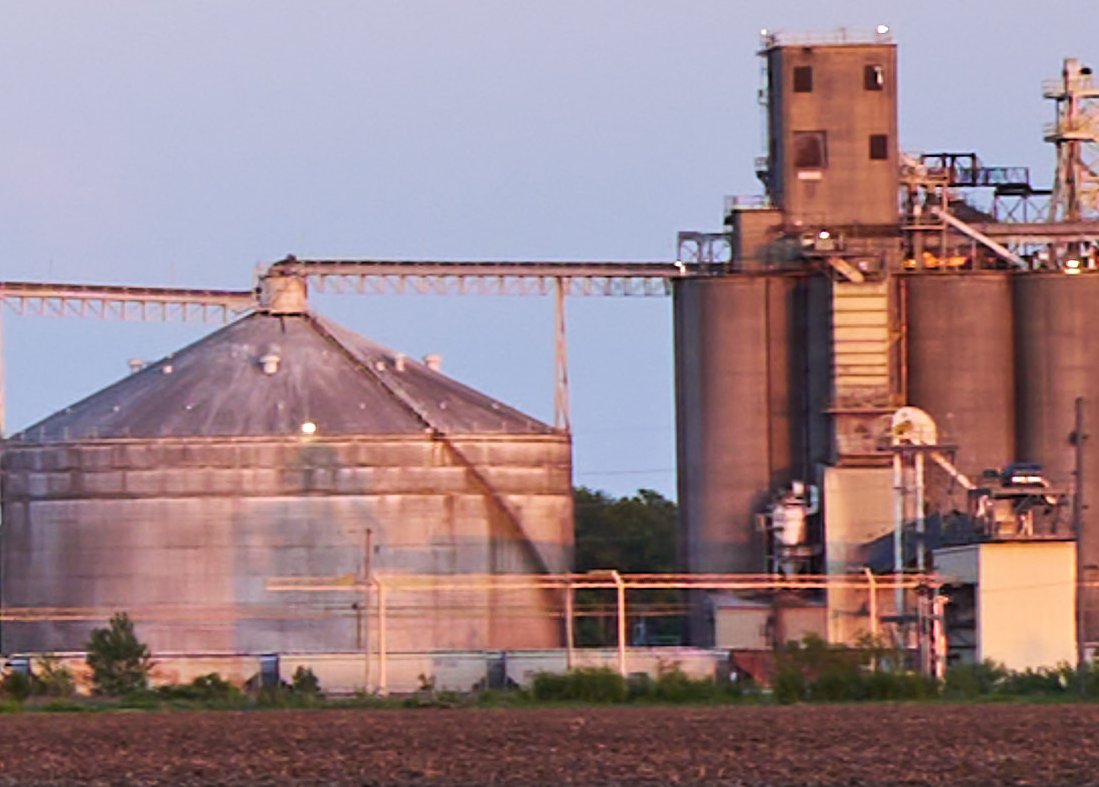
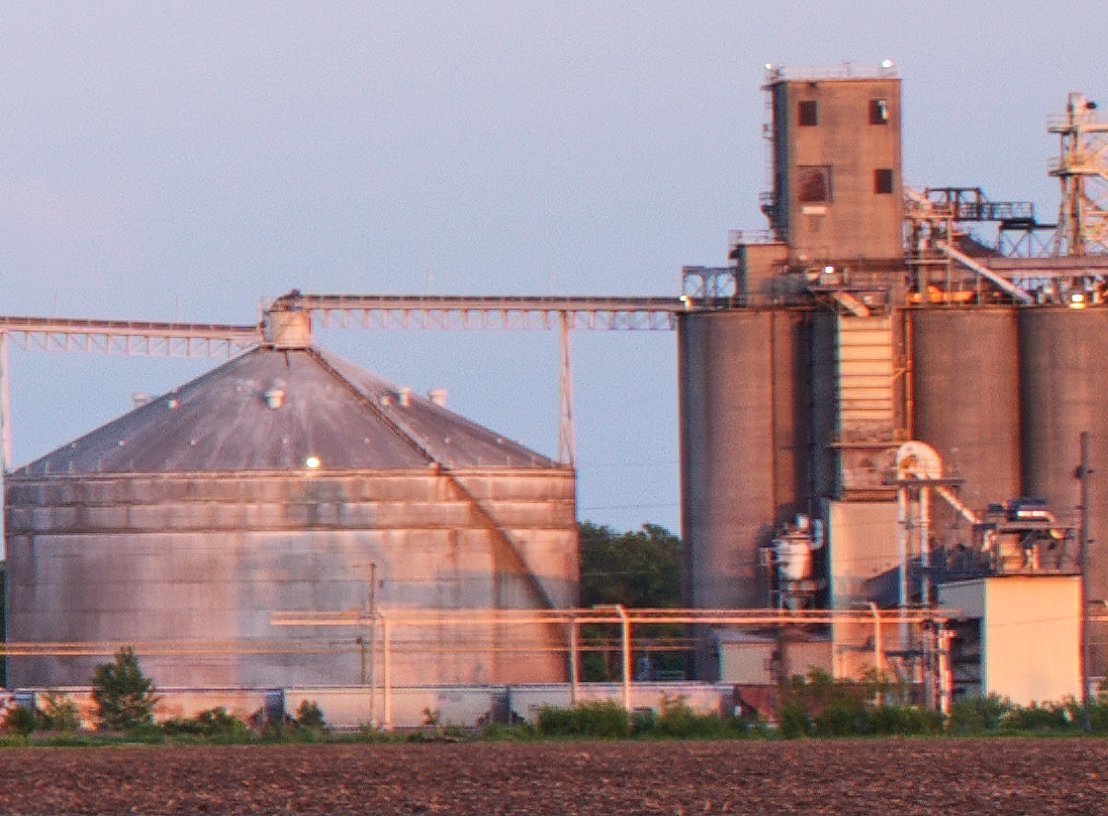
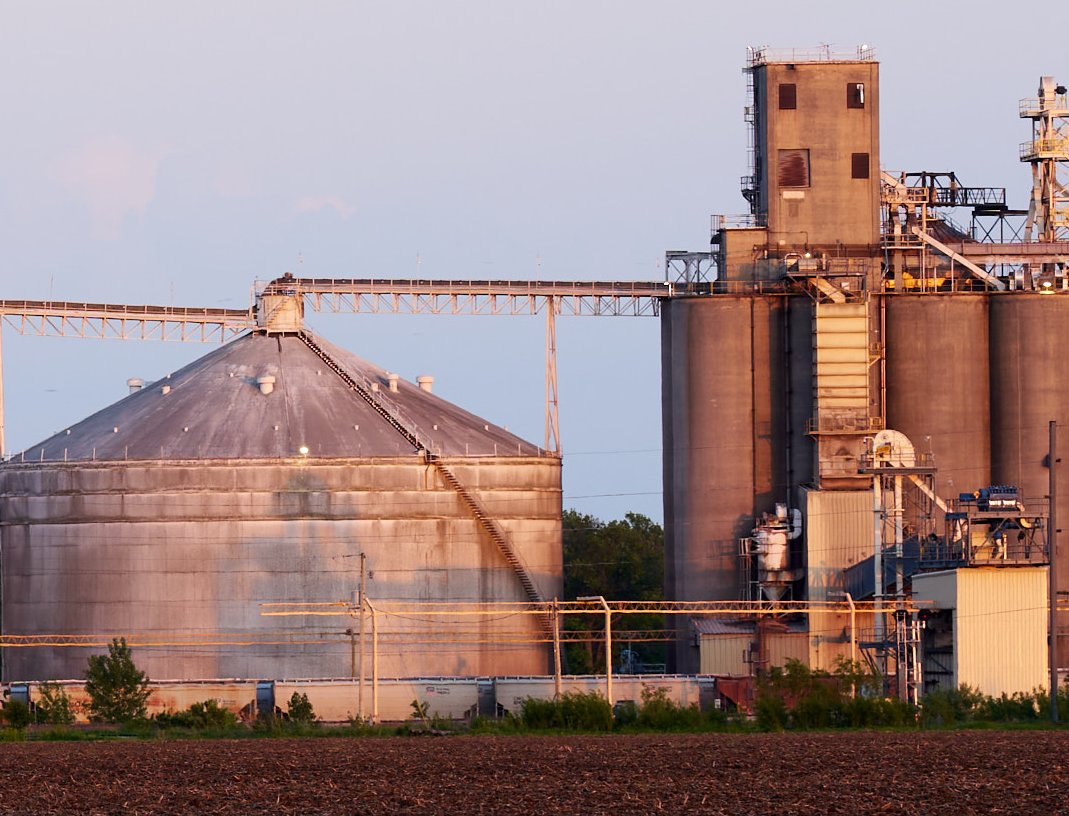
I ran out to get a few shots before sunset. I tried pixel shift with my 135GM and 35GM pointed at some grain bins. All shots were f/8 ISO 100 1/15s (close to sunset).
For 135GM the movement compensation was needed, pointless without that. There was some heat shimmer and a slight wind that moved some trees. The 4 photo image looked slightly better than the single, but not worth the effort. The 16 image looked softer than the 4 or single upscaled to 240MP.
For the 35GM the 16 image had the most detail. There were a few trees that clearly had more detail, but I'm not sure it was worth the effort. I think last time I tried pixel shift was with the Riv, it might have crashed my computer or if it worked I concluded the movement issues were a non-starter.
What I concluded from this exercise is if you want a higher resolution file you should grab a longer focal length and make a pano. I'm sure there are lots of real world issues that degraded the quality of my pixel shift. Wind was pretty light for IL but still present. The shutter speed was slow.
One of the variables I did not correct for on the pano was the f stop. the 35GM was shot at f/8 and the 135GM was shot at f/8. But to keep the same depth of field I would have had to adjust the f stop by the ratio of the focal lengths ie shoot the 135 at f/32. I wouldn't think shooting the 35GM at f/8 would cause diffraction problems, but maybe it did. Probably worth some additional experimentation tomorrow.
35GM upscaled to 240MP then 100% crop taken
35GM 240MP pixel shift then 100% crop
135GM pano then downsampled to same resolution as 240MP on 35GM
One thing I've found about the pixel shift images, they need (and take well) aggressive sharpening. Here's your 35 GM crop run through Topaz Sharpen AI. Still not as good as your pano, but maybe better than the original. Of course your pano could be sharpened further and the gap would widen again.
And definitely not saying it works well in all situations, as you obviously show. But if you look at the rotunda shot above, it was incredibly painful getting that lined up reasonably well. I broke out my old Gitzo GT-2540EX with the offset center post. Splayed the legs and put the center column at a 90 degree angle. The camera was almost on the floor. It would have been very hard to adjust that to take a pano. The waterfall might be challenging as well, I don't know how well everything will like up in terms of the water flow if shooting a pano.
So different tools for different situations. Options aren't a bad thing though.
You can tell I just woke up and hadn't had caffeine yet. On the rotunda shot, if I tried a pano, I wouldn't have to be practically on the floor to shoot it. Although I still wonder if I would have the precision to do well doing that. I think I would need quite a bit of practice, although maybe that is just my lack of experience talking there.
tsdevine wrote:
One thing I've found about the pixel shift images, they need (and take well) aggressive sharpening. Here's your 35 GM crop run through Topaz Sharpen AI. Still not as good as your pano, but maybe better than the original.
And definitely not saying it works well in all situations, as you obviously show. But if you look at the rotunda shot above, it was incredibly painful getting that lined up reasonably well. I broke out my old Gitzo GT-2540EX with the offset center post. Splayed the legs and put the center column at a 90 degree angle. The camera was almost on the floor. It would have been very hard to adjust that to take a pano. The waterfall might be challenging as well, I don't know how well everything will like up in terms of the water flow if shooting a pano.
So different tools for different situations. Options aren't a bad thing though....Show more →
This is really interesting stuff. Thanks for doing all this work, tschopp and tsdivine!
Obviously, pixel shift isn't nearly as good as a pano although a bit better than just an uprez. I think some kind of motorized auto pano head like gigapan and others offer would be a tremendous tool for landscape photography on a tripod, combined with focus bracketing.
I'm used to a similar workflow with my drone photography for maximum IQ results.
I’m thinking I chose poorly in terms of a subject for pixel shift. I was a bit rushed as it was maybe 15 min to sunset. Will try again today with some more carful thoughts on subject.
The panoramic has its issues as well. If you have foreground objects you really need a nodal rail to eliminate parallax. I currently have a setup that can do single row well, but not multirow. Then there is the issue of what geometry you want to stitch together with. If you’re using a rectilinear lens, cylindrical or spherical is an approximation. That must be why you were using a tilt shift.
There is also the issue of finding the nodal point of the lens. That is best done in a controlled environment. Works ok for primes, but harder for zooms.
I didn’t mean to distract from the pixel shift discussion, I was more thinking about if you have a scene and want more than 60 MP what are your options. How do they compare and when do you decide one technique vs another.
Tim, for your waterfall photos that you tried pixel shift, if you’re aiming for a 1 min exposure do you take multiple 1 minute exposures or get the total exposure for all images at 1 minute? I tried running my pixel shift images through an astronomical stacking program to see what would happen. It was a bit softer than the result from image edge. But as you mentioned these pixel shift images should be amenable to sharpening and up resolution. I think for my subject everything had a bit of motion, heat shimmer if not actual movement.
I guess one of the other real benefits of pixel shift is you can try it easily. Just set the mode and push the button. Even if it doesn’t work you have a set of images and can pick the best one.
No worries, pano is sort of adjacent to pixel shift as they can be used to obtain a certain outcome, so it makes sense to discuss it here.
tschopp wrote:
I’m thinking I chose poorly in terms of a subject for pixel shift. I was a bit rushed as it was maybe 15 min to sunset. Will try again today with some more carful thoughts on subject.
The panoramic has its issues as well. If you have foreground objects you really need a nodal rail to eliminate parallax. I currently have a setup that can do single row well, but not multirow. Then there is the issue of what geometry you want to stitch together with. If you’re using a rectilinear lens, cylindrical or spherical is an approximation. That must be why you were using a tilt shift.
There is also the issue of finding the nodal point of the lens. That is best done in a controlled environment. Works ok for primes, but harder for zooms.
I didn’t mean to distract from the pixel shift discussion, I was more thinking about if you have a scene and want more than 60 MP what are your options. How do they compare and when do you decide one technique vs another....Show more →
Check that, I'm doing 1-3 second exposures. That's not a rule for me, but it is hard to find exactly the right conditions.....decent water, no sun, no wind, etc. Often wind/breezes are the last wildcard that vexes you. I'm often trying to find micro moments where little breezes calm down. For some waterfalls, they produce their own wind, so it's a little bit of a lost cause there. Smaller more intimate waterfalls you can often find moments of calmness.
And yes, having 16 shots that can each be used on their own.......if the set doesn't work, I can find the calmest of the bunch and just process it normally. It is unfortunate that pixel shift will only store uncompressed RAW files. They are pretty chunky on the a7R V.
tschopp wrote:
Tim, for your waterfall photos that you tried pixel shift, if you’re aiming for a 1 min exposure do you take multiple 1 minute exposures or get the total exposure for all images at 1 minute? I tried running my pixel shift images through an astronomical stacking program to see what would happen. It was a bit softer than the result from image edge. But as you mentioned these pixel shift images should be amenable to sharpening and up resolution. I think for my subject everything had a bit of motion, heat shimmer if not actual movement.
I guess one of the other real benefits of pixel shift is you can try it easily. Just set the mode and push the button. Even if it doesn’t work you have a set of images and can pick the best one....Show more →
This may not be what you asked for but it may have some value anyway. I simply repost the message below back in Mars when graytrekker asked for opinions or experience about 4-image pixel shift results.
quoting myself:
I have used the pixel shift mode offered by the A7CR once only (architecture, indoor). So, not a thing I felt a daily need of. Still, I got interested in the topic as some earlier test shots I took when getting the camera looked promising (for something).
The possibility to get rid of moiré and false colors is of course interesting! I have always liked APO lenses for the clean colours they provide.
Anyone can draw their own conclusions and find out when the pixel shift tech can come to good use. It's not always possible and, of course not often "needed". But, when chosing between the A7C2 and the A7CR pixel shift was one of the reasons for me to pick the R model.I wish Sony had implemented the function more in the way Olympus/ OM System has though. Now it is clunky in comparison and the IED software is not intuitive to say the least).
Jonas B wrote:
This may not be what you asked for but it may have some value anyway. I simply repost the message below back in Mars when graytrekker asked for opinions or experience about 4-image pixel shift results.
quoting myself:
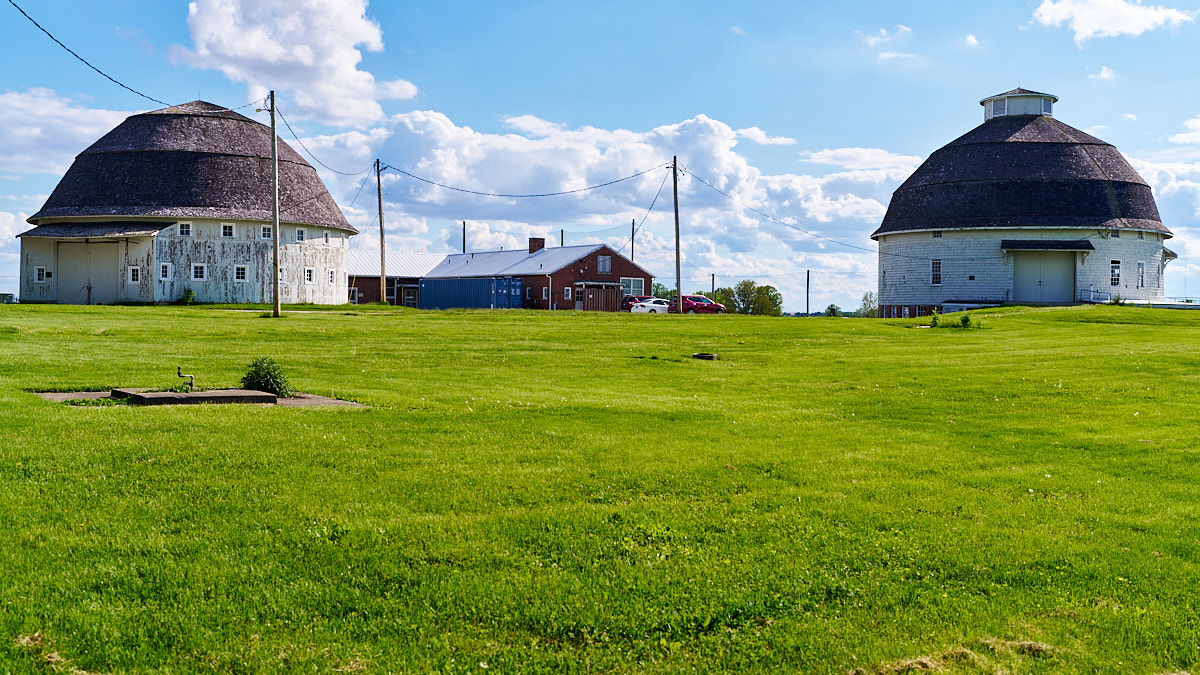
I had the chance to take some more pixel shift images and comparison pano images. I wanted to generate equivalent images that have the same field of view, depth of field, resolution, and diffraction. I used the 35GM for the pixel shift at f/4, one of the 16 images was used for an upscale, I used the 50/1.2 GM at f/5.6 to make a pano that was then upscaled and a Sigma 85DN at f/10 to make a pano that was then downscaled. Since the pixel shift doubles resolution that would be equivalent to shooting a normal image at 70mm assuming the 35GM has enough resolution and the pixel shift works as expected. I chose 50 and 85 to bracket on both sides of the 70mm. Since I did not take a multirow pano for the 85 it was cropped to a different aspect ratio.
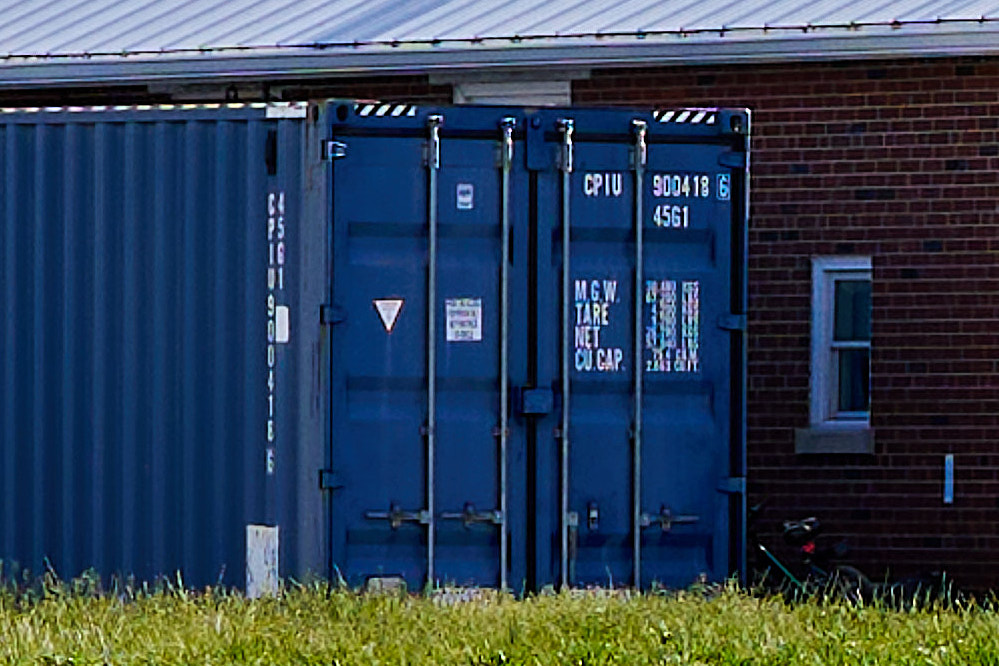
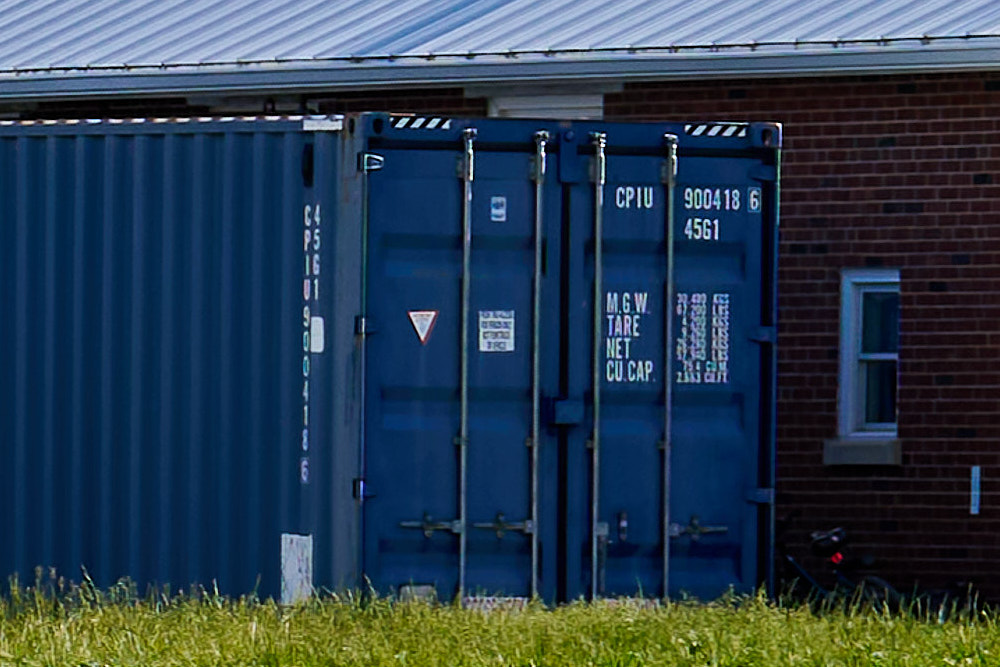
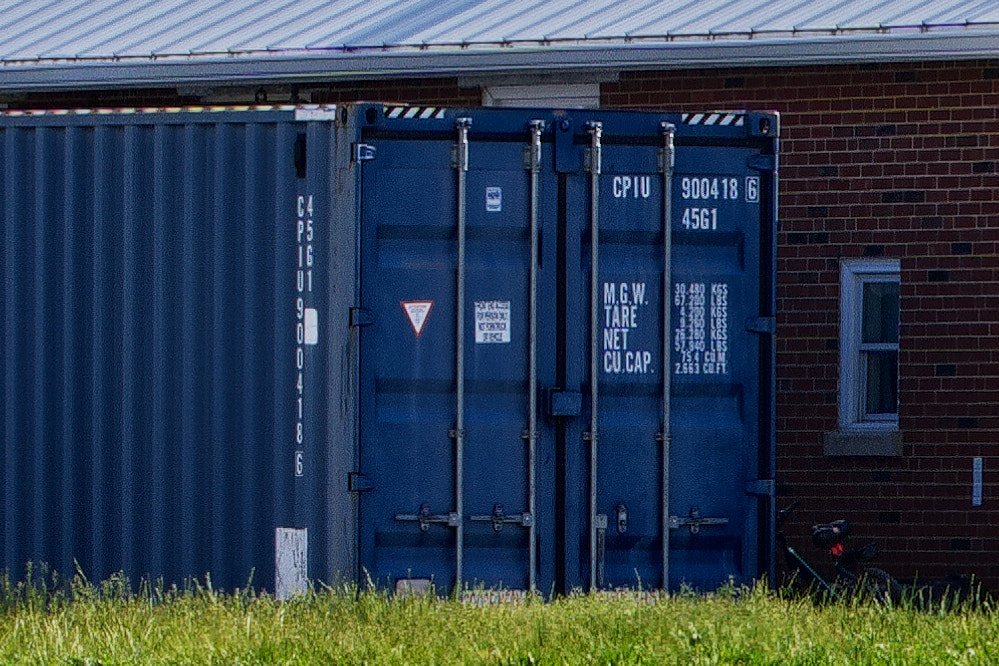
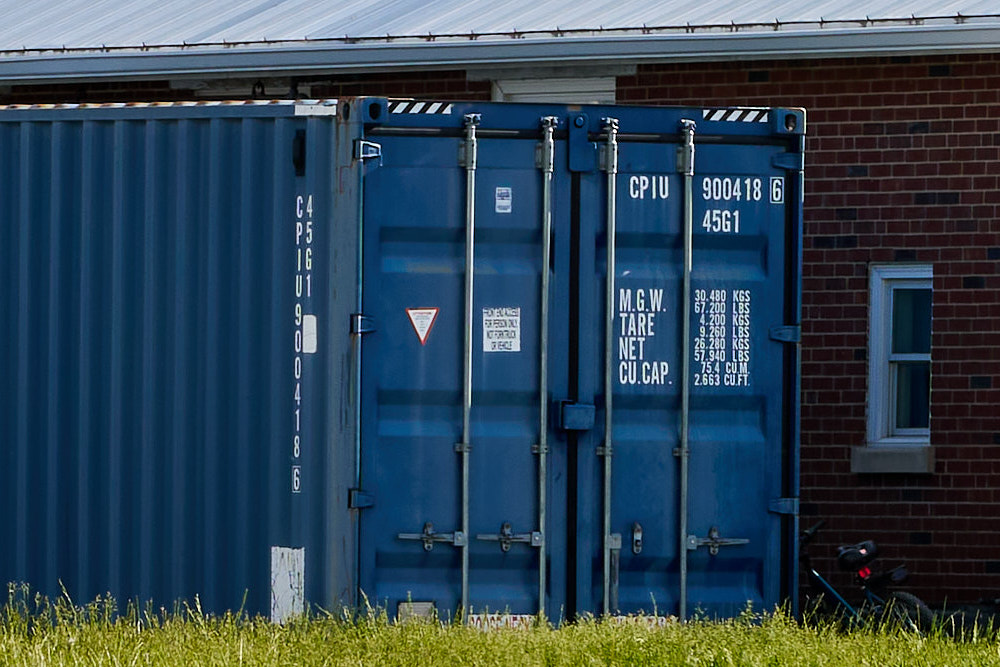
I wanted real world images that will reveal real world challenges. Motion is the obvious challenge for pixel shift. The wind was below average for IL at 10 mph sustained, gusting to 15 mph. The tripod was as good as it gets for me, Leofoto LS-324CEX. The ground was good for pushing the spikes into. I'm sure many here have a more robust tripod, but it's what I have. Some parts of the image had movement like the vegetation, golf ball net behind the barns, and clouds. Some parts would be motionless like the barns and shipping container below. For the pano distortion was a challenge in choosing the right projection to match the 35 image.
Based on the last results I was a bit surprised the 35mm pixel shift out resolved the 50mm in motionless areas. There seemed to be some noise in the pixel shift image that doesn't make sense. The colors are a bit different in the pixel shift, I think this is from using imaging edge to develop the raw instead of capture one. Not surprisingly, the 85mm made the sharpest image.
This helped me to understand some of the tradeoffs. As Tim pointed out it's pretty easy to get a pixel shift in addition to a regular if you want, and a bit of storage is the only downside.