Re: A thinner sensor stack may be possible after all!
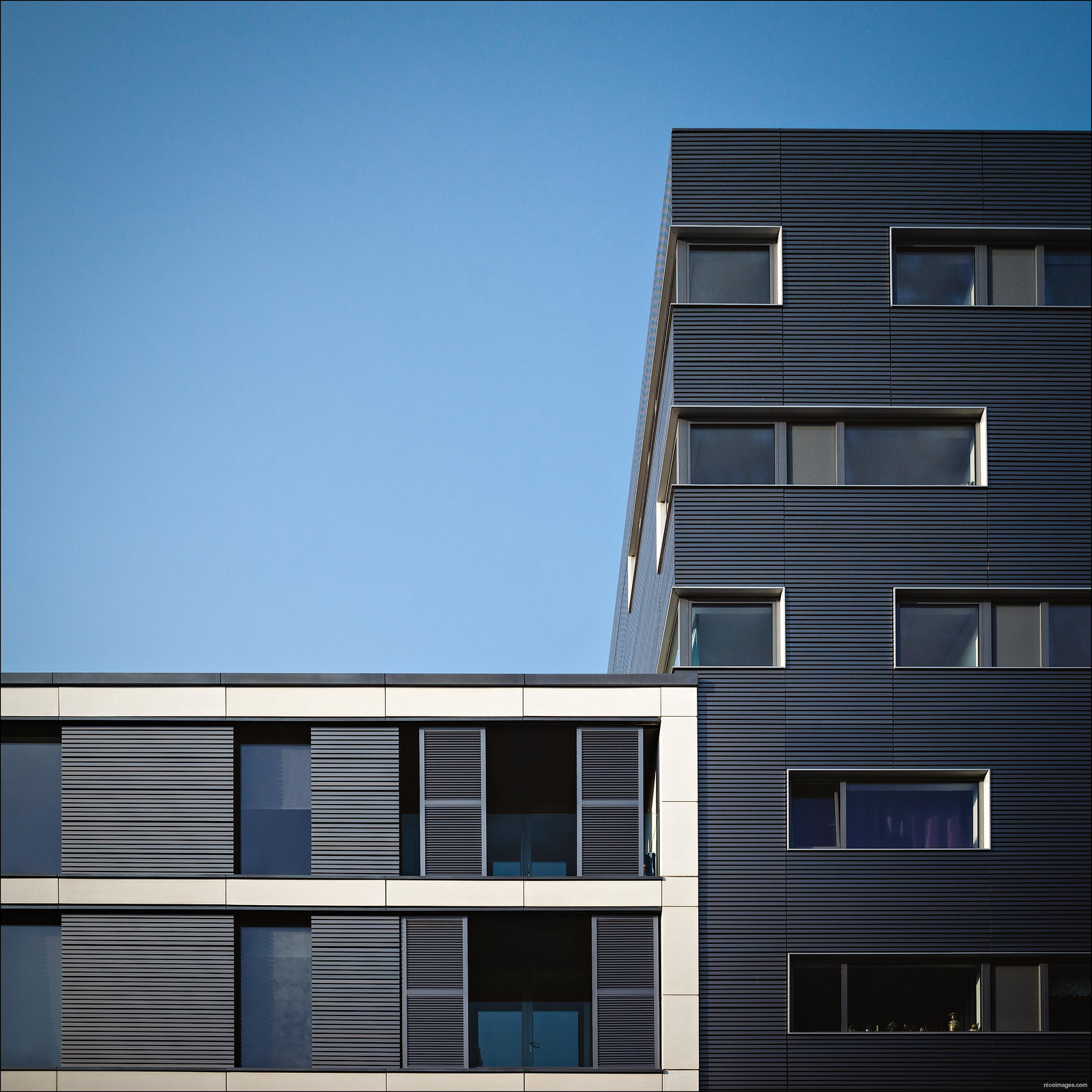
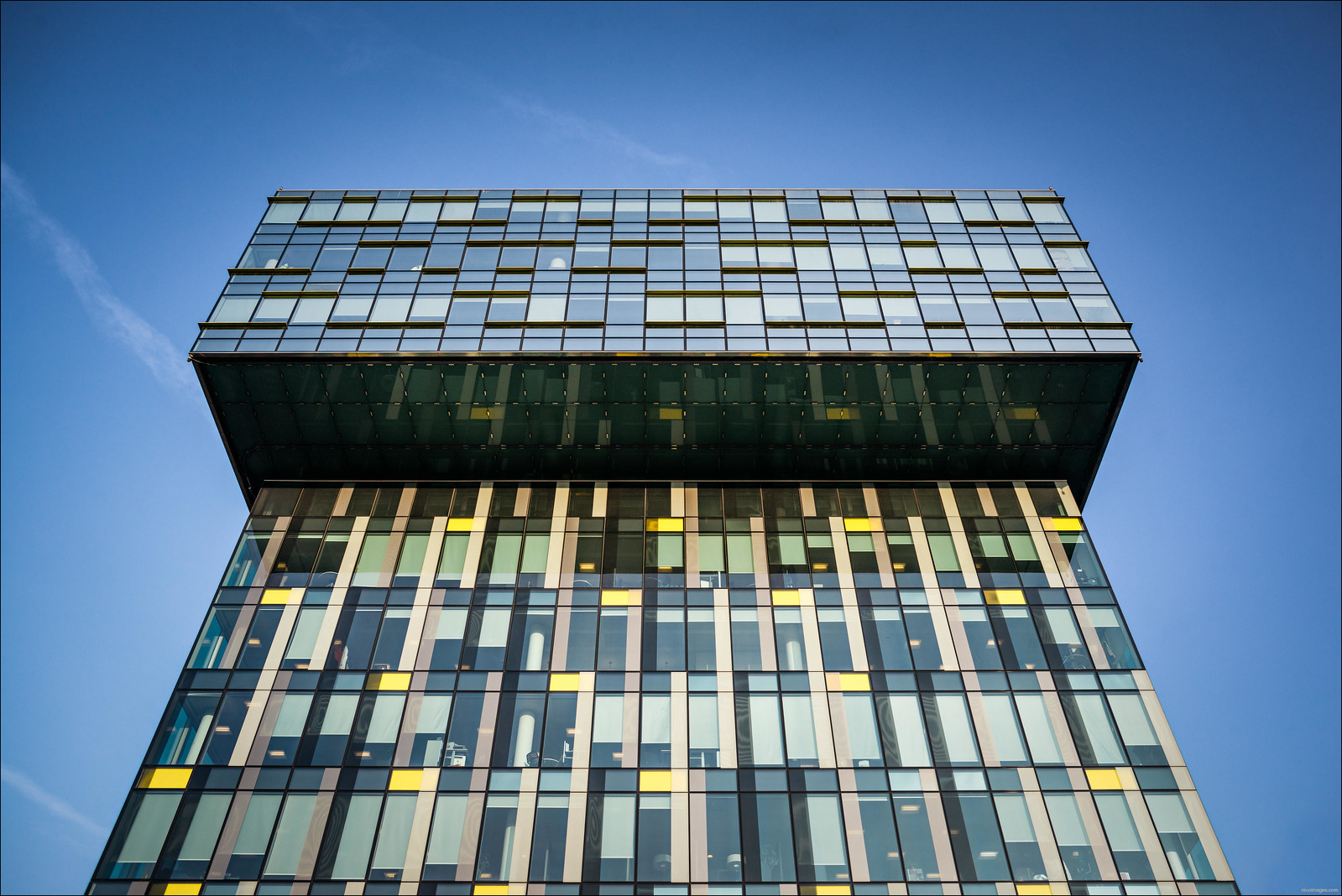
Sony A7R with KolariVision mod and Minolta M-Rokkor 28/2.8 all at f8
Ron - I used to own the Leica Super Elmar 21/3.4 and when I tried it on the A7R before the modification there was almost no colour shift. I was very unlucky with mine as I had two de-centred copies from Leica which just did not work right on the Leica M240 and Leica did not manage to correct the problem. I ended up buying the Voigtlander 21/1.8 which was perfect out of the box however I am very tempted of trying another copy of the Leica 21/3.4 as I like the lower weight and the fact that you can fit Grad filters to it.
Hiep - great tests I have tried your method of focusing in the corners and was amazed that I did no longer have to stop down so much to get the same level of sharpness.
I usually use auto white balance and have not noticed any significant change in white balance accuracy or exposure after the modification - as I always shoot raw this is not an issue at all for me.
I was asked on flickr how I process my images - the workflow below applies to the first image in the series
1. shoot raw and low iso
2. always use a good lens, take extra care when focusing, stop down sufficiently and apply distortion, chromatic aberration and fringe corrections in Lightroom before any processing takes place
3. for this particular set of images I initially applied a custom colour profile which was a tweaked version of VSCO 6 Porta 160
4. corrected verticals and distortion in Lightroom
5. exported to Photoshop and using the clone tool and spot healing tool \"cleaned\" up the building
6. opened up in color efex 4 and applied the \"Pro Contrast Filter\" and then the \"Contrast\" filter with \"soft contrast\" only applied
6. up-sized the image slightly and applied my own custom sharpening action in photoshop
7. exported back into lightroom where I corrected colour slightly and tweaked the curves and added a vignette
8. the light is really important to get this effect - this image was taken around 45min before sunset when the sun was very low and illuminating the building from an angle
Re: A thinner sensor stack may be possible after all!
Sony A7R with KolariVision mod and Minolta M-Rokkor 28/2.8 all at f8
Ron - I used to own the Leica Super Elmar 21/3.4 and when I tried it on the A7R before the modification there was almost no colour shift. I was very unlucky with mine as I had two de-centred copies from Leica which just did not work right on the Leica M240 and Leica did not manage to correct the problem. I ended up buying the Voigtlander 21/1.8 which was perfect out of the box however I am very tempted of trying another copy of the Leica 21/3.4 as I like the lower weight and the fact that you can fit Grad filters to it.
Hiep - great tests I have tried your method of focusing in the corners and was amazed that I did no longer have to stop down so much to get the same level of sharpness.
I usually use auto white balance and have not noticed any significant change in white balance accuracy or exposure after the modification - as I always shoot raw this is not an issue at all for me.
I was asked on flickr how I process my images - the workflow below applies to the first image in the series
1. shoot raw and low iso
2. always use a good lens, take extra care when focusing, stop down sufficiently and apply distortion, chromatic aberration and fringe corrections in Lightroom before any processing takes place
3. for this particular set of images I initially applied a custom colour profile which was a tweaked version of VSCO 6 Porta 160
4. corrected verticals and distortion in Lightroom
5. exported to Photoshop and using the clone tool and spot healing tool \"cleaned\" up the building
6. opened up in color efex 4 and applied the \"Pro Contrast Filter\" and then the \"Contrast\" filter with \"soft contrast\" only applied
6. up-sized the image slightly and applied my own custom sharpening action in photoshop
7. exported back into lightroom where I corrected colour slightly and tweaked the curves and added a vignette
8. the light is really important to get this effect - this image was taken around 45min before sunset when the sun was very low and illuminating the building from an angle
Re: A thinner sensor stack may be possible after all!
Sony A7R with KolariVision mod and Minolta M-Rokkor 28/2.8 all at f8
Ron - I used to own the Leica Super Elmar 21/3.4 and when I tried it on the A7R before the modification there was almost no colour shift. I was very unlucky with mine as I had two de-centred copies from Leica which just did not work right on the Leica M240 and Leica did not manage to correct the problem. I ended up buying the Voigtlander 21/1.8 which was perfect out of the box however I am very tempted of trying another copy of the Leica 21/3.4 as I like the lower weight and the fact that you can fit Grad filters to it.
Hiep - great tests I have tried your method of focusing in the corners and was amazed that I did no longer have to stop down so much to get the same level of sharpness.
I usually use auto white balance and have not noticed any significant change in white balance accuracy or exposure after the modification - as I always shoot raw this is not an issue at all for me.
I was asked on flickr how I process my images - the workflow below applies to the first image in the series
1. shoot raw and low iso
2. always use a good lens, take extra care when focusing, stop down sufficiently and apply distortion, chromatic aberration and fringe corrections in Lightroom before any processing takes place
3. for this particular set of images I initially applied a custom colour profile which was a tweaked version of VSCO 6 Porta 160
4. corrected verticals and distortion in Lightroom
5. exported to Photoshop and using the clone tool and spot healing tool \"cleaned\" up the building
6. opened up in color efex 4 and applied the \"Pro Contrast Filter\" and then the \"Contrast\" filter with \"soft contrast\" only applied
6. up-sized the image slightly and applied my own custom sharpening action in photoshop
7. exported back into lightroom where I corrected colour slightly and tweaked the curves and added a vignette
8. the light is really important to get this effect - this image was taken around 45min before sunset when the sun was very low and illuminating the building from an angle
Re: A thinner sensor stack may be possible after all!
Sony A7R with KolariVision mod and Minolta M-Rokkor 28/2.8 all at f8
Ron - I used to own the Leica Super Elmar 21/3.4 and when I tried it on the A7R before the modification there was almost no colour shift. I was very unlucky with mine as I had two de-centred copies from Leica which just did not work right on the Leica M240 and Leica did not manage to correct the problem. I ended up buying the Voigtlander 21/1.8 which was perfect out of the box however I am very tempted of trying another copy of the Leica 21/3.4 as I like the lower weight and the fact that you can fit Grad filters to it.
Hiep - great tests I have tried your method of focusing in the corners and was amazed that I did no longer have to stop down so much to get the same level of sharpness.
I was asked on flickr how I process my images - the workflow below applies to the first image in the series
1. shoot raw and low iso
2. always use a good lens, take extra care when focusing, stop down sufficiently and apply distortion, chromatic aberration and fringe corrections in Lightroom before any processing takes place
3. for this particular set of images I initially applied a custom colour profile which was a tweaked version of VSCO 6 Porta 160
4. corrected verticals and distortion in Lightroom
5. exported to Photoshop and using the clone tool and spot healing tool \"cleaned\" up the building
6. opened up in color efex 4 and applied the \"Pro Contrast Filter\" and then the \"Contrast\" filter with \"soft contrast\" only applied
6. up-sized the image slightly and applied my own custom sharpening action in photoshop
7. exported back into lightroom where I corrected colour slightly and tweaked the curves and added a vignette
8. the light is really important to get this effect - this image was taken around 45min before sunset when the sun was very low and illuminating the building from an angle
Re: A thinner sensor stack may be possible after all!
Sony A7R with KolariVision mod and Minolta M-Rokkor 28/2.8
Ron - I used to own the Leica Super Elmar 21/3.4 and when I tried it on the A7R before the modification there was almost no colour shift. I was very unlucky with mine as I had two de-centred copies from Leica which just did not work right on the Leica M240 and Leica did not manage to correct the problem. I ended up buying the Voigtlander 21/1.8 which was perfect out of the box however I am very tempted of trying another copy of the Leica 21/3.4 as I like the lower weight and the fact that you can fit Grad filters to it.
Hiep - great tests I have tried your method of focusing in the corners and was amazed that I did no longer have to stop down so much to get the same level of sharpness.
I was asked on flickr how I process my images - the workflow below applies to the first image in the series
1. shoot raw and low iso
2. always use a good lens, take extra care when focusing, stop down sufficiently and apply distortion, chromatic aberration and fringe corrections in Lightroom before any processing takes place
3. for this particular set of images I initially applied a custom colour profile which was a tweaked version of VSCO 6 Porta 160
4. corrected verticals and distortion in Lightroom
5. exported to Photoshop and using the clone tool and spot healing tool \"cleaned\" up the building
6. opened up in color efex 4 and applied the \"Pro Contrast Filter\" and then the \"Contrast\" filter with \"soft contrast\" only applied
6. up-sized the image slightly and applied my own custom sharpening action in photoshop
7. exported back into lightroom where I corrected colour slightly and tweaked the curves and added a vignette
8. the light is really important to get this effect - this image was taken around 45min before sunset when the sun was very low and illuminating the building from an angle
Re: A thinner sensor stack may be possible after all!
Sony A7R with KolariVision mod and Minolta M-Rokkor 28/2.8
I was asked on flickr how I process my images - the workflow below applies to the first image in the series
1. shoot raw and low iso
2. always use a good lens, take extra care when focusing, stop down sufficiently and apply distortion, chromatic aberration and fringe corrections in Lightroom before any processing takes place
3. for this particular set of images I initially applied a custom colour profile which was a tweaked version of VSCO 6 Porta 160
4. corrected verticals and distortion in Lightroom
5. exported to Photoshop and using the clone tool and spot healing tool \"cleaned\" up the building
6. opened up in color efex 4 and applied the \"Pro Contrast Filter\" and then the \"Contrast\" filter with \"soft contrast\" only applied
6. up-sized the image slightly and applied my own custom sharpening action in photoshop
7. exported back into lightroom where I corrected colour slightly and tweaked the curves and added a vignette
8. the light is really important to get this effect - this image was taken around 45min before sunset when the sun was very low and illuminating the building from an angle
Mar 21, 2015 at 06:06 AM
Previous versions of nicoimages's message #12924913 « A thinner sensor stack may be possible after all! »