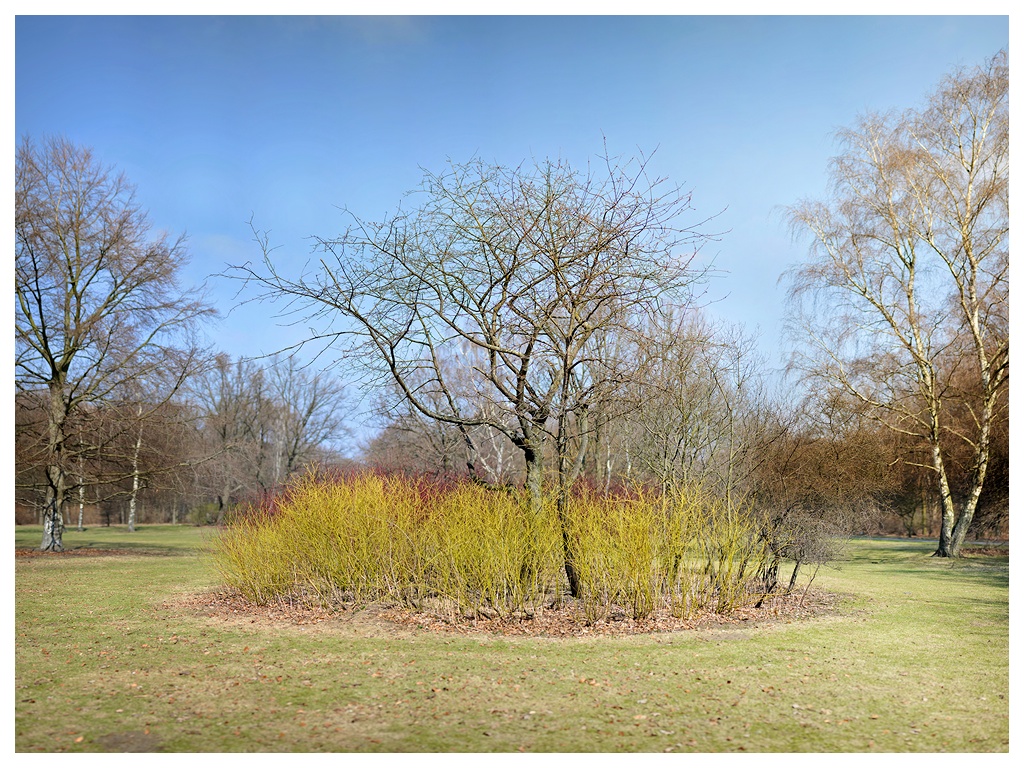
Today I tried some 100MP wide-open stitch landscape shots. It is a bit more difficult getting this effect with the 100MP than with the 200/2 VR, but my back thanks me
Although I find that this looks a bit over-sharpened, I also find that it looks like a painting this way, but if I back off the sharpening, it loses that look, so I left it:
Hrannar, I lost a 5DII a 35 ZE and a 135 Contax to a thief one year ago, so I feel for you. By then I had Zeiss glass but no camera, the opposite of your situation...
cyra wrote:
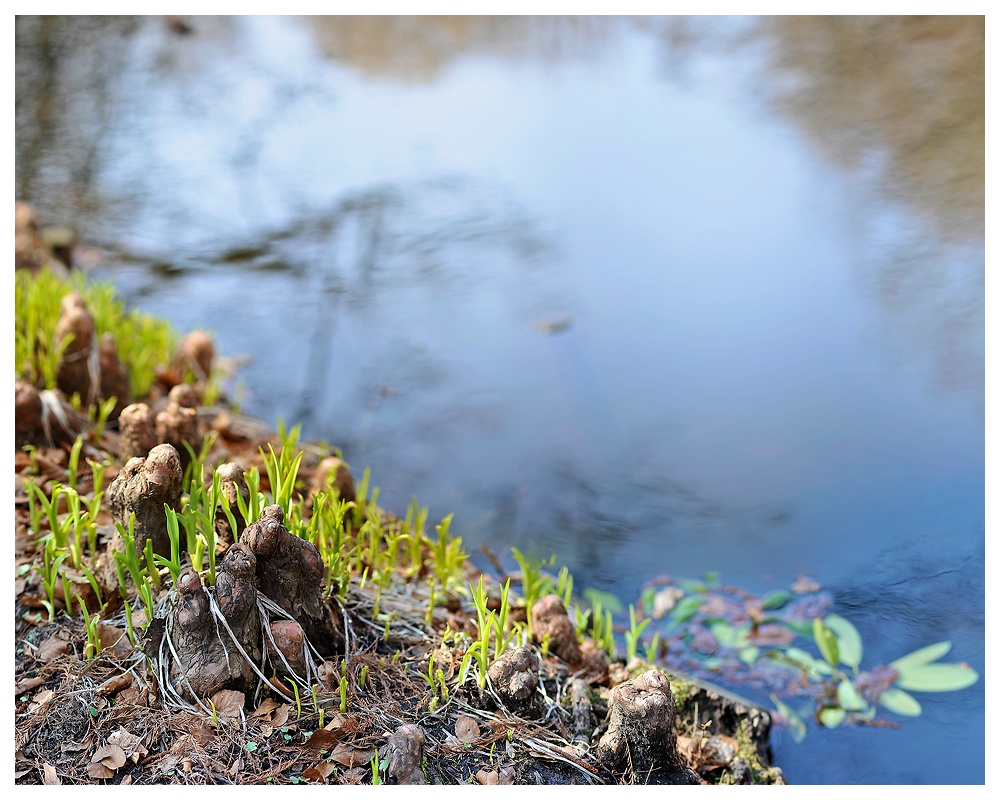
I am into shooting landscape with limited DOF. Do you think it works, or are they to soft?
I like limited DOF landscapes too, but think with these shots it doesn't work at this size. The third shot looks sharp, but on most of the others I can't really find the plane of focus. Maybe you need to be a bit more selective to make it more obvious where you placed the focus (and possibly use some selective sharpening technique).
AhamB, yep, they do look soft at that size. I also hav'nt worked out a proper sharpening technique yet (I am currently running on a test version of Capture One and Photoshop CS 2, I need to update my software urgently and try out the denoir/samuli sharpening routine.) this is the default at Capture one 180 at 0,8 radius.
cyra wrote:
AhamB, yep, they do look soft at that size. I also hav'nt worked out a proper sharpening technique yet (I am currently running on a test version of Capture One and Photoshop CS 2, I need to update my software urgently and try out the denoir/samuli sharpening routine.) this is the default at Capture one 180 at 0,8 radius.
I use a simplified version of their sharpening routine too. I found that the most important step is the sharping at the final output (web) size. What I usually do:
smart sharpen
radius: 0.1px (no bigger)
strength: 70 (or something like that)
more accurate enabled
and then repeat once or twice more at ~30 strength depending on the how much sharpening the subject needs.
I always sharpen a duplicate layer with a layer mask so that I'm not sharpening bokeh and I can quickly remove oversharpening artifacts. It's really easy to do: just add a layer mask to the duplicate layer, select it and paint with a black paint brush over the areas you dont want to sharpen or want to sharpen less.
CS2 has smart sharpen so that is all you need to be able to use this procedure.
AhamB wrote:
What I usually do:
smart sharpen
radius: 0.1px (no bigger)
strength: 70 (or something like that)
more accurate enabled
and then repeat once or twice more at ~30 strength depending on the how much sharpening the subject needs.
CS2 has smart sharpen so that is all you need to be able to use this procedure.
thanks for the details. As far as I can see, CS2 only has unsharpen mask and selective sharpening - is that it? ("Selektiver Scharfzeichner") there I can also tick "genauer".
I always sharpen a duplicate layer with a layer mask so that I'm not sharpening bokeh and I can quickly remove oversharpening artifacts. It's really easy to do: just add a layer mask to the duplicate layer, select it and paint with a black paint brush over the areas you dont want to sharpen or want to sharpen less.
I just tried that, it really is simple. Thanks a lot for mentioning although I have read about selective sharpening I have never tried it.
You need to process every image individually though. I have to many right now
there is also something strange happening to the size of my images. I upload them to zeissimages at 1000 pixels wide, nevertheless they show up here somewhat larger, I made a screenshot, and it is 15% larger in pixel size than my original. that certainly doesn't make it a better image. Maybe I need to tick 1000 pixel when uploading.
here is another try, sharpened in Photoshop using the selective sharpening. Not sure, it is much better.




 that certainly doesn't make it a better image. Maybe I need to tick 1000 pixel when uploading.


