Bifurcator wrote CG is mostly only used when either the building doesn't exist yet (visualizations) or physical camera placement is too difficult or impossible.
or in pretty much any major commercial or feature film you see, when they need to destroy or otherwise modify (remove, move, or replace) buildings
Any chance you've still got your 100/2? Would loved to see head-head comps between the 2.0 and the N 2.8 for 3d-manship ... and if you happen to have access to a Leica 100 2.8 APO Macro as well.
I Am Luna wrote:
From greatest to least, in your opinion, number these from most 3Dish to least 3Dish please. kthx!!!111
It can't be done, as they are three completely different pic. Also, IMO the best way to judge plasticity is with a fairly wide DOF. Shallow DOF confuses the issue, since it's a separate thing.
-but OK, gun to my head, most plasticity to least: 3 , 1 , 2.
(#2 has virtually none. It looks like a Zuiko lens to me, or maybe a Canon with some saturation boost.) #3 has very Zeiss-like 3D, even though it's not Zeiss-sharp. Is that the Nikon 105 Ai-s, by any chance?
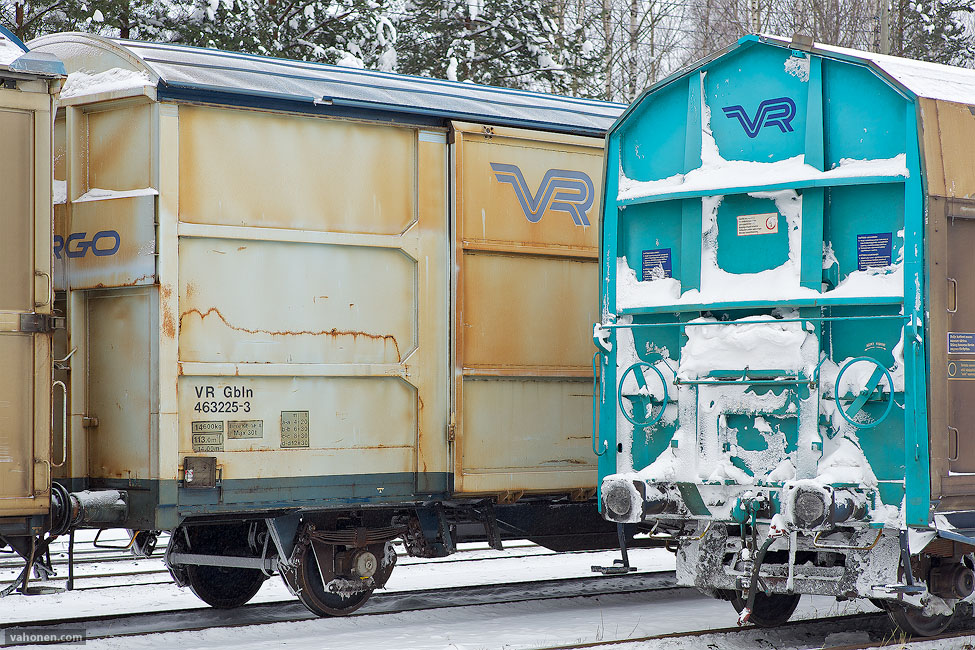
I tried today to get 3D effect with tele lens without shallow DOF effect, Carl Zeiss Planar T* 1.4/85 @ f/4, in really poor light (super overcast and snowing), at this small size it's very difficult to get this image to work:
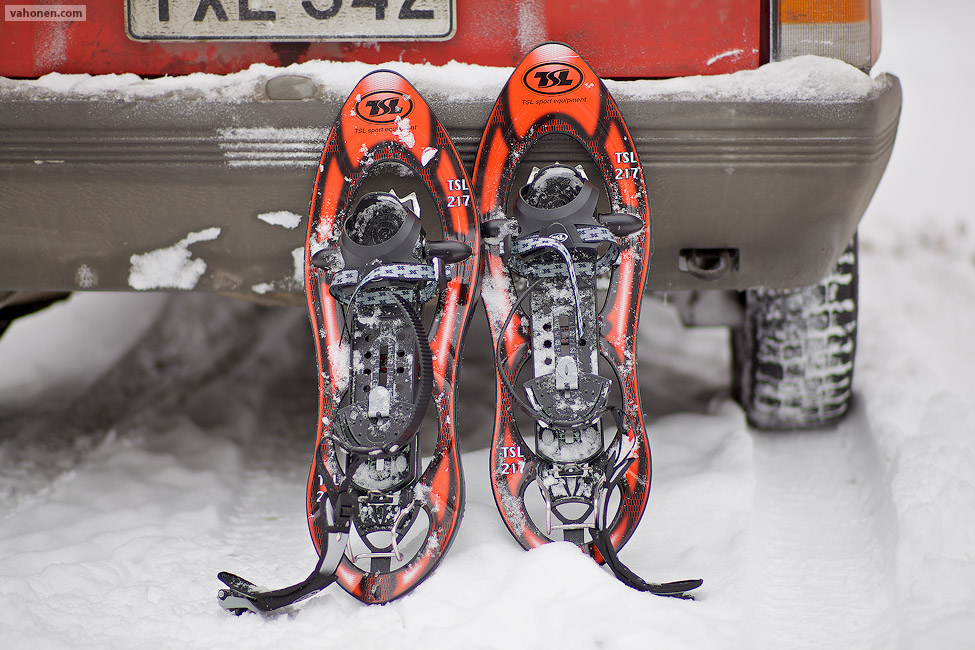
And yesterday I tried to get 3D with shallow bokeh ZE85 wide open (sorry double posting, this was yesterday to Alternative Image Thread):
Actually, I agree now that I look at them again. I think the first has more dimensionality while the second makes the snow shoes seem to float off the plane of the image...but it is "flatter" looking.
Cableaddict wrote:
I agree, they both have it. Funny, though- I see it more in the first pic.
I Am Luna wrote:
From greatest to least, in your opinion, number these from most 3Dish to least 3Dish please. kthx!!!111
I'm sorry but I don't see any 3D in images - I get very easily distracted when I try to see 3D. #1 has way too narrow DOF, also closest parts of drum are out of focus too much, #2 has blown highlights and the front of the flower is out of focus, #3 this image is VERY soft, I tried to sharpen it with many ways in PhotoShop but could not get it sufficient sharp while keeping it big enough size.
tsdevine wrote:
Actually, I agree now that I look at them again. I think the first has more dimensionality while the second makes the snow shoes seem to float off the plane of the image...but it is "flatter" looking.
This is how I also feel, there is so little shape in the snowshoes; just the part into which front of the show is put, has some shape and it's so small in the picture. These shallow DOF images very often lack shape, which makes hard to describe them as 3D. Good exception has been Paul Yi's "puffy winter jackets", they have plenty of shape, of which I would hope to see more in the pictures than they present, maybe more DOF would help on that? Or maybe the tele focal lengths are just really hard to get 3D shape into the photo.
Samuli Vahonen wrote:
And yesterday I tried to get 3D with shallow bokeh ZE85 wide open (sorry double posting, this was yesterday to Alternative Image Thread):
That one has obvioulsy got alot of selective sharpening, which may be considered "cheating" when comparing to other pictures in the thread.
Makten wrote:
That one has obvioulsy got alot of selective sharpening, which may be considered "cheating" when comparing to other pictures in the thread.
Makten, I don't typically do anything to the photos, just adjust colors in Apple Aperture then convert the TIFF-file to web-sRGB-JPG with PhotoShop action (I actually use droplet so I don't even have to open PhotoShop). For this image I accidentally used my experimental/beta script which tried to do selective sharpening (tries not to sharpen bokeh), and now when I checked it made poor job (look at the snow on the fender left from left side snowshoe), so this script goes where it should go: trash... The program in script recognizing edges did work only partially, in order to use this I have to reprogram major parts of it, it's hard to teach computer to understand what is main subject in photo .
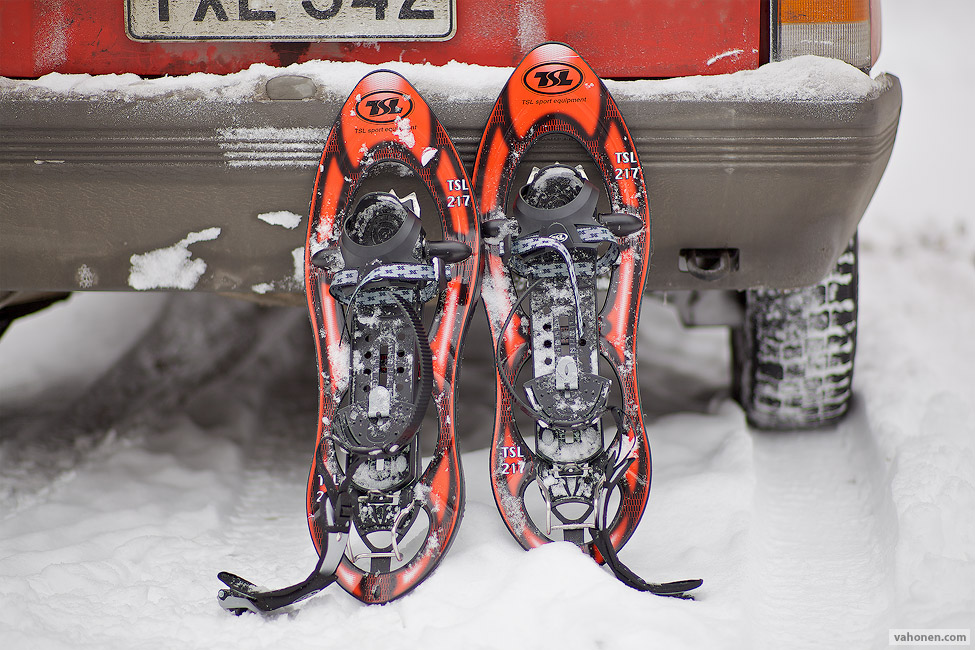
So here is real image with no tricks, just resized and sharpened. Fullsize JPG can be downloaded from here (2.5MB). Sorry about the bad script, thou difference is not that large, and thanks for Makten pointing out, I didn't recognize it by myself when I quickly glanced the before uploading to website:
(for comparison of my crappy script and correct script you can open both images to own tabs in web browser/or layer to PhotoShop: 1. crappy script2. just resized and sharpened)
Makten wrote:
Edit: What about this one?
In your image I find it distracting that due to field curvature top corners are sharp, and bottom corners extra soft; almost any distractions/unnatural thing prevents me seeing any 3D. I see some subject separation but I don't see any shape - I assume the rock with red paint was completly flat? Very difficult lightning to bring out the shape and texture on the rock, but in our countries this light is the "standard" light too often...
Even without the selective sharpening, the snowshoes really stand out. Very nice. Samuli, could you please tell a bit on how you adjust colors? Have you made a profile you use every time, or do you adjust separately on every photo? Would like to know as I often have been thinking that you've really cranked some nice colors out of your 5DmkII
mortyb wrote:
Even without the selective sharpening, the snowshoes really stand out. Very nice. Samuli, could you please tell a bit on how you adjust colors? Have you made a profile you use every time, or do you adjust separately on every photo? Would like to know as I often have been thinking that you've really cranked some nice colors out of your 5DmkII
How I adjust colours? Well I don't, maybe that is the trick? I have assumed that good lenses are the key for good colours With Canon each photo had to be adjusted. Usually after shooting weddings I had to spent next 2-3 weeks every evening/night on computer (I have dayjob which is not photography related so nightshift was required).
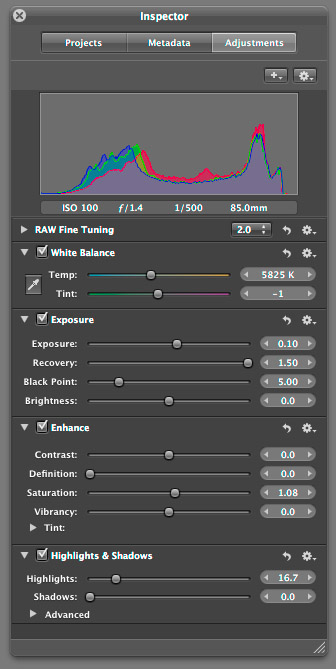
For for this specific photo I used following settings. The recovery and highlights are adjusted to get some shape to the snow, no effect to colors:
Maybe it's your RAW converter which generates colours you are not happy with? Few years back I evaluated RAW converters and found out that Adobe really sucks (Lightroom and PhotoShop) both in colours and small details of images. C1 was great but I didn't like workflow. Apple Aperture did work great for 5DmkI and 1DmkIII files so I chose that as my raw converter. I have assumed Apple has made camera profiles, and there is no similar choice than in lightroom to have give camera profiles. Sometimes I have some special images which I convert with
Raw Photo Processor (mac only - for this I don't have profiled workflow and colors have to be adjusted image by image - real pain in the #ss process but worth it for example for Panasonic LX-3 which is supersharp when you throw away the Panasonic's RAW processing)
dcraw (I have generated few ICC profiles from Kodak Q60 targets to use with dcraw but I mainly use it to get 20-40% more detail for black and white photos).



 With Canon each photo had to be adjusted. Usually after shooting weddings I had to spent next 2-3 weeks every evening/night on computer (I have dayjob which is not photography related so nightshift was required).