Mark Metternich
Offline
• • • • • •
Upload & Sell: On
|
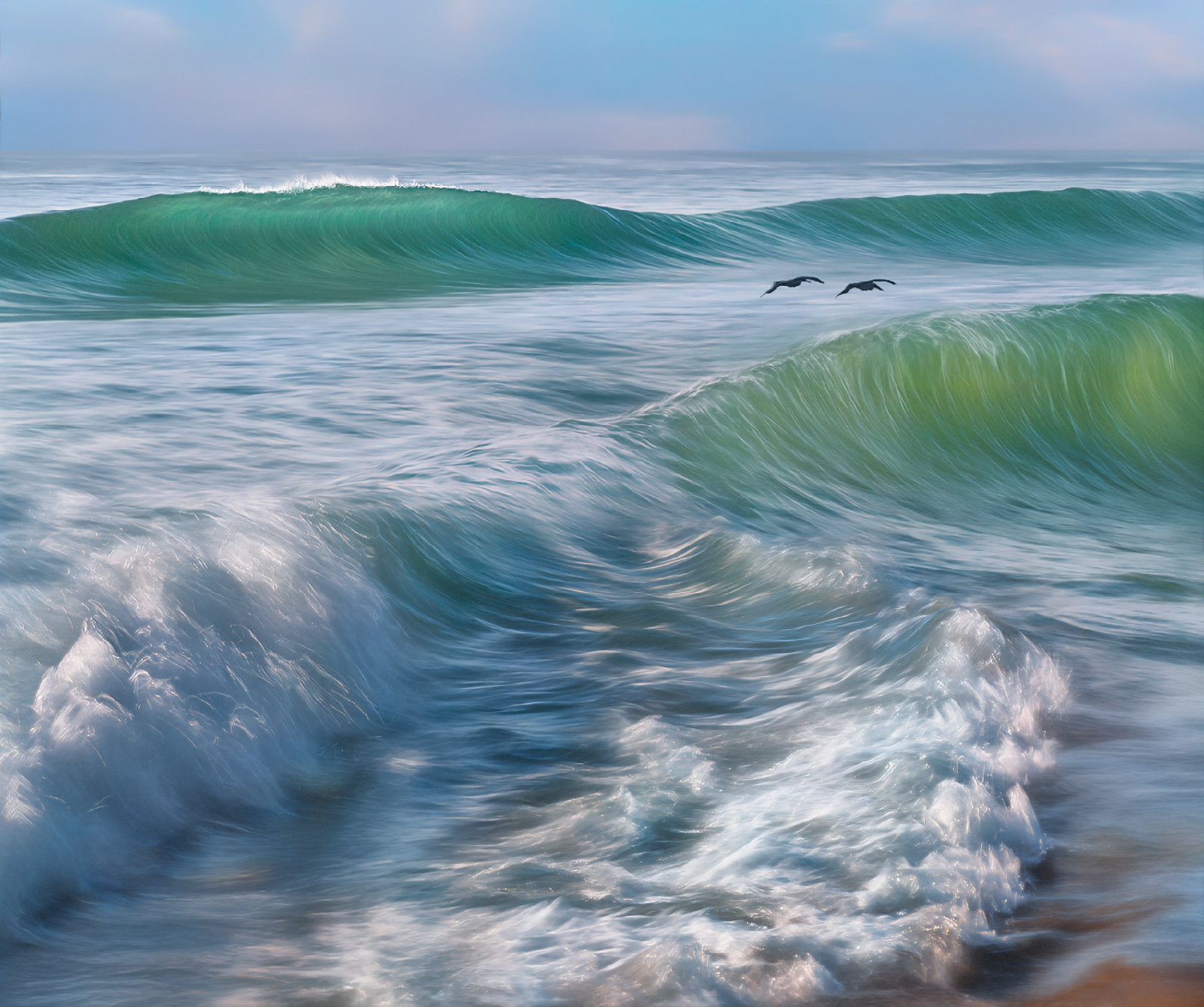
Leica SL2, Canon 70-200@154mm, 3200 ISO (Auto ISO), f/29 (I always stop down for max DOF in these images) Kolari 6-stop clip in ND (drops in just above the sensor), 1/13th sec (shutter priority mode) perfectly level tripod (legs shoved down into the watery sand as much as possible or on the rocks) very careful panning/tracking with the speed of main subject matter locked in, like a sniper having someone locked into their sights. A perfectly level tripod allows you to instantly shoot north or south (in my case) and the horizon line will still be in the same place (I always leave at least 1/3 or 1/4th sky).
Having a head that pans very easily and very smoothly is a huge plus. Maybe even a fluid head! I think I might get one.
Continuous shooting mode, 2 - 6 fps (faster than this is usually too many wasted shots). I never go above 6fps. usually 2-3.
Know where the waves are in your composition (checking your LCD or viewfinder from time to time) without having to look through your camera or at your LCD while shooting/panning. This allows you to see everything, and things in your peripheral vision coming, like swells and birds... Maybe pan slower than you think because the tendency is to pan too fast.
Manual focus locked in, auto focus turned off. I always have some duct tape in my camera pack, and can use a little piece on my lens so I don't bump the focal ring when shooting. Lots of practice and patience. Shoot liberally, maybe until your cards fill up! 
Often the best light is not what you think is the best. Often the harsher light that cuts through the waves is incredible.
Try a variety of shutter speeds depending on the panning speed (0.5, 0.4, 0.3, 1/4th, 1/5th, 1/6th, 1/8th, 1/10th, 1/13th, 1/15th, 1/20th, 1/25th, 1/30th...)
Soak in the awesome beauty, wonder and incredible privilege we have.
Post-Processing: Put everything into a custom LRC or ACR preset for quick evaluation of your thumbnails. Mine is: Adaptive Color Profile (great profile and equalizes most of the images), Highlights down 40 pts, shadows up 20 pts, Sharpening off, "Raw Details" (which is much better demosaicing) always on, Color Noise Reduction is reduced from default to just 5pts to avoid excessive color bleeding which kills the micro color variations. BTW, I no longer advocate for Linear Profiles (like I taught on my popular Video Tutorial) the newest iteration of Adobe's "Adaptive Color" does so darn good and gets a LOT of the heavy lifting done, before we even start. I'm a huge convert as of the last year.
Rate images when you are fresh.
5 star = Awesome.
4*= Maybe Awesome
3* = like a local area that might be useful for blending if desired
1* maybe something locally you like.
Put in the hard work of rating! Don't cave into the current trend of going for what is easiest. Work hard! If you have thousands (I almost always do) maybe break it up into sections, done on different days. After rating, pull copies of all the rated images into a separate folder (I name it "high rated"). On a new fresh day, look at the high rated images and go with what your instant gut reaction first tells you. On this day I shot 1640 panned wave images. 90 were rated. On a different day just 7 of those were re-rated and copies of those were put into another folder entitled "second rating." On another day I came back fresh and chose this one to process.
Working on a display carefully calibrated (using the Calibrite Display Plus HL) and the Calibrite Profiler software for either Web or for Print (these are very different calibrations).
Do basic color/tonal correction in LR Classic or ACR making use of the great general local masking tools. Leave the fine tuning and finesse work to Photoshop. If blending, bring multi images into Photoshop as RAW Smart Object Layers and push lossless workflow as far as you can (within reason).
Eventually Rasterize to 16-bit, and save both the initial RAW Layer Stack (maybe PSB) and the Rasterized Original (I choose .tif) separately.
Working on a copy of the Original Rasterized image, fine tune and correct your image on days you feel inspired and fresh, to your hearts content, with Photoshop's still superior photo tools (every year that goes by I cannot believe how powerful Photoshop is and has been, and how just fundamental basics there are still as relevant as ever).
When you think you are done, come back to your image on another day (let a little time go by) and flip the image 180, and look for corrections you might have not noticed. Also try horizontally and maybe vertically. I always do this on a layer, so that I can accept or reject these corrections or mellow out the opacity or localize the corrections. But nearly 100% of the time, flipping the image allows me to see corrections I would not have seen otherwise...
Those are just some of the basics....
|