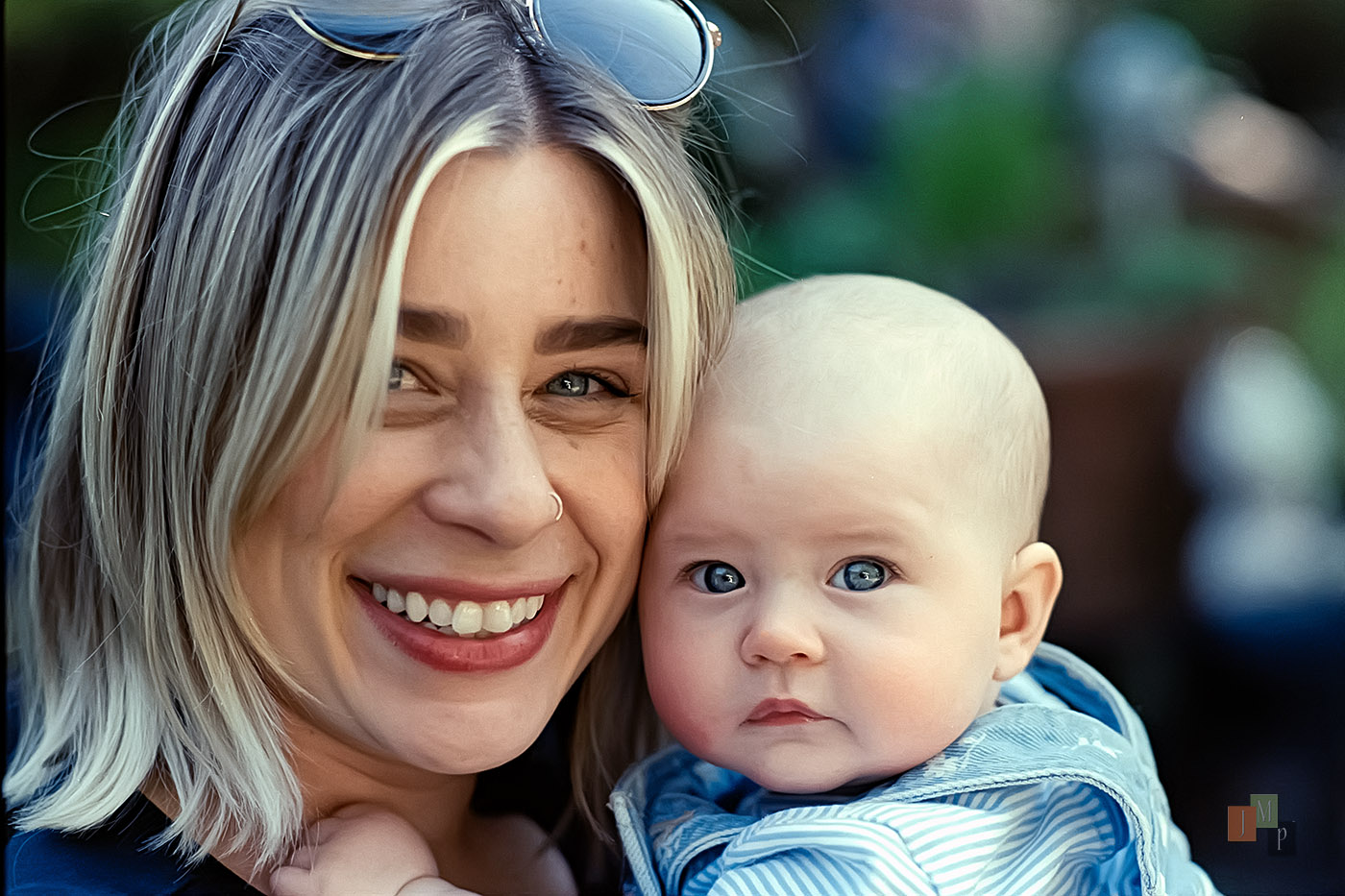
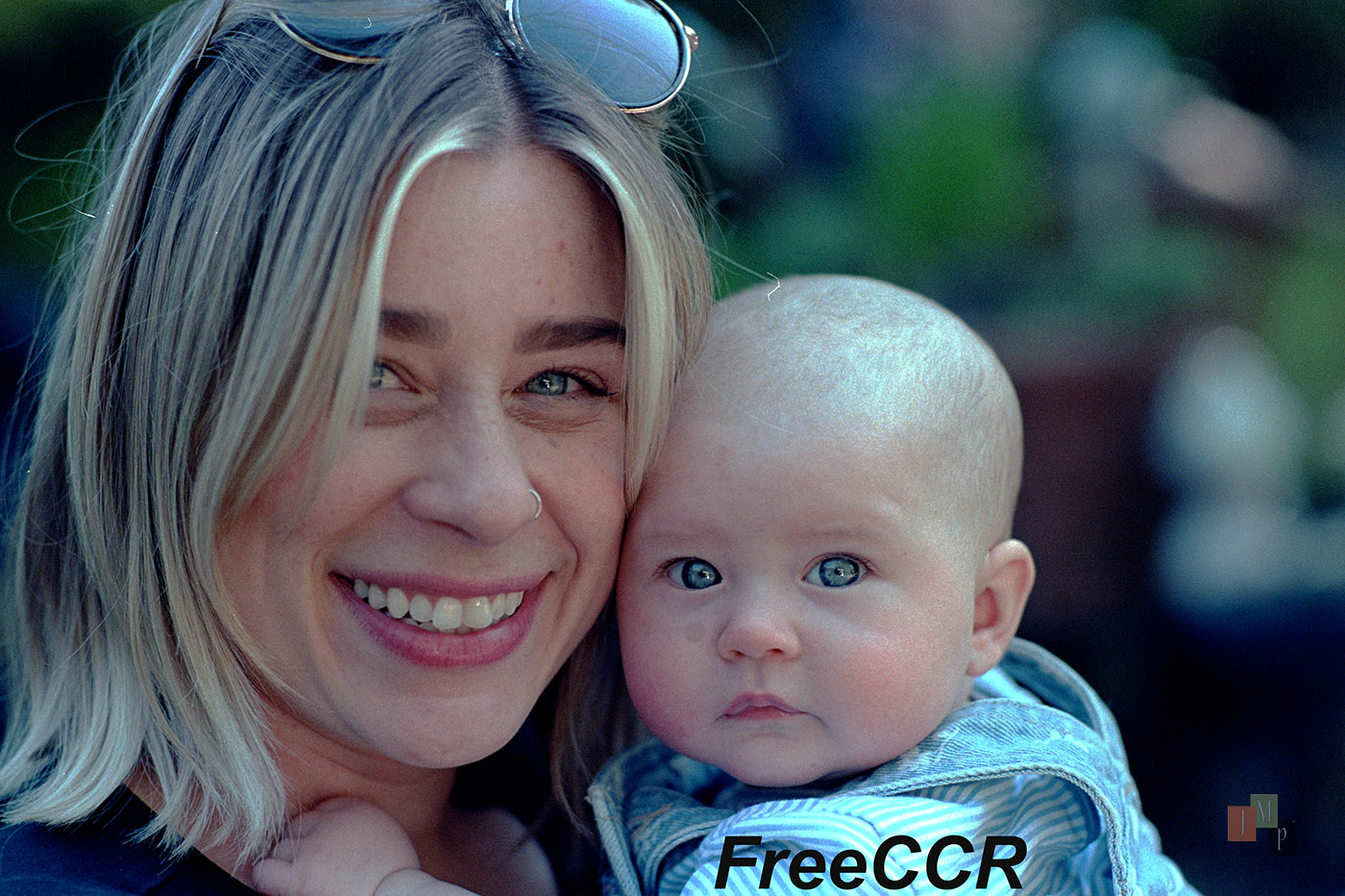
First, just a comment. I need to find a way to keep film clean when scanning. No matter how hard I try, a piece or dust or something manages to show up. Maybe I need to try harder.
Now the real question. I saw an article about a "new" program called FreeCCR to convert scanned negatives. Have any of you tried it? I did and immediately had a problem. It was larger than my computer monitor and wouldn't let me resize it any smaller. This problem showed up on versions for both Windows and Linux.
It processes reasonably fast. However the colors don't look natural, too green/blue for the few pics I tried. It was touted as using "physics-based" conversion. It didn't work for me. But maybe I missed something. Any of you tried it? Oh, I asked that already.
A dust free environment requires isolated film developing and scanning environments with high quality filtering and humidity control. So, what is your budget? Short of that, isolated film drying with air hepa-filtration and a bit of humidity. I’ve added ion generators. Then immediate sleeving, or copying. Many copy setups can include brushes before entering the film holder. I use Negative Supply gear. Canned air can be used prior to scanning. Beyond that further isolation and ultra clean rooms with hepa vacuums..etc. Short of that, I accept a limited degree of dust.
In a standard home environment, there will be always some little dust flakes creeping in no matter how good you try to control it. For drying film, I always pick either a closed bathroom where I run the shower for 10 minutes before hanging the film strip to dry. This method reduces dust stuck on the film significantly. Other option is an area where not much air movement occurs. In my case this is my finished basement where I can also dry my film nearly dust-free.
Before digitizing, I blow air onto both negative surfaces with a rocket blower. With scanners, film dust removal via IR scan is a good method to automatically remove dust bunnies - which only works for color negatives. For B&W negatives, I need to manually remove them in post processing. Therefore it is best to start scanning with the most dust-free negative as possible to obtain.
What I found not being of any help is using wetting agents as last step in the film development process itself. It did not change the amount of dust on my negatives but only created streaks on the negatives after the water evaporated hard to remove in post processing.
Dust remains one of the most annoying effects both in film and digital photography. For digital it is dust built-up on the sensor and required removal, for film it is dust on the negative. And if you are really "lucky", you get it from both if you digitize your negative with a digital camera .
I guess I've been pretty fortunate. My developed film hangs in a bathroom to dry. Fans off, tiled environment. I try to scan as soon as it's dry but I do that in my home office. I don't do anything special but the carpet is very low profile so little to stir up. Somewhere between bwcolor's suggestions and my fortunate 'do nothing' approach is probably the sweet spot.
rji2goleez wrote:
I guess I've been pretty fortunate. My developed film hangs in a bathroom to dry. Fans off, tiled environment. I try to scan as soon as it's dry but I do that in my home office. I don't do anything special but the carpet is very low profile so little to stir up. Somewhere between bwcolor's suggestions and my fortunate 'do nothing' approach is probably the sweet spot.
Same here. Film dries in bathroom and I scan quickly. No carpets or carpeting in the rooms where the film goes (not that I planned it that way, it's just the way it is). 35mm is scanned in the Valoi setup with a brush cleaning the film as it goes in and 120 I just blow the dust off as I load the film in the Negative Supply Carrier. Bit of dust here and there, but nothing that can't be quickly removed. Some of my digital files (I'm talking Leica M here) are worse unless I stay on top of my sensor cleaning.
Thanks for all the comments. I have my film developed in a lab so hanging it to dry isn't my problem. It's dust when I'm setting up for a scan. I try to blow dust off but sometimes I forget. I don't notice dust until I've scanned the entire roll and sent them to my computer for viewing like opening up a box of chocolates to see what goodies it contains. I don't have a dust free environment. Fortunately nothing I do in film is so demanding that it's a serious problem. If dust ruins the scan of a pic I really want I can always re-do it. Or try to edit it away, but I haven't quite figured how to do that with the tools at my disposal.
jimmuller wrote:
Thanks for all the comments. I have my film developed in a lab so hanging it to dry isn't my problem. It's dust when I'm setting up for a scan. I try to blow dust off but sometimes I forget. I don't notice dust until I've scanned the entire roll and sent them to my computer for viewing like opening up a box of chocolates to see what goodies it contains. I don't have a dust free environment. Fortunately nothing I do in film is so demanding that it's a serious problem. If dust ruins the scan of a pic I really want I can always re-do it. Or try to edit it away, but I haven't quite figured how to do that with the tools at my disposal.
Not tried FreeCCR and I’m not about to either. I use Negative Lab Pro and I’m happy enough with it to not want to spend any time looking at alternatives.
jimmuller wrote:
Thanks for all the comments. I have my film developed in a lab so hanging it to dry isn't my problem. It's dust when I'm setting up for a scan. I try to blow dust off but sometimes I forget. I don't notice dust until I've scanned the entire roll and sent them to my computer for viewing like opening up a box of chocolates to see what goodies it contains. I don't have a dust free environment. Fortunately nothing I do in film is so demanding that it's a serious problem. If dust ruins the scan of a pic I really want I can always re-do it. Or try to edit it away, but I haven't quite figured how to do that with the tools at my disposal.
I have better luck with dust on the negatives I develop vs what comes back from the lab. It's sometimes amazing how much dust is on the negatives that are in sleeves and then in an envelope where as the negatives developed at home are dust free.
jimmuller wrote:
Thanks for all the comments. I have my film developed in a lab so hanging it to dry isn't my problem. It's dust when I'm setting up for a scan. I try to blow dust off but sometimes I forget. I don't notice dust until I've scanned the entire roll and sent them to my computer for viewing like opening up a box of chocolates to see what goodies it contains. I don't have a dust free environment. Fortunately nothing I do in film is so demanding that it's a serious problem. If dust ruins the scan of a pic I really want I can always re-do it. Or try to edit it away, but I haven't quite figured how to do that with the tools at my disposal.
jimmuller wrote:
First, just a comment. I need to find a way to keep film clean when scanning. No matter how hard I try, a piece or dust or something manages to show up. Maybe I need to try harder.
Now the real question. I saw an article about a "new" program called FreeCCR to convert scanned negatives. Have any of you tried it? I did and immediately had a problem. It was larger than my computer monitor and wouldn't let me resize it any smaller. This problem showed up on versions for both Windows and Linux.
It processes reasonably fast. However the colors don't look natural, too green/blue for the few pics I tried. It was touted as using "physics-based" conversion. It didn't work for me. But maybe I missed something. Any of you tried it? Oh, I asked that already.
Hi. I tried FreeCCR this past few days and it's a very nice software, it looks a little bit like the negadoctor workflow.
I don't see any greenish or bluish cast on my scans. You didn't forget to set the white point ? I don't put it on a totally burned part of the film but on the "whitest" point possible of the roll : some white tissue exposed to the right, a car that was probably white, this kind of thing.
Have you taken a look at NegPy? It's a newer free program that works pretty well. I typically use NLP but I've been testing this new software out. It seems really promising.
Queso_Grandee wrote:
Have you taken a look at NegPy? It's a newer free program that works pretty well. I typically use NLP but I've been testing this new software out. It seems really promising.
I just tried the Linux App. I get "Incompatible processor. Core dumped" and something about a wrong Qt version. I'm trying to move completely away from Windows so I refuse to try the Windows version. To answer your question, I tried it but didn't literally look at it because it wouldn't let me. At this point it's not worth the trouble to chase down. But thanks for the suggestion.
jimmuller wrote:
I just tried the Linux App. I get "Incompatible processor. Core dumped" and something about a wrong Qt version. I'm trying to move completely away from Windows so I refuse to try the Windows version. To answer your question, I tried it but didn't literally look at it because it wouldn't let me. At this point it's not worth the trouble to chase down. But thanks for the suggestion.
Oh wow, I'd suggest reaching out to him via Reddit and let him know. Im sure he can help fix it for you and others. NLP is also another option if you can install LrC on Linux.
jimmuller wrote:
First, just a comment. I need to find a way to keep film clean when scanning. No matter how hard I try, a piece or dust or something manages to show up. Maybe I need to try harder.
Now the real question. I saw an article about a "new" program called FreeCCR to convert scanned negatives. Have any of you tried it? I did and immediately had a problem. It was larger than my computer monitor and wouldn't let me resize it any smaller. This problem showed up on versions for both Windows and Linux.
It processes reasonably fast. However the colors don't look natural, too green/blue for the few pics I tried. It was touted as using "physics-based" conversion. It didn't work for me. But maybe I missed something. Any of you tried it? Oh, I asked that already.
Jim, I'm getting wacked colors out of the linux based FreeCCR. There must be some variable that is not being taken into account. I also got different responsiveness based on platform. Ubuntu MATE 26.04 was slow, and MX Linux (Trixie) was the most responsive. The output looked better in the app/OS. I don't know what color space FreeCCR uses, but I could not get the same tones or contrast as the usual suspects. That is my guess what is going on. First is win11>Lr>NLP>Ps, Second is MX Linux 25.2 Kernal 7.0.14-2>Export to 16bit tif
James Markus wrote:
Jim, I'm getting wacked colors out of the linux based FreeCCR. There must be some variable that is not being taken into account.
Thanks for the report. It confirms my impression that FreeCCR s not quite ready for prime-time TV. Maybe the developer is still fixin' it. If I had been able to resize it to my screen so I could have access to the controls I might have worked it to see what I'd done wrong. As it was it was just too much trouble. FilmScanConverter, written in Python, seems to work just fine. Until I find something better I have no reason to look for something better, if you take my meanin'.
On a different note, I put more film into the F today. I actually like the feel of the Nikkormat FTn better but I'm doing this for fun anyway.
Queso_Grandee wrote:
Have you taken a look at NegPy? It's a newer free program that works pretty well. I typically use NLP but I've been testing this new software out. It seems really promising.
Thanks for the tip. I didn't know about this one and so far I like it very much. The UI and workflow are very intuitive and the quality of the automatic conversion is so far the best of all dedicated software that I tried.
jimmuller wrote:
On a different note, I put more film into the F today. I actually like the feel of the Nikkormat FTn better but I'm doing this for fun anyway.
Nikkormats are really solid cameras. Nothing cheap or budget feeling about them at all.
mskad2 wrote:
Thanks for the tip. I didn't know about this one and so far I like it very much. The UI and workflow are very intuitive and the quality of the automatic conversion is so far the best of all dedicated software that I tried.
Ditto. Didn't know about this one (it is only at v0.4), but is extremely fast, and on the default the conversions weren't bad.
FWIW, I tried NegPy on Windows11 with an image that was problematic because of its color content. With NegPy's default settings it produced a nice result. I glanced at the documentation (hard to find on github - and did I ever mention how much I hate github? it was written by people trying to find counterintuitive ways to organize and name things) but I didn't spend any time trying the rest of the tool sequences. Since it won't run on my Linux processor that would be a waste of time.


 .
.